
1. Introduction
This manual provides instructions for the proper use and care of your Portronics Twins One In-Ear Earbuds. Please read this manual thoroughly before using the product to ensure optimal performance and longevity.
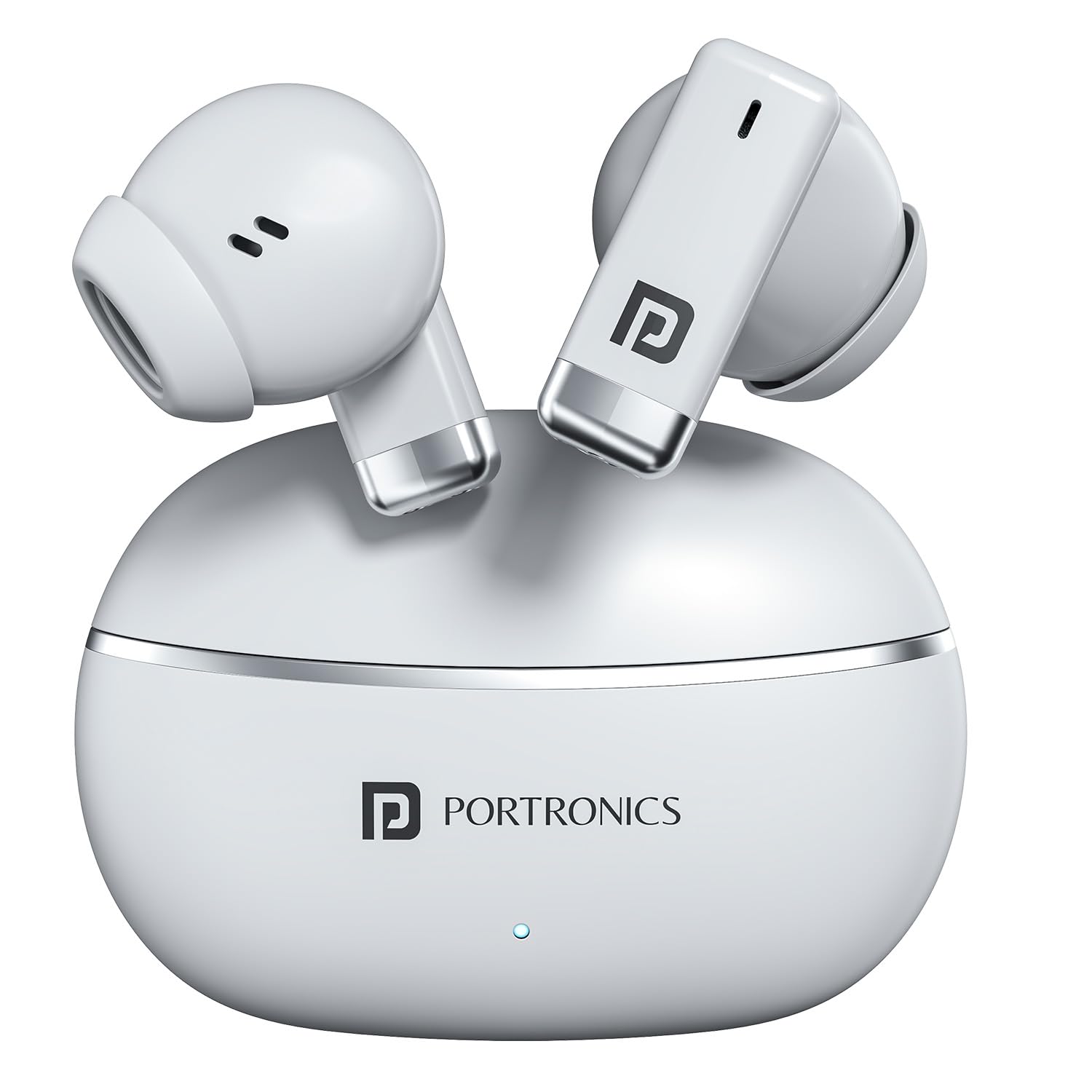
Image: Portronics Twins One Earbuds and Charging Case. This image displays the white earbuds and their compact charging case, highlighting the product's design.
2. What's in the Box
Verify that all items are present in the package:
- Smart TWS Earbuds (2 units)
- Charging Cable (1 unit)
- Documentation (1 unit)
3. Setup
3.1. Charging the Earbuds and Case
Before first use, fully charge the earbuds and the charging case.
- Place the earbuds into the charging case.
- Connect the provided Type-C charging cable to the charging port on the case and to a USB power source.
- The indicator lights on the case will show charging status. Once fully charged, the lights will indicate completion or turn off.

Image: Portronics Twins One Type-C Fast Charging. This image illustrates the Type-C charging port on the earbud case and highlights the fast charging capability.
3.2. Pairing with a Device
The earbuds use Bluetooth v5.3 for wireless connection.
- Ensure the earbuds are charged.
- Open the charging case. The earbuds will automatically enter pairing mode (indicator lights may flash).
- On your device (smartphone, tablet, laptop), enable Bluetooth.
- Search for "Portronics Twins One" in the list of available Bluetooth devices.
- Select "Portronics Twins One" to connect. Once connected, a voice prompt will confirm successful pairing.

Image: Portronics Twins One Bluetooth Connectivity. This image shows the earbuds and case alongside a smartphone displaying music, emphasizing stable Bluetooth connection.
4. Operating Instructions
4.1. Touch Controls
The earbuds feature smart touch controls for various functions:
- Play/Pause: Single tap on either earbud.
- Next Track: Double tap on the right earbud.
- Previous Track: Double tap on the left earbud.
- Answer/End Call: Single tap on either earbud during an incoming call.
- Reject Call: Long press on either earbud during an incoming call.
- Activate Voice Assistant: Triple tap on either earbud.

Image: Portronics Twins One Soft Touch Control. This image highlights the touch-sensitive area on the earbuds and lists various control functions like play, pause, track skipping, and call management.
4.2. Game Mode and Music Mode
The earbuds offer dual modes for optimized audio performance:
- Game Mode: Provides low-latency audio for a synchronized gaming experience.
- Music Mode: Enhances sound tuning for music playback, delivering rich bass and clear audio.
Refer to the specific product documentation for instructions on how to switch between Game Mode and Music Mode, as this may vary.

Image: Portronics Twins One Dual Performance Modes. This image shows the earbuds with icons for Gaming Mode and Music Mode, indicating the ability to switch between optimized audio experiences.
4.3. Voice Assistant
Activate your device's voice assistant (e.g., Google Assistant, Siri) directly from the earbuds using the touch controls.

Image: Portronics Twins One Voice Assistant Activation. This image depicts a user wearing the earbuds and shows prompts for activating voice assistants like Google Assistant and Siri with a simple tap.
5. Maintenance
5.1. Cleaning
Regularly clean your earbuds and charging case to ensure optimal performance and hygiene.
- Use a soft, dry, lint-free cloth to wipe the earbuds and case.
- Do not use abrasive cleaners, alcohol, or chemical solvents.
- Gently remove any earwax or debris from the earbud mesh using a small, soft brush.
5.2. Water Resistance
The Portronics Twins One earbuds are designed with IPX5 water resistance, making them resistant to sweat, splashes, and light rain. They are not designed for submersion in water.
- Do not intentionally submerge the earbuds in water.
- Dry the earbuds thoroughly before placing them back in the charging case if they become wet.
- The charging case is not water-resistant.

Image: Portronics Twins One Water Resistant IPX5. This image shows the earbuds with water splashing around them, indicating their rainproof, splashproof, and sweatproof capabilities.
5.3. Storage
When not in use, store the earbuds in their charging case to protect them and keep them charged.
6. Troubleshooting
| Problem | Possible Solution |
|---|---|
| Earbuds not pairing |
|
| Only one earbud working |
|
| Low volume or poor sound quality |
|
| Earbuds not charging |
|
7. Specifications
| Feature | Detail |
|---|---|
| Brand | Portronics |
| Model Name | Twins One |
| Model Number | POR-2685 |
| Colour | White |
| Ear Placement | In Ear |
| Form Factor | In Ear |
| Audio Driver Type | 13mm Dynamic Driver |
| Bluetooth Version | 5.3 |
| Battery Average Life | Up to 30 Hours (with charging case) |
| Control Method | Touch |
| Water Resistance Level | IPX5 (Water Resistant) |
| Enclosure Material | ABS Plastic |
| Item Weight | 100 Grams |
| Charging Port | Type-C |
| Compatible Devices | Cellphones, Laptops, Desktops, Tablets, Smart Speaker, Television, Car Audio Systems, Gaming Consoles |
| Country of Origin | China |
8. Warranty & Support
8.1. Warranty Information
The Portronics Twins One In-Ear Earbuds come with a 1 Year Warranty from the date of purchase. This warranty covers manufacturing defects. Please retain your purchase receipt for warranty claims.
For detailed warranty terms and conditions, please refer to the official Portronics website or the documentation included in your package.
8.2. Customer Support
For any assistance, technical support, or warranty claims, please contact Portronics customer service:
- Email: help@portronics.com
- Phone: +91 9555-245-245 (10 AM - 6 PM)
- Support Portal: https://support.portronics.com
When contacting support, please have your product model number (POR-2685) and proof of purchase ready.

