
1. Introduction
The Retevis RB48A is a heavy-duty, IP67 waterproof two-way radio designed for reliable communication in demanding environments such as manufacturing and construction. This manual provides essential information for the safe and effective use of your RB48A radios.
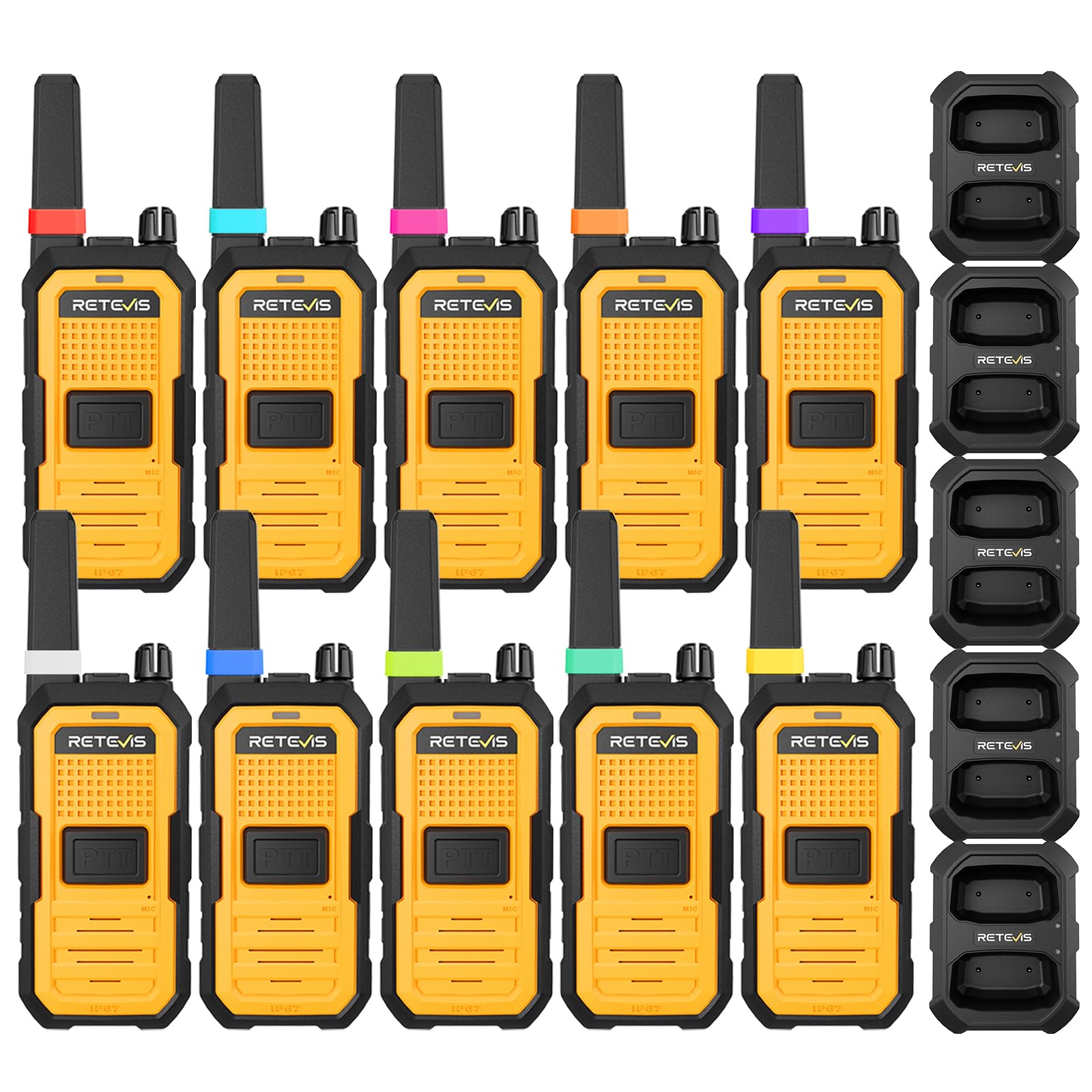
Image 1.1: Retevis RB48A Two-Way Radio. This image shows the main product, a yellow and black heavy-duty walkie-talkie.
1.1 Product Overview Video
Video 1.1: Why Use the RB48A Walkie-Talkie. This video highlights the general benefits and features of the RB48A radio.
1.2 Application Scenarios Video
Video 1.2: RB48A Walkie-Talkie Application Scenarios. This video demonstrates various environments where the RB48A radio can be effectively used, such as construction sites and manufacturing facilities.
2. Package Contents
Verify that all items listed below are included in your package:
- 10x RB48A Heavy Duty Walkie Talkies
- 10x 2000mAh Li-ion Batteries
- 5x Charging Docks
- 5x USB-C Charging Cables
- 10x Back Clips
- 10x Lanyards
- 5x Instruction Manuals
- 1x Antenna ID Rings (set of 10 colors)
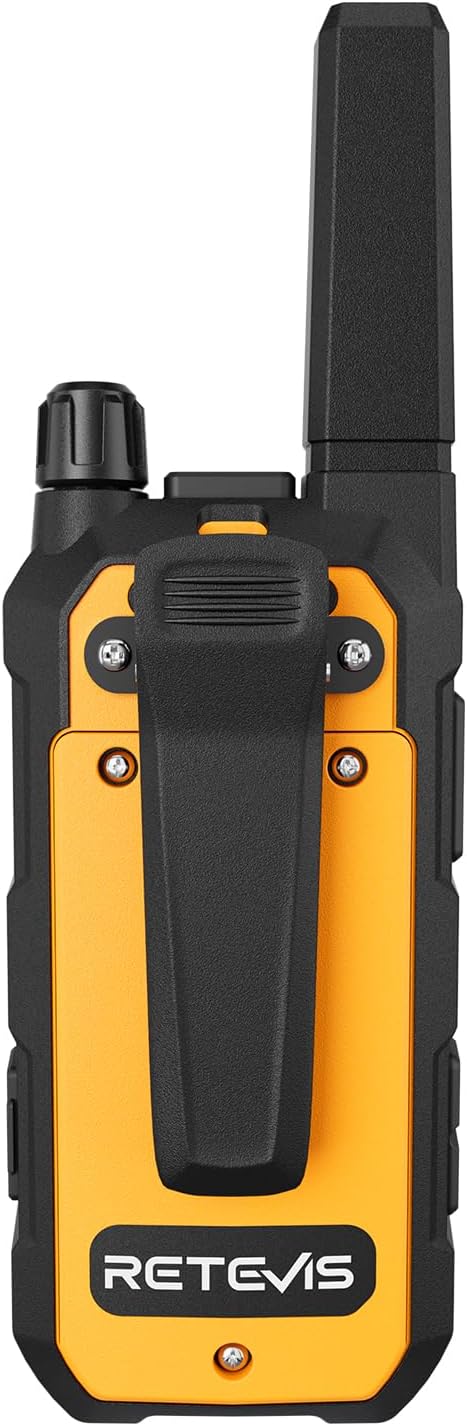
Image 2.1: Retevis RB48A Package Contents. This image displays all components included in the RB48A 10-pack, such as radios, batteries, chargers, and accessories.
3. Product Features
- IP67 Waterproof and Dustproof: Engineered for harsh industrial environments, resistant to water immersion up to 1 meter for 30 minutes and protected against fine dust.

Image 3.1: Retevis RB48A IP67 Triple Protection. This image illustrates the radio's resistance to water, dust, and drops, highlighting its robust design.
3.1 IP67 Durability Video
Video 3.1: RB48A Walkie-Talkie IP67 Advanced Tri-proof Rating. This video demonstrates the RB48A's IP67 waterproof and dustproof capabilities.
- Noise Reduction: Features two-way intelligent noise reduction, boosting SNR by 25dB to filter out machinery, engine, drilling, and heavy equipment noise for clear communication.

Image 3.2: Retevis RB48A Noise Reduction. This image highlights the radio's noise reduction capabilities, showing sound wave filtering in a high-decibel environment.
- Extended Battery Life: Equipped with a 2000mAh Li-ion battery, providing up to 23 hours of continuous usage (90% standby / 5% talk / 5% listen) and over 70 hours of standby time.
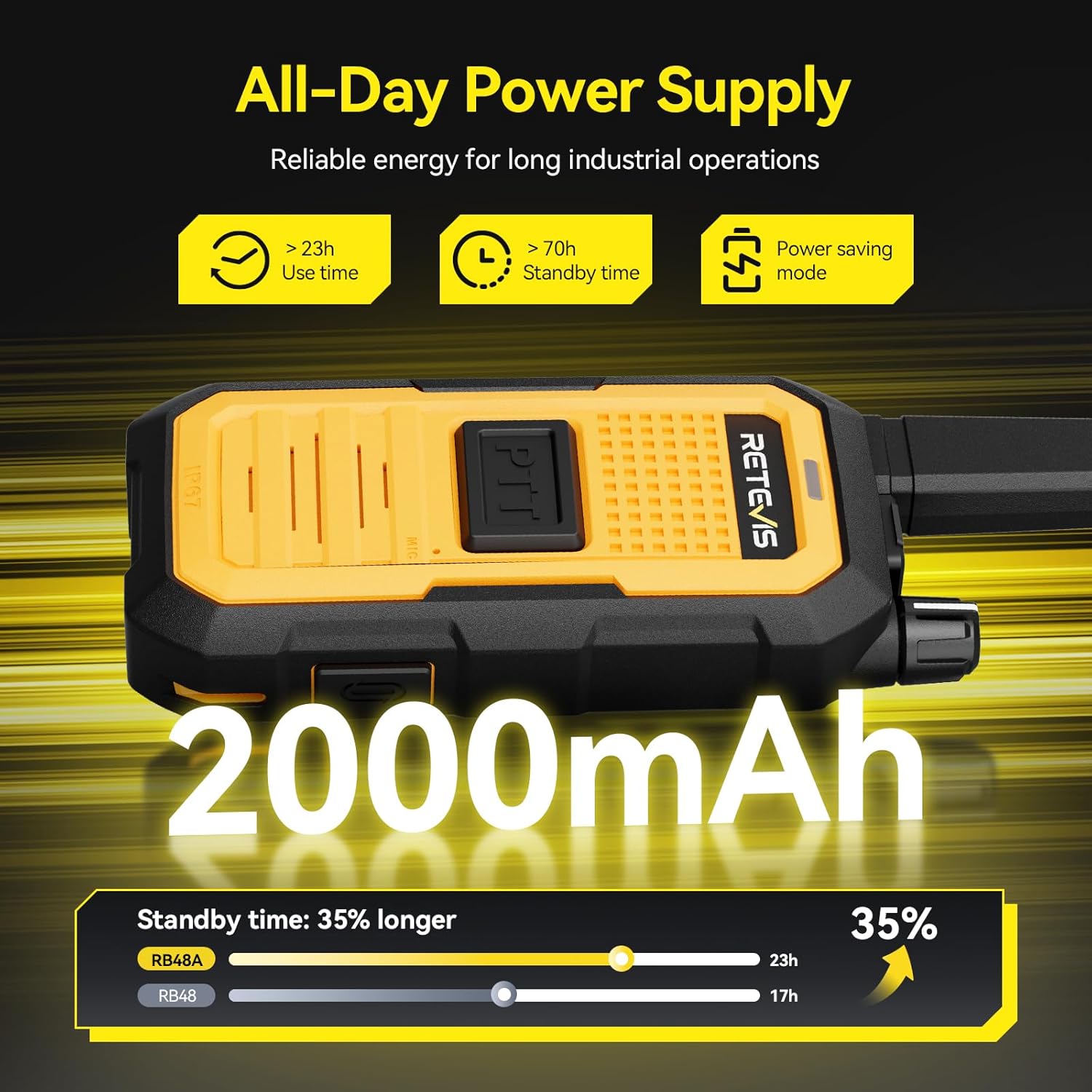
Image 3.3: Retevis RB48A Extended Battery Life. This image shows the 2000mAh battery capacity and its long usage and standby times.
- Long-Range Coverage: Offers stable signal coverage up to 300,000 sq. ft. or across 25 stories in buildings, with a range of 0.5-2 miles depending on terrain and conditions.

Image 3.4: Retevis RB48A Long Range Coverage. This image illustrates the radio's extensive coverage area in both open spaces and multi-story buildings.
- Wide Push-to-Talk (PTT) Button: An oversized front PTT button allows for easy, blind operation, even when wearing gloves, ensuring quick and reliable transmission.

Image 3.5: Retevis RB48A Wide PTT Button. This image demonstrates the large, glove-friendly PTT button on the radio.
- 10-Color Antenna ID Rings: Includes ten colored rubber rings to simplify device management and allow for quick identification of individual radios.

Image 3.6: Retevis RB48A Antenna ID Rings. This image shows multiple radios with different colored rings on their antennas for easy identification.
- NOAA Weather Alerts: Provides access to 11 NOAA channels for real-time weather warnings, helping users stay prepared and work safely.
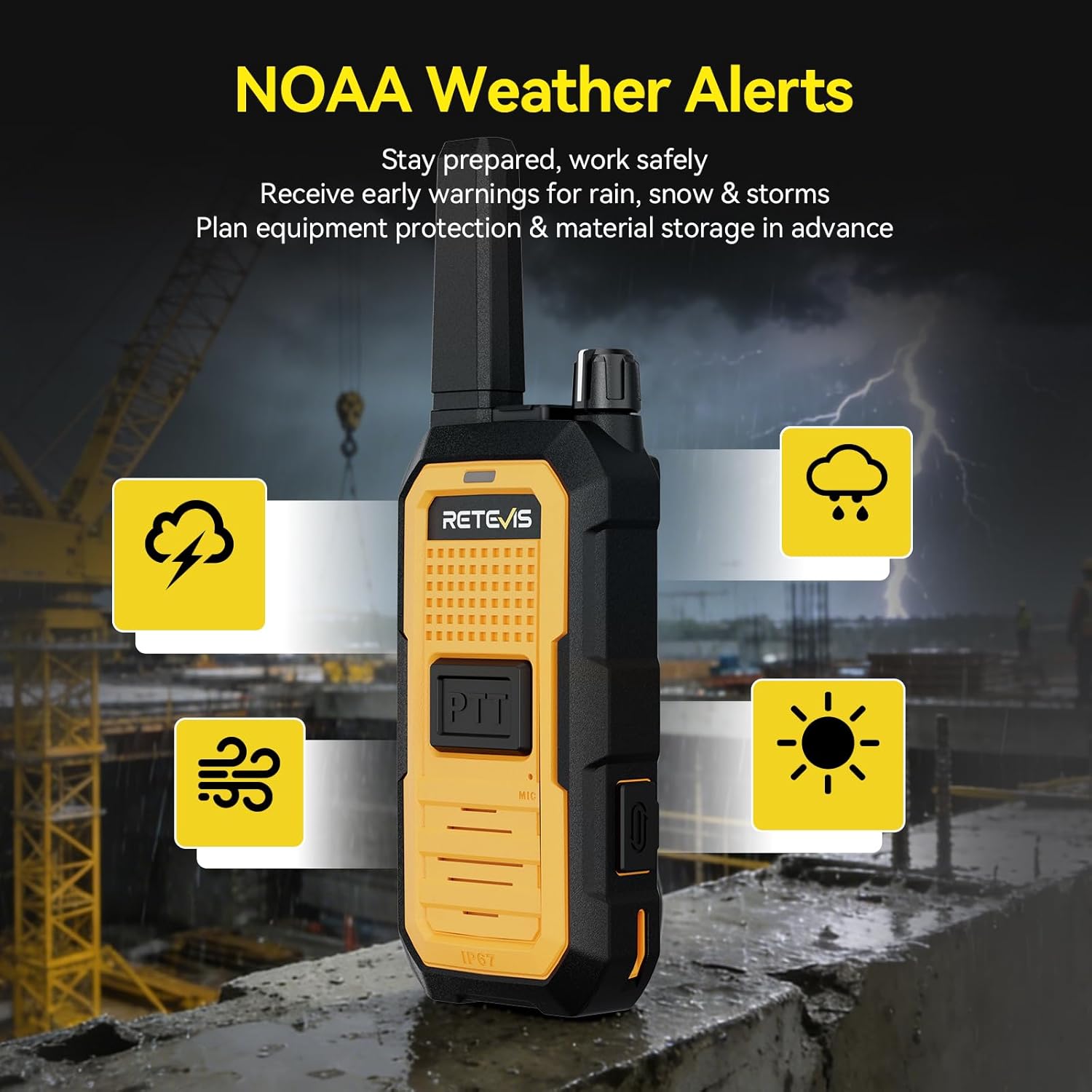
Image 3.7: Retevis RB48A NOAA Weather Alerts. This image depicts the radio's capability to receive NOAA weather alerts, showing icons for various weather conditions.
4. Component Identification
Familiarize yourself with the various parts of your Retevis RB48A radio:

Image 4.1: Retevis RB48A Component Diagram. This diagram labels the key components of the RB48A radio, including the antenna, PTT buttons, speaker, and charging port.
- Antenna: For transmitting and receiving signals.
- Power/Volume Knob: Turns the radio ON/OFF and adjusts volume.
- Indicator Light: Displays radio status (e.g., transmitting, receiving, charging).
- PTT 1 (Side Push-to-Talk): Primary button for transmitting voice.
- PTT 2 (Front Push-to-Talk): Secondary button for transmitting voice, designed for easy access.
- Microphone: Captures your voice for transmission.
- Channel +/- / Customizable Key: Adjusts channels or performs other programmable functions.
- Speaker: Outputs received audio.
- Earphone Jack: Connects compatible audio accessories (located under a protective cover).
- Type-C Charging/Data Port: For charging the radio and data transfer (located under a protective cover).
5. Setup
5.1 Charging the Battery
Before initial use, fully charge the radio's battery:
- Insert the 2000mAh Li-ion battery into the radio.
- Place the radio into the charging dock.
- Connect the USB-C charging cable to the charging dock and a power adapter.
- Plug the power adapter into an electrical outlet.
- The indicator light on the radio will illuminate red during charging and turn green when fully charged.

Image 5.1: Retevis RB48A Charging Dock. This image shows two RB48A radios placed in a dual charging dock.
5.2 Attaching the Belt Clip
To attach the belt clip:
- Align the belt clip with the screw holes on the back of the radio.
- Secure the belt clip using the provided screws.
5.3 Attaching the Lanyard
To attach the lanyard:
- Thread the lanyard through the designated loop on the radio.
5.4 Power On/Off
To power the radio:
- Power ON: Rotate the Power/Volume knob clockwise until you hear a click.
- Power OFF: Rotate the Power/Volume knob counter-clockwise until it clicks.
6. Operating Instructions
6.1 Function Introduction Video
Video 6.1: RB48A Walkie-Talkie Function Introduction. This video provides a brief overview of the radio's main functions and how to use them.
6.2 Adjust Volume
Rotate the Power/Volume knob clockwise to increase the listening volume and counter-clockwise to decrease it.
6.3 Select a Channel
Use the Channel +/- buttons on the side of the radio to select one of the 22 available FRS channels. Ensure all radios intended for communication are set to the same channel.
6.4 Transmit (Talk)
To transmit your voice:
- Press and hold either the PTT 1 (side) or PTT 2 (front) button.
- Speak clearly into the microphone, holding the radio approximately 2-5 cm from your mouth.
- Release the PTT button to stop transmitting and return to receive mode.
6.5 Receive (Listen)
When the PTT button is not pressed, the radio is in receive mode. It will automatically receive transmissions on the selected channel. Adjust the volume for comfortable listening.
6.6 NOAA Weather Alert
The RB48A supports NOAA weather alerts. For specific instructions on activating and utilizing this feature, please refer to the detailed instruction manual included in your package, as it may involve programming or specific key combinations.
7. Maintenance
7.1 Cleaning
Wipe the radio with a soft, damp cloth. Do not use harsh chemicals, solvents, or abrasive cleaners, as these can damage the radio's casing and seals. Ensure the charging port and earphone jack covers are securely closed to maintain the IP67 rating.
7.2 Battery Care
For optimal battery life and performance:
- Avoid fully discharging the battery frequently.
- Charge the battery regularly, even if the radio is not in use for extended periods (e.g., once every three months).
- Store the radio and battery in a cool, dry place, away from direct sunlight and extreme temperatures.
7.3 Antenna
Do not attempt to remove or modify the integrated antenna. Unauthorized modifications can void the warranty and may violate FCC regulations.
8. Troubleshooting
If you encounter issues with your RB48A radio, refer to the following common problems and solutions:
- No Power:
- Check if the battery is properly installed and fully charged.
- Ensure the Power/Volume knob is rotated clockwise to turn on the radio.
- Cannot Transmit or Receive:
- Verify that the radio is on the same channel as the other radios you are trying to communicate with.
- Check if the battery level is sufficient for operation.
- Ensure you are within the effective communication range. Obstacles like buildings and dense terrain can significantly affect range.
- Poor Audio Quality:
- Adjust the volume using the Power/Volume knob.
- Ensure the microphone and speaker are not obstructed by dirt or debris.
- Move to an area with less electromagnetic interference.
- Water or Dust Exposure:
- If the radio has been exposed to water or excessive dust, ensure all port covers are sealed. Clean the exterior as described in the Maintenance section.
- If performance issues persist after cleaning and drying, contact customer support.
9. Specifications
| Brand | Retevis |
| Model Number | RB48A |
| Color | Yellow |
| Number of Channels | 22 |
| Frequency Range | FRS |
| Talking Range Maximum | 2 Miles (depending on terrain) |
| Battery Capacity | 2000mAh Li-ion |
| Battery Average Life | 23 Hours (usage), 70+ Hours (standby) |
| Water Resistance Level | IP67 Waterproof |
| Operating Temperature | -20°C to +65°C |
| Dimensions | 180 x 60 x 33 mm (7.09 x 2.36 x 1.30 in) |
10. Warranty and Support
10.1 Warranty Information
Retevis provides a 5-year warranty for the radio body and a 1-year warranty for accessories. A 30-day no-reason return policy is also offered from the date of purchase.
10.2 Post-Warranty Service
Maintenance services are available beyond the warranty period. Buyers are responsible for any associated costs for parts and labor.
10.3 Contact Support
For any inquiries, technical assistance, or warranty claims, please contact Retevis customer support through Amazon. Support inquiries are typically responded to within 12 hours.