
1. Important Safety Information
Please read all safety warnings and instructions carefully before using this appliance to prevent injury or damage. Keep this manual for future reference.
- Do not operate the refrigerator with wet hands or when standing on a wet surface.
- Ensure the power supply voltage matches the voltage specified on the appliance's rating label.
- Avoid placing the refrigerator in direct sunlight or near heat sources.
- Do not block ventilation openings. Ensure adequate airflow around the unit.
- Do not use electrical appliances inside the food storage compartments unless they are of the type recommended by the manufacturer.
- Disconnect the power supply before cleaning or performing maintenance.
- This appliance is not intended for use by persons (including children) with reduced physical, sensory or mental capabilities, or lack of experience and knowledge, unless they have been given supervision or instruction concerning use of the appliance by a person responsible for their safety.
2. Product Overview
The Feelfunn 55QT Dual-Zone Portable Car Refrigerator Freezer is designed for versatile cooling and freezing on the go. It features two independent compartments with separate temperature controls, allowing you to freeze items in one zone and chill others in the second.
Key Features:
- Dual-Zone Functionality: Two compartments with independent temperature control from -4°F to 68°F (-20°C to 20°C).
- Fast Cooling: Cools from 77°F (25°C) to 32°F (0°C) in approximately 15 minutes.
- Smart App Control: Adjust temperature and modes via Bluetooth from your smartphone.
- Battery Protection: 3-level system to prevent draining your vehicle's battery.
- Portability: Equipped with a durable handle, smooth-rolling wheels, and a sturdy pull-out basket for easy transport.
- Quiet Operation: Operates at under 45dB.
- Max & Eco Modes: Choose between rapid cooling or energy-saving operation.
- User-Friendly Design: Built-in LED lighting for visibility in low light.
Included Components:
- 1x Feelfunn 55QT Portable Refrigerator
- 1x DC Power Cord (for 12V/24V vehicle use)
- 1x AC Adapter (for 100-240V home use)
- 1x User Manual

Image 2.1: The Feelfunn 55QT Portable Car Refrigerator Freezer with its lid open, revealing the dual compartments and internal LED light.

Image 2.2: Internal capacity diagram for the 55QT model, showing storage for 72 cans, 33 water bottles, or 12 wine bottles.
3. Setup
3.1 Unpacking and Placement
- Carefully remove the refrigerator from its packaging.
- Place the unit on a flat, stable surface. Ensure there is at least 10 cm (4 inches) of space around all sides for proper ventilation.
- Before initial use, it is recommended to let the unit stand upright for at least 6 hours if it was transported horizontally.
3.2 Power Connection
The refrigerator can be powered by either AC (home outlet) or DC (vehicle outlet).
- AC Power (100-240V): Connect the AC adapter to the refrigerator's AC input port, then plug the adapter into a standard wall outlet.
- DC Power (12V/24V): Connect the DC power cord to the refrigerator's DC input port, then plug the other end into your vehicle's cigarette lighter socket.
3.3 Initial Cooling
For optimal performance, pre-cool the refrigerator at home using AC power before loading it with items for a trip.

Image 3.1: The refrigerator demonstrating its fast cooling capability, reaching -4°F in 15 minutes.
4. Operating Instructions
4.1 Control Panel Overview
The control panel is located on the front of the unit. It includes buttons for power, temperature adjustment, mode selection, and a digital display.
4.2 Power On/Off
- Press the Power button to turn the unit on or off.
4.3 Temperature Adjustment
The unit features dual zones. Each zone's temperature can be set independently.
- Press the Zone Selection button (if available, or repeatedly press temperature button to switch zones) to select the desired compartment.
- Use the + and - buttons to set the desired temperature. The display will show the target temperature, then revert to the current internal temperature.

Image 4.1: Control panel and display illustrating various cooling modes and recommended temperatures for different food types.
4.4 Max & Eco Modes
Press the Mode button to switch between:
- Max Mode: For rapid cooling. Consumes more power.
- Eco Mode: For energy-saving operation, ideal for extending battery life.
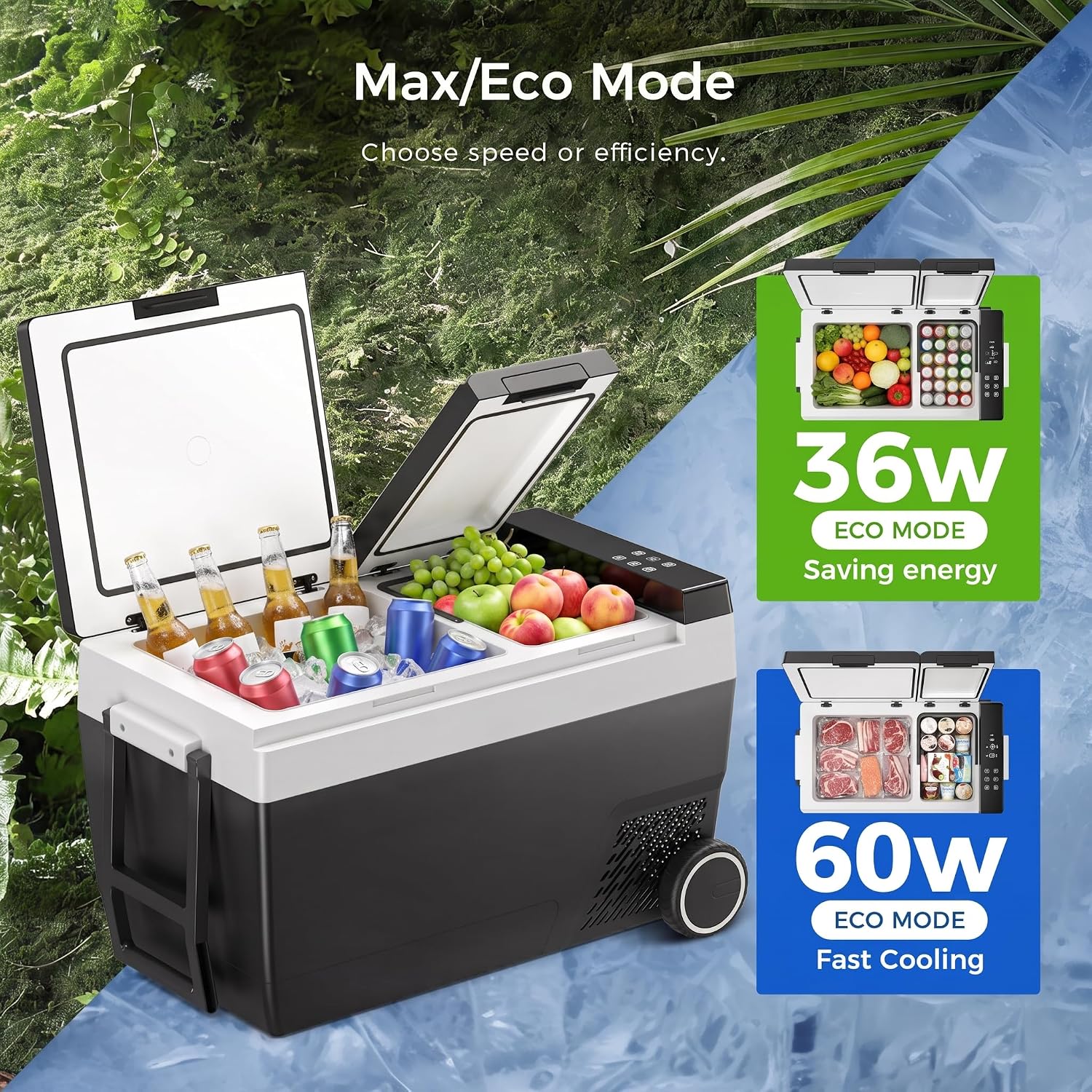
Image 4.2: Comparison of Max (60W) and Eco (36W) modes for cooling efficiency and energy saving.
4.5 Battery Protection Settings
The unit has three levels of battery protection (High, Medium, Low) to prevent your vehicle's battery from fully discharging. Adjust this setting based on your battery type and usage.
- With the unit powered on, press and hold the Settings button (or similar, refer to specific button on your model) for 3 seconds.
- Press the Settings button again to cycle through H (High), M (Medium), L (Low).
- Release the button to select the desired setting.
4.6 Smart App Control
Download the Feelfunn app from your smartphone's app store. Connect via Bluetooth to control the refrigerator remotely.
- Ensure Bluetooth is enabled on your smartphone.
- Open the Feelfunn app and follow the on-screen instructions to pair with your refrigerator.
- Once connected, you can adjust temperatures, switch modes, and monitor battery status from your phone.

Image 4.3: Controlling the refrigerator's settings remotely using the Feelfunn smartphone app.
5. Maintenance
5.1 Cleaning
- Always disconnect the power supply before cleaning.
- Wipe the interior and exterior surfaces with a damp cloth and a mild detergent.
- Do not use abrasive cleaners, harsh chemicals, or sharp objects, as these can damage the surfaces.
- Ensure all surfaces are dry before reconnecting power.
5.2 Defrosting
The unit features a frost-free defrost system. However, if ice buildup occurs, manually defrost the unit:
- Turn off the refrigerator and disconnect it from the power source.
- Remove all contents.
- Leave the lid open to allow the ice to melt naturally.
- Wipe away any melted water with a clean cloth. Do not use sharp objects to remove ice.
5.3 Storage
When storing the refrigerator for an extended period:
- Ensure the unit is clean and dry.
- Leave the lid slightly ajar to prevent odors and mold growth.
- Store in a dry, well-ventilated area, away from direct sunlight and extreme temperatures.
6. Troubleshooting
If you encounter issues, please refer to the following common problems and solutions before contacting support.
| Problem | Possible Cause | Solution |
|---|---|---|
| Refrigerator not turning on | No power supply; Loose connection; Blown fuse in vehicle | Check power cord connection; Try a different power outlet; Check vehicle's fuse box. |
| Not cooling sufficiently | Lid not closed properly; Overloaded with warm items; Poor ventilation; Temperature setting too high | Ensure lid is sealed; Reduce load or pre-cool items; Clear ventilation openings; Lower temperature setting. |
| Excessive noise | Unit not on a level surface; Fan obstruction | Place on a flat surface; Check for any objects blocking the fan. |
| Error code on display | Specific internal fault | Refer to the app or contact customer support with the error code. |
7. Specifications
| Feature | Specification |
|---|---|
| Model Number | CF031-42BG |
| Capacity | 52 Liters (55 QT) |
| Product Dimensions (D x W x H) | 29.6" x 20.4" x 17.4" (75.2 cm x 51.8 cm x 44.2 cm) |
| Item Weight | 38.4 pounds (17.4 kg) |
| Voltage | 12V/24V DC, 100-240V AC |
| Temperature Range | -4°F to 68°F (-20°C to 20°C) |
| Cooling Method | Compressor |
| Defrost System | Frost Free |
| Noise Level | Under 45dB |
| Special Features | Dual-Zone Independent Control, APP control, Anti-Shake, Energy Efficient, Low Noise, Portable, Touch Control |
8. Warranty and Support
Every Feelfunn portable refrigerator comes with dedicated 1-year technical support.
For technical assistance, warranty claims, or any questions regarding setup or power usage, please contact Feelfunn customer service. Refer to your purchase documentation or the official Feelfunn website for contact details.
