
1. Introduction
Thank you for choosing the UNIHAND AI Hand Warmers. This manual provides essential information for the safe and efficient use of your new rechargeable hand warmers. Please read it thoroughly before use and keep it for future reference.
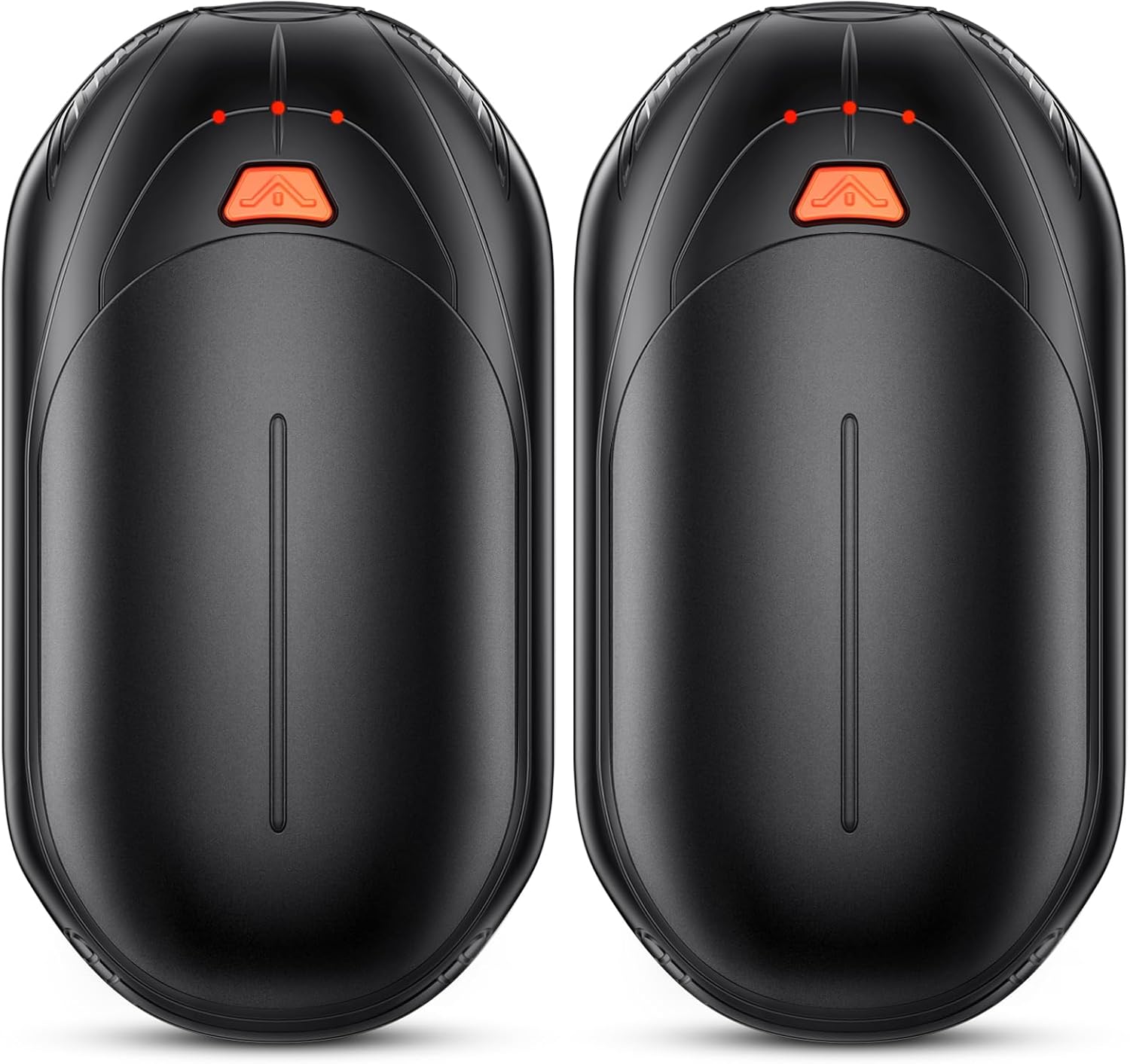
Image: Two UNIHAND AI Hand Warmers, showcasing their compact and ergonomic design.
2. Product Features
- 2-in-1 Design: Two individual units that can connect for 360° warmth or be used separately.
- Smart AI Temperature Control: Advanced AI chip for intelligent temperature detection and maintenance.
- Multiple Heat Settings: 3 precise heat levels (95-107.5°F, 104-118.5°F, 118.5-130°F).
- Extended Battery Life: Up to 20 hours of continuous heat on a single charge.
- Portable & Ergonomic: Compact, palm-sized design with a matte, anti-slip surface.
- Safety Certifications: CE and FCC certified for reliable performance.

Image: Illustration of the AI Smart Chip technology, highlighting enhanced safety, heating efficiency, and lasting warmth.
3. What's in the Box
- 2 x UNIHAND AI Hand Warmers
- 1 x Type-C Charging Cable
- 1 x User Manual (this document)

Image: The two hand warmers connected to the dual Type-C charging cable, illustrating the quick charging feature.
4. Setup
4.1 Charging the Hand Warmers
- Connect the provided Type-C charging cable to the charging port on each hand warmer.
- Plug the USB-A end of the cable into a compatible USB power adapter (not included).
- The indicator lights will show the charging status. A full charge typically takes 3-4 hours.
Image: The two hand warmers connected to the dual Type-C charging cable, illustrating the quick charging feature.
5. Operating Instructions
5.1 Power On/Off and Heat Settings
- To Power On/Off: Long press the orange power button for 3 seconds. A red light will illuminate when the device is on.
- To Change Heat Level: Short press the orange power button to cycle through the 3 heat settings. Each press will advance to the next level.
5.2 Indicator Lights
The indicator lights provide information on both temperature level and battery remaining:
- Temperature Level (Red Lights):
- 1 Red Light: Low (95-107.5°F)
- 2 Red Lights: Medium (104-118.5°F)
- 3 Red Lights: High (118.5-130°F)
- Battery Remaining (Blue Lights):
- 1 Blue Light: Low (<35%)
- 2 Blue Lights: Medium (35-70%)
- 3 Blue Lights: High (70-100%)
- To Check Battery Life: Double press the orange power button. Blue lights will indicate the current battery level.

Image: Visual guide on how to use the hand warmers, detailing button presses for power, heat settings, and battery check.

Image: Explanation of the LED indicator lights for both temperature settings and battery status.
5.3 2-in-1 Functionality
The two hand warmer units can be connected or separated:
- To Connect: Align the two units and slide them together until they click into place. This provides 360° warmth.
- To Separate: Push the release mechanism (usually a small button or slide) to detach the units. This allows you to warm both hands individually or share with another person.

Image: Visual demonstration of the 2-in-1 feature, showing the hand warmers connected and separated for versatile use.
6. Safety Information
The UNIHAND AI Hand Warmers are equipped with advanced safety features:
- Over-Voltage Protection
- Over-Heating Protection
- Over-Current Protection
- Over-Charging Protection
Always ensure the devices are used as intended and avoid direct contact with bare skin on the highest setting for prolonged periods to prevent discomfort.

Image: The internal AI chip with various safety protections listed, ensuring safe operation.

Image: The hand warmer displayed with CE and FCC safety certifications, emphasizing product reliability.
7. Maintenance
7.1 Cleaning
- Wipe the surface of the hand warmers with a soft, dry cloth.
- Do not use abrasive cleaners or immerse the devices in water.
7.2 Storage
- Store the hand warmers in a cool, dry place when not in use.
- Ensure they are fully charged before long-term storage to maintain battery health.
8. Troubleshooting
- Device not turning on: Ensure the device is charged. Long press the power button for 3 seconds.
- Not heating sufficiently: Check the heat setting using the indicator lights. Ensure the device is fully charged.
- Not charging: Verify the charging cable is securely connected to both the hand warmer and the power source. Try a different USB port or adapter.
9. Specifications
| Brand | UNIHAND |
| Model | B0FH6LLGDP |
| Color | Black |
| Material | Aluminum |
| Battery Type | Lithium-Ion |
| Battery Charge Time | 3-4 Hours (for full charge) |
| Max Temperature | 130°F (54°C) |
| Reusability | Rechargeable |
| Included Components | Charging Cable, User Manual |
| Manufacturer | Guangdong Aoyun Technology Co., Ltd. |
10. Warranty and Support
10.1 Warranty Information
This product comes with a 2-year warranty from the date of purchase, covering manufacturing defects. Please retain your proof of purchase for warranty claims.
10.2 Customer Support
For any questions, troubleshooting assistance, or warranty claims, please contact UNIHAND customer support through the retailer's platform or visit our official website for contact details.
11. Product Video
Video: An official UNIHAND video showcasing the features and benefits of the AI Hand Warmers Rechargeable 2 Pack, including its design, heating capabilities, and portability.