
1. Introduction
Welcome to the WuzuTech Herz P1 Smart Band. This device is designed to help you monitor your daily activity, sleep patterns, and overall health. Please read this manual carefully to ensure proper use and optimal performance.
The Herz P1 Smart Band is a lightweight, comfortable wearable that tracks various biometrics throughout the day and night. It connects to a dedicated app on your smartphone to provide detailed insights into your health data.
2. What's in the Box
Upon unboxing your Herz P1 Smart Band, verify that all components are present:
- 1x Herz P1 Smart Device
- 1x Instruction Manual (this document)
- 1x Quick Start Guide
- 1x Product Box
- 1x USB Magnetic Charging Cable
- 1x Silicone Strap (pre-attached or separate)
- 2x Adjustable Nylon Straps (long and short, Rose Mist color)


3. Setup Guide
3.1 Charging the Device
Before initial use, fully charge your Herz P1 Smart Band. Connect the magnetic charging cable to the charging points on the back of the device and plug the USB end into a power source (e.g., computer USB port, USB wall adapter).

The device supports fast charging, reaching full capacity in approximately 1.5 hours. A full charge provides up to 30 days of typical usage.
3.2 App Installation and Pairing
The Herz P1 Smart Band requires the Herz App (also known as QRing App) for full functionality. The app is compatible with both iOS and Android devices and does not require any subscription fees.
- Download the App: Scan the QR code provided in the quick start guide or search for "Herz App" or "QRing App" in the Apple App Store or Google Play Store. Alternatively, visit www.qcwireless.cn/QcRing/index.html.
- Create an Account: Follow the on-screen instructions to create your user account.
- Pair the Device: Ensure your smartphone's Bluetooth is enabled. Open the Herz App and follow the prompts to search for and pair your Herz P1 Smart Band.
- Complete Setup: Once paired, the app will guide you through any necessary profile setup or initial synchronization.

3.3 Attaching the Straps
The Herz P1 Smart Band comes with interchangeable straps. To attach or change a strap:
- Align the strap with the connection points on the smart band device.
- Gently push the strap into place until it clicks securely.
- Ensure both ends of the strap are firmly attached before wearing.
Video: Herz P1 Smart Band Unboxing and App Setup. This video demonstrates how to unbox the device, attach the straps, and connect it to the companion app.
4. Operating Instructions
The Herz P1 Smart Band operates continuously to track your health metrics. Data is synchronized with the Herz App on your smartphone.
4.1 Activity Tracking
The device automatically tracks your daily movement, including steps, distance, and calories burned. Wear the band comfortably on your wrist throughout the day for accurate data collection.

4.2 Health Monitoring
The Herz P1 Smart Band continuously monitors several key health metrics:
- Heart Rate: Tracks your heart rate throughout the day.
- Blood Oxygen (SpO2): Measures blood oxygen levels.
- HRV (Heart Rate Variability): Provides insights into your autonomic nervous system.
- Body Temperature: Monitors your skin temperature.
- Stress Trends: Analyzes patterns to indicate stress levels.


4.3 Sleep Tracking
The Herz P1 Smart Band automatically monitors your sleep cycles, including sleep duration, light sleep, deep sleep, and overall sleep quality. Wear the band while sleeping for comprehensive sleep analysis.

4.4 Smart Features
The Herz P1 Smart Band offers additional features accessible through the app:
- Message Notifications: Receive alerts for incoming messages.
- Incoming Call Reminder: Get notified of incoming calls.
- Find My Band: Locate your band if misplaced.
- Do Not Disturb Mode: Silence notifications during specific times.
- Photo Control: Remotely trigger your phone's camera.
- Alarm Clock: Set silent, vibrating alarms.
- Menstrual Period Tracking: Monitor menstrual cycles.
Video: Herz P1 Smart Band Key Features. This video provides a quick overview of the main functionalities and benefits of the smart band.
5. Maintenance and Care
5.1 Cleaning
To maintain the cleanliness and functionality of your Herz P1 Smart Band:
- Wipe the device and straps regularly with a soft, damp cloth.
- Avoid using harsh chemicals or abrasive materials, as these can damage the device.
- Ensure the charging contacts are clean and dry before charging.
5.2 Water Resistance
The Herz P1 Smart Band features 1 ATM splash resistance. This means it can withstand sweat, rain, and handwashing. It is not intended for swimming, showering, or full water submersion. Prolonged exposure to water or high-pressure water jets may cause damage.
5.3 Battery Care
To prolong battery life:
- Avoid extreme temperatures.
- Charge the device regularly, but avoid leaving it fully discharged for extended periods.
- Use only the provided magnetic charging cable.
6. Troubleshooting
If you encounter issues with your Herz P1 Smart Band, try the following steps:
- Device not turning on: Ensure the device is fully charged. Connect it to the charger for at least 30 minutes.
- Not pairing with app: Make sure Bluetooth is enabled on your phone and the band is within range. Restart both the band and your phone, then try pairing again.
- Inaccurate data: Ensure the band is worn snugly but comfortably on your wrist. Avoid wearing it too loosely or too tightly.
- App not syncing: Check your internet connection. Close and reopen the app. Ensure the app has necessary permissions on your phone.
- Short battery life: Review usage patterns. Features like frequent notifications or continuous high-intensity tracking can consume more power. Ensure the device is fully charged.
If problems persist, refer to the support section for contact information.
7. Specifications
| Feature | Specification |
|---|---|
| Model Number | P1 |
| Brand | WuzuTech |
| Connectivity Technology | Bluetooth |
| Wireless Communication Standard | Bluetooth |
| Compatible Devices | Smartphone (iOS and Android) |
| Display Type | No Display |
| Water Resistance Level | Water Resistant (1 ATM) |
| Water Resistance Depth | 10 meters |
| Metrics Measured | Heart Rate, Sleep Duration, Stress, Body Temperature, Blood Oxygen Monitor |
| Special Features | Activity Tracker, Sleep Monitor, Notifications, Splash Resistant, App Connected |
| Supported Application | Herz App (QRing App) |
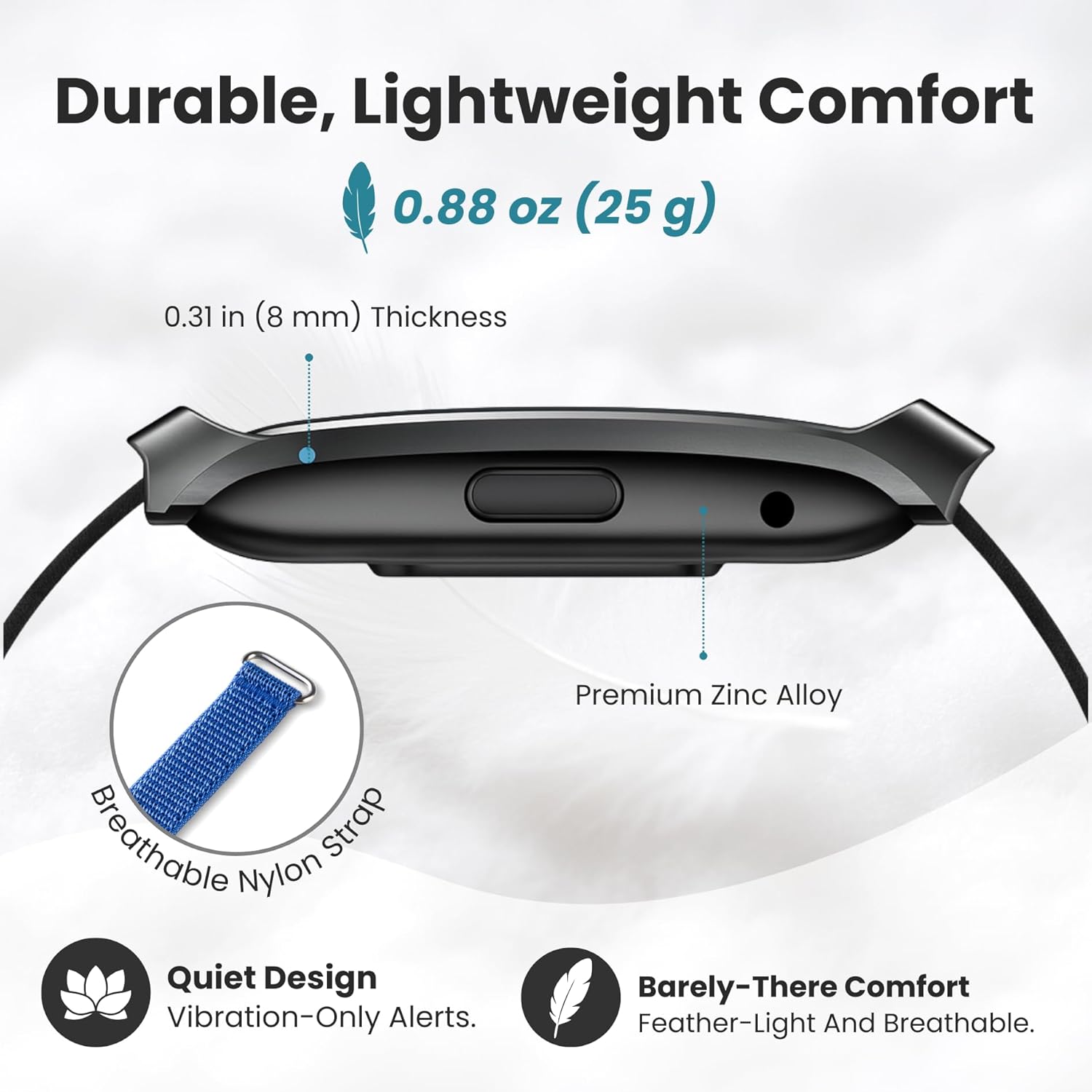
| Band Material Type | Nylon |
| Closure Type | Velcro |
| GPS | No GPS |
| Weight | 0.88 oz (25 g) |
| Thickness | 0.31 in (8 mm) |
8. Warranty and Support
8.1 Warranty Information
WuzuTech provides a limited warranty for the Herz P1 Smart Band against defects in materials and workmanship under normal use for a period of one (1) year from the date of original purchase. This warranty does not cover damage caused by accidents, misuse, unauthorized modifications, or failure to follow the instructions in this manual.
Please retain your proof of purchase for warranty claims.
8.2 Customer Support
For technical assistance, troubleshooting, or warranty inquiries, please contact WuzuTech customer support through the following channels:
- Website: Visit the official WuzuTech website for FAQs and support resources.
- Email: Refer to your product packaging or the official website for customer service email addresses.
- In-App Support: Some support options may be available directly within the Herz App.
When contacting support, please have your product model (P1) and purchase details ready.


