
VilroCaz Wood Gaming Loft Bed
VilroCaz Full Size Gaming Loft Bed with Desk Instruction Manual
Model: Wood Gaming Loft Bed | Brand: VilroCaz
Introduction
This manual provides comprehensive instructions for the assembly, safe operation, and maintenance of your VilroCaz Full Size Gaming Loft Bed. This product is designed to optimize your space with integrated features such as a desk, shelves, pegboard, LED lighting, and USB charging ports. Please read this manual thoroughly before beginning assembly or using the product to ensure proper setup and to prevent injury or damage.
Safety Information
- Always follow assembly instructions carefully. Ensure all hardware is securely tightened before use.
- Do not allow children under 6 years of age on the upper bunk.
- Use only a mattress that is 6-8 inches thick and fits the full-size dimensions of the bed frame.
- Ensure the bed is placed on a level surface.
- Periodically check all connections and hardware to ensure they remain tight.
- Do not hang items from the bed frame that could create a strangulation hazard.
- The maximum weight capacity for this loft bed is 600 lbs. Do not exceed this limit.
- Keep electrical components (LED lights, USB ports) away from liquids.
Package Contents
Before assembly, verify that all components are present. Refer to the separate assembly guide for a detailed list of parts and hardware. The package typically includes:
- Bed Frame Components (Wood and MDF panels, metal supports)
- Desk Surface and Supports
- Storage Shelves
- Pegboard Panel
- Inclined Ladder
- LED Light Strips
- USB Charging Ports and Power Outlet Unit
- Assembly Hardware (screws, bolts, nuts, etc.)
- Assembly Tools (basic wrenches, Allen keys)

Image: Overall dimensions of the loft bed, indicating a length of 78.9 inches, width of 56.9 inches, and height of 67.5 inches.
Setup and Assembly
Assembly of the VilroCaz Full Size Gaming Loft Bed is required. Detailed, step-by-step instructions and all necessary tools are included in the packaging. Please follow these instructions carefully to ensure correct and safe assembly.
- Unpack Components: Carefully remove all parts from the packaging and lay them out on a clean, soft surface to prevent scratches.
- Identify Parts: Match each part to the diagrams in the separate assembly guide.
- Follow Step-by-Step Instructions: Assemble the bed frame, desk, shelves, and ladder according to the provided guide. Pay close attention to hardware types and tightening specifications.
- Install Electrical Components: Integrate the LED light strips and USB/power outlet unit as directed in the assembly guide. Ensure all wiring is secure and not pinched.
- Final Check: Once assembled, double-check all bolts, screws, and connections to ensure they are tight and secure.
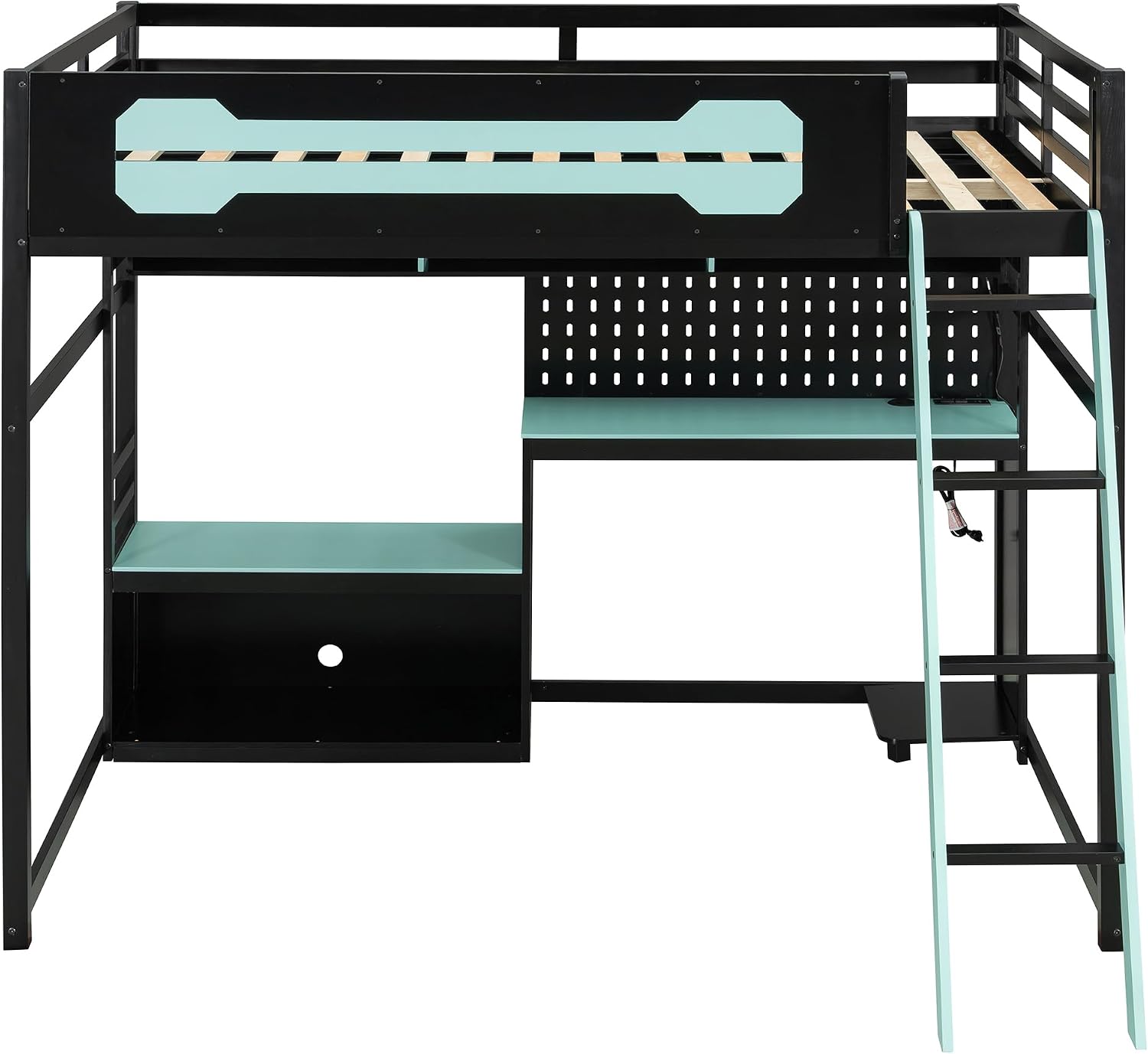
Image: Front view of the loft bed, highlighting the integrated desk, pegboard, and storage shelves below the bed frame.

Image: Detailed view of the desk area, showing the pegboard for organization and the integrated power outlet with USB ports.
Operating Instructions
LED Lights
The integrated LED light strips provide ambient lighting. To operate:
- Connect the LED light power adapter to a standard wall outlet.
- Use the inline controller (if provided) or remote control (if included) to turn the lights on/off, change colors, or adjust brightness.
USB Charging Ports and Power Outlet
The loft bed includes built-in USB charging ports and a standard power outlet for convenience.
- Ensure the power cord for the USB/outlet unit is securely plugged into a wall outlet.
- Plug your devices into the USB ports for charging or into the standard outlet for power.
- Do not overload the power outlet. Refer to the unit's specifications for maximum wattage.
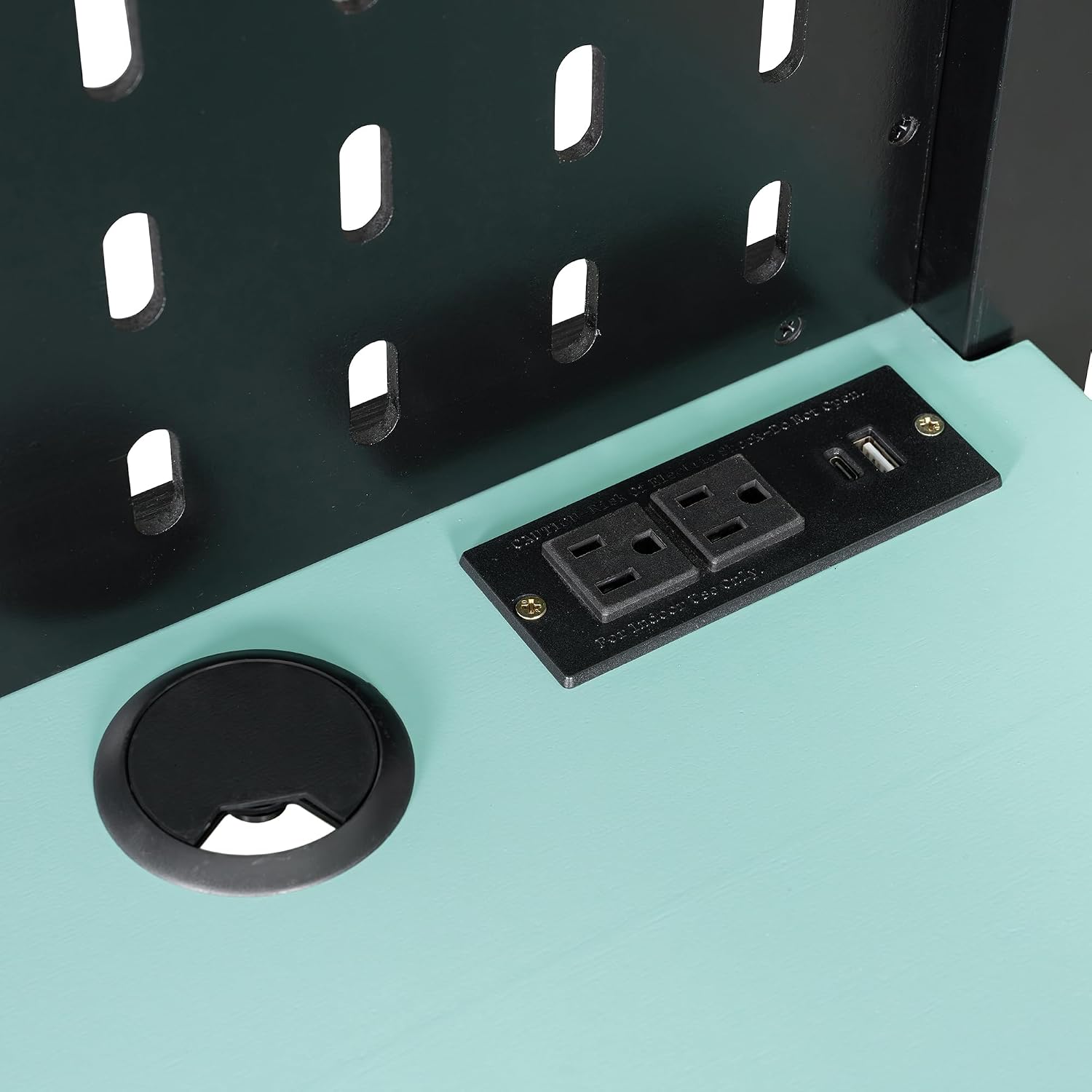
Image: Detailed view of the integrated power strip, showing two standard outlets and two USB charging ports on the desk surface.
Maintenance
- Cleaning: Wipe down the bed frame, desk, and shelves with a soft, damp cloth. Avoid harsh chemicals or abrasive cleaners that could damage the finish.
- Hardware Check: Periodically (e.g., every 3-6 months) inspect all bolts, screws, and connections. Tighten any that have become loose to maintain structural integrity.
- Electrical Components: Ensure LED light strips and USB/power cords are free from damage. Do not attempt to repair damaged electrical components; contact support if issues arise.
- Weight Distribution: Avoid placing excessive weight on any single part of the bed or desk.
Troubleshooting
| Problem | Possible Cause | Solution |
|---|---|---|
| Bed feels wobbly or unstable. | Loose hardware. Uneven floor. | Check and tighten all bolts and screws. Ensure the bed is on a level surface; use shims if necessary. |
| LED lights are not turning on. | Power adapter unplugged. Faulty connection. Damaged LED strip. | Ensure the power adapter is securely plugged into a working outlet. Check all connections to the LED strip. If still not working, contact customer support. |
| USB ports or power outlet not working. | Power cord unplugged. Circuit breaker tripped. Overloaded outlet. | Verify the power cord for the unit is plugged into a live outlet. Check your home's circuit breaker. Reduce the number of devices plugged in. |
| Missing parts during assembly. | Packaging error. | Review the parts list in the assembly guide. Contact customer support with the specific part number(s) needed. |
Specifications
- Product Type: Loft Bed
- Size: Full
- Color: Black+blue Z (Current Variant)
- Frame Material: Pine Wood + MDF
- Overall Product Dimensions: 78.9" L x 56.9" W x 67.5" H
- Overall Product Weight: 180 lbs
- Weight Capacity: 600 lbs
- Recommended Mattress Thickness: 6-8 inches
- Number of Packages: 2
- Included Components: Desk, Shelves, LED Lights, USB Ports, Pegboard
- Country of Origin: Vietnam
- Age Range Description: Child
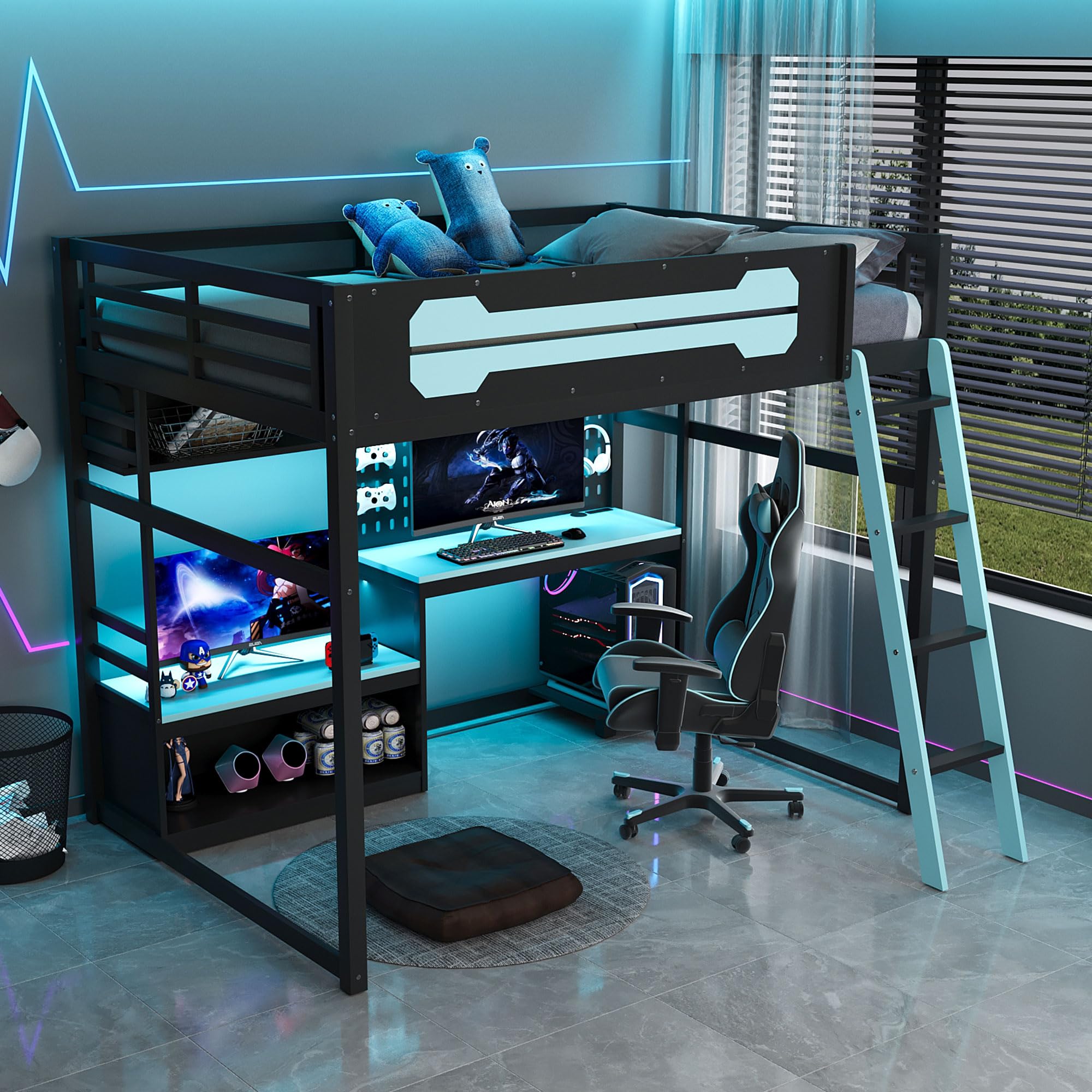
Image: The VilroCaz Full Size Gaming Loft Bed, featuring a black frame with blue accents on the desk, shelves, and ladder. The bed includes an upper bunk, an integrated desk with a pegboard, and storage shelves.
Warranty
This VilroCaz product comes with a Limited Warranty. Please refer to the warranty card included in your packaging for specific terms, conditions, and duration of coverage. The warranty typically covers manufacturing defects under normal use.
Support and Contact Information
If you have any questions regarding the assembly, operation, or maintenance of your VilroCaz Full Size Gaming Loft Bed, or if you require replacement parts, please contact our customer support team.
Customer Service: For assistance, please refer to the contact information provided on your purchase receipt or the VilroCaz official website.
When contacting support, please have your model number ("Wood Gaming Loft Bed") and purchase date available.
Ask a question about this manual
Ask about setup, troubleshooting, compatibility, parts, safety, or missing instructions. Manuals+ will review the question and use this page’s manual context to help answer it.