
1. Introduction
This manual provides essential information for the safe and efficient use of your Wenoker Recumbent Exercise Bike, Model JC505. Please read all instructions carefully before assembly and operation. Retain this manual for future reference.
2. Important Safety Information
Before using this exercise bike, consult with your physician. Stop exercising immediately if you feel faint, dizzy, or experience pain. Always follow these safety guidelines:
- Ensure all parts are securely tightened before each use.
- Place the exercise bike on a flat, stable surface.
- Keep children and pets away from the equipment during operation.
- Wear appropriate exercise attire and footwear.
- Do not exceed the maximum user weight of 350 lbs (158 kg).
- Regularly inspect the bike for wear and tear.
- Keep hands and feet clear of moving parts.
3. Setup and Assembly
Your Wenoker Recumbent Exercise Bike is designed for straightforward assembly. Most components are pre-assembled. Please follow the steps below carefully. An assembly video is also available for visual guidance.
3.1 Unpacking and Parts Identification
Carefully remove all components from the packaging. Lay them out and compare them with the parts list provided in the box to ensure all items are present.
3.2 Assembly Steps
- Attach Front and Rear Stabilizers: Secure the front and rear stabilizer bars to the main frame using the provided bolts and washers. Ensure they are tightened for stability.
- Install Pedals: Identify the left (L) and right (R) pedals. Attach them to the corresponding crank arms. The left pedal tightens counter-clockwise, and the right pedal tightens clockwise. Use the provided wrench to secure them firmly.
- Connect Handlebar Post: Connect the handlebar post to the main frame. Ensure the connection cables for the heart rate monitor are properly routed and connected to the console.
- Mount Console: Install 2 AAA batteries (not included) into the console. Connect the console cables to the handlebar post cables. Secure the console to the handlebar post.
- Attach Water Bottle Holder: Secure the water bottle holder to the handlebar post using the provided screws.
- Install Seat and Backrest: Attach the seat to the seat post and the backrest to its support frame. Secure both components with the provided hardware. Adjust the seat position for comfort using the adjustment knob.

Image: Attaching the front and rear stabilizer bars to the main body of the Wenoker Recumbent Exercise Bike. The image shows a person securing the bars with bolts and washers, ensuring the bike's base is stable.
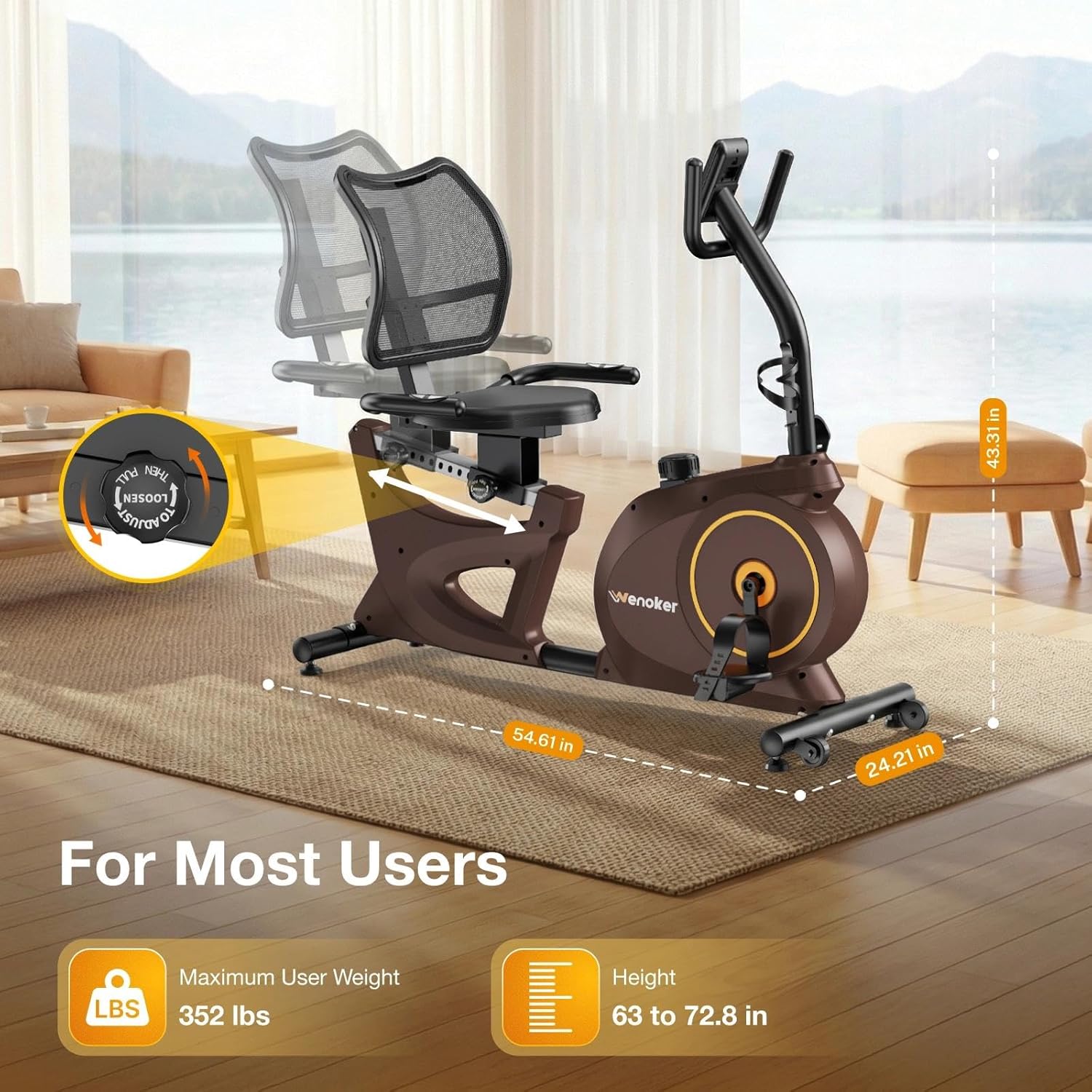
Image: A detailed view of the Wenoker Recumbent Exercise Bike's adjustable seat mechanism, highlighting its dimensions and suitability for various user heights and weights. The seat can be adjusted along a rail for optimal comfort.
3.3 Assembly Video Guide
For a visual step-by-step guide, please watch the official assembly video:
Video: Official Wenoker Recumbent Exercise Bike assembly instructions. This video demonstrates the complete setup process, including attaching stabilizers, pedals, handlebars, console, seat, and backrest.
4. Operating Instructions
4.1 Adjusting Resistance
The Wenoker Recumbent Exercise Bike features 15 levels of magnetic resistance. To adjust the resistance, turn the tension control knob located on the main unit. Turn clockwise for higher resistance (more challenging workout) and counter-clockwise for lower resistance (easier workout).

Image: Close-up of the tension control knob, illustrating the 15 levels of magnetic resistance. This allows users to customize their workout intensity from gentle pedaling to light strength training.
4.2 Console Functions
The built-in LCD monitor tracks various workout metrics:
- Time: Duration of your workout.
- Speed: Current cycling speed.
- Distance: Total distance covered during the workout.
- Calories: Estimated calories burned.
- Pulse/Heart Rate: Monitored via the heart rate handles.
- Scan: Cycles through all metrics automatically.
Press the "MODE" button to select a specific display function or to activate the scan mode. Press "RESET" to clear all workout data.
4.3 Smart App Connectivity
The exercise bike supports connectivity with popular fitness apps like Kinomap and FTMS for interactive training. Follow the app's instructions to pair your device with the bike via Bluetooth (if applicable to your console model).
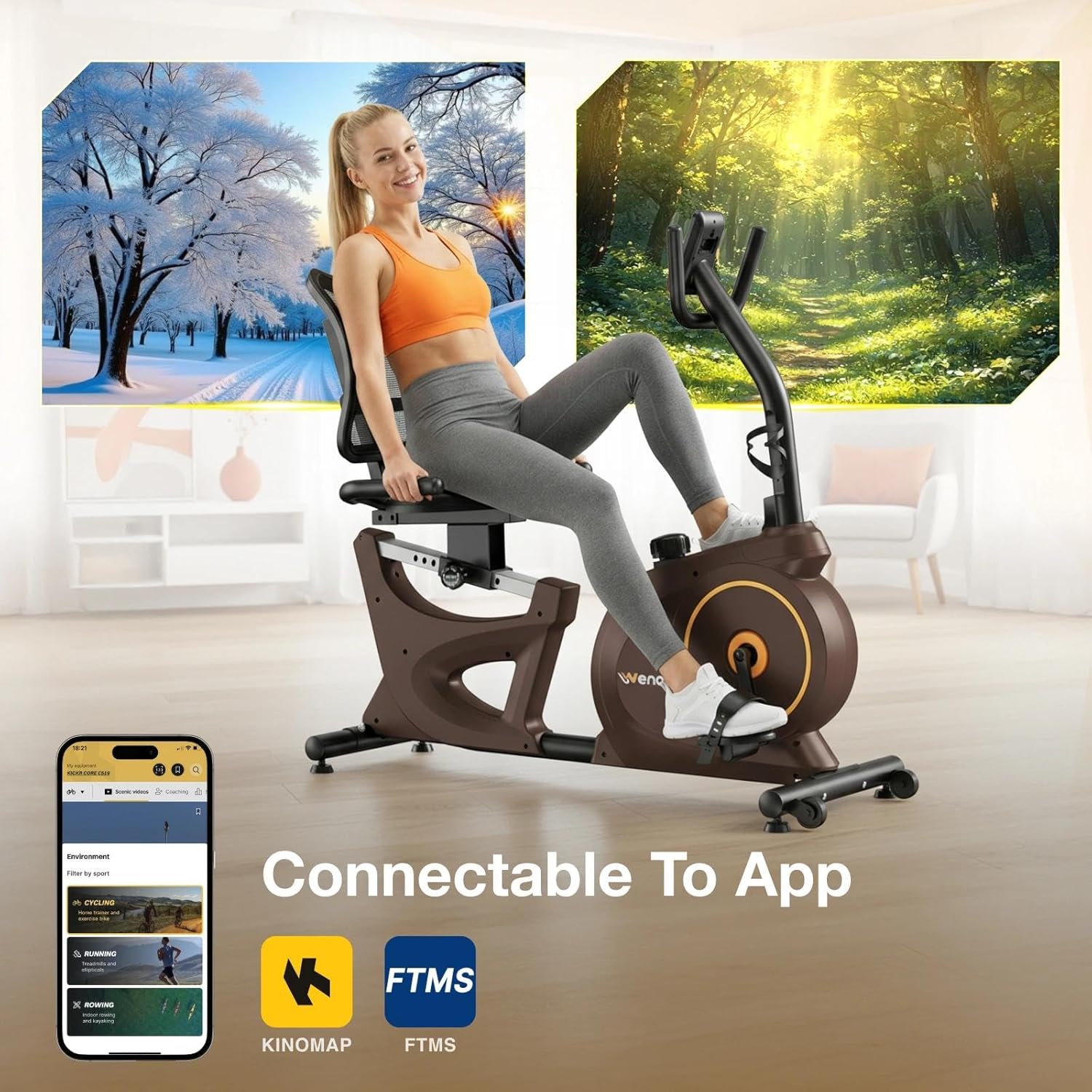
Image: A user enjoying an interactive workout session with the Wenoker Recumbent Exercise Bike connected to a smart fitness application on a mobile device, displaying virtual routes and workout data.
5. Maintenance
Regular maintenance ensures the longevity and safe operation of your exercise bike.
- Cleaning: Wipe down the bike with a damp cloth after each use to remove sweat and dust. Avoid abrasive cleaners.
- Lubrication: Periodically check and lubricate moving parts as recommended in the full product manual (if applicable).
- Tightness: Regularly check all bolts and nuts to ensure they are securely tightened.
- Storage: Store the bike in a dry, cool place away from direct sunlight and extreme temperatures.
6. Troubleshooting
| Problem | Possible Cause | Solution |
|---|---|---|
| Console not displaying data. |
|
|
| Unusual noise during operation. |
|
|
| Resistance not changing. |
|
|
7. Product Specifications
| Feature | Detail |
|---|---|
| Brand | Wenoker |
| Model Number | JC505 |
| Resistance Mechanism | Magnetic |
| Number of Resistance Levels | 15 |
| Drive System | Belt |
| Maximum Weight Recommendation | 350 Pounds (158 kg) |
| Item Weight | 48 Pounds (21.7 kg) |
| Product Dimensions (D x W x H) | 55" x 24.21" x 43.31" (139.7 cm x 61.5 cm x 110 cm) |
| Material | Alloy Steel |
| Power Source (Console) | 2x AAA Batteries (not included) |
| Special Features | Adjustable Resistance Level, Heart Rate Handle, Smart App Connectivity, LCD Display, Transport Wheels |
8. Warranty and Support
The Wenoker Recumbent Exercise Bike comes with a 1-year manufacturer warranty. This warranty covers defects in materials and workmanship under normal use. For warranty claims, technical support, or any questions regarding your product, please contact Wenoker customer service through the retailer where you purchased the product or visit the official Wenoker website.
Please have your model number (JC505) and proof of purchase ready when contacting support.
