
Introduction
Thank you for choosing the IRONCK 69" TV Stand, Model HK-TS-B26H1. This entertainment center is designed to accommodate TVs up to 80 inches and features a modern carbon fiber MDF finish, built-in LED lighting, a power outlet, and ample storage with adjustable glass shelves. This manual provides detailed instructions for safe assembly, proper operation, and effective maintenance to ensure long-lasting enjoyment of your product.
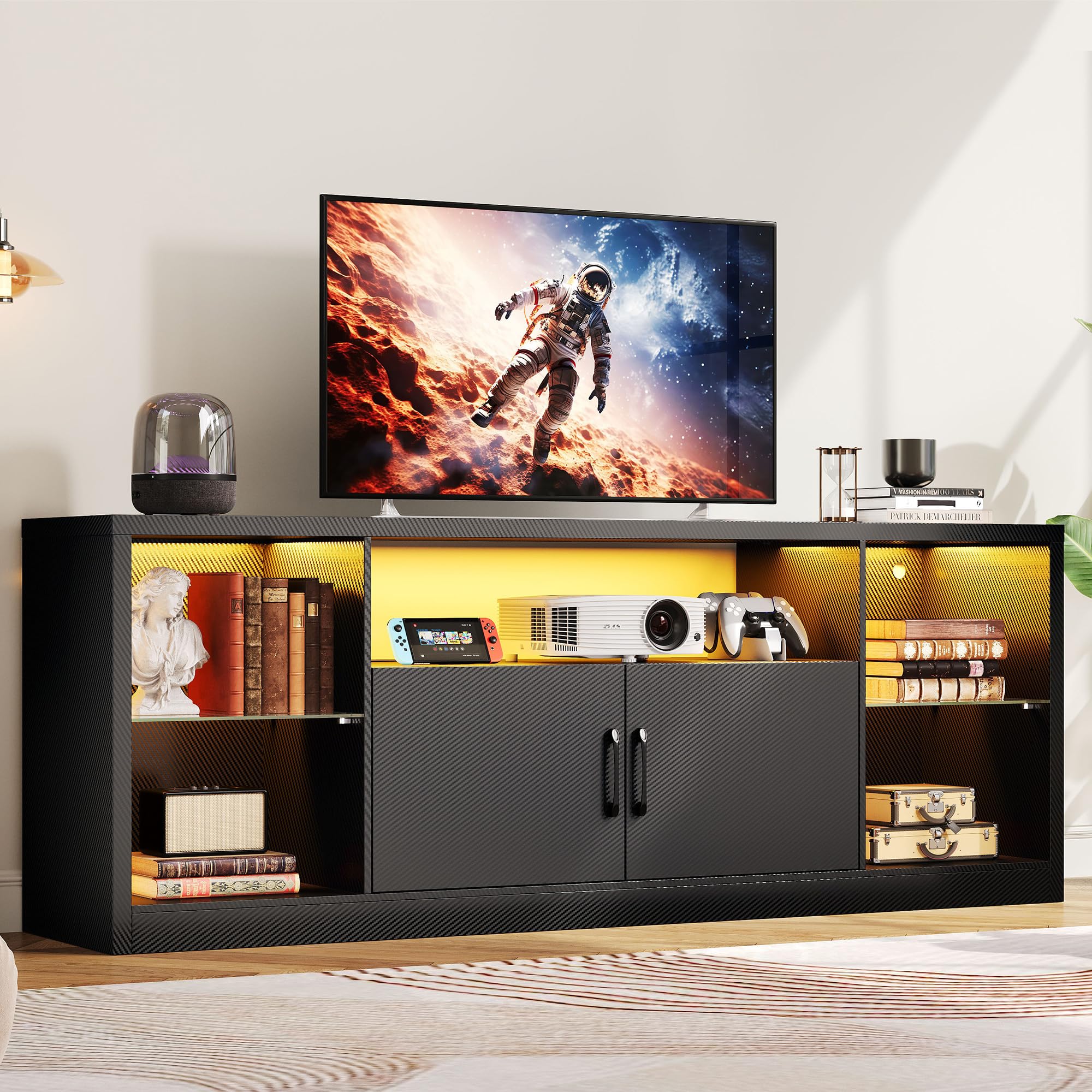
Image: The IRONCK 69" TV Stand in a living room setting, showcasing its design and functionality with a television and illuminated storage compartments.
Safety Information
Please read and adhere to all safety warnings to prevent injury or damage to the product.
- Always follow the assembly instructions carefully.
- Be cautious when adjusting glass shelves to prevent injury.
- Secure the entertainment center to the wall to prevent tip-over, especially if small children or pets are present.
- Do not place heavy objects on the top shelf to avoid overloading and potential tip-over.
Product Features
The IRONCK TV Stand is equipped with several features designed for convenience and aesthetics:
- Spacious Storage: Features a large top surface, open shelves (height-adjustable), and two large-capacity storage cabinets for media equipment, gaming consoles, DVDs, and decorative items.
- Modern Design: Crafted from high-quality carbon fiber MDF, offering a contemporary look that complements various interior styles.
- Durability: Constructed from thickened, scratch-proof, and water-resistant engineered wood for a sturdy and long-lasting structure.
- Integrated LED Lights: Smart motion-sensor LED light strip automatically illuminates when approached, creating an ambient viewing atmosphere. Features touch buttons for control, 3 color light levels, adjustable brightness, and speed.
- Built-in Power Outlet: UL-certified three-prong power outlet allows simultaneous powering of your TV, game console, and charger, promoting a neat and efficient setup.
- Cable Management: Includes dedicated holes to organize and conceal cables, maintaining a tidy appearance.
- Adjustable Glass Shelves: Provides flexibility for organizing items of various heights.
- Soft-Close Hinges: Ensures quiet and gentle closing of cabinet doors.
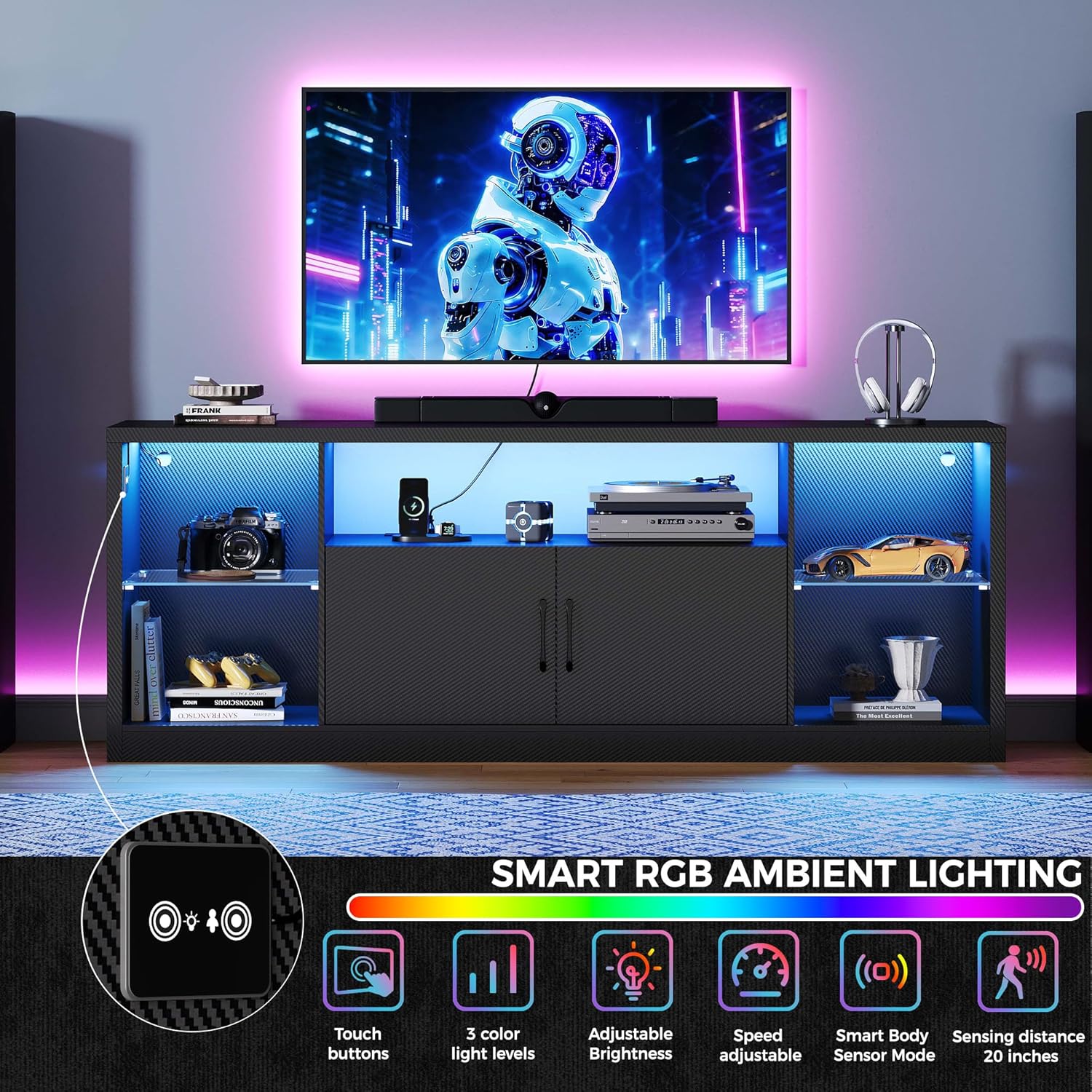
Image: Detailed view of the smart RGB ambient lighting features, including touch controls and sensor capabilities.

Image: Close-up details of the TV stand's components: soft-close hinges, cable management, adjustable glass shelves, and metallic handles.
Setup and Assembly
The IRONCK TV Stand is designed for straightforward assembly. It comes with numbered parts and clear instructions for quick setup.
- Unpack all components and verify against the parts list provided in the assembly guide.
- Follow the step-by-step instructions in the included assembly manual. Ensure all screws and fasteners are tightened securely.
- Install the adjustable glass shelves at your desired height.
- Connect the LED light strip and power outlet according to the instructions.
- For safety, consider anchoring the TV stand to the wall using appropriate hardware (not always included, check your package).

Image: Product dimensions and internal measurements for assembly planning.
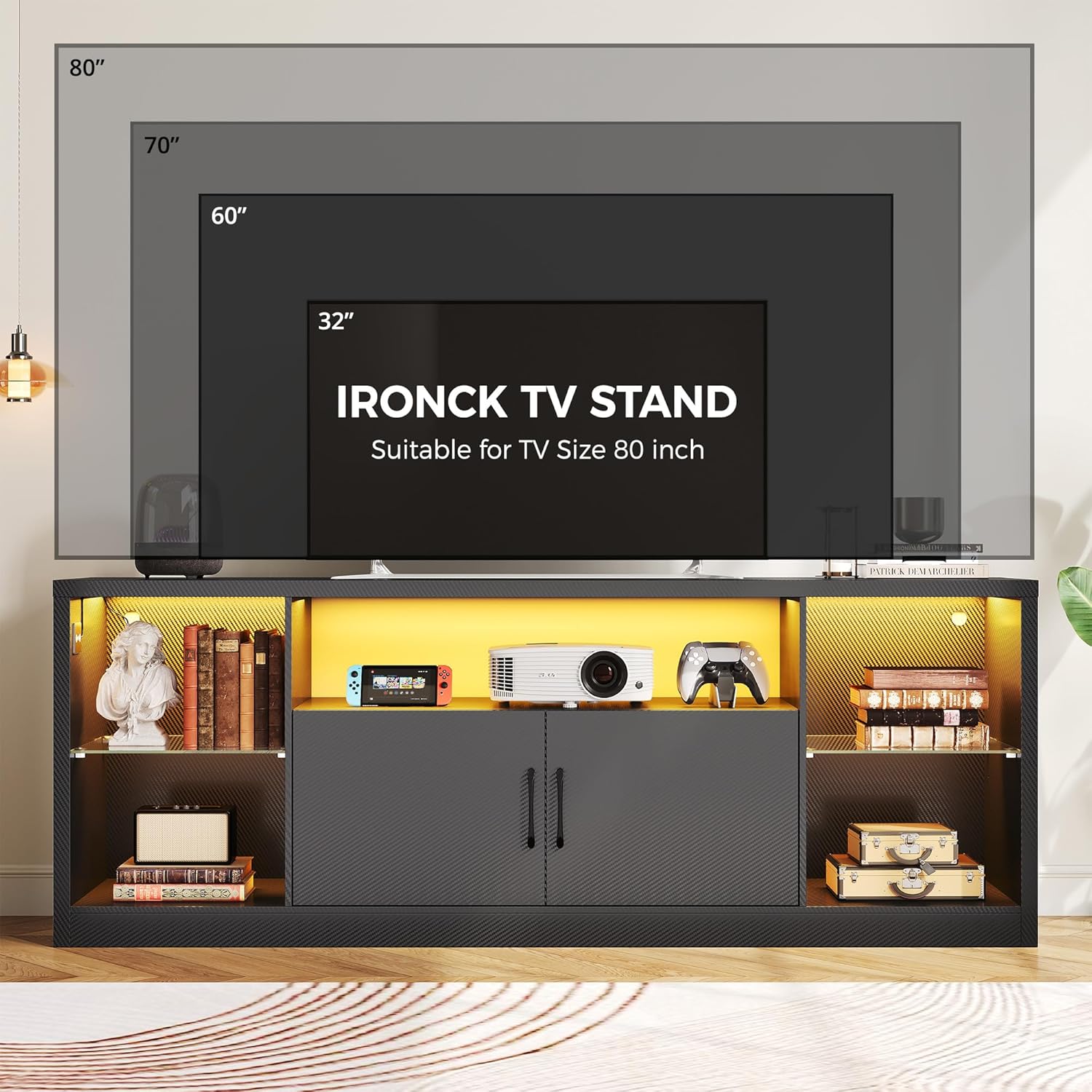
Image: Visual guide for TV size compatibility, showing the stand can support up to an 80-inch television.
Operating Instructions
LED Lights
The integrated LED light strip features a smart motion sensor. When activated, the lights will automatically turn on as someone approaches within a sensing distance of approximately 20 inches. Use the touch buttons to adjust the lighting:
- Touch Buttons: Control power and modes.
- 3 Color Light Levels: Cycle through different color options.
- Adjustable Brightness: Increase or decrease light intensity.
- Speed Adjustable: Modify the speed of dynamic light effects (if applicable).
- Smart Body Sensor Mode: Activates motion-sensing functionality.
Built-in Power Outlet
The UL-certified three-prong power outlet is located within the stand for convenient access. Plug your TV, gaming console, and other electronic devices directly into the outlet to power them simultaneously and manage cables efficiently.
Video: Official product video demonstrating the features and assembly of the IRONCK TV Stand.
Maintenance
To keep your IRONCK TV Stand in optimal condition:
- Cleaning: The waterproof surface of the stand can be easily wiped clean with a damp cloth. For general dusting, use a dry cloth. Avoid harsh chemicals or abrasive cleaners.
- Glass Shelves: Clean glass shelves with a glass cleaner and a soft cloth.
- Inspection: Periodically check all fasteners and connections to ensure they remain tight. Retighten if necessary.

Image: Detail of the thickened, scratch-proof, and water-resistant board material.
Troubleshooting
If you encounter issues with your IRONCK TV Stand, consider the following:
- LED Lights Not Working: Check if the power adapter is securely plugged into both the wall outlet and the LED strip. Ensure the touch buttons are functioning correctly and try cycling through modes.
- Power Outlet Not Functioning: Verify that the main power cord for the stand's built-in outlet is plugged into a live wall socket. Test the wall socket with another device.
- Wobbly Stand: Ensure all assembly screws and cam locks are fully tightened. Check that the stand is placed on a level surface. Adjust leveling feet if present.
- Cabinet Doors Misaligned: Adjust the soft-close hinges as needed to align the cabinet doors properly. Refer to the assembly manual for hinge adjustment details.
For further assistance, please contact IRONCK customer support.
Specifications
| Feature | Detail |
|---|---|
| Brand | IRONCK |
| Model Number | HK-TS-B26H1 |
| Color | Black |
| Size | 68.77 Inches |
| Item Dimensions (L x W x H) | 68.7 x 15.3 x 25.5 inches |
| Item Weight | 77.9 pounds |
| Material Type | Engineered Wood (Carbon fiber MDF) |
| Style | Modern |
| Additional Features | Adjustable Glass Shelves, Cabinets, LED Lights, Power Outlet |
| Included Components | Hardware package |
| Product Care Instructions | Wipe with Dry Cloth |
| Waterproof | Yes |
Warranty and Support
For warranty information or technical support, please refer to the documentation included with your purchase or contact IRONCK customer service directly. Ensure you have your model number (HK-TS-B26H1) and purchase details available when seeking support.

