
1. Introduction
This manual provides essential information for the safe and effective use of your Dskeuzeew 3-in-1 Foldable Treadmill, Model A1. Please read all instructions carefully before assembly and operation. Keep this manual for future reference.
2. Important Safety Instructions
- Read all instructions before using this appliance.
- Keep children and pets away from the treadmill during operation.
- Place the treadmill on a flat, stable surface with adequate clearance around it.
- Wear appropriate athletic footwear and clothing.
- Do not operate the treadmill if it has a damaged cord or plug, or if it is not working properly.
- Always use the safety key. Attach it to your clothing before starting the treadmill.
- Do not step on or off the treadmill while the belt is moving.
- Consult a physician before starting any exercise program.
- Maximum user weight capacity is 130 kg.
3. Product Overview
3.1 Key Features
- 4-in-1 Functionality: Offers walking, running, manual incline, and support handles for stability.
- 7% Manual Incline: Adjustable incline to increase workout intensity and calorie burn.
- Clear LED Display: Shows real-time data including speed, time, distance, and calories burned.
- Powerful & Silent Motor: Equipped with a 2.5 HP motor for smooth, quiet operation (below 55 dB).
- Foldable & Compact Design: Easily folds for storage, requiring no assembly, and features integrated wheels for portability.
- Shock Absorption System: Features a 7-layer cushioning belt and shock absorbers to protect joints.
- Control Options: Operable via touch screen or remote control.
- Pre-set Programs: Includes 4 automatic programs and a pause function.
3.2 Components Included
- Dskeuzeew 3-in-1 Foldable Treadmill
- Remote Control
- Safety Key
- User Manual
3.3 Product Images
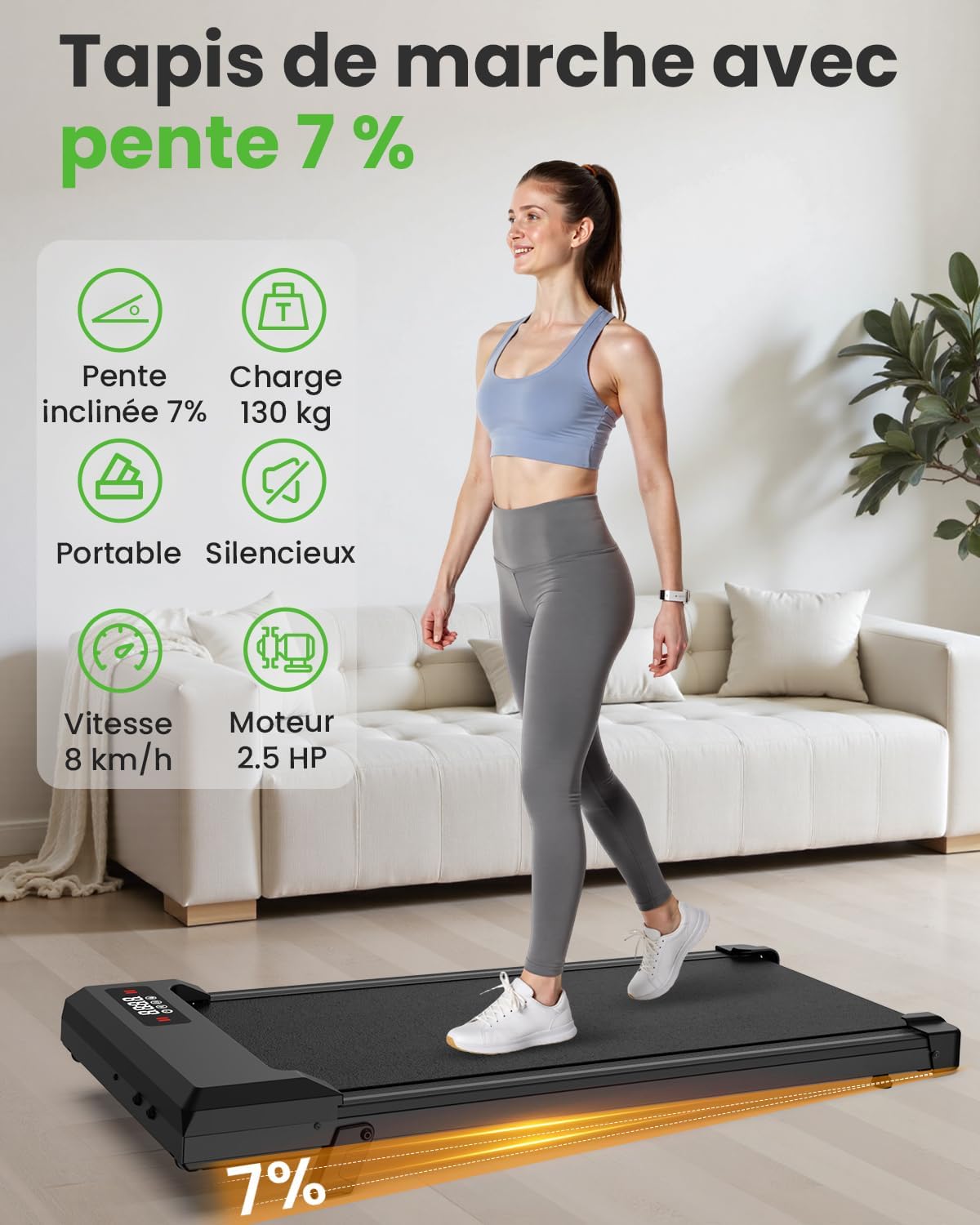
Image 3.3.1: The Dskeuzeew 3-in-1 Foldable Treadmill highlighting its 7% incline, 130 kg load capacity, portability, silent operation, 8 km/h speed, and 2.5 HP motor.

Image 3.3.2: A visual representation of the 3-in-1 foldable walking pad, showing its versatility for indoor use and its compact design.
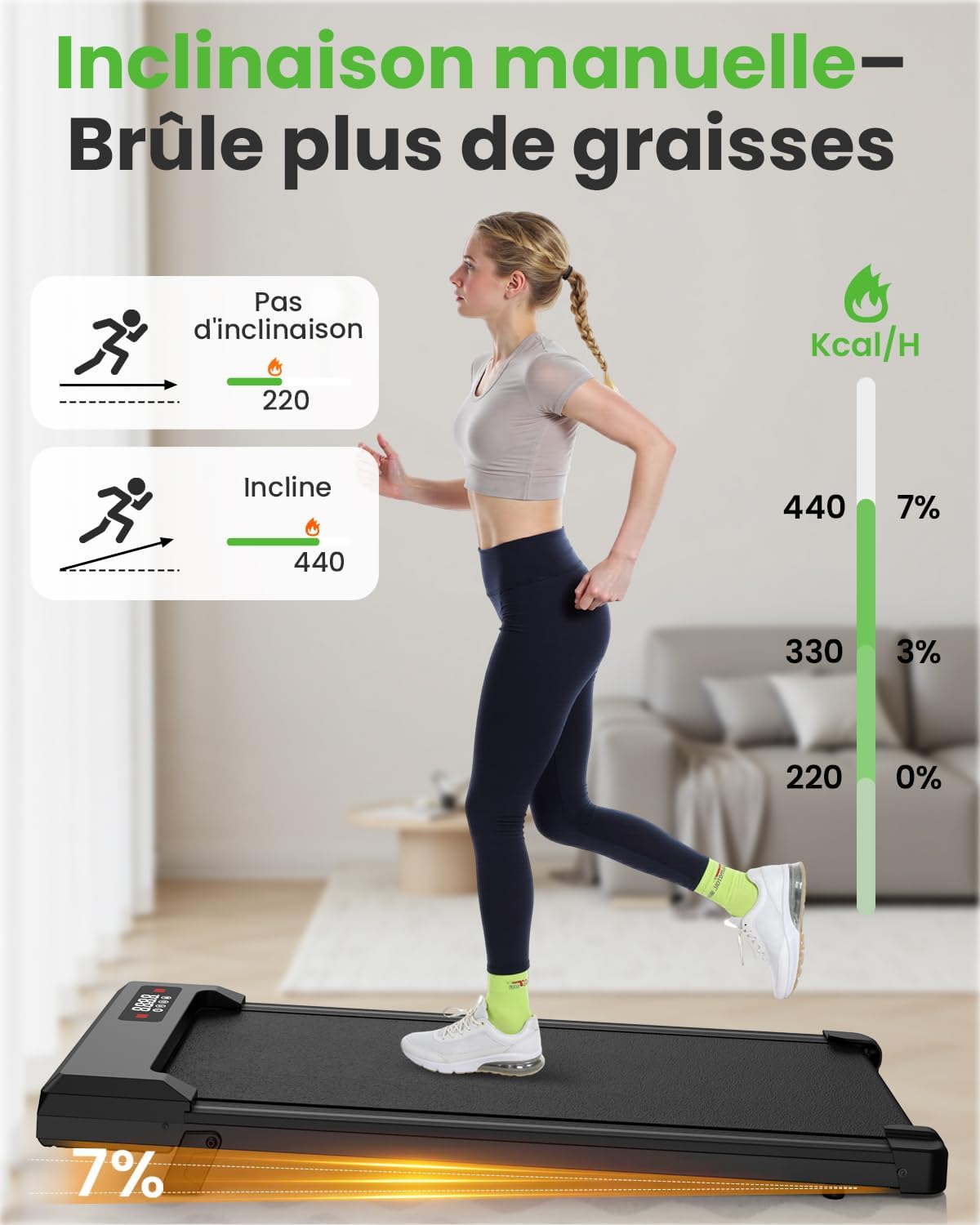
Image 3.3.3: Illustration demonstrating the manual incline feature and its effect on calorie expenditure, comparing flat walking to inclined walking.

Image 3.3.4: A sequence demonstrating how to adjust the manual incline of the treadmill.

Image 3.3.5: Close-up view of the treadmill's 2.5 HP ultra-silent motor, emphasizing its low noise level (below 45 dB).

Image 3.3.6: The treadmill in a home environment, illustrating its quiet operation and compact design suitable for various living spaces.
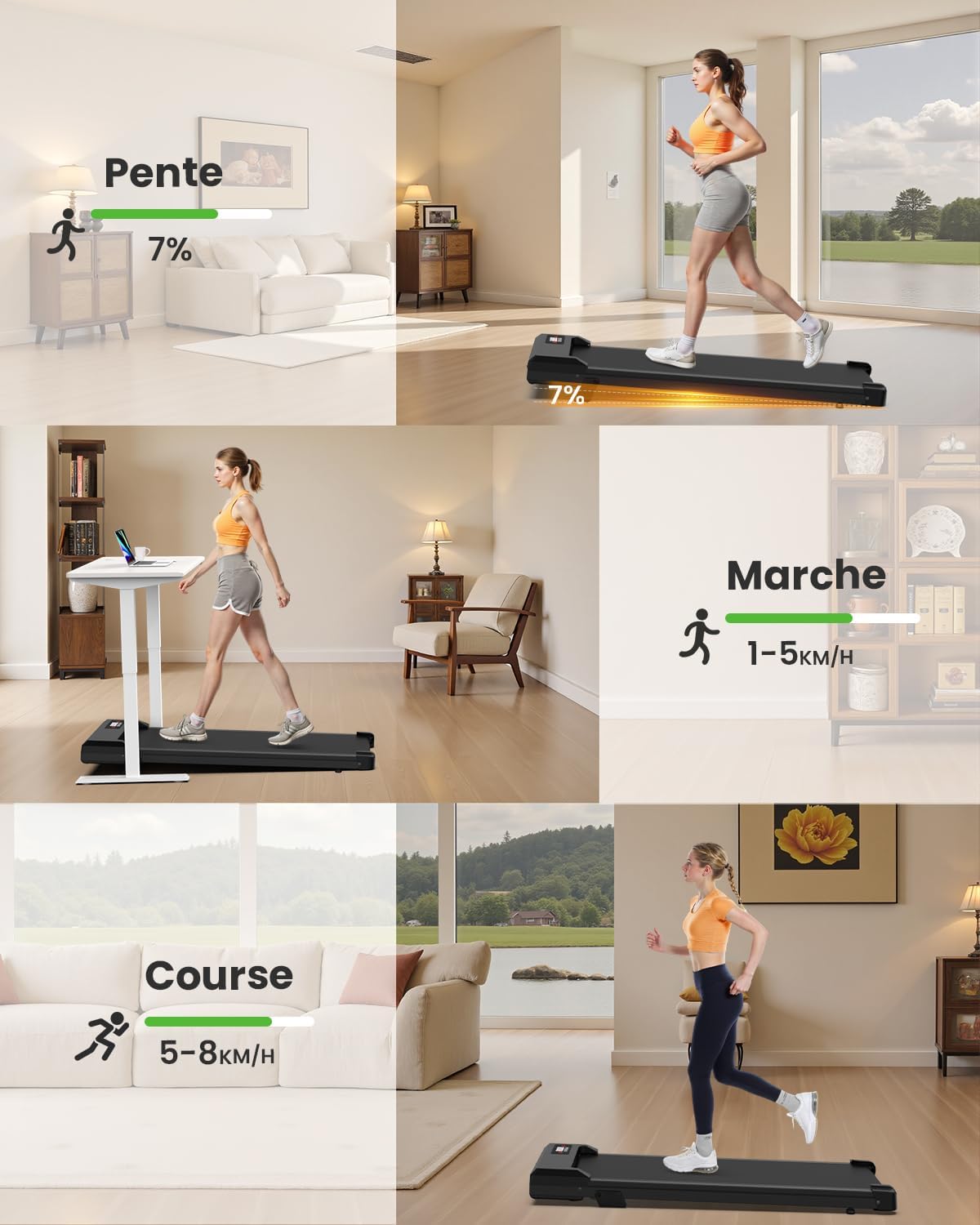
Image 3.3.7: Visual guide showing different usage modes: incline walking, regular walking (1-5 km/h), and running (5-8 km/h).

Image 3.3.8: A demonstration of a person exercising on the treadmill, showcasing its use in a home setting.
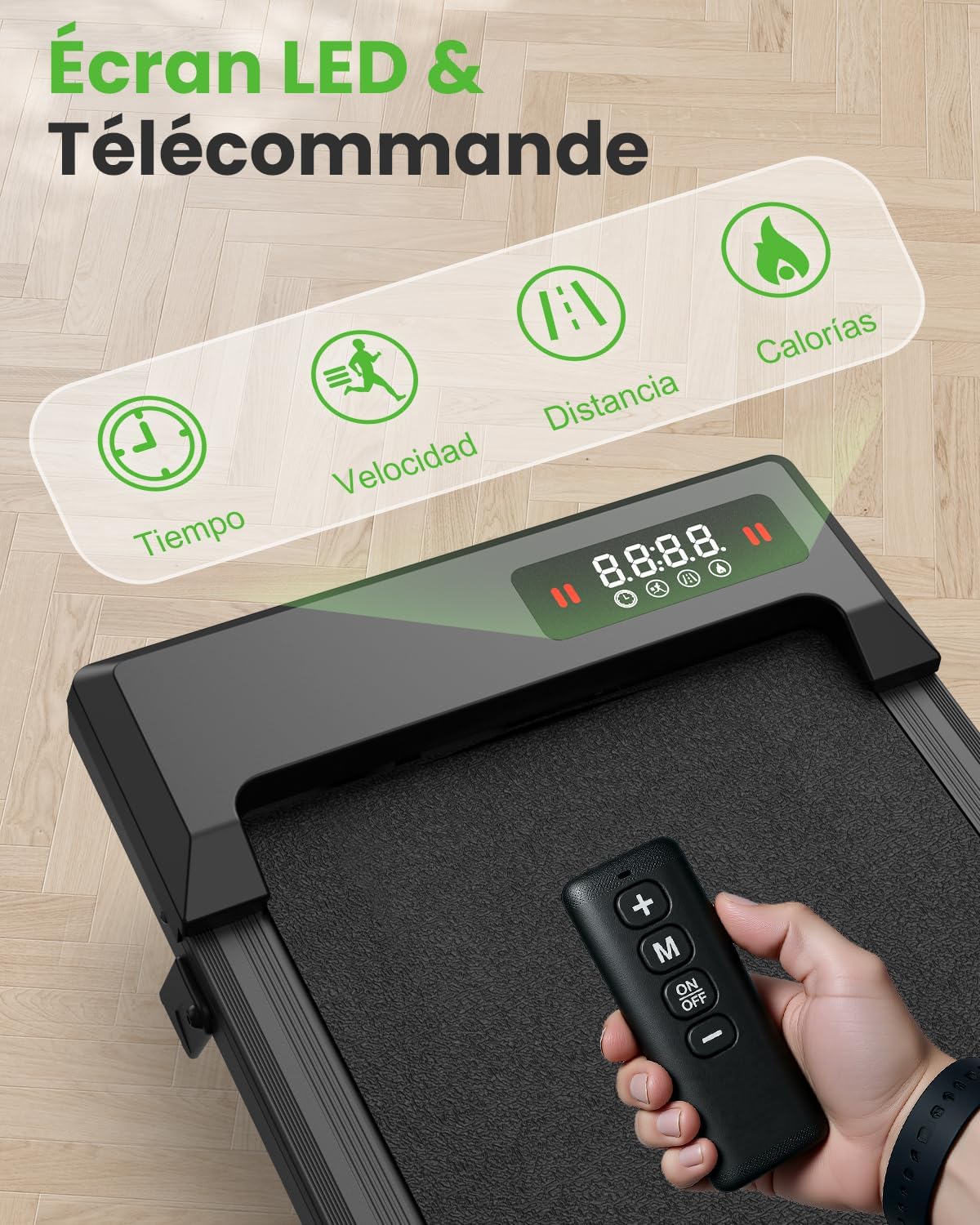
Image 3.3.9: Close-up of the treadmill's LED display and the remote control, indicating functions like time, speed, distance, and calories.

Image 3.3.10: The smart control interface with an LED screen, displaying various control options and settings for the treadmill.

Image 3.3.11: Diagram illustrating the treadmill's knee protection features, including an anti-slip running belt, 8 silicone shock absorbers, and 2 soft cushions.

Image 3.3.12: A visual demonstration of the treadmill's shock absorption system, designed to protect users' knees during exercise.

Image 3.3.13: Depiction of the treadmill being used indoors, emphasizing its suitability for exercise regardless of external weather conditions (hot summer, rainy weather, snowy weather, dangerous nights).
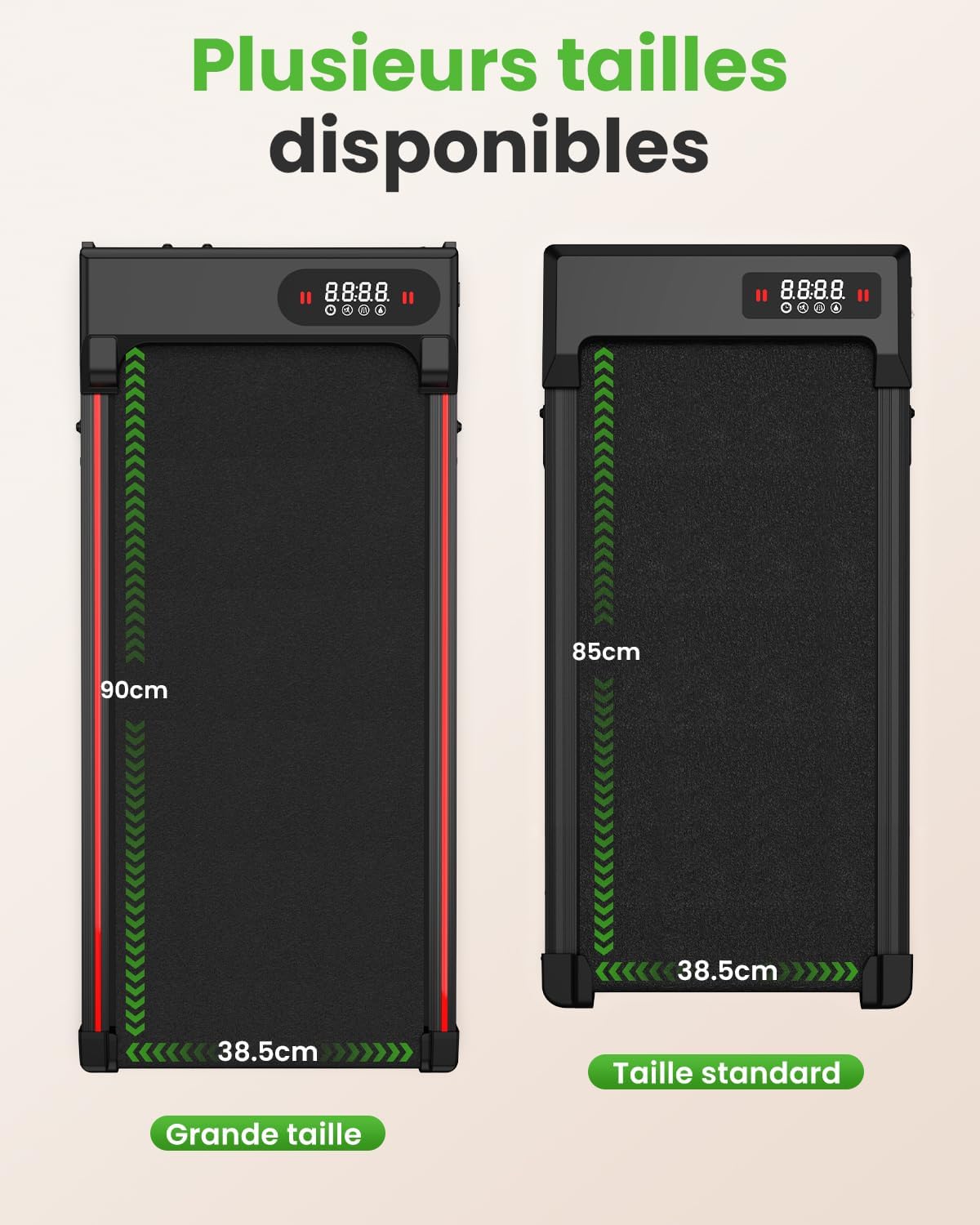
Image 3.3.14: Comparison of available treadmill sizes, showing a large size (90cm length, 38.5cm width) and a standard size (85cm length, 38.5cm width).
4. Setup
4.1 Unpacking and Placement
- Carefully remove the treadmill from its packaging.
- Place the treadmill on a firm, level surface. Ensure there is at least 0.6 meters (2 feet) of clear space on all sides and 2 meters (6.5 feet) at the rear for safety.
- This treadmill requires no assembly. Simply unfold it if it is in a folded state.
- Connect the power cord to a grounded electrical outlet.
4.2 Attaching the Safety Key
Before each use, attach the safety key clip to your clothing. The treadmill will not operate without the safety key in place. If the safety key is removed during operation, the treadmill will stop immediately.
5. Operating Instructions
5.1 Power On/Off
- To power on, ensure the safety key is in place and press the 'ON/OFF' button on the remote control or the touch screen.
- To power off, press the 'ON/OFF' button again. The treadmill will gradually slow down and stop.
5.2 Adjusting Speed
- Use the '+' and '-' buttons on the remote control or the touch screen to increase or decrease speed.
- The speed range is 1-8 km/h.
5.3 Incline Adjustment
This treadmill features a 7% manual incline. To adjust the incline, you must manually lift the rear of the treadmill and secure it in the inclined position. Ensure it is stable before use. Refer to the visual guides in Section 3.3 for assistance.
5.4 Exercise Modes
- Walking Mode: Speed range 1-6 km/h. Ideal for light exercise or under-desk use.
- Running Mode: Speed range up to 8 km/h. Suitable for more intense cardio workouts.
- Incline Training: Combine walking or running with the 7% manual incline for increased challenge.
- Handle Support: Utilize the integrated handles for additional stability, especially during walking or incline modes.
5.5 Pre-set Programs
The treadmill includes 4 automatic programs. Press the 'M' button on the remote or touch screen to cycle through these programs. Each program offers varying speed profiles to diversify your workout. The pause function allows you to temporarily stop your workout without losing your current data.
5.6 LED Display
The LED display provides real-time feedback on your workout, including:
- Time: Duration of your workout.
- Speed: Current speed in km/h.
- Distance: Total distance covered.
- Calories: Estimated calories burned.
6. Maintenance
6.1 Cleaning
- Always unplug the treadmill before cleaning.
- Wipe down the display and exterior surfaces with a soft, damp cloth. Avoid abrasive cleaners.
- Regularly vacuum under the treadmill to prevent dust buildup.
6.2 Running Belt Lubrication
The running belt requires periodic lubrication to ensure smooth operation and prolong its lifespan. Refer to the specific instructions provided with your lubrication kit (if included) or consult the manufacturer's guidelines for the recommended type and frequency of lubrication.
6.3 Belt Tension and Alignment
If the running belt feels loose or drifts to one side, it may need adjustment. Consult the detailed instructions in the full product manual or contact customer support for guidance on adjusting belt tension and alignment. Incorrect adjustment can damage the treadmill.
7. Troubleshooting
| Problem | Possible Cause | Solution |
|---|---|---|
| Treadmill does not start. | Power cord not plugged in; Safety key not in place; Power switch off. | Ensure power cord is securely plugged in; Insert safety key; Turn on the power switch. |
| Belt stops unexpectedly. | Safety key dislodged; Overload protection activated. | Re-attach safety key; Reduce load or allow motor to cool down. |
| Unusual noise during operation. | Loose parts; Belt misalignment; Lack of lubrication. | Check for loose screws and tighten; Adjust belt alignment (refer to full manual); Lubricate the running belt. |
| Display not working. | Loose connection; Power issue. | Check all connections; Ensure power supply is stable. |
If you encounter issues not listed here or if solutions do not resolve the problem, please contact Dskeuzeew customer support.
8. Specifications
| Feature | Detail |
|---|---|
| Brand | Dskeuzeew |
| Model Number | A1 |
| Product Dimensions (L x W x H) | 129.5 cm x 59.5 cm x 13.5 cm |
| Folded Size (L x W x H) | 129.5 cm x 59.5 cm x 10 cm |
| Item Weight | 24 Kilograms |
| Material | Acrylonitrile Butadiene Styrene (ABS) |
| Maximum Speed | 8 km/h |
| Maximum Power | 2.5 Kilowatt (HP) |
| Maximum Incline Percentage | 7% (Manual) |
| Special Features | Shock Absorber |
| Power Source | Corded Electric |
| Recommended Maximum Load | 130 Kilograms |
| Number of Programs | 4 |
| Included Components | Safety Key |
9. Warranty and Support
Your Dskeuzeew treadmill comes with an included warranty. For any questions, concerns, or warranty claims, please contact our customer service team. Our team is available 7 days a week for prompt assistance. In case of a problem, a quick exchange or refund is available.
For support, please refer to the contact information provided at the point of purchase or on the official Dskeuzeew website.