
1. Introduction
This manual provides detailed instructions for the safe and efficient operation of your ICEVOKE 4-in-1 Self-Cleaning Ice & Water Machine. This appliance offers hot, cold, and room-temperature water dispensing, along with a built-in bullet ice maker. Please read this manual thoroughly before initial use and retain it for future reference.
2. Product Features
- 4-in-1 Functionality: Dispenses hot, cold, and room-temperature water, and produces bullet ice.
- Self-Cleaning: Features an authorized self-cleaning function for hygiene.
- Fast Ice Making: Produces 9 bullet ice cubes in 7-15 minutes, with a daily capacity of 22 lbs.
- Bottom Loading: Accommodates 3 or 5-gallon water bottles, eliminating heavy lifting.
- Nightlight Feature: Illuminates the dispensing area for convenience in low light.
- ECO Mode: Energy-saving mode that stops heating water at night to reduce power consumption.
- Water Shortage Indicator: Alerts you when the water bottle needs replacement.
- Safety Certifications: ETL, FCC, and UL certified, ensuring high safety standards. All water-contacting materials are food-grade.
- Child Lock: Safety feature for hot water dispensing to prevent accidental burns.

Image 1: Overview of the ICEVOKE 4-in-1 Ice and Water Machine's integrated design and multiple functions.
3. Setup and Installation
- Unpacking: Carefully remove the appliance from its packaging. Ensure all packing materials are removed.
- Placement: Place the water dispenser on a flat, stable surface. Ensure there is adequate space (at least 4 inches) between the back of the machine and the wall for proper ventilation.
- Rest Period: Allow the machine to stand upright for at least 24 hours before plugging it in. This allows the compressor fluids to settle.
- Drip Tray Installation: Insert the drip tray into its designated slot below the dispensing nozzles.
- Water Bottle Installation: Open the bottom compartment door. Place a 3 or 5-gallon water bottle inside. Insert the water pump tube into the bottle, ensuring it reaches the bottom. Close the compartment door.
- Initial Cleaning (Self-Cleaning Cycle): Before first use, perform a self-cleaning cycle as per the instructions provided in the full user manual to ensure optimal hygiene. This typically takes about 15 minutes.
- Power Connection: Plug the power cord into a grounded electrical outlet.

Image 2: Demonstrates the convenient bottom-loading feature for water bottles.
4. Operating Instructions
4.1. Control Panel Overview
The control panel features intuitive buttons and indicator lights for all functions.

Image 3: Detailed view of the easy-to-use control panel.
4.2. Water Dispensing
- Cold Water: Press the 'Cold Water' button. The blue indicator light will illuminate. Release the button to stop dispensing.
- Room-Temperature Water: Press the 'Fresh Water' button. The green indicator light will illuminate. Release the button to stop dispensing.
- Hot Water (with Child Lock): To dispense hot water, first press and hold the 'Child Lock' button (red indicator). While holding the child lock, press the 'Hot Water' button (red indicator). Release both buttons to stop dispensing. This safety feature prevents accidental hot water dispensing.
4.3. Ice Making
- Activate Ice Making: Press the 'Making Ice' button. The blue indicator light will flash, indicating ice production is in progress.
- Ice Volume Indicator: The 'Ice Volume' lights (blue bars) indicate the amount of ice currently in the storage bin. When all three lights are illuminated, the ice bin is full.
- Ice Type: The machine produces bullet-shaped ice cubes.
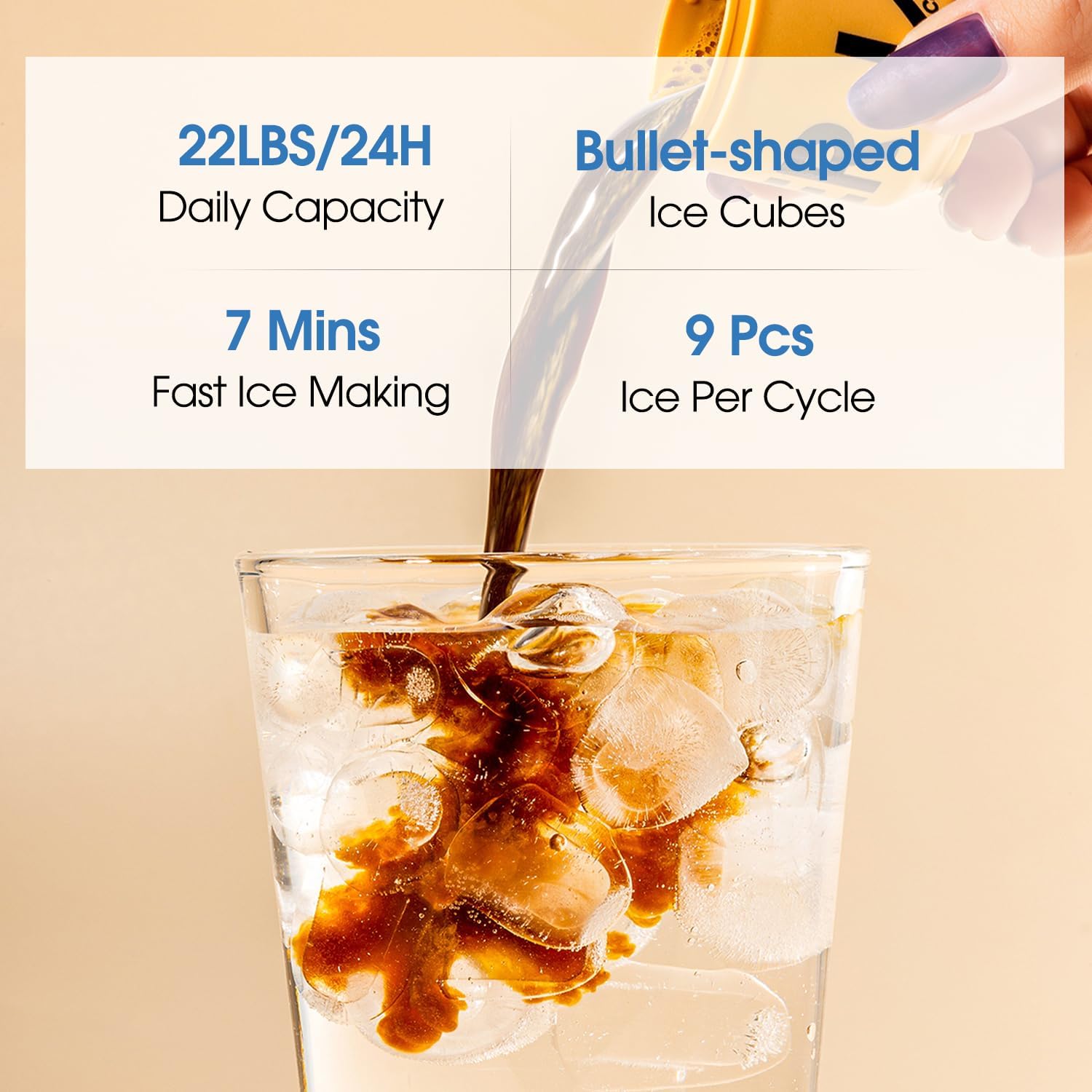
Image 4: Illustration of the fast and efficient bullet ice production.
4.4. ECO Mode (Energy Saving)
- Activation: Press the 'ECO' button. The green indicator light will illuminate, signifying that energy-saving mode is active.
- Function: In ECO mode, the machine will automatically stop heating water during nighttime hours to conserve energy.
4.5. Water Shortage Indicator
- Alert: The 'Lack of Water' indicator light will illuminate when the water bottle is empty, prompting you to replace it.
- Importance: Timely replacement of the water bottle helps extend the service life of the water pump.
5. Maintenance and Cleaning
- Self-Cleaning: Regularly utilize the self-cleaning function to maintain internal hygiene. Refer to the detailed instructions in the full user manual for the self-cleaning procedure.
- Exterior Cleaning: Wipe the exterior surfaces with a soft, damp cloth. Avoid abrasive cleaners or solvents.
- Drip Tray: Periodically remove and empty the drip tray. Clean it with mild soap and water.
- Long-Term Storage: If the machine will not be used for an extended period, turn off the power switch, unplug the machine, and drain all water from the tank.
6. Troubleshooting
If you encounter any issues with your ICEVOKE 4-in-1 Ice & Water Machine, please refer to the following common troubleshooting steps:
- No Water Dispensing: Check if the water bottle is empty or improperly installed. Ensure the machine is plugged in and powered on.
- No Ice Production: Verify that the 'Making Ice' function is activated. Check if the water bottle is empty. Ensure the ice bin is not full.
- Water Not Hot/Cold Enough: Allow sufficient time for the machine to reach the desired temperature. Ensure ECO mode is not preventing heating if hot water is desired.
- Leakage: Check for proper installation of the water bottle and ensure the drip tray is correctly positioned.
For more detailed troubleshooting or persistent issues, please consult the comprehensive user manual or contact customer support.
7. Specifications
| Brand | ICEVOKE |
| Model Number | LYCZ629B-0206 |
| Color | Black |
| Material | Acrylonitrile Butadiene Styrene (ABS), Stainless Steel |
| Capacity | 5 Gallons (water bottle) |
| Product Dimensions (D x W x H) | 16.54"D x 12.2"W x 40.75"H |
| Installation Type | Freestanding |
| Access Location | Bottom |
| Power Source | Corded Electric |
| Item Weight | 44 Pounds |
| Ice Making Capacity | 22 lbs/day |
| Ice Production Time | 7-15 minutes per cycle (9 cubes) |

Image 5: Product dimensions and size comparison.
8. Safety Information
- Child Lock: Always engage the child lock when dispensing hot water to prevent burns.
- Hot Surfaces: The hot water dispenser area can be very hot. Exercise caution to avoid contact.
- Ventilation: Ensure proper ventilation around the machine by maintaining distance from walls.
- Power Off: Turn off the power switch and unplug the machine when not in use for extended periods or when the water tank is empty.
- Flammable Materials: Keep the machine away from flammable and explosive materials.
- Water Quality: Use only potable water in the dispenser.

Image 6: Key safety features and certifications of the product.
9. Product Video Overview
Video 1: An overview of the ICEVOKE 4-in-1 Ice & Water Machine (Model LYCZ629B-0206), demonstrating its features and functionality.
10. Warranty and Support
For warranty information, product registration, or technical support, please refer to the warranty card included with your product or visit the official ICEVOKE website. Keep your purchase receipt as proof of purchase for warranty claims.