
Introduction
Thank you for choosing the BOTLUXE PC20 Pool Robot. This manual provides essential information for the safe and efficient operation, maintenance, and troubleshooting of your new pool cleaner. Please read this manual thoroughly before first use and keep it for future reference.
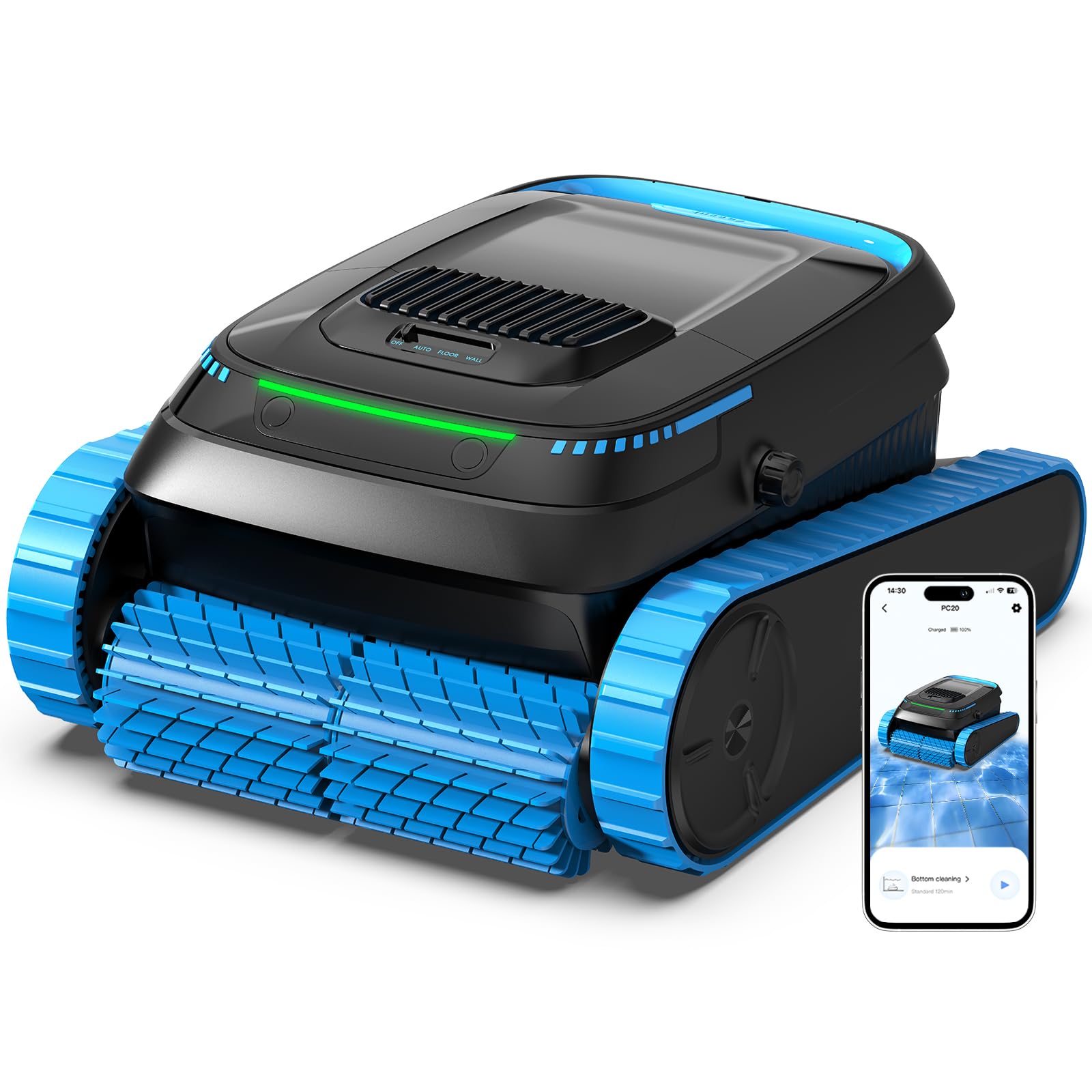
Image: The BOTLUXE PC20 Pool Robot submerged in a clean swimming pool.
Package Contents
Ensure all items are present in the package before proceeding with setup.
- 1 x BOTLUXE PC20 Pool Cleaning Robot (with integrated filter)
- 1 x User Manual
- 1 x Power Adapter
- 1 x Maintenance Kit
- 1 x Hook

Image: An exploded view of the BOTLUXE PC20 Pool Robot and its accessories, including the robot, user manual, power adapter, maintenance kit, and hook.
Setup
1. Charging the Robot
Before first use, fully charge the robot. The BOTLUXE PC20 is equipped with a 5200 mAh lithium-ion battery, providing up to 2 hours of operation after approximately 2.5 hours of charging.
- Connect the power adapter to the robot's charging port.
- Plug the power adapter into a suitable power outlet.
- The indicator light on the robot will show charging status. Refer to the LED indicator guide in the manual for details.
- Once fully charged, disconnect the adapter.

Image: The BOTLUXE PC20 Pool Robot connected to its power adapter, charging on the poolside.
2. App Installation and Pairing (Smart Life App)
Control your robot conveniently via the Smart Life application. Ensure your phone's Bluetooth is enabled.
- Install the App: Download "Smart Life" from your device's app store and install it.
- Create an Account: Register and log in to your Smart Life account.
- Prepare the Device: Plug in the robot. Press and hold the power button for 10 seconds until the indicator light flashes.
- Prepare the Phone: Activate Bluetooth and ensure your phone is within 6 meters of the robot.
- Add the Device: In the app, tap the "+" icon to add a new device. Follow the on-screen instructions to pair.
- Finished: Once connected, you can control the robot and view its status in the app.

Image: A visual guide demonstrating the six steps to connect the BOTLUXE PC20 Pool Robot to the Smart Life mobile application.
Operation
1. Cleaning Modes
The BOTLUXE PC20 offers three cleaning modes to suit your pool's needs:
- AUTO Mode: Cleans the floor, walls, and waterline. If the battery is above 50%, it prioritizes walls and waterline before deep cleaning the floor. If below 50%, it focuses on deep floor cleaning.
- WALL Mode: Focuses on cleaning the pool walls and waterline.
- FLOOR Mode: Cleans the pool floor only.

Image: Illustration of the three cleaning modes (Auto, Wall, Floor) for the BOTLUXE PC20, showing the robot's position and cleaning areas in a pool.
2. Intelligent Navigation
The robot utilizes advanced navigation technology to clean precisely, following specific patterns (N-shaped on walls, S-shaped on the floor) to ensure thorough coverage without missing spots.

Image: The BOTLUXE PC20 Pool Robot illustrating its intelligent navigation paths on the pool floor and walls for comprehensive cleaning.
3. App Control Features
The Smart Life app allows you to customize your cleaning experience:
- Change cleaning modes (Auto, Floor, Wall).
- Adjust suction power (Quiet, Standard, Strong).
- Schedule cleaning duration (30, 60, 90, 120 minutes).
- Receive automatic OTA updates for continuous improvements.

Image: A person using a smartphone with the Smart Life app interface to control the BOTLUXE PC20 Pool Robot, showing options for cleaning mode, duration, and suction power.
4. Obstacle Climbing and Multi-Surface Cleaning
The robot is designed to overcome obstacles up to 3cm and climb slopes up to 30 degrees, ensuring effective cleaning across various pool surfaces including tile, vinyl, stone, glass, and mosaic.

Image: The BOTLUXE PC20 Pool Robot navigating various pool features, including climbing a wall, ascending a slope, and overcoming a 3cm obstacle.
5. Automatic Parking and Retrieval
When the battery is low or after completing a cleaning cycle, the robot will automatically park itself at the edge of the pool for easy retrieval. It also features rapid water drainage for convenient removal.

Image: The BOTLUXE PC20 Pool Robot demonstrating its automatic parking feature at the pool edge and its rapid water drainage system.
Maintenance
1. Filter Basket Cleaning
The 4L filter basket captures debris down to 150 microns, ensuring effective cleaning with less frequent emptying. Regular cleaning of the filter basket is crucial for optimal performance.
- After each use, remove the robot from the pool.
- Open the top cover to access the filter basket.
- Empty the collected debris.
- Rinse the filter basket thoroughly with a garden hose until clean.
- Reinsert the clean filter basket and close the cover securely.

Image: Demonstrates easy top access to the filter basket of the BOTLUXE PC20 and how to clean it by rinsing with a hose.
Troubleshooting
If you encounter issues with your BOTLUXE PC20, please refer to the following common solutions:
- Robot not operating: Ensure the battery is fully charged. Check if the power button is pressed correctly.
- Poor cleaning performance: Clean the filter basket thoroughly. Ensure there are no large obstructions preventing the robot's movement or suction.
- Robot not climbing walls: Check the water level and ensure the pool surface is not excessively slippery with algae. Ensure the battery is sufficiently charged.
- Temperature Alarm: The optimal operating temperature for the device is between 5°C and 35°C (41°F and 95°F). Temperatures that are too low may trigger a protection alarm. It is recommended to use the device when the water temperature is above 5°C.
- App connectivity issues: Ensure Bluetooth is enabled on your phone and the robot is within range (6 meters). Try restarting both the app and the robot.
For further assistance, please contact customer support.
Specifications
| Feature | Specification |
|---|---|
| Model Name | YYY-PC20 |
| Brand | BOTLUXE |
| Color | Black |
| Power Source | Battery Powered |
| Special Feature | Cordless |
| Control Method | Application |
| Battery Type | Lithium-ion |
| Battery Capacity | 5200 mAh |
| Charging Time | Approx. 2.5 hours |
| Operating Time | Up to 2 hours |
| Filtration Flow Rate | 18927 L/H |
| Filter Basket Capacity | 4 Liters |
| Filter Fineness | 150 µm |
| Max Pool Area | 170 m² |
| Max Pool Depth | 3 meters |
Pool Compatibility
The BOTLUXE PC20 is suitable for various pool types and materials:
- Pool Types: Round, Rectangular, Kidney-shaped, Irregular (above-ground and in-ground pools).
- Pool Materials: Natural stone, Stainless steel, PVC coatings, Tile, Fiberglass, Vinyl, Concrete.

Image: An illustration showing different pool shapes (round, rectangular, kidney-shaped, irregular) that are compatible with the BOTLUXE PC20 Pool Robot.

Image: A visual representation of different pool surface materials (natural stone, stainless steel, PVC, tile, fiberglass, vinyl, concrete) that the BOTLUXE PC20 Pool Robot can effectively clean.
Warranty and Support
Warranty Information
The BOTLUXE PC20 Pool Robot comes with a 2-year warranty from the date of purchase. This warranty covers manufacturing defects and malfunctions under normal use conditions. Please retain your proof of purchase for warranty claims.
Customer Support
For any questions, technical assistance, or warranty claims, please contact our customer support team. Refer to the contact information provided on our official website or your purchase documentation.