
Introduction
Welcome to the Riuiio Electric Scooter R-G01B user manual. This guide provides essential information for the safe operation, maintenance, and troubleshooting of your new electric scooter. Please read this manual thoroughly before your first ride to ensure proper usage and longevity of your product.
Safety Information
General Safety Guidelines
- Always wear a helmet and appropriate safety gear, including knee and elbow pads.
- Do not ride under the influence of alcohol or drugs.
- Obey all local traffic laws and regulations.
- Avoid riding in heavy rain or extreme weather conditions. The scooter has an IPX4 water resistance rating, suitable for light rain only.
- Ensure all components are securely fastened before each ride.
- The maximum weight limit for this scooter is 220 lbs (100 kg).
- Recommended age for riders is 16 years and older.
- Maintain a safe distance from other vehicles and pedestrians.
Package Contents
- Riuiio Electric Scooter R-G01B
- Charger
- User Manual
- Necessary Tools for Assembly
Setup and Assembly
Unfolding the Scooter
To unfold the scooter, release the folding mechanism located near the base of the handlebar stem. Raise the handlebar stem until it locks securely into the upright position. Verify that the locking mechanism is fully engaged before riding.
Attaching the Seat and Storage Bag
The Riuiio R-G01B electric scooter includes a detachable cushioned seat and an 11L lockable storage bag. Attach these components to the designated mounting points on the scooter using the provided hardware. Ensure all bolts are tightened securely to prevent movement during operation.
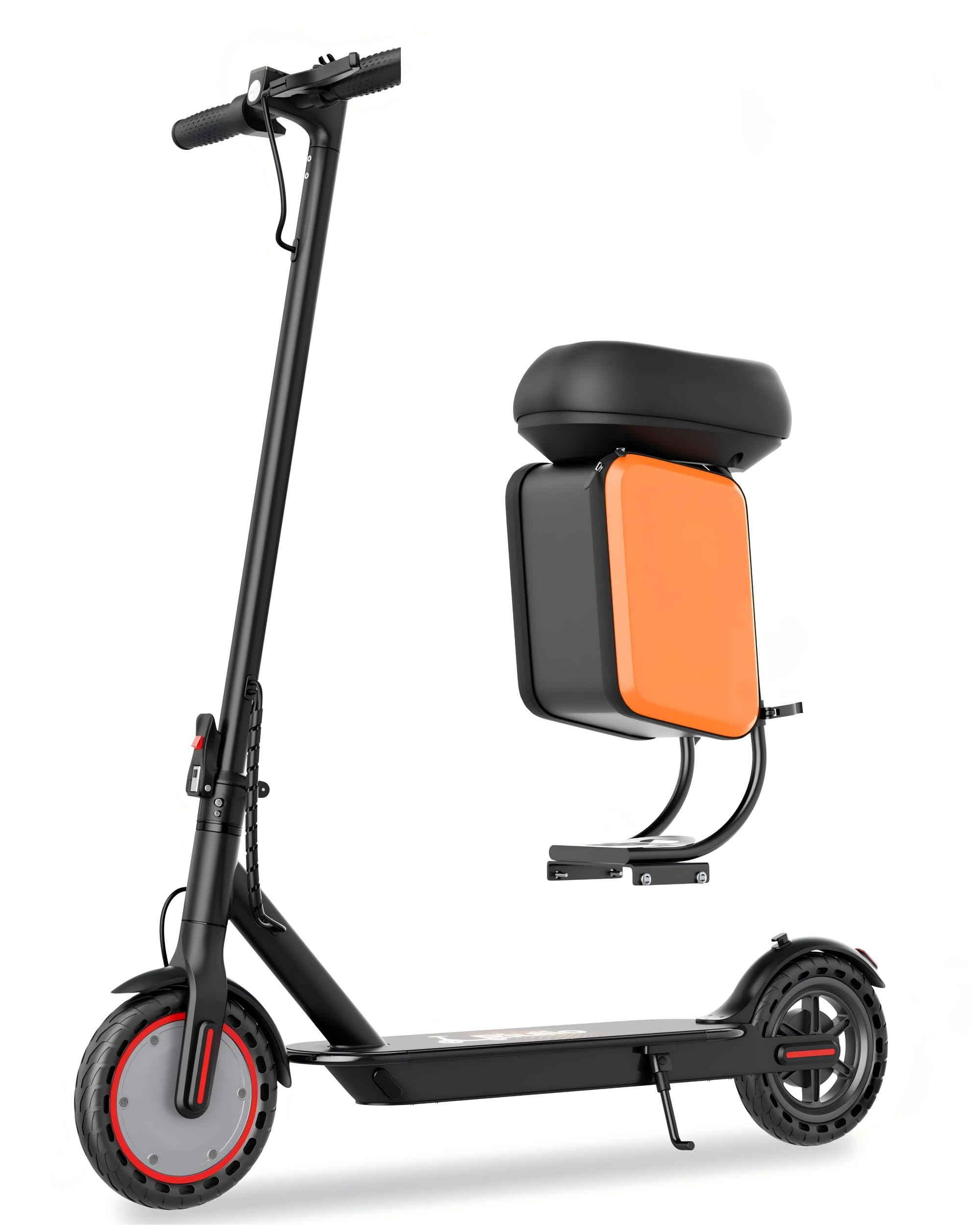
Riuiio Electric Scooter R-G01B with detachable seat and storage bag.

Close-up of the detachable seat comfort cushion and the 11L storage bag, illustrating its capacity for essentials.
Operating Instructions
Powering On/Off
To power on the scooter, press and hold the power button located on the handlebar display until the screen illuminates. To power off, press and hold the same button until the display turns off.
Changing Speed Modes
The scooter offers three riding modes. Double-click the power button to cycle through them:
- Eco Mode: Approximately 9 MPH (14.5 km/h) for extended range.
- Slow Mode: Approximately 12 MPH (19.3 km/h) for balanced performance.
- Sport Mode: Up to 19 MPH (30.6 km/h) for maximum speed.

Handlebar display showing the three riding modes: Eco (9 MPH), Slow (12 MPH), and Sport (19 MPH).
Braking System
The scooter is equipped with a dual braking system for reliable stopping power: a front drum brake and EABS regenerative braking. Apply the brake lever gently to slow down or stop. For emergency stops, apply the brake firmly and evenly.
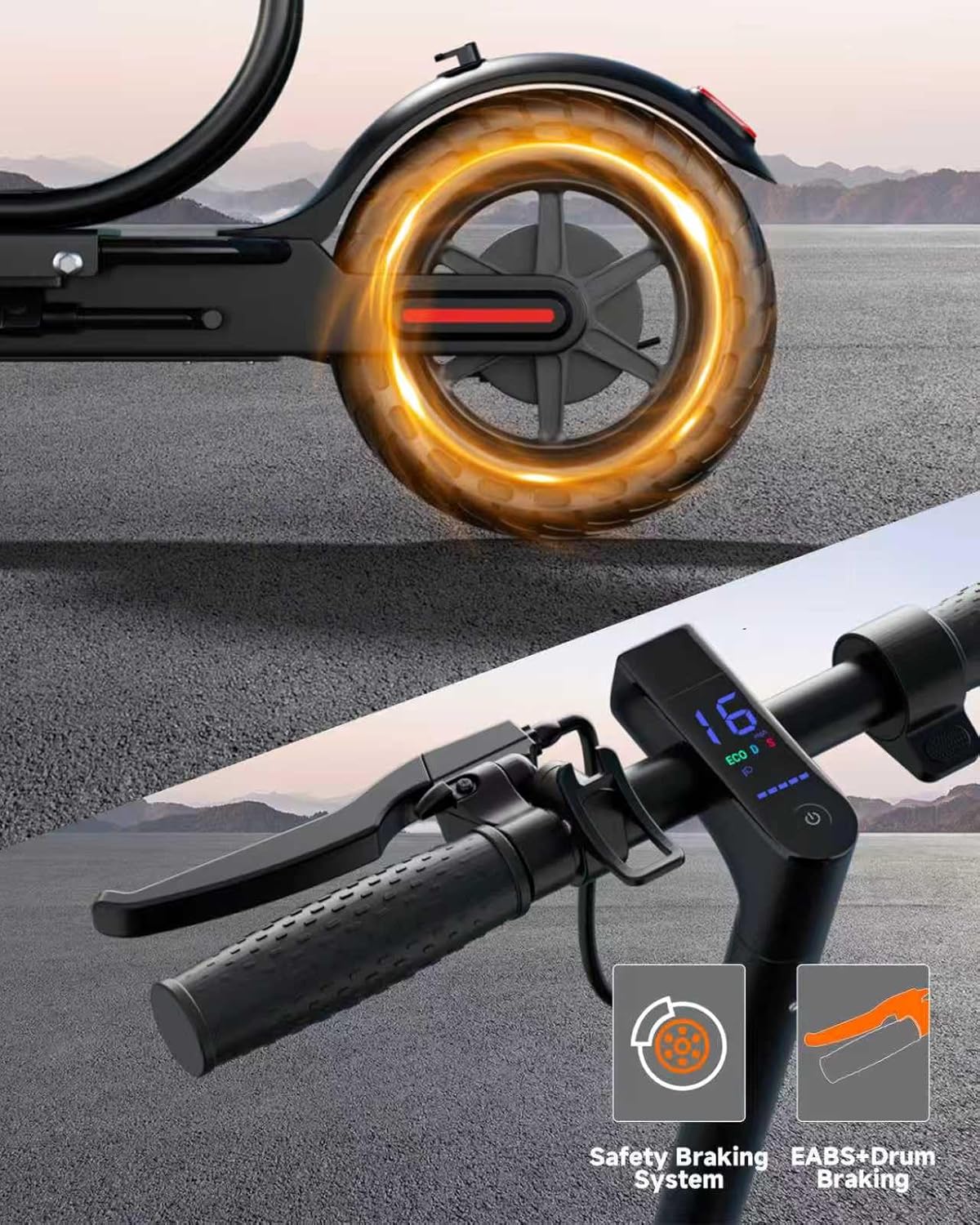
Illustration of the dual braking system, including the front drum brake and EABS regenerative braking.
Lighting
For enhanced visibility during night rides, the scooter features a 20-lux bright headlight and a rear brake light. Activate the lights by pressing the designated button on the handlebar or through the mobile application.

The electric scooter illuminated at night, showcasing its bright headlight and rear brake light for safety.
Smart App Control
Connect your Riuiio R-G01B scooter to the dedicated mobile app to unlock advanced features. The app allows you to select speed modes, adjust start-up settings, lock/unlock the scooter, and activate cruise control for effortless riding. Refer to the app's instructions for pairing and usage.

A smartphone screen displaying the Riuiio app interface for controlling scooter features like speed modes and cruise control.
Maintenance
Charging the Battery
Fully charge the 37V/7.8Ah (281WH) lithium battery before its first use and after each ride. The typical charging time is approximately 5 hours. Always use the charger provided with your scooter to prevent damage and ensure safety.

Diagram illustrating the 36V/7.8Ah lithium battery, 4-hour charging time, and 21-mile max range.
Tire Care
The scooter is equipped with 8.5-inch solid tires. These tires are designed to be maintenance-free, offering high elasticity and wear resistance without the need for inflation or puncture repairs.

Close-up of the 8.5-inch solid tire, highlighting its high elasticity, wear resistance, and maintenance-free design.
General Care
Regularly inspect all wiring connections, especially inside the motor compartment, to ensure they are secure. Clean the scooter with a damp cloth; avoid using high-pressure water jets or harsh chemicals, which can damage electronic components.
Troubleshooting
Error Reset
If the scooter encounters an error or malfunctions, power off the device completely and then power it back on to reset the system. If the issue persists, consult the warranty and support section.
Seat Stability
If the detachable seat or storage bag feels unstable, ensure all mounting bolts are tightened securely. Periodically check these fasteners for looseness and re-tighten as needed.
Specifications
| Feature | Specification |
|---|---|
| Brand | Riuiio |
| Model Name | R-G01B |
| Motor Power | 350W Brushless |
| Top Speed | 19 MPH (30.6 km/h) |
| Max Range | 21 Miles (34 km) |
| Battery | 37V/7.8Ah (281WH) Lithium Battery |
| Charging Time | 5 Hours |
| Tire Size | 8.5 Inches |
| Tire Type | Solid |
| Braking System | Front Drum Brake + EABS Regenerative Braking |
| Suspension Type | Rear Suspension |
| Weight Limit | 220 Pounds (100 kg) |
| Frame Material | Aerospace-grade Aluminum |
| Water Resistance | IPX4 |
| Age Range | 16+ Years |
| Special Features | Detachable Seat, 11L Storage Bag, App Control, Cruise Control, 20-lux Headlight |
Portability
The scooter features an ultra-portable 3-second folding mechanism, making it easy to carry and store. When folded, its dimensions are approximately 42.21 inches (length) x 17 inches (width) x 21 inches (height).

A person carrying the Riuiio Electric Scooter R-G01B in its folded state, demonstrating its portability and compact size.
Warranty and Support
The Riuiio Electric Scooter R-G01B comes with a 1-year limited warranty, covering manufacturing defects under normal use. For detailed warranty terms, claims, or technical support, please refer to the warranty card included in your product packaging or visit the official Riuiio website. Our customer service team is available to assist you with any inquiries.