
1. Introduction
Thank you for choosing the MMWOWARTS H03 Bluetooth Active Noise Cancelling Headphones. This manual provides essential information for setting up, operating, and maintaining your headphones to ensure optimal performance and longevity. Please read this manual thoroughly before using the product.
2. What's in the Box
- Active Noise Cancelling Bluetooth Headphones (H03)
- 3.5mm AUX Audio Cable
- USB-C Charging Cable
- User Manual

Image: The MMWOWARTS H03 headphones, charging cable, AUX cable, and user manual as packaged in the box.
3. Product Overview and Features
The MMWOWARTS H03 headphones are designed for comfort and high-quality audio, featuring Active Noise Cancelling (ANC) and Bluetooth 5.4 connectivity.
Key Features:
- Active Noise Cancelling (ANC): Reduces ambient noise for an immersive listening experience.
- Bluetooth 5.4: Provides a stable and fast wireless connection up to 10 meters.
- Long Battery Life: Up to 35 hours of continuous playback on a single charge.
- Comfortable Design: Over-ear earcups with soft foam and an adjustable headband for extended wear.
- Wired Mode: Use the included 3.5mm audio cable for wired listening when the battery is depleted or for non-Bluetooth devices.
- Built-in Microphone: For hands-free calls.
- Foldable and Portable: Designed for easy storage and transport.
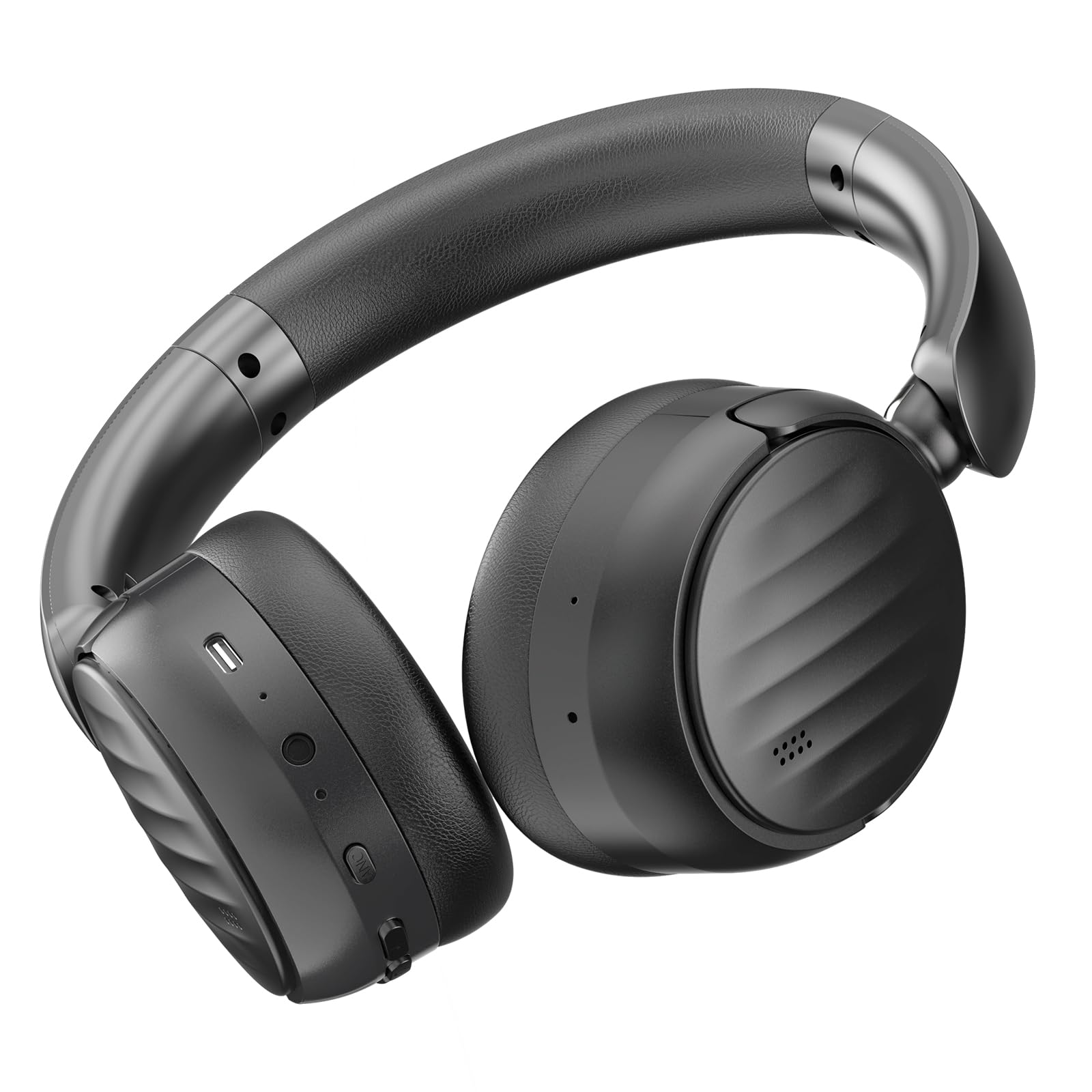
Image: A person wearing the MMWOWARTS H03 headphones, highlighting key features such as Hi-Fi Audio and Bluetooth 5.4.

Image: An exploded view of the headphone's internal structure, emphasizing the 40mm drivers and Bluetooth 5.4 technology, alongside illustrations of the folding design.
4. Setup
4.1 Charging the Headphones
- Connect the USB-C charging cable to the charging port on the headphones.
- Connect the other end of the cable to a USB power adapter (not included) or a computer's USB port.
- The LED indicator will show charging status (e.g., red for charging, blue for fully charged).
- A full charge takes approximately 1 hour and provides up to 35 hours of playtime.
4.2 Bluetooth Pairing
- Power On: Press and hold the Power button on the headphones until the LED indicator flashes blue and red, indicating pairing mode.
- Activate Bluetooth: On your device (smartphone, tablet, computer), enable Bluetooth.
- Select Device: In your device's Bluetooth settings, search for "MMWOWARTS H03" and select it to pair.
- Confirmation: The LED indicator on the headphones will turn solid blue, and a voice prompt will confirm successful pairing.
- Reconnect: The headphones will automatically attempt to reconnect to the last paired device when powered on.

Image: Illustrations showing the wide compatibility of the H03 headphones with various devices such as laptops, smartphones, and MP3 players.
5. Operating Instructions
5.1 Power On/Off
- Power On: Press and hold the Power button for 3 seconds.
- Power Off: Press and hold the Power button for 3 seconds.
5.2 Music Playback
- Play/Pause: Press the Multi-function button once.
- Next Track: Press and hold the Volume Up button.
- Previous Track: Press and hold the Volume Down button.
- Volume Up: Short press the Volume Up button.
- Volume Down: Short press the Volume Down button.
5.3 Call Functions
- Answer/End Call: Press the Multi-function button once.
- Reject Call: Press and hold the Multi-function button for 2 seconds.
- Voice Assistant: Double-press the Multi-function button.
5.4 Active Noise Cancelling (ANC)
- Activate ANC: Press the ANC button once. The ANC indicator light will turn on.
- Deactivate ANC: Press the ANC button once again. The ANC indicator light will turn off.

Image: A visual representation of the multi-layer noise reduction system, detailing how the headphones achieve active noise cancellation.
5.5 Wired Mode
To use the headphones in wired mode, connect the included 3.5mm audio cable to the headphone's audio jack and the other end to your audio source. This mode works even if the headphone battery is depleted.
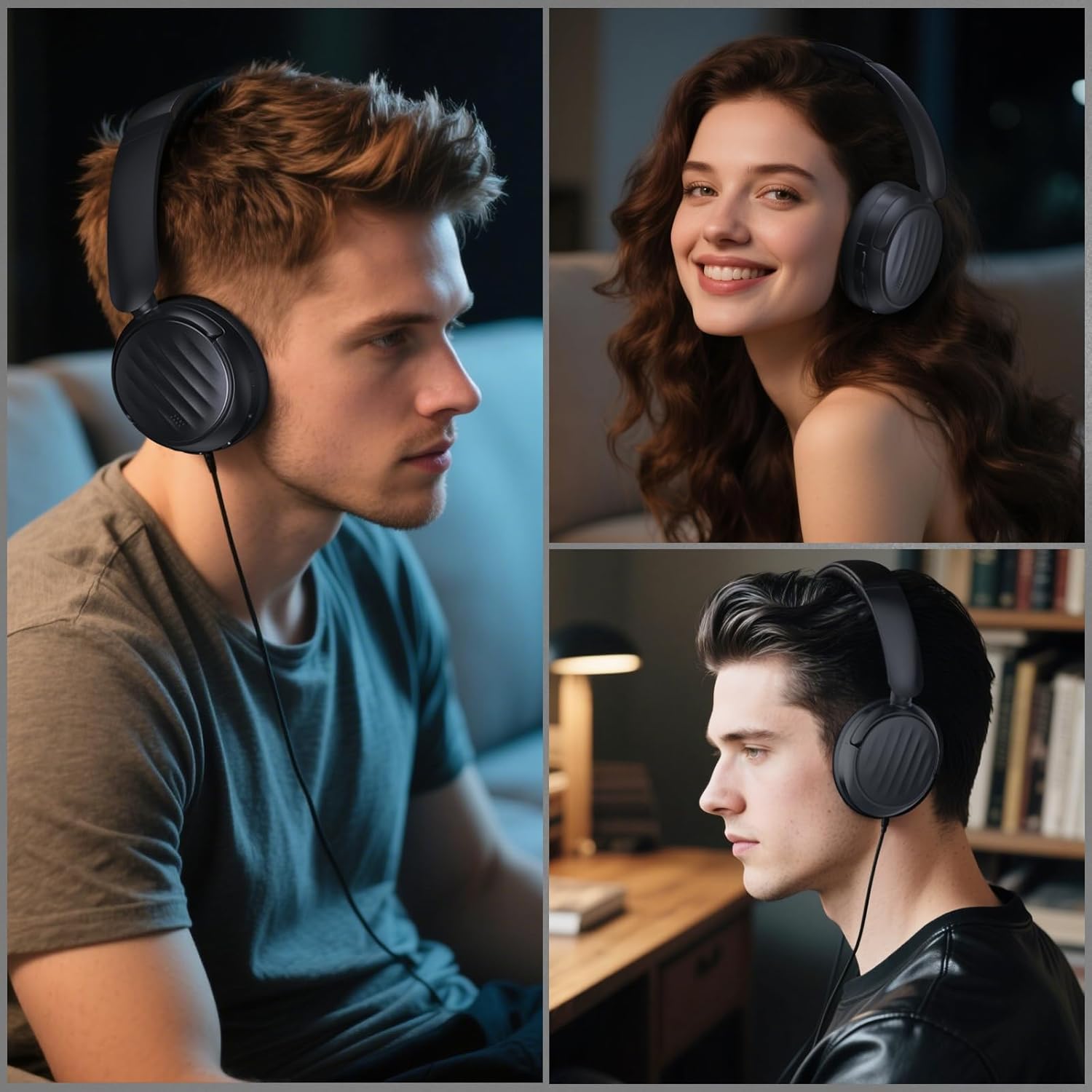
Image: People using the MMWOWARTS H03 headphones, demonstrating both wireless and wired usage scenarios.
6. Maintenance
6.1 Cleaning
- Wipe the headphones with a soft, dry cloth.
- Do not use abrasive cleaners, alcohol, or chemical solvents.
- Keep the charging port and audio jack free of dust and debris.
6.2 Storage
- Store the headphones in a cool, dry place away from direct sunlight and extreme temperatures.
- When not in use for extended periods, fully charge the headphones every 3 months to preserve battery life.
- Utilize the foldable design for compact storage.

Image: The MMWOWARTS H03 headphones demonstrating their foldable and rotatable design for easy portability and storage.
7. Troubleshooting
7.1 No Power
- Ensure the headphones are fully charged. Connect to a power source using the USB-C cable.
7.2 Cannot Pair via Bluetooth
- Ensure the headphones are in pairing mode (LED flashing blue and red).
- Make sure Bluetooth is enabled on your device and it is within 10 meters of the headphones.
- Turn off and on both the headphones and your device, then try pairing again.
- Clear the Bluetooth pairing history on your device and re-attempt pairing.
7.3 No Sound or Low Volume
- Check the volume levels on both the headphones and your connected device.
- Ensure the headphones are properly paired and connected.
- If using wired mode, ensure the 3.5mm audio cable is fully inserted into both the headphones and the audio source.
7.4 ANC Not Working Effectively
- Ensure the ANC feature is activated (ANC indicator light is on).
- Adjust the fit of the headphones to ensure a good seal around your ears.
- ANC is most effective against low-frequency, constant noises.
8. Specifications
| Feature | Specification |
|---|---|
| Model Number | H03 |
| Brand | MMWOWARTS |
| Connectivity Technology | Bluetooth, Auxiliary |
| Wireless Technology | Bluetooth |
| Bluetooth Version | 5.4 |
| Bluetooth Range | 10 Meters |
| Noise Control | Active Noise Cancellation |
| Ear Placement | Over Ear |
| Audio Driver Type | Dynamic Driver (40mm) |
| Frequency Range | 20 Hz - 20,000 Hz |
| Battery Capacity | 400mAh (approximate, derived from 35H playtime) |
| Battery Charge Time | 1 Hour |
| Battery Average Life | 35 Hours |
| Control Type | Button Control, Touch |
| Material | Plastic |
| Water Resistance Level | Waterproof |
| Additional Features | Portable, Foldable |
9. Warranty and Support
9.1 Warranty Information
The MMWOWARTS H03 headphones come with a 90-day manufacturer's warranty from the date of purchase. This warranty covers manufacturing defects. It does not cover damage caused by misuse, accidents, unauthorized modifications, or normal wear and tear.
9.2 Customer Support
For technical assistance, warranty claims, or any questions regarding your MMWOWARTS H03 headphones, please contact MMWOWARTS customer support through the retailer where the product was purchased or visit the official MMWOWARTS website for contact information.