
AIKVSXER AKCF-003
AIKVSXER 20-inch Ceiling Fan with Light User Manual
Model: AKCF-003
Introduction
Thank you for choosing the AIKVSXER 20-inch Ceiling Fan with Light. This modern, low-profile fan features a quiet DC motor, 6-speed settings, and a dimmable LED light with adjustable color temperatures (3000K-6500K). It can be controlled via remote or a dedicated app, making it suitable for various indoor spaces such as bedrooms, living rooms, and kitchens. Please read this manual thoroughly before installation and use to ensure safe and optimal performance.
Safety Information
- Always turn off the power at the circuit breaker before beginning installation or maintenance.
- Installation should be performed by a qualified electrician or a person with electrical experience.
- Ensure all wiring connections are secure and comply with local electrical codes.
- Do not use the fan with a dimmer switch not specified for ceiling fans.
- Keep hands and objects clear of the fan blades during operation.
- This product is designed for indoor use only.
Package Contents
Verify that all components are present before installation:
- Ceiling Fan with Light
- Mounting Hardware
- Remote Control
- User Manual (this document)
Setup and Installation
The AIKVSXER 20-inch Ceiling Fan is designed for flush mount installation. Follow these steps carefully. It is recommended to have a second person assist with installation.
1. Prepare for Installation
- Turn off power at the main circuit breaker.
- Ensure the mounting location can support the fan's weight.
- Unpack all components and lay them out on a clean, soft surface to prevent scratches.
2. Wiring Connections
Connect the fan's wiring to your household electrical system. Only connect to an ordinary switch for on/off control. Do not connect to a transmission switch for light brightness or wind speed adjustment.
Video: AIKVSXER 20" Ceiling Fan with Light Installation Video. This video demonstrates the wiring and mounting process for the ceiling fan. It shows how to connect the electrical wires and secure the fan to the ceiling.

Image: Close-up view of the ceiling fan's internal wiring connections, showing the control module and various wires. This illustrates the components involved in the electrical setup.
3. Mounting the Fan
- Secure the mounting bracket to the ceiling junction box using the provided hardware.
- Carefully lift the fan assembly and attach it to the mounting bracket, ensuring all connections are properly seated.
- Secure the fan to the mounting bracket with screws.
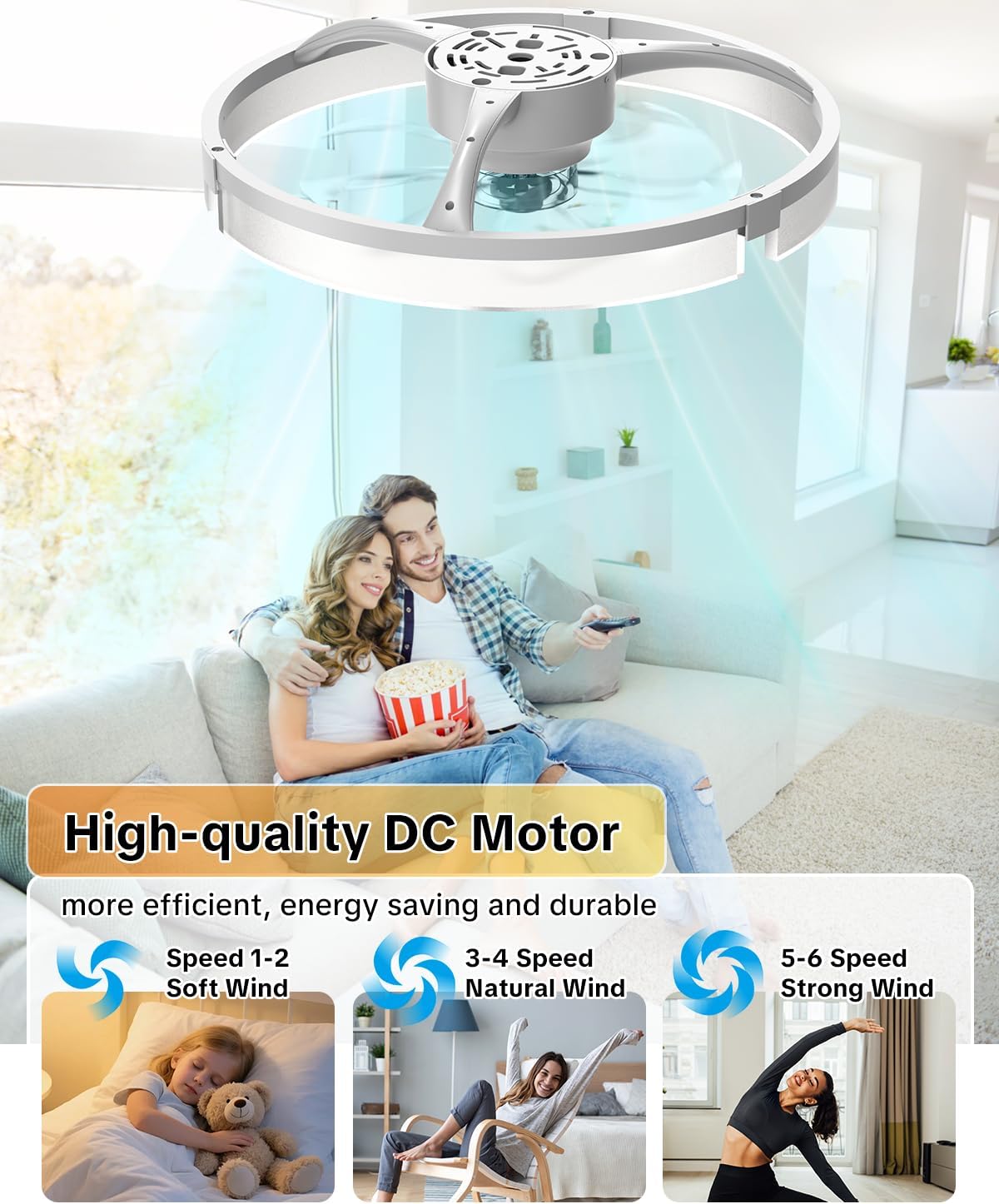
Image: The AIKVSXER ceiling fan fully installed and flush-mounted on a ceiling, providing illumination to a room.
Operating Instructions
Your AIKVSXER ceiling fan can be operated using the included remote control or a dedicated smartphone application.
Remote Control Operation
The remote control allows for easy adjustment of fan speed, light settings, and timer functions.
- Power On/Off: Press the power button to turn the fan and light on or off.
- Fan Speed: Select from 6 fan speeds (1-2 for soft wind, 3-4 for natural wind, 5-6 for strong wind).
- Light Brightness: Adjust dimmable LED light from 10% to 100%.
- Color Temperature: Cycle through 3000K (Warm White), 4500K (Natural White), and 6500K (Cool White).
- Reversible Motor: Use the reverse function for year-round air circulation (downward airflow for cooling in summer, upward airflow for heat redistribution in winter).
- Sleep Timer: Set a 2-hour sleep timer.
- Night Light Mode: Activate a low-brightness night light setting.
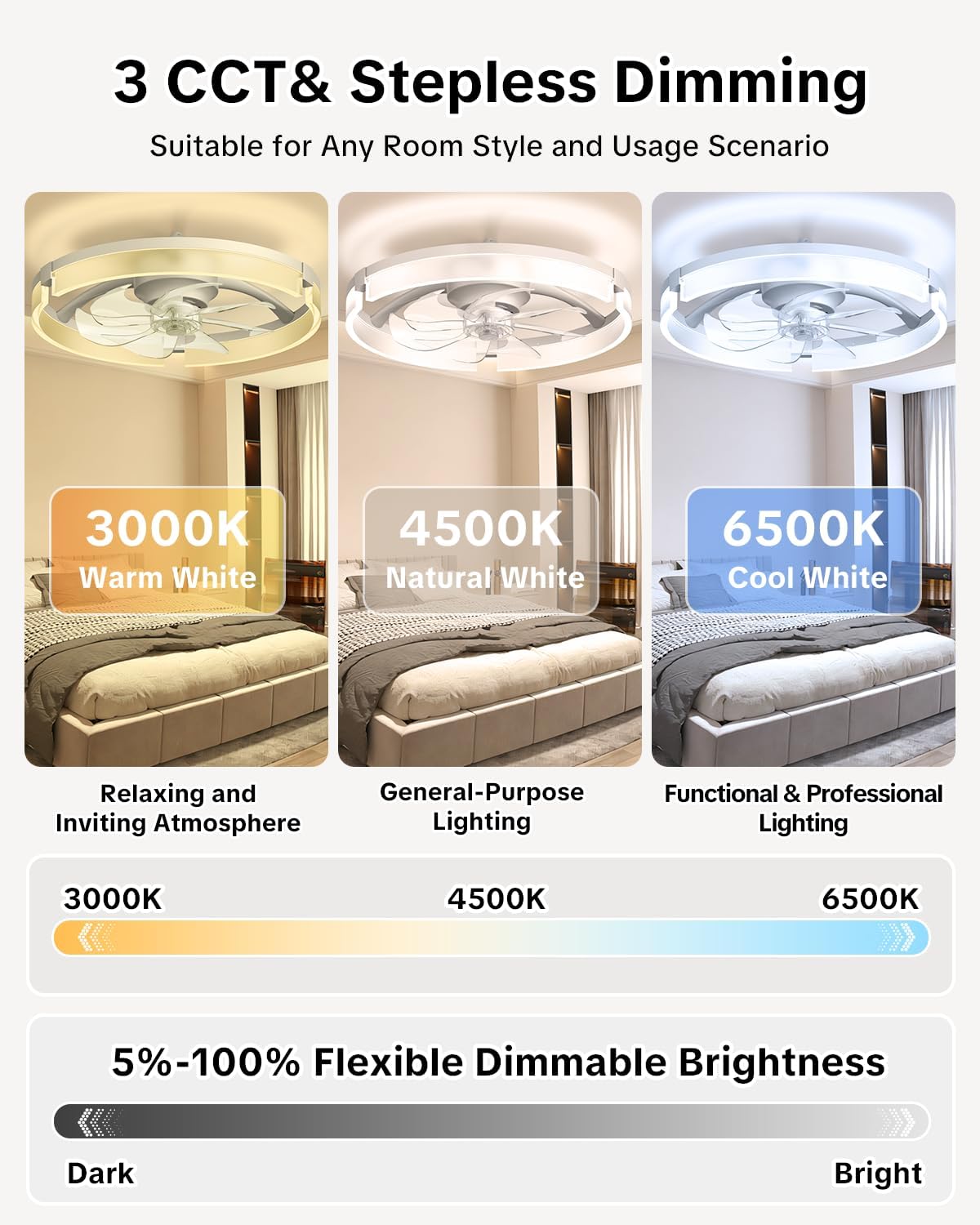
Image: The remote control for the AIKVSXER ceiling fan, showing buttons for fan speed, light control, and timer settings.

Image: Illustration showing the ceiling fan being controlled by both a physical remote and a smartphone app, highlighting the dual control options.
App Control (Bluetooth)
The fan supports app control via Bluetooth. Download the compatible application to your smartphone (Android or iOS) and follow the in-app instructions to pair your device with the fan. The app provides similar control functionalities as the remote.

Image: A smartphone screen displaying the control interface for the ceiling fan app, showing options for fan speed and light adjustments.

Image: An illustration demonstrating the downward airflow of the ceiling fan, indicating its cooling effect for summer use.

Image: The ceiling fan light shown with three different color temperatures: 3000K (warm white), 4500K (natural white), and 6500K (cool white).

Image: The ceiling fan operating in a low-brightness night light mode above a bed where a person is sleeping, illustrating its quiet operation.
Maintenance
- Cleaning: To clean the fan, wipe with a soft, damp cloth. Do not use abrasive cleaners or solvents. Ensure power is off before cleaning.
- Blade Inspection: Periodically check fan blades for any dust buildup. Clean as needed to maintain optimal airflow.
- Tightness: Occasionally check that all screws and connections are secure.
Troubleshooting
| Problem | Possible Cause | Solution |
|---|---|---|
| Fan does not operate | No power supply; loose wiring; remote control battery low. | Check circuit breaker; ensure all wires are connected securely; replace remote control batteries. |
| Light does not turn on | Loose wiring; LED module failure. | Check wiring connections; contact customer support if LED module is faulty. |
| Fan wobbles | Loose mounting screws; unbalanced blades. | Tighten all mounting screws; ensure blades are securely attached and balanced. |
| Remote control not working | Low battery; remote not paired. | Replace remote batteries; refer to pairing instructions (if applicable, usually automatic). |
| App control not connecting | Bluetooth not enabled; fan not paired; app issues. | Ensure Bluetooth is on; re-pair fan in app; restart app or phone. |
Specifications
| Feature | Detail |
|---|---|
| Brand | AIKVSXER |
| Model Number | AKCF-003 |
| Size | 20 inches |
| Color | White |
| Material | Plastic |
| Motor Type | DC Motor (Quiet, Reversible) |
| Fan Speeds | 6 |
| Light Source | LED |
| Wattage | 42 watts |
| Brightness | 2800 lumens (max) |
| Color Temperature | 3000K (Warm White), 4500K (Natural White), 6500K (Cool White) |
| Dimmable | Yes (10%-100%) |
| Control Method | Remote Control, App Control (Bluetooth) |
| Voltage | 110 volts |
| Dimensions (L x W x H) | 19.5"L x 19.5"W x 5.7"H |
| Indoor/Outdoor Usage | Indoor |
Warranty and Support
The AIKVSXER 20-inch Ceiling Fan with Light comes with a 5-year warranty from the manufacturer. For any issues with installation, operation, or product defects, please contact AIKVSXER customer support. They are available to assist you with any questions or concerns.
Contact information can typically be found on the product packaging or the official AIKVSXER website.
Related documentsAKCF-003

Ask a question about this manual
Ask about setup, troubleshooting, compatibility, parts, safety, or missing instructions. Manuals+ will review the question and use this page’s manual context to help answer it.