
1. Introduction
This manual provides essential information for the safe and efficient operation, maintenance, and care of your SKRT Super Large Electric 4 Wheel Mobility Scooter. Please read this manual thoroughly before operating the scooter to ensure proper usage and to prevent injury or damage.
The SKRT Super Large Electric 4 Wheel Mobility Scooter is designed for individuals requiring assistance with mobility. It features a powerful 800W motor, a long-range battery, and an all-terrain design for a stable and comfortable ride.
2. Safety Information
WARNING: Always operate the scooter with caution. Failure to follow safety instructions may result in serious injury or property damage.
- Always wear appropriate safety gear, including a helmet, when operating the scooter.
- Do not operate the scooter under the influence of alcohol or drugs.
- Ensure all lights and signals are functioning correctly before each use.
- Observe all local traffic laws and regulations.
- Avoid sudden stops, turns, or acceleration.
- Do not exceed the maximum weight capacity of 500 lbs.
- Be aware of your surroundings and potential hazards.
3. Components Overview
Familiarize yourself with the main components of your mobility scooter.

Figure 3.1: Key components of the SKRT Super Large Electric 4 Wheel Mobility Scooter.
- High/Low Headlight Button: Controls the intensity of the front headlight.
- Turn Signal Switch: Activates left or right turn signals.
- Horn Button: Sounds the horn for alerts.
- Light Switch: Turns the scooter's lights on or off.
- Forward/Reverse Button: Selects the driving direction.
- Speed Selector Switch: Adjusts the maximum speed setting.
- Seat with Headrest: Provides comfortable seating and head support.
- Removable Rear Trunk: Offers storage space at the back of the scooter.
- Adjustable Armrest: Can be moved forward or backward for user comfort.
- Auxiliary Wheels: Provide additional stability.
4. Setup and Initial Use
4.1 Unpacking and Assembly
Your scooter arrives largely pre-assembled. Carefully remove it from its packaging. You may need to attach the seat, mirrors, and rear trunk. Refer to the included quick start guide for specific assembly steps.
4.2 Initial Battery Charging
Before the first use, fully charge the battery. Locate the charging port, typically near the battery compartment. Connect the charger to the scooter and then to a standard wall outlet. The charging indicator on the charger will show red when charging and turn green when fully charged.

Figure 4.1: Battery charging status indicators.
4.3 Seat Adjustment
The luxury leather seat and backrest are designed for comfort and can be adjusted. The seat can be moved forward and backward, and the backrest angle can be customized. The padded armrests are also adjustable for greater convenience when getting on or off the scooter.

Figure 4.2: Seat and armrest adjustment options.
5. Operating Instructions
5.1 Starting the Scooter
- Insert the key into the ignition and turn it to the 'ON' position.
- Check the LCD monitor screen for battery level and other indicators.
- Ensure the forward/reverse button is set to the desired direction.
5.2 Speed Control
The scooter features a 3-speed control system, allowing you to adjust your speed from 1 mph to 15 mph using the variable speed control dial on the tiller.

Figure 5.1: Speed control and display.
- 1st Gear: Approximately 7 mph
- 2nd Gear: Approximately 11 mph
- 3rd Gear: Approximately 15 mph
5.3 Braking
The scooter is equipped with front and rear brakes, operated via hand levers. A parking brake is also available to secure the scooter when stationary.
5.4 Lighting and Signals
Use the front headlight (with high/low beam), rear running/brake lights, and turn signals to ensure visibility and communicate your intentions to others, especially when driving at night.

Figure 5.2: Scooter headlight provides illumination for night driving.
5.5 Remote Key Functions
The remote key provides anti-theft and alarm functions for added security.
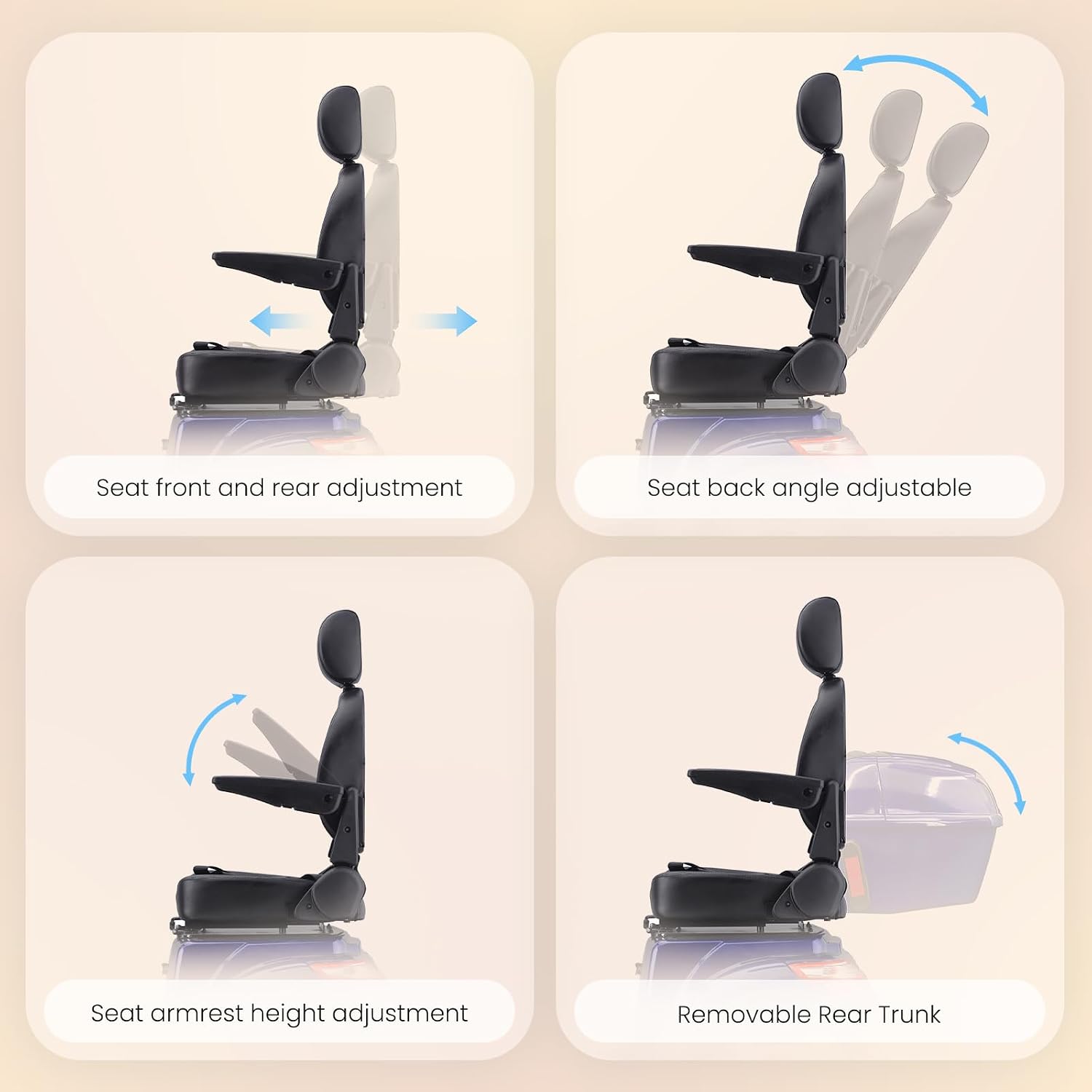
Figure 5.3: Remote key for security features.
5.6 All-Terrain Capability
The scooter's fat tires and two rear shock absorbers allow for navigation across various surfaces, including sand, snow, grass, and muddy roads. It can also tackle slopes up to 20 degrees.
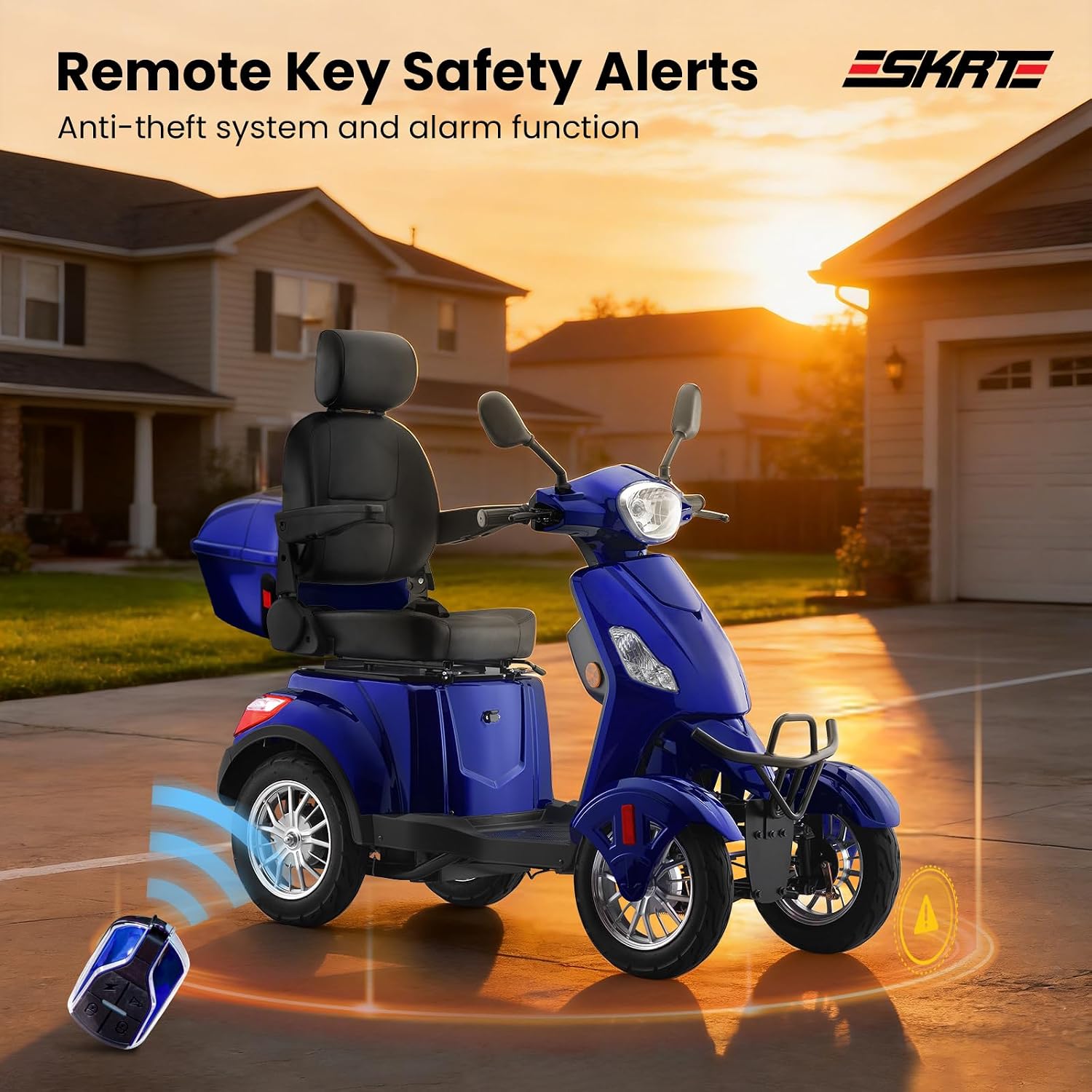
Figure 5.4: Scooter climbing a 20-degree slope.

Figure 5.5: Scooter performance on diverse terrains.
6. Maintenance
6.1 Battery Care
- Charge the battery fully after each use.
- Do not allow the battery to completely discharge.
- Store the scooter in a cool, dry place if not used for extended periods, and charge the battery periodically.
6.2 Tire Pressure
Regularly check tire pressure and inflate to the recommended PSI as indicated on the tire sidewall. Proper tire pressure ensures optimal performance and safety.
6.3 Cleaning
Clean the scooter with a damp cloth and mild detergent. Avoid using high-pressure washers or harsh chemicals, as these can damage electrical components or finishes.
6.4 General Inspection
Periodically inspect all bolts, nuts, and fasteners to ensure they are tight. Check brake functionality and adjust if necessary. Inspect lights and wiring for any damage.
7. Troubleshooting
| Problem | Possible Cause | Solution |
|---|---|---|
| Scooter does not power on | Battery not charged; Power switch off; Loose battery connection | Charge battery; Turn power switch on; Check battery terminals |
| Reduced range or power | Low battery charge; Worn battery; Overloaded scooter | Fully charge battery; Consult service for battery replacement; Reduce load |
| Brakes feel weak | Brake cable adjustment needed; Worn brake pads | Adjust brake cables; Replace brake pads (consult service) |
| Unusual noises during operation | Loose components; Motor issue | Inspect for loose parts and tighten; Contact customer support |
8. Specifications
- Motor Power:
- 800W Brushless Motor
- Battery:
- 48V 20Ah High-capacity
- Maximum Speed:
- Up to 15 mph (3-speed control)
- Range per Charge:
- Up to 25 miles
- Weight Capacity:
- 500 lbs
- Climbing Ability:
- Up to 20-degree slopes
- Brake Style:
- Hand brake
- Frame Material:
- Alloy Steel
- Wheel Type:
- Pneumatic, Front Wheel, Rear Wheel
- Seat Depth:
- 17.7 inches
- Turn Radius:
- 38.1 Centimeters
9. Product Video
Watch the official product video for a visual overview of the SKRT Super Large Electric 4 Wheel Mobility Scooter.
Video 9.1: Overview of the SKRT Super Large Electric 4 Wheel Mobility Scooter in operation.
10. Warranty and Support
For warranty information, please refer to the documentation included with your purchase or contact SKRT customer support. SKRT offers a 90-day accessory replacement depending on the status of the vehicle. For any questions or assistance, please contact customer service.
Manufacturer: DOUBLE GLOBAL INC
Date First Available: February 4, 2026