
1. Safety Information
Before operating the UMAY Treadmill SF20, please read and understand all safety instructions. Keep this manual for future reference.
- Always attach the safety key to your clothing before starting the treadmill. The treadmill will stop if the safety key is disengaged.
- Ensure the treadmill is placed on a flat, stable surface.
- Keep children and pets away from the treadmill during operation.
- Wear appropriate athletic footwear and clothing.
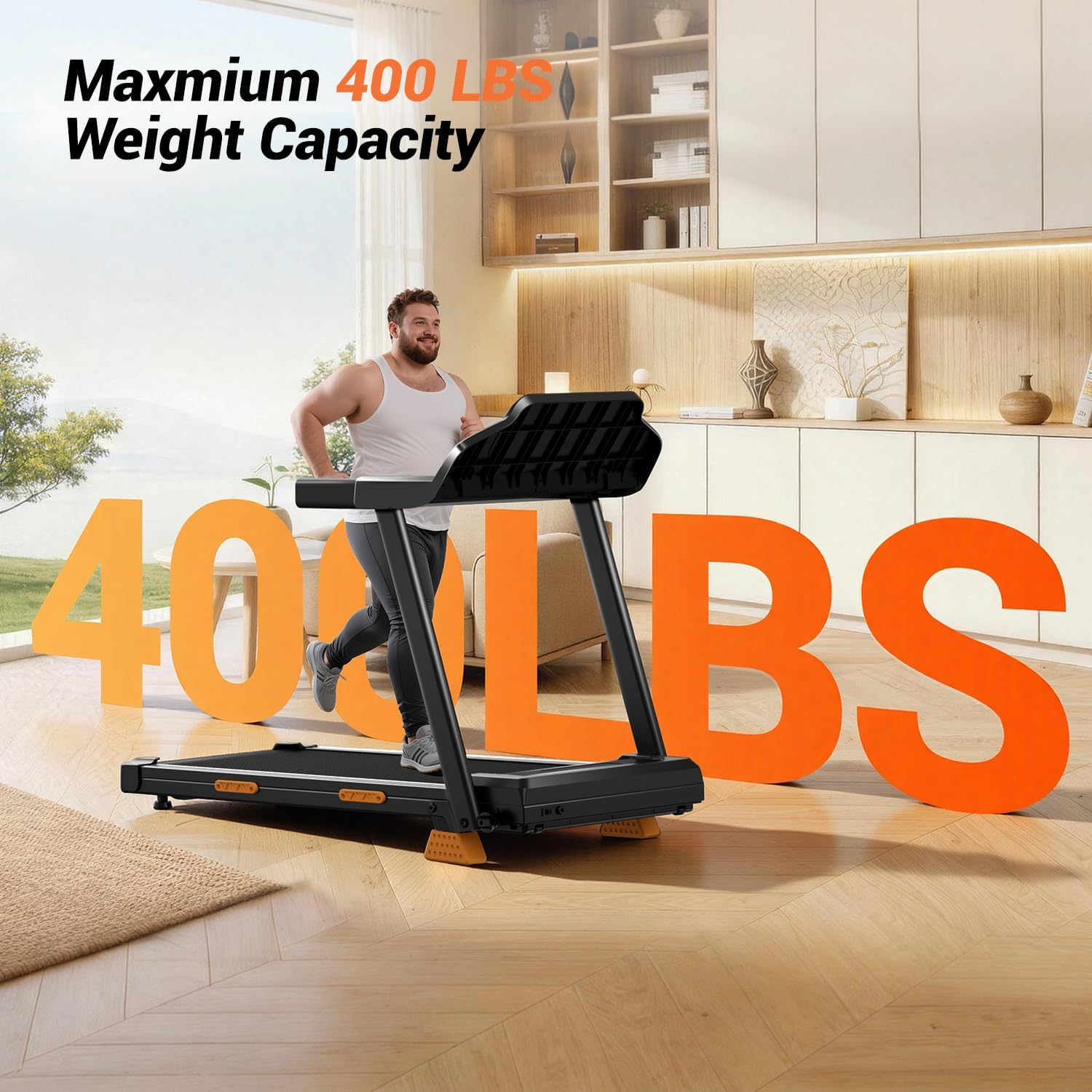
- Do not use the treadmill if you weigh more than the maximum recommended weight of 400 pounds.
- If you experience dizziness, chest pain, or shortness of breath, stop exercising immediately and consult a physician.
2. Product Overview
The UMAY Treadmill SF20 is designed for home use, offering a compact and versatile exercise solution. Key features include a manual incline, LED display, powerful motor, and a shock-absorbing running belt.
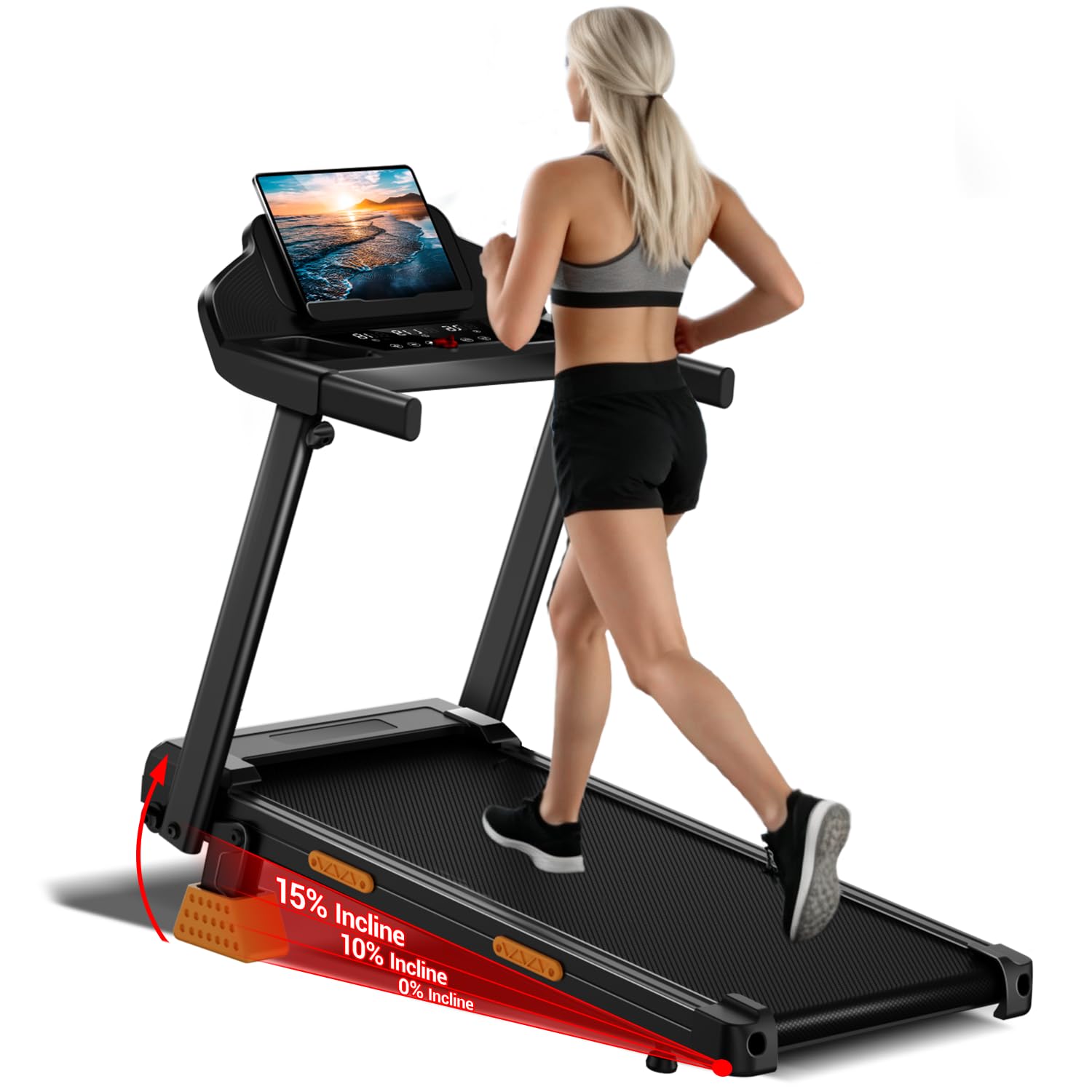
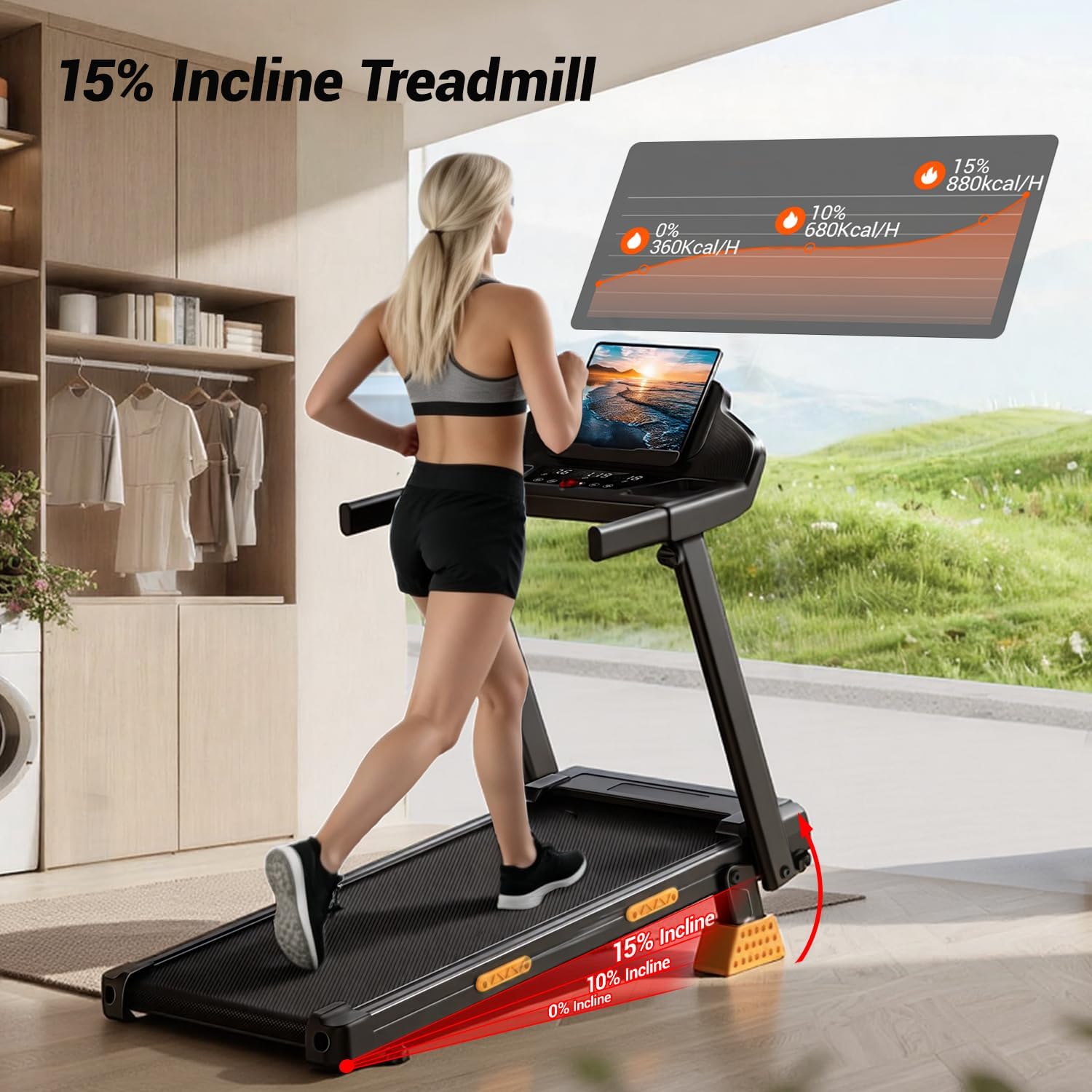

The treadmill is equipped with a 3.0HP brushless motor for quiet operation and a 7-layer shock-absorbing belt for joint protection. Its foldable design and built-in wheels allow for easy storage in small spaces.

3. Setup
The UMAY Treadmill SF20 arrives 90% pre-assembled, making setup quick and straightforward.
Unfolding the Treadmill:
- Carefully remove the treadmill from its packaging.
- Place the treadmill on a flat, stable surface.
- Lift the console and handlebar assembly until it locks into the upright position.
- Tighten the securing knobs on both sides of the handlebar to ensure stability.
Connecting Power and Safety Key:
- Plug the power cord into a grounded electrical outlet.
- Insert the red safety key into its designated slot on the console. The treadmill will not operate without the safety key in place.


Video demonstrating the setup and features of the Umay Treadmill with Incline for Home.
4. Operating Instructions
Starting a Workout:
- Ensure the safety key is properly inserted.
- Press the 'Start' button on the console. The treadmill will begin with a short countdown before the belt starts moving at a low speed.
Adjusting Speed:
- Use the 'Speed+' and 'Speed-' buttons on the console or the handlebar controls to adjust the speed.
- The speed range is from 0.6 MPH to 7.5 MPH.
Adjusting Incline:
- The treadmill features a manual incline. To adjust, lift the rear of the treadmill and place the included attachments to achieve 0%, 10%, or 15% incline.
Using Preset Modes:
- The treadmill includes 12 preset workout modes. Press the 'Mode' button to cycle through the available programs.
- Each mode offers varying speed and incline profiles for different fitness goals.
Monitoring Your Workout:
- The LED display shows real-time data including distance, calories burned, time, and speed.
- Heart rate monitoring is available via sensors on the handlebars.
Connectivity:
- Connect your Bluetooth device to play audio through the treadmill's speakers.
- A USB port is available for charging devices or playing media.

5. Maintenance
Regular maintenance ensures the longevity and optimal performance of your UMAY Treadmill SF20.
Cleaning:
- Wipe down the console and exterior surfaces with a damp cloth after each use. Avoid abrasive cleaners.
- Periodically vacuum underneath the treadmill to prevent dust and debris buildup.
Lubrication:
- The running belt requires lubrication every few months, depending on usage. Refer to the included user manual for specific lubrication instructions and recommended lubricant type.
Belt Adjustment:
- If the running belt feels loose or is slipping, it may need adjustment. Consult the detailed instructions in the full user manual for proper belt tensioning and centering procedures.
6. Troubleshooting
If you encounter any issues with your UMAY Treadmill SF20, refer to the following common troubleshooting tips:
| Problem | Possible Cause | Solution |
|---|---|---|
| Treadmill does not start | Power cord not plugged in; Safety key not inserted; Power switch off | Check power connection; Insert safety key; Turn on power switch |
| Running belt slips | Belt too loose; Belt needs lubrication | Adjust belt tension (refer to manual); Lubricate belt |
| Unusual noise during operation | Loose components; Debris under belt | Check and tighten all visible bolts; Clean under the belt |
| Display not working | Loose cable connection; Power issue | Check console cable connections; Verify power supply |
If the issue persists, please contact customer support for assistance.
7. Specifications
| Feature | Detail |
|---|---|
| Brand | UMAY |
| Model Name | SF20 |
| Color | Black & Orange |
| Product Dimensions | 39.2"D x 21.8"W x 44.3"H |
| Item Weight | 40 Pounds |
| Material | Acrylonitrile Butadiene Styrene (ABS) |
| Maximum Speed | 7.5 Miles per Hour |
| Minimum Speed | 0.6 Miles per Hour |
| Maximum Horsepower | 3 Horsepower |
| Maximum Incline Percentage | 15% (Manual) |
| Display Type | LED |
| Maximum Weight Recommendation | 400 Pounds |
| Special Features | Adjustable Speed, Foldable, Shock Absorbent, Touch Screen, Water Bottle Holder |
8. Warranty & Support
Warranty Information:
The UMAY Treadmill SF20 comes with a 1-Year Manufacturer Warranty. Please retain your proof of purchase for warranty claims.
Customer Support:
For any questions or assistance with your treadmill, our dedicated customer service team offers 24/7 support. To contact us:
- Log in to your Amazon account.
- Click on "Your orders".
- Find the order ID for your treadmill.
- Click "Contact Seller".
We are committed to providing satisfactory solutions for all your product inquiries.


