
1. Introduction
Thank you for choosing the PTHTECHUS M91 Open-Ear Bluetooth 5.4 Clip-On Headphones. This manual provides essential information for setting up, operating, and maintaining your device to ensure optimal performance and longevity.
What's Included
- PTHTECHUS M91 Open-Ear Headphones
- Charging Case
- Type-C Charging Cable
- User Manual

The complete package contents, including the M91 earbuds, their charging case, and a Type-C charging cable.
2. Setup
2.1 Charging the Headphones
Before first use, fully charge the headphones and the charging case. Connect the provided Type-C charging cable to the charging port on the case and a power source. The indicator lights on the case will show the charging status.
- Single Earbud Playtime: Up to 6 hours on a full charge.
- Total Playtime with Charging Case: Up to 60 hours.
- Battery Charge Time: Approximately 1.5 hours for a full charge.

An infographic illustrating the battery life: 6 hours for single earbud use, 60 hours with the charging case, and 3 hours for quick charge.
2.2 Pairing with a Device
- Ensure the headphones are charged.
- Open the charging case. The headphones will automatically enter pairing mode.
- On your device (smartphone, tablet, laptop), enable Bluetooth.
- Search for available Bluetooth devices and select "M91" from the list.
- Once connected, the headphones will automatically reconnect to your device when the charging case is opened, provided Bluetooth is enabled on your device.
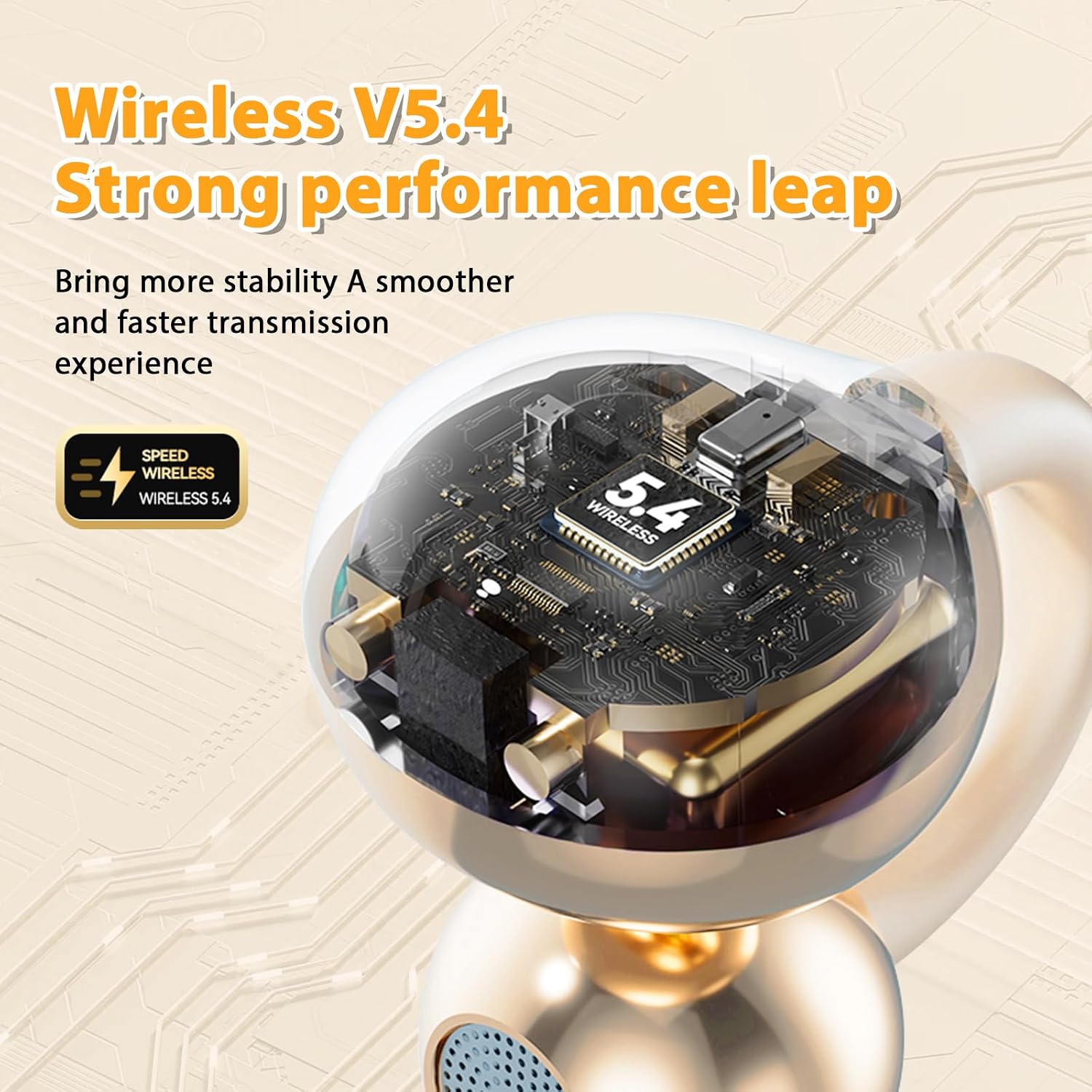
The PTHTECHUS M91 headphones feature Bluetooth 5.4 for stable and interference-free transmission, with a range of up to 10 meters.

The PTHTECHUS M91 headphones and charging case next to a laptop and smartphone, illustrating intelligent device connection.
3. Operating Instructions
3.1 Wearing the Headphones
The M91 headphones feature an open-ear, clip-on design. This design allows you to listen to audio while remaining aware of your surroundings, enhancing safety, especially during outdoor activities. Simply clip the headphones securely onto your ear.

A profile view of a woman wearing the open-ear headphones, demonstrating how the design allows for environmental awareness.

A visual comparison highlighting the secure and comfortable clip-on design of the PTHTECHUS M91 headphones against conventional in-ear earbuds.
3.2 Touch Controls
The M91 headphones feature intuitive touch controls for easy management of your audio and calls.
| Action | Gesture |
|---|---|
| Play/Pause | Double-click |
| Next/Previous Track | Long press (Left for previous, Right for next) |
| Volume Up/Down | Double-click (Specific earbud for up/down, refer to product diagram) |
| Answer/End Call | Double-click |
| Reject Incoming Call | Long press |
| Activate Voice Assistant | Triple-click |

An illustration detailing the touch control functions for managing music playback, calls, and voice assistant.
3.3 Audio Features
- Directional Sound Transmission: The headphones use directional sound technology to focus sound waves towards your ear, reducing sound leakage by up to 89% and enhancing privacy during calls.
- ENC Noise Reduction: Environmental Noise Cancellation (ENC) ensures your voice is clear during calls, even in noisy environments.
- Spatial Stereoscopic Sound: Experience panoramic stereo sound with a visual sense, providing an immersive audio presence.
A visual representation of the spatial stereoscopic sound technology, showing how sound is delivered for an immersive experience.

An internal view of the earbud components, detailing the technology that enhances sound quality, including bass boost.
4. Maintenance
To ensure the longevity and optimal performance of your PTHTECHUS M91 headphones, follow these maintenance guidelines:
- Cleaning: Regularly wipe the headphones and charging case with a soft, dry cloth. Avoid using abrasive materials or harsh chemicals.
- Water Resistance: The headphones are IPX5 water-resistant, meaning they can withstand splashes and sweat. Do not submerge them in water or expose them to heavy rain. Ensure they are dry before placing them back in the charging case.
- Storage: Store the headphones in their charging case when not in use to protect them from dust and damage. Store in a cool, dry place away from extreme temperatures.
- Charging: Use only the provided Type-C cable for charging. Avoid overcharging or completely draining the battery frequently.
5. Troubleshooting
If you encounter any issues with your PTHTECHUS M91 headphones, please refer to the following common solutions:
- No Sound:
- Ensure the headphones are charged and properly paired with your device.
- Check the volume level on both the headphones and your connected device.
- Try reconnecting the Bluetooth connection.
- Cannot Pair:
- Make sure Bluetooth is enabled on your device and the headphones are in pairing mode (open the case).
- Ensure the headphones are not already connected to another device.
- Turn off and on your device's Bluetooth, then try pairing again.
- Charging Issues:
- Verify that the charging cable is securely connected to both the case and the power source.
- Try using a different charging cable or power adapter.
- Ensure the charging contacts on the earbuds and inside the case are clean and free of debris.
- Intermittent Connection:
- Ensure your device is within the 10-meter Bluetooth range.
- Avoid physical obstructions between the headphones and your device.
- Minimize interference from other wireless devices.
If these steps do not resolve the issue, please contact customer support.
6. Specifications
| Feature | Detail |
|---|---|
| Brand | PTHTECHUS |
| Model Name | M91 |
| Color | Gold |
| Ear Placement | Open-Ear (External to the ear) |
| Form Factor | Over-ear (Clip-on) |
| Connectivity Technology | Wireless (Bluetooth) |
| Bluetooth Version | 5.4 |
| Wireless Range | Up to 10 meters |
| Noise Control | Environmental Noise Cancellation (ENC) |
| Control Type | Touch Control |
| Battery Life (Single Use) | 6 Hours |
| Battery Life (with Charging Case) | 60 Hours |
| Battery Charge Time | 1.5 Hours |
| Water Resistance Level | IPX5 (Water Resistant) |
| Item Weight | 2 Grams |
| Compatible Devices | Mobile Phones, Laptops, Tablets |
| Material | Plastic, Silicone, Nickel-titanium |
| Country of Origin | China |
7. Warranty & Support
7.1 Product Warranty
The PTHTECHUS M91 headphones come with a one-year product warranty from the date of purchase. This warranty covers manufacturing defects and material faults under normal use. It does not cover damage caused by misuse, accidents, unauthorized modifications, or normal wear and tear.
7.2 Customer Support
For technical assistance, warranty claims, or any questions regarding your PTHTECHUS M91 headphones, please contact the seller or manufacturer directly through the platform where you purchased the product. Please have your purchase details and model number (M91) ready when contacting support.