
1. Important Safety Instructions
Please read and understand all safety instructions before using this appliance. Failure to follow these instructions may result in electric shock, fire, or serious injury.
General Safety
- Always operate the unit on a level surface to prevent water leakage.
- Do not block the air inlet or outlet. Maintain at least 8 inches (20 cm) clearance from walls or other objects.
- Do not insert any objects into the air vents.
- This appliance is for indoor residential use only. Do not use outdoors or for commercial purposes.
- Keep the appliance away from heat sources, direct sunlight, and flammable materials.
Electrical Safety
- Ensure the power supply matches the voltage specified on the rating label.
- Do not operate the unit with a damaged power cord or plug. If damaged, contact customer support.
- Always unplug the dehumidifier before cleaning, performing maintenance, or when not in use.
- Do not share the electrical outlet with other high-power appliances.
2. Product Overview
The PSOS PS-01SG Dehumidifier is designed to efficiently remove excess moisture from your home, improving air quality and comfort. It features dual-core semiconductor technology, a 98 oz water tank, and smart controls.
Key Features
- Dual-Core High-Efficiency Dehumidification: Extracts up to 40 oz/day (at 86°F, 80% RH) using advanced dual semiconductor technology.
- Humidity Monitoring & Quiet Operation: Features a precise humidity display and operates at less than 28dB for a peaceful environment.
- Auto Shut-Off & 7-Color LED Night Light: Automatically shuts off when the water tank is full or improperly placed, with a red light indicator. Includes relaxing 7-color ambient lighting.
- Energy-Efficient & Auto Defrost System: Operates smoothly even at low temperatures (41°F/5°C) with an automatic defrost system and intelligent power management.
- Compact, Portable & Stylish Design: Features hidden side handles for easy movement and a slim, durable ABS shell.
Components and Control Panel

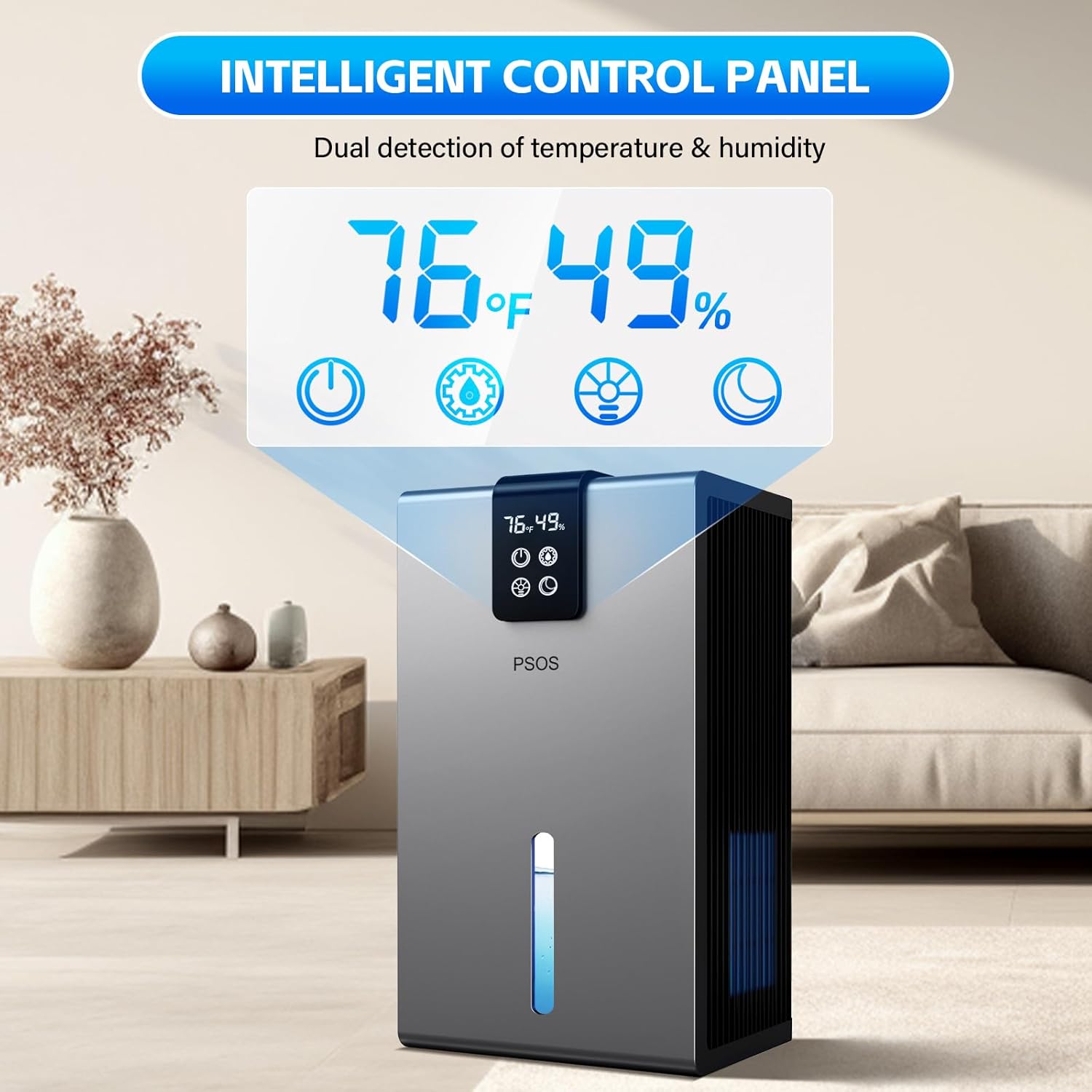
The dehumidifier features a clear digital display and intuitive touch controls on the top panel for easy operation.
3. Setup
Unpacking
- Carefully remove the dehumidifier from its packaging.
- Remove all packing materials, including any tape or protective films.
- Inspect the unit for any damage. If damaged, do not operate and contact customer support.
Placement
- Place the dehumidifier on a firm, level surface in the desired location.
- Ensure there is at least 8 inches (20 cm) of space around the air inlet and outlet for proper airflow.
- For optimal performance, close all doors and windows in the room where the dehumidifier is operating.
- The unit is suitable for spaces up to 1000 sq.ft, including basements, bedrooms, bathrooms, and closets.

Initial Power-On
- Plug the power cord into a grounded electrical outlet.
- The unit will enter standby mode.
Video 3.1: This video demonstrates the initial setup and basic operation of the PSOS Dehumidifier, including plugging it in and observing the display.
4. Operating Instructions
Powering On/Off
- Press the Power button () on the control panel to turn the unit on or off.
- Upon powering on, the unit will display the current temperature and humidity.
Mode Selection
The dehumidifier offers different modes to suit your needs:
- Powerful Mode: Provides faster dehumidification (30dB-40dB).
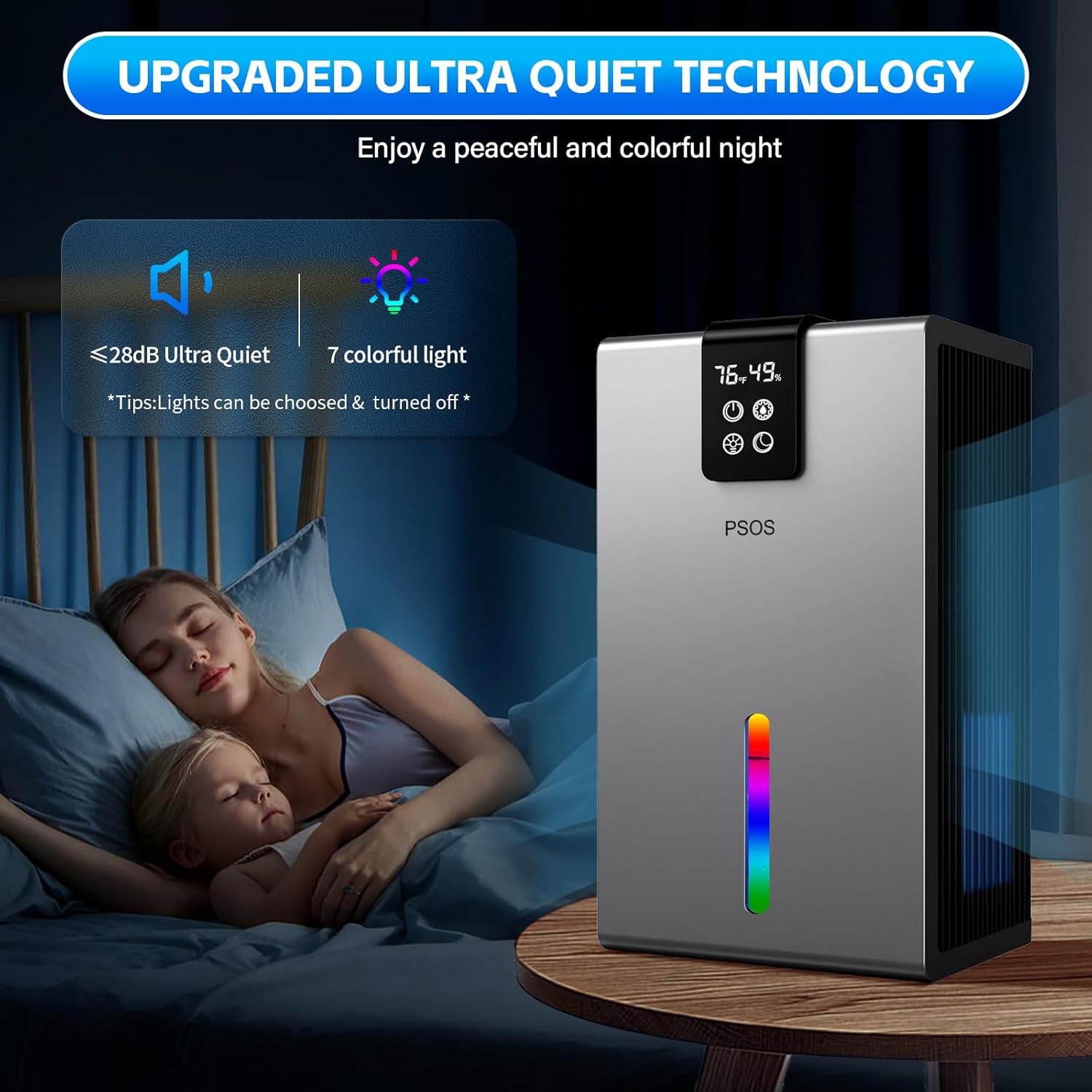
- Night Mode (Sleep Mode): Operates with lower noise (less than 28dB) for a peaceful environment.
Ambient Light Control
The unit features a 7-color LED ambient light:
- Press the Light button () to cycle through the 7 colors or to turn the light off.
- You can select and lock your preferred color or allow it to cycle continuously.

5. Water Tank Management
Auto Shut-Off Function
The dehumidifier is equipped with an automatic shut-off function for safety and convenience:
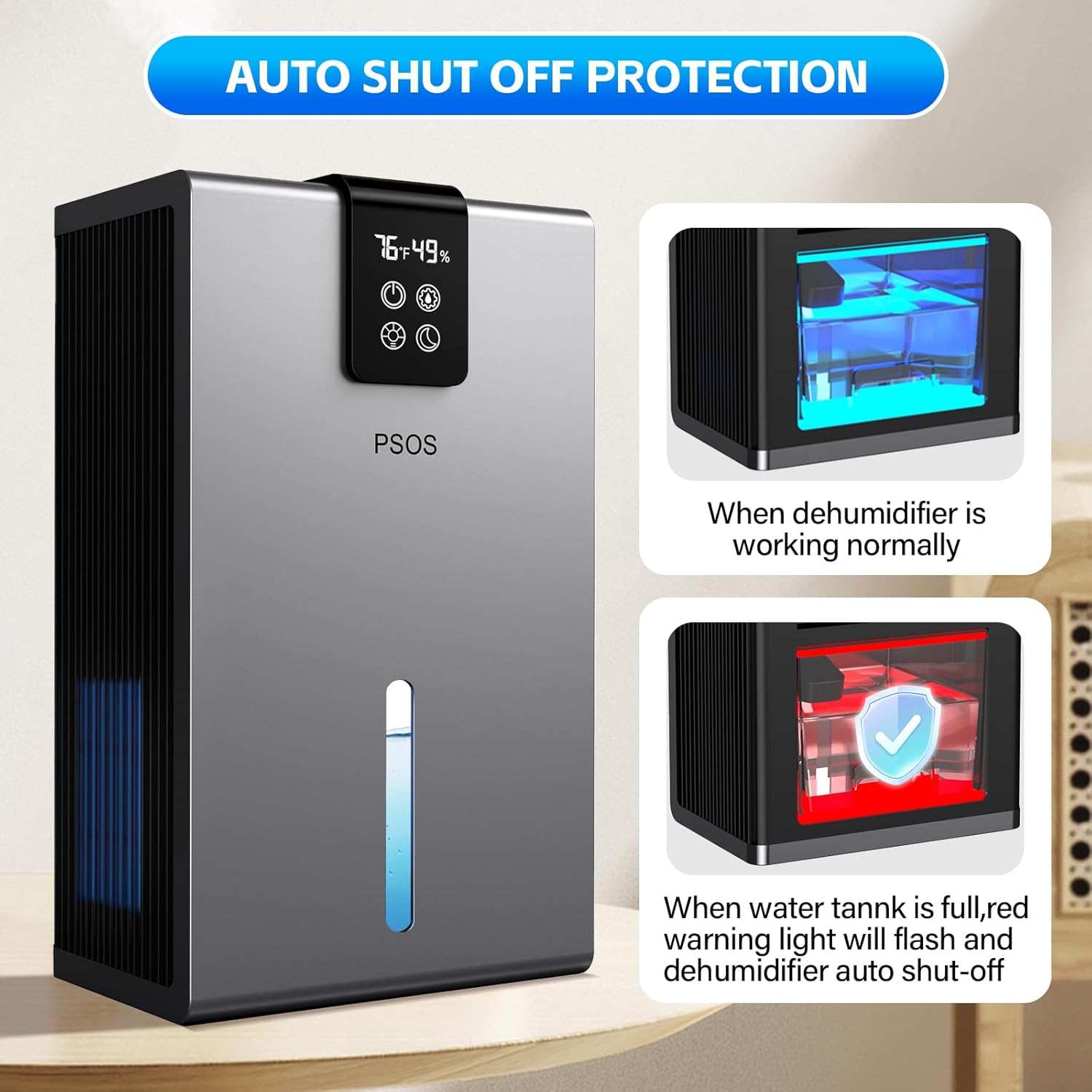
- When the water tank is full, the unit will automatically shut off.
- A red light will illuminate to indicate that the tank needs to be emptied.
- The unit will also shut off if the water tank is improperly placed.
Removing and Emptying the Water Tank
- Gently pull out the water tank from the back of the unit using the designated handle.
- Carefully carry the full water tank to a sink or drain.
- Remove the lid from the water tank and pour out the collected water.
- Replace the lid securely on the water tank.
- Slide the empty water tank back into the dehumidifier until it clicks into place. Ensure it is properly seated to resume operation.
Video 5.1: This video demonstrates how to remove, empty, and reinsert the 98 oz water tank of the PSOS Dehumidifier.
6. Maintenance
Regular maintenance ensures optimal performance and extends the lifespan of your dehumidifier.
Cleaning the Exterior
- Always unplug the unit before cleaning.
- Wipe the exterior with a soft, damp cloth. Do not use abrasive cleaners or solvents.
Cleaning the Water Tank
- Remove the water tank as described in Section 5.
- Rinse the tank with clean water. For thorough cleaning, use a mild detergent and warm water, then rinse completely.
- Ensure the tank is completely dry before reinserting it into the unit.
Storage
- If storing the unit for an extended period, ensure the water tank is empty and clean.
- Clean the exterior of the unit.
- Store the dehumidifier in an upright position in a cool, dry place, away from direct sunlight and extreme temperatures.
7. Troubleshooting
If you encounter issues with your dehumidifier, please refer to the following common problems and solutions:
| Problem | Possible Cause | Solution |
|---|---|---|
| Unit does not turn on | No power supply; Water tank full or improperly installed | Check power connection; Empty and correctly reinstall water tank |
| No water collected | Room humidity too low; Temperature too low; Air vents blocked | Ensure humidity is above 45%; Check room temperature (above 41°F/5°C); Clear obstructions from vents |
| Unusual noise | Unit not on a level surface; Internal components loose | Place on a flat, stable surface; Contact customer support if noise persists |
| Red light flashing | Water tank full or improperly installed | Empty and correctly reinstall water tank |
If the problem persists after trying these solutions, please contact customer support.
8. Specifications
| Feature | Detail |
|---|---|
| Brand | PSOS |
| Model Name | PS-01SG |
| Floor Area Coverage | Up to 1000 Square Feet |
| Dehumidification Capacity | 40 Pints per Day (approx. 40 oz/day at 86°F, 80% RH) |
| Water Tank Volume | 98 Fluid Ounces |
| Product Dimensions | 8.25"D x 5.5"W x 13.75"H |
| Weight | 6.1 Pounds |
| Material | Acrylonitrile Butadiene Styrene (ABS) |
| Wattage | 60 watts |
| Voltage | 110 Volts |
| Special Features | Powerful Mode, Sleep Mode, Quiet Operation, 7 Color Ambient Light, Removable Tank, Automatic Shut-off, Portable, Humidity Display, Auto Defrost System |
9. Warranty and Support
Warranty Information
This PSOS Dehumidifier comes with a 1-year manufacturer's warranty from the date of purchase, covering defects in materials and workmanship under normal use. Additionally, extended protection plans (3-Year and 4-Year) may be available for purchase to provide further coverage.
Customer Support
For technical assistance, troubleshooting, warranty claims, or any questions regarding your PSOS Dehumidifier, please refer to the contact information provided in your product packaging or visit the official PSOS website. We are committed to providing lifetime technical customer support.