
1. Introduction
Thank you for choosing the FERM WTA1003 Digital Water Timer. This device is designed to automate your garden watering tasks, ensuring your plants receive consistent hydration. Please read this manual thoroughly before installation and operation to ensure proper use and longevity of the product.
2. Safety Instructions
- This device is intended for outdoor use with cold water only. Do not use with hot water or other liquids.
- Protect the device from freezing temperatures. Remove the timer from the faucet and store it indoors during winter to prevent damage.
- Do not immerse the timer in water. While it is IPX5 rated for water resistance, it is not designed for submersion.
- Ensure batteries are inserted correctly according to polarity markings. Remove batteries if the device will not be used for an extended period.
- Keep out of reach of children.
3. Package Contents
Please check the package for the following items:
- FERM WTA1003 Digital Water Timer
- G3/4" (26.5 mm) faucet adapter
- G1/2" (21 mm) faucet adapter
- Metallic filter
- Quick-connect hose fitting
- Instruction Manual
Note: 2x AA batteries are not included and must be purchased separately.
4. Setup
4.1 Battery Installation
- Locate the battery compartment on the back of the timer.
- Slide the battery cover open.
- Insert two (2) AA alkaline batteries, ensuring correct polarity (+/-).
- Close the battery cover securely.
4.2 Connecting to Faucet
The timer is compatible with most outdoor threaded faucets. It includes adapters for G3/4" (26.5 mm) and G1/2" (21 mm) threads.
- Ensure the metallic filter is placed inside the timer's inlet connection. This prevents debris from entering the timer.
- Screw the appropriate faucet adapter (G3/4" or G1/2") onto your outdoor faucet.
- Attach the water timer to the faucet adapter by screwing it on firmly by hand. Do not overtighten.

Image 1: Assembly diagram of the water timer, showing the metallic filter, faucet connection, and hose quick-connect.
4.3 Connecting to Hose
- Attach your garden hose to the quick-connect fitting at the bottom of the water timer.
- Ensure the connection is secure to prevent leaks.
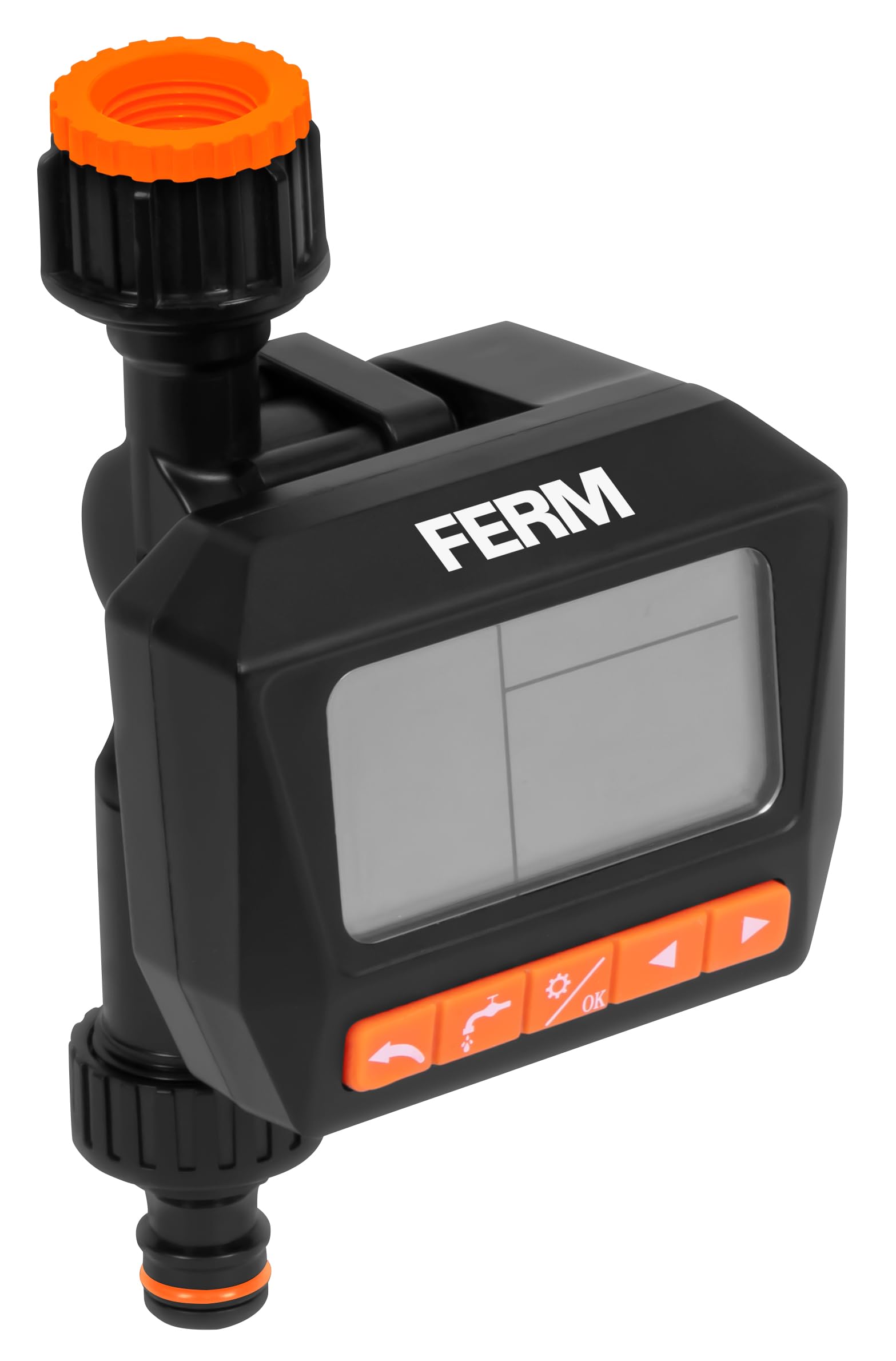
Image 2: The FERM WTA1003 water timer installed on a brick wall faucet, actively watering a garden area.
5. Operating Instructions
The FERM WTA1003 features a large, readable LCD screen for easy programming.
5.1 Programming Watering Schedules
The timer allows for up to three watering programs per day or a weekly cycle. Watering duration can be set from 1 second to 99 minutes, and intervals from 1 hour to 15 days.
- Set Current Time: Use the 'TIME' button to set the current time and day.
- Program 1 (P1): Press 'PROG' to enter program mode. Select P1. Set the start time, watering duration, and frequency (e.g., daily, specific days of the week, or interval).
- Program 2 (P2) & Program 3 (P3): Repeat the steps for P1 to set up additional watering schedules if needed.
- Review Programs: Use the 'PROG' button to cycle through and review your set programs.
- Activate: Ensure the timer is in 'AUTO' mode for the programs to run automatically.
5.2 Manual Watering (OPEN Function)
The 'OPEN' function allows you to manually turn on the water without affecting your programmed schedules. This is useful for temporary watering or using the faucet for other purposes.
- Press the 'OPEN' button to start manual watering.
- Press 'OPEN' again to stop manual watering.
5.3 OFF Function
To temporarily disable all watering programs and manual operation, use the 'OFF' function.
- Press the 'OFF' button to stop all watering. The display will show 'OFF'.
- Press 'OFF' again to return to 'AUTO' mode and resume programmed watering.

Image 3: Feature overview with icons, highlighting watering intervals, multiple schedules, faucet compatibility, pressure range, and frost warning.
6. Maintenance
6.1 Cleaning the Filter
Periodically check and clean the metallic filter located at the inlet of the timer to prevent blockages and ensure optimal water flow.
- Unscrew the timer from the faucet.
- Remove the metallic filter.
- Rinse the filter under running water to remove any accumulated debris.
- Reinsert the clean filter and reattach the timer to the faucet.
6.2 Winterization / Frost Protection
WARNING: Protect the timer from frost.
- Before the first frost, disconnect the water timer from the faucet and hose.
- Remove the batteries.
- Store the timer in a dry, frost-free location indoors.
7. Troubleshooting
- No water flow: Check if the faucet is fully open. Ensure the metallic filter is not clogged. Verify battery charge.
- Timer not turning on: Check battery installation and ensure batteries are fresh.
- Leaks from connections: Ensure all connections are tightened securely. Check rubber washers for proper seating and damage.
- Programs not running: Ensure the timer is in 'AUTO' mode. Verify that the current time and program start times are set correctly.
- Display is blank or dim: Replace batteries.
8. Specifications
- Model: WTA1003
- Brand: FERM
- Water Pressure Range: 0.5 - 8 bar
- Water Flow Rate: 15.8 - 21 liters per minute (depending on pressure)
- Watering Duration: 1 second to 99 minutes
- Watering Interval: 1 hour to 15 days
- Programs: Up to 3 per day or weekly cycles
- Faucet Compatibility: G3/4" (26.5 mm) and G1/2" (21 mm)
- Water Resistance: IPX5
- Power Source: 2x AA batteries (not included)
- Material: ABS plastic
- Origin: China
9. Warranty and Support
FERM products are manufactured to high-quality standards. For warranty information or technical support, please refer to the documentation provided with your purchase or contact your retailer. Keep your proof of purchase for any warranty claims.

