
Introduction
Thank you for choosing the VASAGLE Computer Desk. This manual provides detailed instructions for the safe assembly, proper use, and effective maintenance of your new desk. Designed for versatility, this 55.1-inch desk is suitable for various environments, including home offices, gaming setups, and study areas. Please read this manual thoroughly before beginning assembly and retain it for future reference.
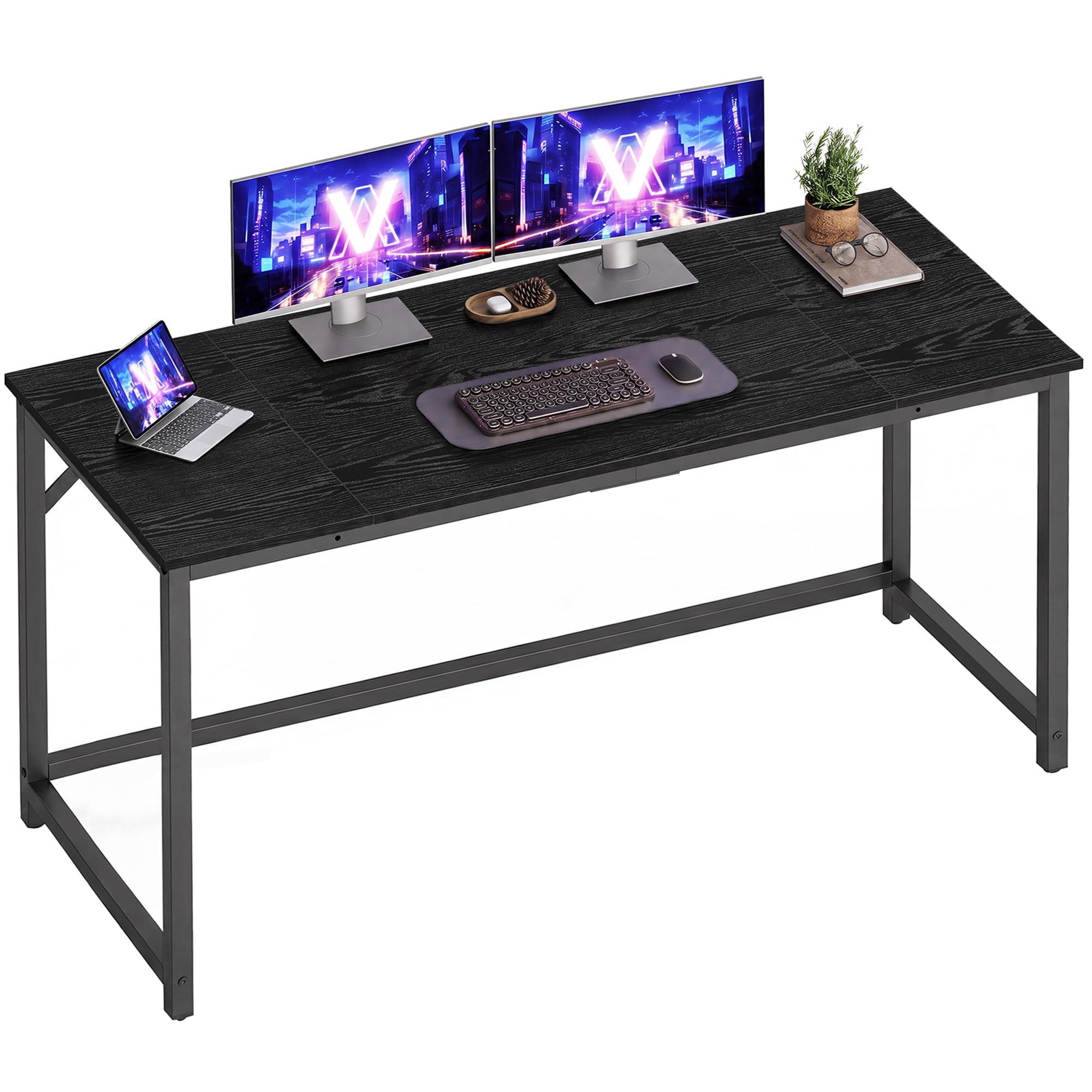
Image: The VASAGLE Computer Desk, showcasing its design and ample workspace for multiple devices.
Safety Instructions
- Always follow the assembly instructions carefully.
- Keep all small parts and packaging materials away from children and pets to prevent choking hazards.
- Assemble the desk on a soft, clean surface to prevent scratches.
- Ensure all screws and fasteners are securely tightened before using the desk. Do not overtighten.
- Do not stand or sit on the desk.
- The maximum static load capacity for this desk is 110 lb (50 kg). Do not exceed this weight limit.
- Place the desk on a level surface to prevent tipping.

Image: Visual representation of the desk's stability features, including reinforced corners and a strengthened crossbar, supporting up to 110 lbs.
Package Contents
Before assembly, please verify that all components listed below are present and undamaged:
- 1 x Computer Desk (Tabletop and Frame Components)
- 1 x Accessory Kit (Includes screws, bolts, and assembly tools)
- 1 x Instruction Manual
Assembly Instructions
Follow these four simple steps to assemble your VASAGLE Computer Desk. All parts are labeled, and clear instructions are provided in the accessory kit.

Image: A visual guide detailing the four main steps for assembling the desk.
- Attach the Tabletop: Carefully align and connect the tabletop sections using the provided connectors and screws. Ensure they are flush and secure.
- Install the Legs: Attach the two leg frames to the underside of the assembled tabletop. Use the designated screws and tighten them firmly.
- Secure the Main Body: Once the legs are attached, ensure all primary connections are stable. Gently flip the desk upright.
- Add Reinforcements: Install the horizontal crossbars or any additional support structures between the leg frames as indicated in the detailed instructions. This enhances overall stability.
Tip: It is recommended to have two people for assembly to ensure stability and ease of handling larger components.
Operating Instructions
Your VASAGLE Computer Desk is designed for optimal comfort and functionality.
- Placement: Position the desk on a flat, stable surface to ensure maximum stability.
- Leveling: The desk features adjustable feet. If your floor is slightly uneven, rotate these feet to level the desk and eliminate any wobbling. This also helps protect your floor from scratches.
- Ergonomics: The desk's height is designed to support an ergonomic posture, providing ample legroom for comfortable use throughout the day.
- Versatile Use: Utilize the spacious tabletop for your computer, monitors, keyboard, mouse, and other office or gaming accessories.

Image: Illustration demonstrating the optimal height of the desk for ergonomic comfort and sufficient legroom.

Image: An example of versatile use, showing two desks configured to create an extended workspace.
Maintenance
Proper care will extend the life and appearance of your VASAGLE Computer Desk.
- Cleaning: Wipe the desk surfaces with a soft, slightly damp cloth. Avoid using abrasive cleaners, harsh chemicals, or solvents, as these can damage the finish.
- Regular Inspection: Periodically check all screws, bolts, and connections to ensure they remain tight. Retighten if necessary to maintain stability.
- Protection: To prevent scratches and marks, use coasters for drinks and a mouse pad for computer use. Avoid placing hot items directly on the tabletop.
- Environment: Avoid prolonged exposure to direct sunlight, extreme temperatures, or high humidity, which can affect the material integrity.
Troubleshooting
Here are solutions to common issues you might encounter:
- Desk Wobbles: Ensure all assembly screws are fully tightened. Check the adjustable feet on the bottom of each leg and adjust them to compensate for uneven flooring until the desk is stable.
- Parts Missing/Damaged: If any parts are missing or damaged upon arrival, please contact customer support immediately for assistance. Do not attempt to assemble with incomplete or damaged parts.
- Surface Scratches: Minor scratches can sometimes be minimized with furniture repair pens or waxes matching the desk's finish. For prevention, always use protective mats.
Specifications
| Brand | VASAGLE |
| Model Number | ULWD214B101 |
| Product Dimensions (D x W x H) | 19.7" x 55.1" x 29.9" (50 cm x 140 cm x 76 cm) |
| Color | Ebony Black + Ink Black |
| Material | Particleboard, Steel |
| Item Weight | 24 pounds (10.9 kg) |
| Maximum Load Capacity | 110 lb (50 kg) |
| Style | Minimalist |

Image: Detailed dimensions and maximum load capacity of the desk.
Official Product Video
Video: An official product video from VASAGLE US showcasing the computer desk in various settings and highlighting its features.
Warranty and Support
For specific warranty details, return policies, or any product-related inquiries, please refer to the documentation included with your purchase or visit the official VASAGLE website. You may also contact customer support through the platform where you purchased this product for direct assistance.


