
VASAGLE ULWD212K101
VASAGLE Computer Desk Instruction Manual
Model: ULWD212K101
Brand: VASAGLE
Introduction
This manual provides detailed instructions for the assembly, use, and maintenance of your VASAGLE Computer Desk, Model ULWD212K101. This 47.2-inch desk features a rustic brown tabletop and an ink black steel frame, designed for versatile use in home offices, studies, bedrooms, or living rooms. Its minimalist design and robust construction ensure stability and durability for daily tasks, gaming, or studying.
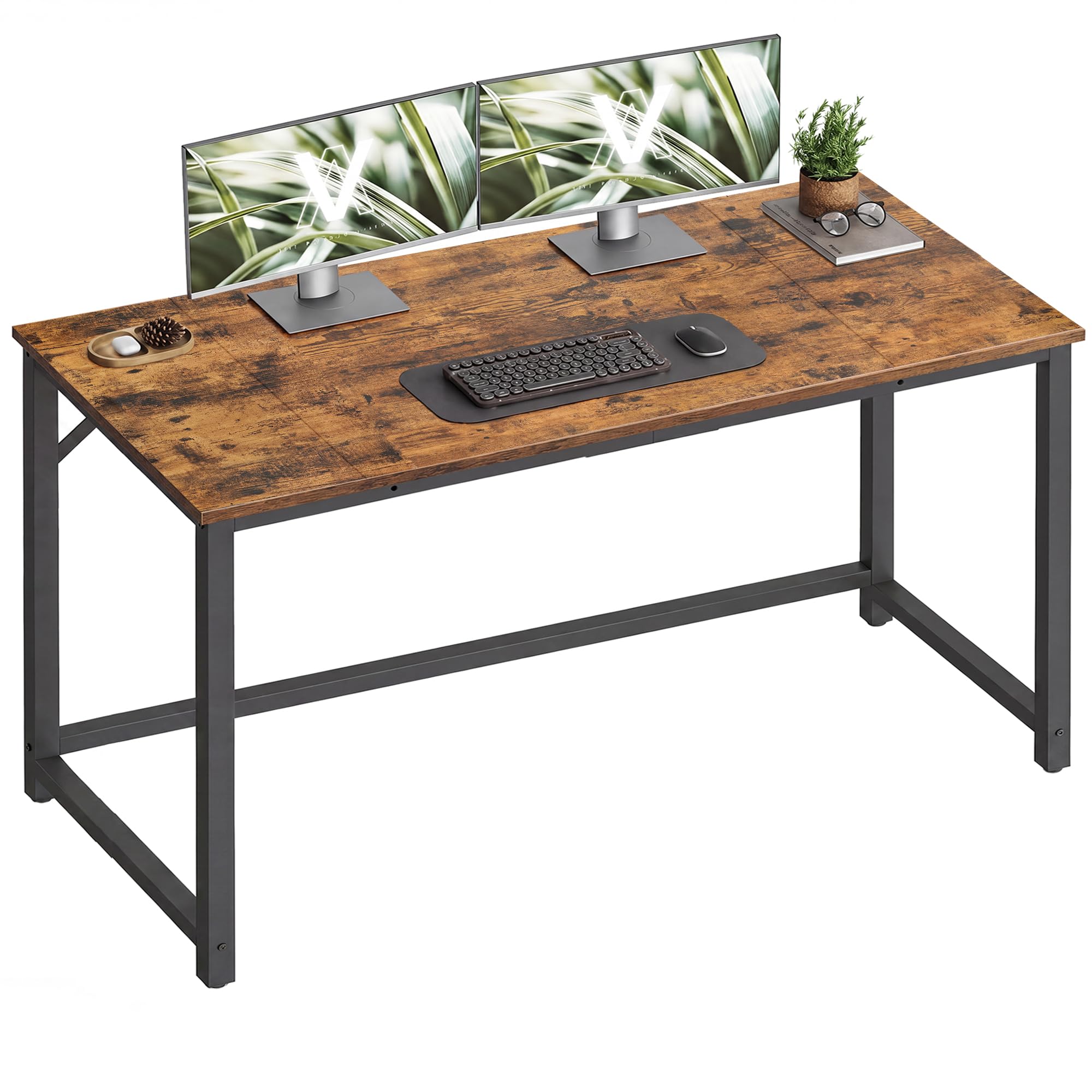
Image: The VASAGLE Computer Desk (ULWD212K101) in a modern home office setup.
Safety Information
- Read all instructions carefully before assembly and use.
- Keep all small parts and packaging materials away from children and pets to prevent choking hazards.
- Assemble the desk on a soft, clean surface to prevent scratches.
- Ensure all screws and fasteners are securely tightened before use. Periodically check and re-tighten if necessary.
- Do not exceed the maximum static load capacity of 110 lb (50 kg).
- Avoid placing hot items directly on the tabletop without protection.
- Do not stand or sit on the desk.
- Use the adjustable feet to ensure the desk is balanced on uneven floors to prevent wobbling.
Package Contents
Please verify that all components are present before beginning assembly:
- 1 x Computer Desk (Tabletop sections and frame components)
- 1 x Accessory Kit (Screws, Allen wrench, adjustable feet, etc.)
- 1 x Instructions Manual
Assembly Instructions
Follow these four simple steps for quick and easy assembly. All parts are clearly labeled, and instructions are straightforward.
- Attach the Tabletop: Connect the tabletop sections using the provided fasteners.
- Install the Legs: Secure the leg frames to the tabletop.
- Secure the Main Body: Ensure all primary connections are firm.
- Add Reinforcements: Install the crossbars and any additional reinforcement components for enhanced stability.

Image: Visual guide illustrating the 4-step assembly process for the desk.
Assembly Video Guide
Video: An official video from VASAGLE US demonstrating the assembly and features of the computer desk.
Product Features & Usage
Versatile Workspace
The desk offers a generous tabletop size of 47.2" x 19.7", suitable for various activities including working, studying, or gaming. Its design allows it to seamlessly integrate into different interior styles, enhancing your space.

Image: Demonstrates the versatile use of the desk, including combining multiple units for a larger workspace.
Stability and Durability
Constructed with a robust tabletop and a premium steel frame, this desk is designed for outstanding stability and durability. It can support a static load of up to 110 lb (50 kg), ensuring prolonged and reliable use. Reinforced corners and a strengthened crossbar further enhance its stability.
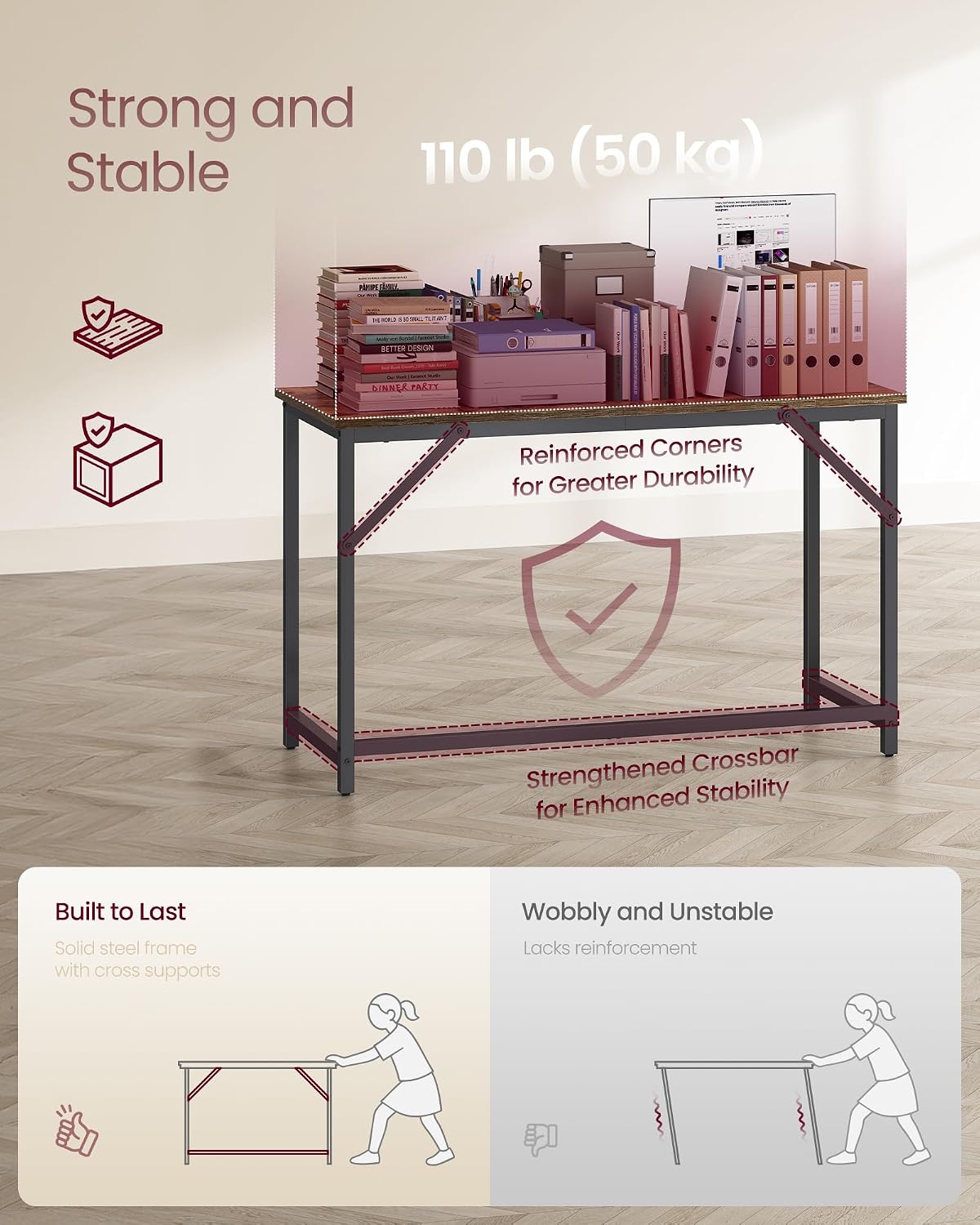
Image: Illustration highlighting the reinforced corners and strengthened crossbar for enhanced stability.
Optimal Height and Legroom
The desk is designed with an optimal height of 29.9 inches (76 cm) to support ergonomic posture and provide ample legroom for comfortable use throughout the day.

Image: Visual representation of the desk's optimal height for ergonomic comfort and sufficient legroom.
No Wobbling
Equipped with adjustable feet, the computer desk remains balanced even on slightly uneven floors, preventing annoying wobbling that could disturb your work or study. These feet also protect your floor from scratches.
Maintenance
- Cleaning: Wipe the desk surface with a soft, damp cloth. Avoid harsh chemicals or abrasive cleaners that may damage the finish.
- Spills: Clean up spills immediately to prevent staining or damage to the particleboard.
- Heat Protection: Always use coasters or protective pads under hot dishes, cups, or other items that may leave marks.
- Inspection: Periodically check all screws and connections to ensure they remain tight. Re-tighten as needed.
- Placement: Avoid prolonged exposure to direct sunlight or extreme humidity, which can affect the material's integrity.
Troubleshooting
Desk is Wobbling
- Check Adjustable Feet: Ensure all four adjustable feet are making firm contact with the floor. Adjust them individually until the desk is stable.
- Tighten Screws: Verify that all assembly screws, especially those connecting the frame and tabletop, are securely tightened.
- Level Surface: Confirm the desk is placed on a relatively level surface. Significant unevenness may require shims under the adjustable feet.
Parts Missing or Damaged
- If you find any parts missing or damaged upon opening the package, please contact VASAGLE customer support immediately with your purchase details and a description of the issue.
Specifications
| Attribute | Detail |
|---|---|
| Brand | VASAGLE |
| Model Number | ULWD212K101 |
| Product Dimensions | 19.7"D x 47.2"W x 29.9"H (50D x 120W x 76H cm) |
| Item Weight | 22 pounds (10 kg) |
| Maximum Weight Recommendation | 110 pounds (50 kg) |
| Color | Rustic Brown + Ink Black |
| Material Type | Particleboard, Steel |
| Desk Design | Computer Desk |
| Special Feature | Stability Meets Durability, Adjustable Feet |
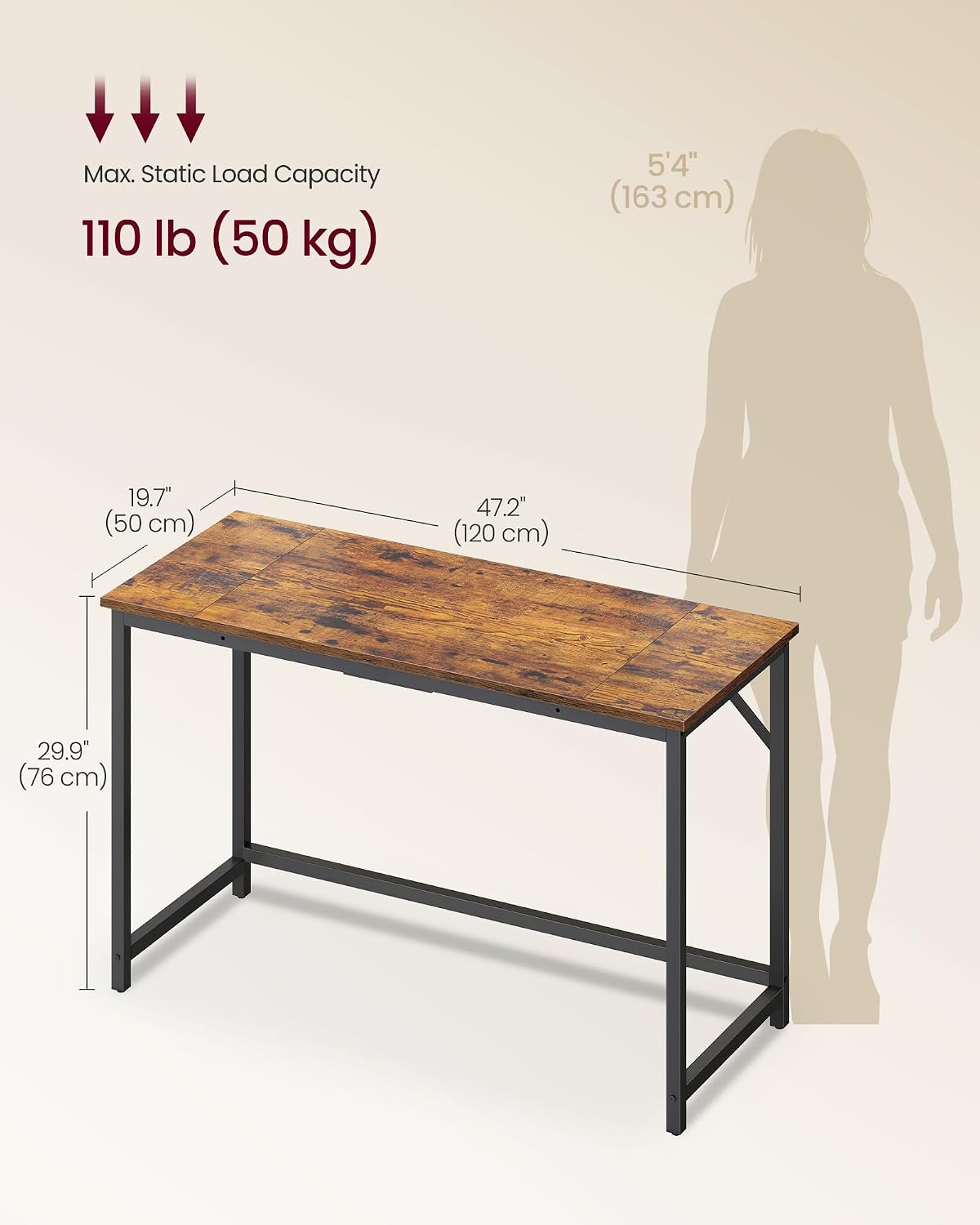
Image: Detailed dimensions and static load capacity of the desk.
Warranty and Support
For any questions, concerns, or issues regarding your VASAGLE Computer Desk, please contact our customer support team. While specific warranty details may vary by region and retailer, VASAGLE is committed to providing quality products and assistance.
Please retain your proof of purchase for any warranty claims or support inquiries.
You can often find contact information on the VASAGLE official website or through the retailer where you purchased the product.
Related documentsULWD212K101


Ask a question about this manual
Ask about setup, troubleshooting, compatibility, parts, safety, or missing instructions. Manuals+ will review the question and use this page’s manual context to help answer it.