
LEMEGA M6P
LEMEGA M6P Stereo HiFi System User Manual
Model: M6P
Introduction
The LEMEGA M6P is a versatile stereo HiFi system designed to provide a rich audio experience. It integrates a CD player, FM radio, Bluetooth streaming, and various connectivity options within an acoustic wooden cabinet. This manual provides detailed instructions for setting up, operating, and maintaining your M6P system.
Package Contents
Before you begin, please ensure all items are present in the package:
- LEMEGA M6P Stereo HiFi System
- Power Cable
- Remote Control
- User Manual (this document)
Safety Information
Please read all safety warnings and instructions before using the device to ensure safe operation and prevent damage. Keep this manual for future reference.
- Do not expose the unit to rain or moisture.
- Do not disassemble the unit. Refer servicing to qualified personnel.
- Ensure proper ventilation around the unit.
- Use only the provided power cable.
- Avoid placing the unit near heat sources or in direct sunlight.
Setup
1. Unpacking and Placement
Carefully remove the M6P system from its packaging. Place the unit on a stable, flat surface, ensuring adequate space for ventilation. Avoid placing it in enclosed cabinets or near other heat-generating devices.
2. Connecting Power
- Connect the provided power cable to the AC IN port on the rear of the M6P system.
- Plug the other end of the power cable into a wall outlet.
- The unit will enter standby mode. Press the Power button on the unit or remote control to turn it on.
3. Antenna Connection
Extend the telescopic antenna fully for optimal FM radio reception. Adjust its position for the best signal quality.

Image: The LEMEGA M6P system with its display showing radio information, a CD partially inserted, and the remote control. This illustrates the unit's appearance and primary controls.
Operating Instructions
1. Basic Controls
- Power Button: Turns the unit on or off (standby).
- Volume Knob: Rotates to adjust volume. Press to mute/unmute.
- Source Button: Cycles through available input sources (CD, FM, Bluetooth, AUX, USB).
- Navigation Buttons: Used for menu navigation, track skipping, or station tuning.
- Remote Control: Provides full control over all functions from a distance.

Image: A detailed view of the LEMEGA M6P's front panel, highlighting the 2.8-inch color display, control knob, and the included remote control. This shows the user interface for operation.
2. CD Player Operation
- Press the Source button to select CD mode.
- Gently insert a CD (standard audio CD, CD-R, CD-RW, or MP3 CD) into the CD slot with the label side facing up. The system will automatically load the disc.
- Playback will begin automatically. Use the navigation buttons on the unit or remote to skip tracks (forward/backward) or pause/play.
- To eject the CD, press the Eject button (usually indicated by an arrow symbol) on the unit or remote.

Image: The LEMEGA M6P with a CD being inserted into its slot, illustrating the CD playback function and indicating compatibility with CD, CD-RW, and MP3-CD formats.
3. FM Radio Operation
- Press the Source button to select FM radio mode.
- Extend the telescopic antenna for best reception.
- Use the navigation buttons to tune to desired stations. A long press may initiate an auto-scan for available stations.
- To save a preset: Tune to the desired station, then long-press the "Preset" button (or equivalent on remote/unit). Select a preset number and confirm.
- To recall a preset: Short-press the "Preset" button and use navigation to select the desired preset.
Note: The DAB feature mentioned in some product descriptions is for Europe and UK regions only and may not be available in all territories.

Image: The LEMEGA M6P system on a kitchen counter, displaying FM radio information on its screen, with a smartphone and food items in the background. This highlights its radio functionality and home environment use.
4. Bluetooth Streaming
- Press the Source button to select Bluetooth mode. The display will show "Pairing" or "Bluetooth".
- On your mobile device (smartphone, tablet, etc.), enable Bluetooth and search for available devices.
- Select "LEMEGA M6P" from the list of devices.
- Once paired, the display will confirm the connection. You can now stream audio from your device to the M6P system.
- Use your mobile device or the M6P controls to manage playback (play/pause, skip tracks) and volume.
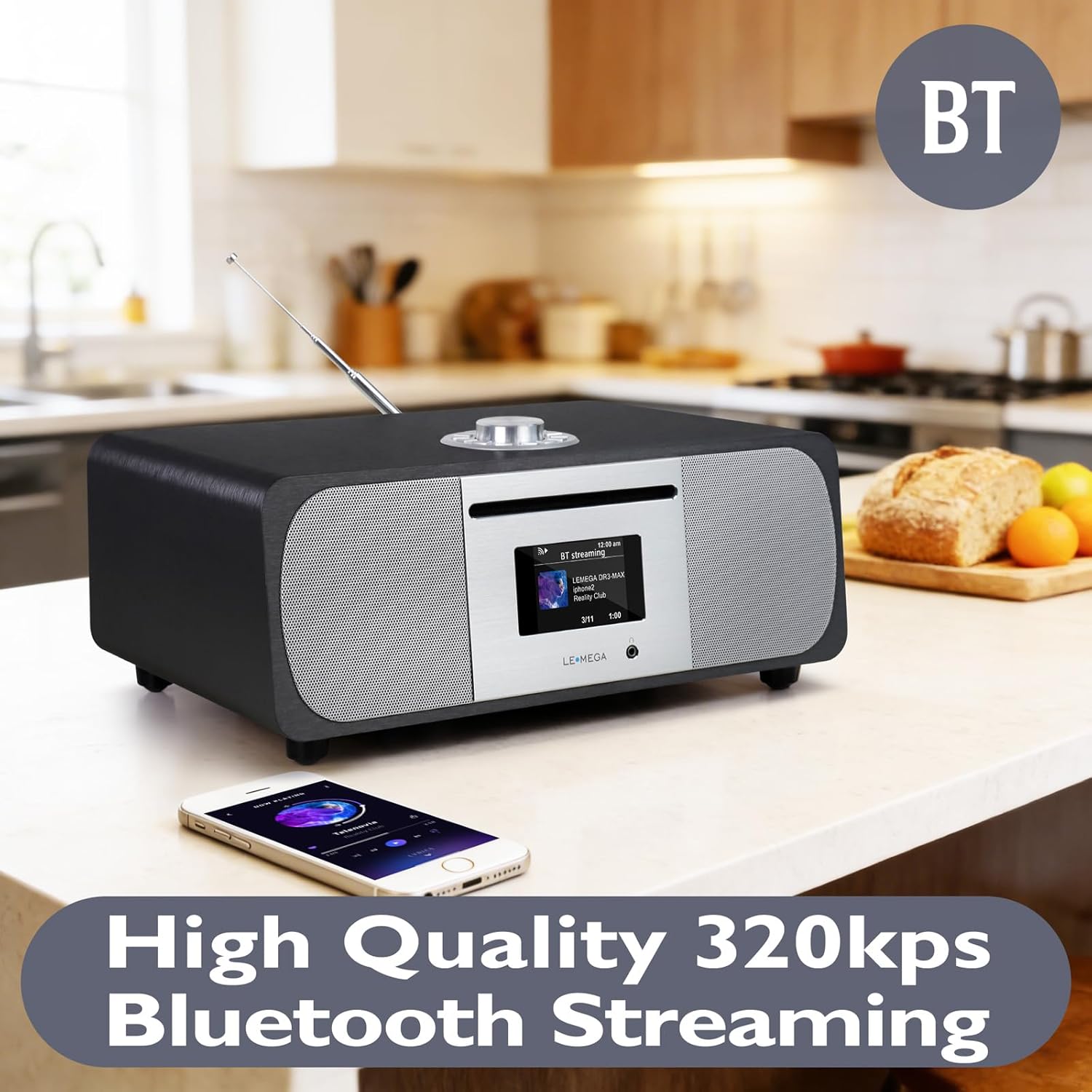
Image: The LEMEGA M6P system on a kitchen counter, showing "BT Streaming" on its display, with a smartphone playing music nearby. This illustrates the Bluetooth connectivity feature.
5. AUX-in and USB Playback
- AUX-in: Connect an external audio device (e.g., MP3 player) to the AUX-in port on the rear of the M6P using a 3.5mm audio cable. Select AUX mode using the Source button.
- USB: Insert a USB flash drive containing MP3 files into the USB port. Select USB mode using the Source button. The system will automatically detect and play compatible audio files.

Image: A close-up of the LEMEGA M6P's rear panel, highlighting the AUX-in and USB ports for connecting external devices. This demonstrates the wired connectivity options.
Display and Settings
The LEMEGA M6P features a 2.8-inch color display that shows station logos, track information, and system settings. Navigate through menus using the control knob and buttons on the unit or remote control.
- Equalizer (EQ): Access the EQ settings to adjust bass and treble levels or select from predefined sound modes (e.g., Classic, Jazz, Pop, Rock, Speech). You can also create a custom EQ profile.
- Alarms: Set dual alarms to wake up to your preferred radio station or a buzzer.
- Sleep Timer: Configure the system to automatically power down after a set period.
- Clock Settings: Adjust time and date. Note that some users have reported issues with automatic time updates; manual setting may be more reliable.
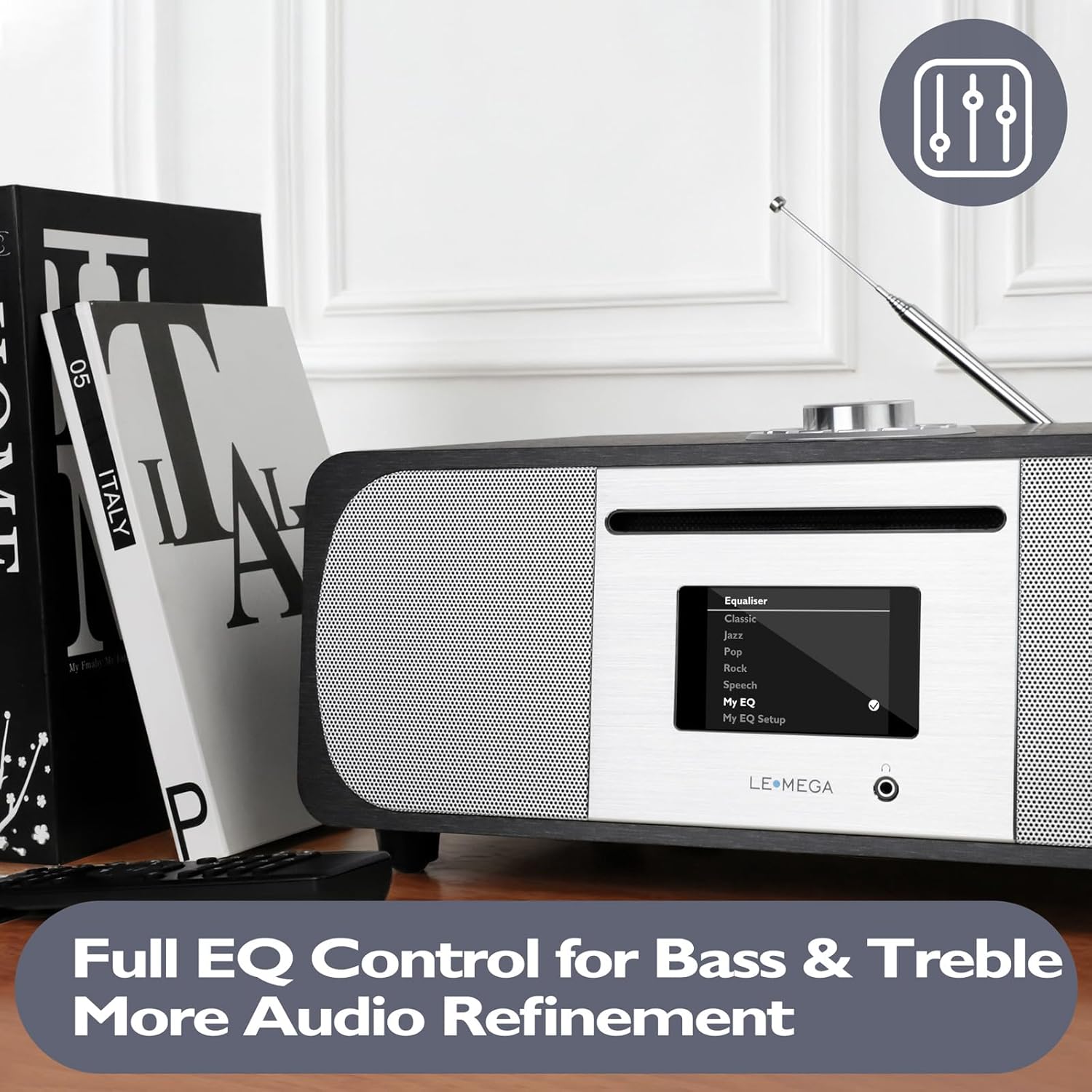
Image: The LEMEGA M6P's display showing the equalizer settings menu, offering options like Classic, Jazz, Pop, Rock, Speech, and custom EQ setup. This demonstrates audio customization.
Maintenance
- Cleaning: Use a soft, dry cloth to clean the exterior of the unit. Do not use liquid cleaners or abrasive materials.
- CD Player Care: Handle CDs by their edges to avoid fingerprints and scratches. Clean discs with a soft, lint-free cloth, wiping from the center outwards.
- Ventilation: Ensure the ventilation openings are not blocked to prevent overheating.
Troubleshooting
| Problem | Possible Cause | Solution |
|---|---|---|
| No power | Power cable not connected; outlet not active. | Check power cable connection; try a different outlet. |
| No sound | Volume too low; muted; incorrect source selected. | Increase volume; unmute; select correct input source. |
| CD not playing or skipping | Disc dirty or scratched; disc inserted incorrectly; system glitch. | Clean the disc; re-insert correctly; try powering off and on the unit to reset. |
| Poor FM reception | Antenna not extended or positioned correctly. | Fully extend and adjust the telescopic antenna for optimal signal. |
| Bluetooth pairing issues | Device not in pairing mode; M6P not in Bluetooth mode; interference. | Ensure both devices are in pairing mode; move closer to the M6P; restart Bluetooth on your device. |
| Clock time changes randomly | Automatic time update setting may be unstable. | Disable automatic time update in settings and set the time manually. |
Specifications
- Brand: LEMEGA
- Model: M6P
- Connectivity: Auxiliary, Bluetooth, USB
- Color: Black Oak
- Speaker Type: Stereo with internal subwoofer
- Speaker Configuration: 2 x 2.5" stereo drivers + 1 x 5.25" internal subwoofer
- Total Output Power: 150W (100W stereo speakers + 50W subwoofer)
- Display: 2.8" Color Display
- Power Source: AC Power Cable
- Supported Audio Formats: CD, MP3
- Dimensions (L x W x H): 13.9 x 5.5 x 8.9 inches
- Manufacturer: LEMEDIA

Image: An exploded diagram of the LEMEGA M6P, illustrating its internal speaker components: two 2.5-inch drivers and a 5.25-inch down-firing subwoofer, emphasizing its 150W 2.1 channel audio output.
Warranty Information
The LEMEGA M6P system comes with a Limited Warranty. Please refer to the warranty card included in your package or visit the official LEMEGA website for detailed terms and conditions regarding coverage and duration.
Customer Support
For further assistance, technical support, or inquiries, please contact LEMEGA customer service. Contact details can typically be found on the LEMEGA official website or on the product packaging.
Online Resources: Visit the LEMEGA Store on Amazon for product information and updates.
Official Product Video
Video: An official product video showcasing the LEMEGA M6P Premium Music System, demonstrating its features and design. This video highlights the system's capabilities and user experience.
Related documentsM6P


Ask a question about this manual
Ask about setup, troubleshooting, compatibility, parts, safety, or missing instructions. Manuals+ will review the question and use this page’s manual context to help answer it.