
1. Introduction
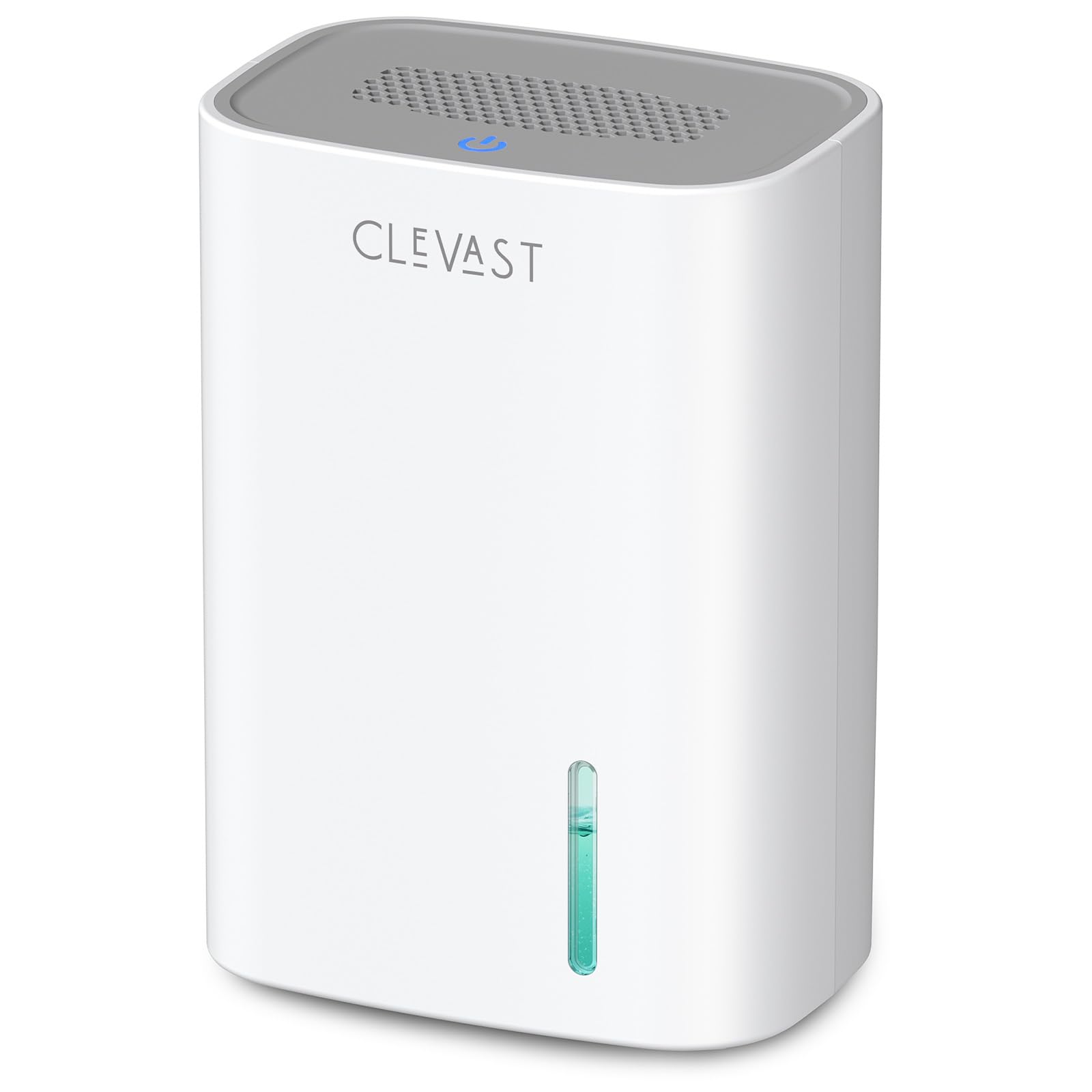
Thank you for choosing the CLEVAST Small Dehumidifier. This compact and portable unit is designed to effectively remove excess moisture from small enclosed spaces, improving comfort and air quality. It utilizes advanced semiconductor condensation technology for efficient and quiet operation.

The CLEVAST Small Dehumidifier, shown here in a bathroom, is ideal for managing humidity in small areas.
2. Product Overview & Components
The CLEVAST dehumidifier features a simple design with essential components for effective moisture removal.

An exploded view illustrating the internal components and airflow of the dehumidifier.
- Top Air Outlet: Where dehumidified air is released.
- Power Button/Indicator: Controls power and displays operating status.
- Rear Air Intake: Where humid air enters the unit.
- Water Tank: Collects condensed moisture, with a 30 oz capacity.
- Water Level Window: Allows visual monitoring of the water level.
- Built-in Handle: For easy portability.
- DC Socket: For power adapter connection.
3. Setup
- Unpack: Carefully remove the dehumidifier and all accessories from the packaging.
- Placement: Place the unit on a flat, stable surface in the desired small space (e.g., bedroom, bathroom, closet, RV). Ensure there is adequate space around the rear air intake and top air outlet to prevent obstruction and allow for optimal airflow. Avoid placing items near these vents.
- Connect Power: Insert the DC power adapter into the DC socket on the back of the unit, then plug the adapter into a suitable power outlet. The power button indicator will blink blue, indicating it is connected but not yet powered on.

The dehumidifier is compact enough for placement on a bathroom counter, effectively managing humidity in the space.
4. Operating Instructions
The CLEVAST dehumidifier features simple one-button operation for ease of use.
The top panel of the dehumidifier showing the power button and air vents.
- Power ON/OFF: Press and hold the power button for 2 seconds to turn the unit ON or OFF.
- Mode Selection: When the unit is powered ON, short press the power button (for 0.5 seconds) to switch between working modes:
- Efficient Mode: The power indicator will be solid bright blue. This mode provides stronger moisture removal.
- Quiet Mode: The power indicator will be dim blue. This mode operates at a lower noise level (24 dB), ideal for bedrooms or nighttime use.
- Auto Shut-off: The unit is equipped with an auto shut-off function for safety and convenience.
- When the water tank is full, the unit will automatically shut off, and the power button indicator will blink orange to remind you to empty the tank.
- If the water tank is not properly installed, the unit will not operate, and the power button indicator will be solid orange. Reinstall the water tank correctly to resume operation.
Watch: Basic Operation
This video demonstrates the basic power on/off and mode switching functions of the CLEVAST Compact Dehumidifier.
5. Maintenance
Emptying the Water Tank
- When the water tank is full, the unit will automatically shut off, and the power indicator will blink orange.
- Gently pull out the water tank from the back of the unit.
- Remove the lid from the water tank and pour out the collected water.
- Replace the lid and slide the empty water tank back into the unit until it clicks into place. The power indicator will return to blue, and the unit will resume operation if powered on.

The water tank is easily removable from the back of the unit for emptying.
Cleaning
- Wipe the exterior of the dehumidifier with a soft, damp cloth.
- Clean the water tank regularly with mild soap and water to prevent mold or mildew buildup. Rinse thoroughly before re-inserting.
- Ensure the air intake and outlet are free from dust and debris. Use a soft brush or vacuum cleaner to gently clean the grilles.
6. Troubleshooting
| Problem | Possible Cause | Solution |
|---|---|---|
| Unit does not turn on. | Power cord not properly connected. | Ensure the power adapter is securely plugged into the unit and the wall outlet. |
| Unit does not turn on. | Water tank not properly installed. | Re-insert the water tank correctly until it clicks into place. The power indicator will be solid orange if not installed correctly. |
| Power indicator is blinking orange. | Water tank is full. | Empty the water tank. The unit will resume operation once the tank is emptied and re-inserted. |
| Dehumidification is not effective. | Air intake or outlet is blocked. | Ensure no objects are blocking the air intake (rear) or air outlet (top). |
| Dehumidification is not effective. | Room temperature/humidity is outside optimal range. | Optimal performance is achieved between 68°F–86°F (20°C–30°C) and 85% RH. |
Watch: Troubleshooting Tips
This video provides helpful tips for troubleshooting common issues with your dehumidifier.
7. Specifications
| Feature | Detail |
|---|---|
| Brand | CLEVAST |
| Model Name | CL-DH044545 |
| Product Dimensions | 4.57"D x 6.5"W x 9.25"H |
| Item Weight | 2.1 Pounds |
| Water Tank Capacity | 30 Fluid Ounces (0.88 Liters) |
| Dehumidification Capacity | Up to 10 oz (295 ml) per 24 hours (at 86°F, 85% RH) |
| Noise Level | 24 dB (Quiet Mode) |
| Power Consumption | 0.55 kWh per day (27 watts) |
| Recommended Operating Temperature | 68°F–86°F (20°C–30°C) |
| Material | Plastic |
| Color | White |
| Special Feature | Portable, Auto Shut-off |
8. Safety Information
- Always unplug the unit before cleaning or performing any maintenance.
- Do not immerse the unit, power cord, or plug in water or other liquids.
- Keep the unit away from heat sources, direct sunlight, and flammable materials.
- Ensure the unit is placed on a stable, level surface to prevent tipping.
- This appliance is not intended for use by persons (including children) with reduced physical, sensory or mental capabilities, or lack of experience and knowledge, unless they have been given supervision or instruction concerning use of the appliance by a person responsible for their safety.
9. Warranty and Support
For warranty information or technical support, please refer to the warranty card included with your product or contact CLEVAST customer service. Please have your model number (CL-DH044545) and purchase date available when contacting support.