
1. Introduction
This manual provides detailed instructions for the installation, operation, and maintenance of your Genérico KA-1041 Mini HD Wi-Fi Camera. Please read this manual thoroughly before using the product to ensure proper function and safety. This camera is designed for indoor surveillance, offering high-definition video, Wi-Fi connectivity, and motion detection capabilities.

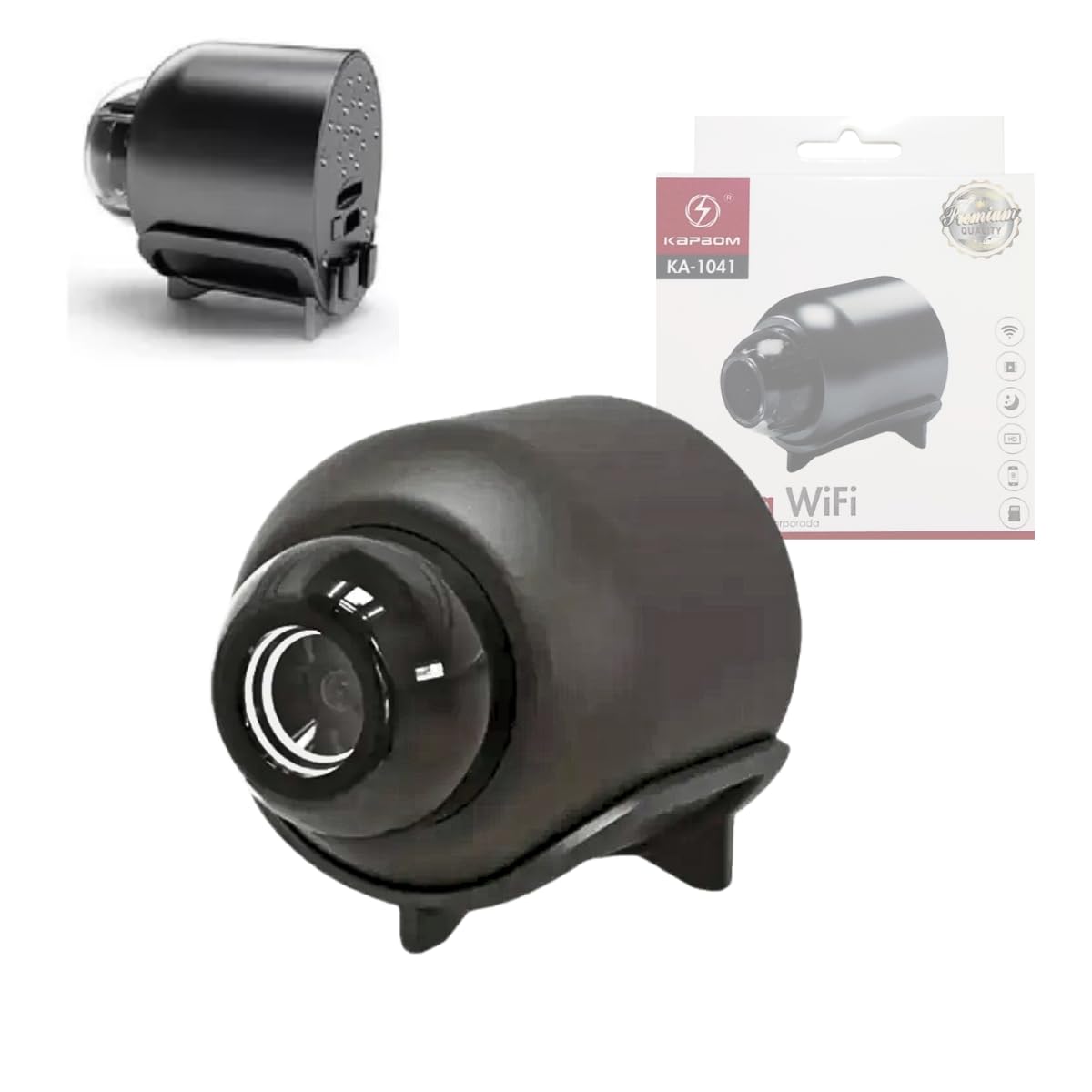
A detailed view of the Mini HD Wi-Fi Camera, showcasing its compact design and lens.
2. Product Overview
2.1 Key Features
- HD Resolution: Captures clear, high-definition video (1080p).
- Wi-Fi Connectivity: Supports 2.4GHz Wi-Fi for seamless connection.
- Live View via App: Monitor your space in real-time using a mobile application.
- Motion Detection: Equipped with a presence sensor that triggers alerts upon detecting movement.
- Audio Recording: Built-in microphone for clear audio capture alongside video.
- MicroSD Card Support: Allows for local video storage (card not included).
- Adjustable Stand: Includes a stand for flexible positioning and mounting.
- USB Powered: Conveniently powered via USB (cable included).
- Compact Design: Discreet and suitable for various indoor environments.

Beyond video, this camera features a built-in microphone for clear audio pickup, allowing it to record both video and surrounding sound without noise interference.
2.2 Camera Components
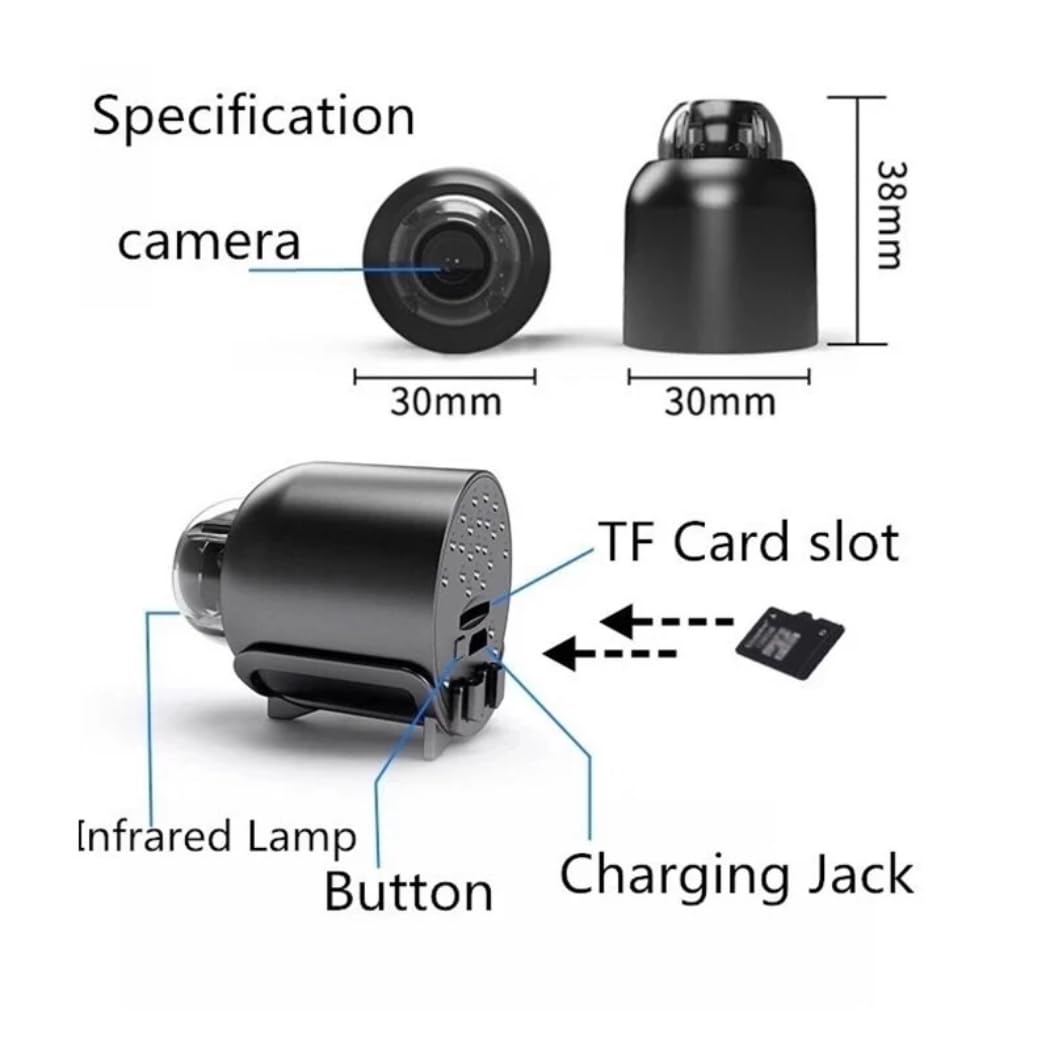
This diagram identifies the key components of the camera, including the lens, infrared lamp for night vision, control button, USB charging jack, and the TF (microSD) card slot for local storage. Dimensions are also provided.
- Camera Lens: Captures video footage.
- Infrared Lamp: Provides night vision capabilities.
- Button: Multi-function control button.
- Charging Jack: USB port for power supply.
- TF Card Slot: Insert microSD card for storage.
3. Setup
3.1 What's in the Box
- Genérico KA-1041 Mini HD Wi-Fi Camera
- Adjustable Stand
- USB Power Cable
- User Manual (this document)
3.2 Powering the Camera
Connect the provided USB cable to the camera's charging jack and plug the other end into a standard USB power adapter (not included) or a USB port. The camera will power on automatically.
3.3 App Installation and Wi-Fi Connection
To utilize the camera's full features, download the recommended mobile application (refer to the packaging or a QR code if provided) from your smartphone's app store. Follow the in-app instructions to pair your camera.
This image illustrates the camera's Wi-Fi connectivity, allowing for real-time viewing via a mobile application. The camera supports both direct Wi-Fi hotspot connection for local viewing and connection to a router for remote access.
- Direct Hotspot Connection: For local viewing without an internet router, connect your smartphone directly to the camera's Wi-Fi hotspot (SSID and password usually found on the camera or in the app).
- Router Connection: For remote viewing, connect the camera to your home or office 2.4GHz Wi-Fi network through the app. Ensure your router is within range.
3.4 MicroSD Card Installation
If you wish to record footage locally, insert a microSD card (up to the supported capacity, typically 32GB or 64GB, not included) into the TF card slot as indicated in the component diagram. Ensure the camera is powered off before inserting or removing the card.
4. Operating Instructions
4.1 Live View
Open the mobile application on your smartphone. Select your camera from the device list to access the live video feed. You can view your monitored area in real-time.
4.2 Motion Detection and Alerts
The camera features a built-in presence sensor. When motion is detected, the camera can automatically send notifications to your smartphone via the app. You can enable or disable motion detection and adjust sensitivity settings within the application.
4.3 Video Recording and Audio
Through the mobile app, you can initiate manual video recording or set up scheduled recordings. The camera's integrated microphone captures audio, which will be synchronized with the video footage. Recorded files are saved to the microSD card or can be accessed via the app.
4.4 Adjusting Video Clarity
The mobile application allows you to select different video clarity settings to suit your network conditions and storage preferences.

The camera application allows users to select from four different video clarity settings: smooth, standard definition, high-definition, and ultra-clear. This feature enables adjustment of resolution based on network speed for optimal viewing.
Available clarity options typically include:
- Smooth
- Standard Definition (SD)
- High Definition (HD)
- Ultra Clear
5. Maintenance
5.1 Cleaning
To clean the camera lens and body, use a soft, dry cloth. Do not use liquid cleaners or abrasive materials, as they may damage the device. Ensure the camera is powered off before cleaning.
5.2 Storage
When not in use for extended periods, store the camera in a cool, dry place away from direct sunlight and extreme temperatures. Remove the microSD card if applicable.
6. Troubleshooting
- Camera not powering on: Ensure the USB cable is securely connected to both the camera and a working power source. Try a different USB cable or power adapter.
- Cannot connect to Wi-Fi:
- Ensure your Wi-Fi network is 2.4GHz. The camera does not support 5GHz networks.
- Check that the Wi-Fi password entered in the app is correct.
- Move the camera closer to your Wi-Fi router to improve signal strength.
- Restart your router and the camera.
- No live video feed: Check your internet connection on your smartphone. Ensure the camera is connected to Wi-Fi and has a stable connection.
- MicroSD card not recognized: Ensure the card is inserted correctly. Try formatting the card through the app (this will erase all data). Use a compatible microSD card (Class 10 or higher recommended).
- Motion detection alerts not received: Check app notification settings on your smartphone and within the camera app. Ensure motion detection is enabled and sensitivity is adjusted appropriately.
7. Specifications
| Feature | Specification |
|---|---|
| Model | KA-1041 |
| Brand | Genérico |
| Resolution | HD (1080p video capture) |
| Connectivity | Wi-Fi 2.4GHz, Wireless |
| Special Features | Motion Detection, Audio Recording |
| Usage Environment | Indoor |
| Compatible Devices | Smartphone |
| Mounting Type | Wall mount (with included stand) |
| Color | Black |
| Power Source | USB (cable included) |
| Video Capture Format | AVI |
| Item Dimensions | 5.5 x 9.5 x 0.3 cm |
| Included Components | Camera, Adjustable Stand, USB Cable |
8. Warranty and Support
For warranty information and technical support, please refer to the retailer or manufacturer's official website where the product was purchased. Keep your proof of purchase for any warranty claims.