
Introduction
Thank you for choosing the Yagud Walking Pad Treadmill with Incline. This compact and portable fitness equipment is designed for home and office use, offering a convenient way to incorporate walking, jogging, and light running into your daily routine. Featuring a 2.5HP motor, manual incline, and remote control, this walking pad is built for durability and quiet operation. Please read this manual thoroughly before use to ensure proper setup, operation, and maintenance.
Important Safety Instructions
- Always consult with a physician before starting any new exercise program.
- Place the walking pad on a flat, stable surface with adequate clearance around it.
- Keep children and pets away from the equipment during operation.
- Ensure the power cord is not damaged and is properly plugged into a grounded outlet.
- Do not use the walking pad if it is damaged or malfunctioning.
- Wear appropriate athletic footwear during use.
- Do not step on or off the walking pad while the belt is moving.
- Use the remote control to adjust speed and stop the machine safely.
- Maximum user weight capacity: 265 lbs (120 kg).
Package Contents
Carefully unpack all components and ensure you have the following items:
- Yagud Walking Pad Treadmill Unit
- Remote Control
- Power Cord
- User Manual (this document)
- Small tool kit (may include screwdriver for tablet holder attachment)
Assembly and Setup
The Yagud Walking Pad Treadmill comes largely pre-assembled. Follow these steps to prepare it for use:
- Unpacking: Carefully remove the walking pad from its packaging. Place it on a flat, stable surface.
- Unfolding the Handrail: If your model includes a handrail, gently lift it into the upright position until it locks securely.
- Attaching Tablet Holder (if applicable): Some models include a tablet holder that attaches to the handrail. Use the provided screwdriver to secure it in place.
- Power Connection: Plug the power cord into the walking pad's power input, then into a grounded electrical outlet.
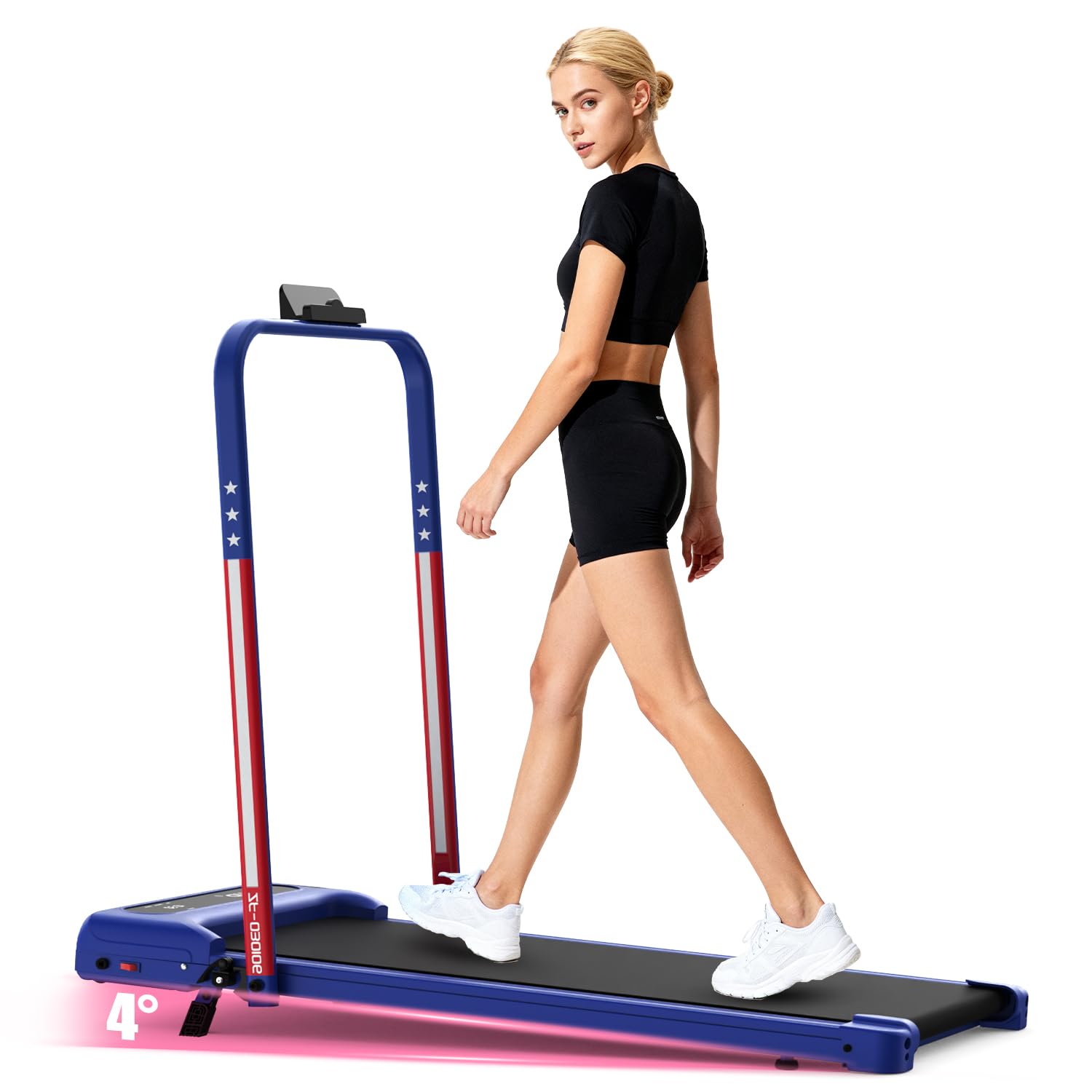
Image: The Yagud Walking Pad Treadmill with its handrail unfolded, showing its compact design and approximate dimensions (45 inches long, 22 inches wide, 40 inches high with handrail).
Operating Instructions
Your Yagud Walking Pad Treadmill is designed for ease of use with a remote control and integrated LED display.
Powering On/Off
- Press the power button on the remote control or the main unit to turn the walking pad on.
- To turn off, press the power button again.
Using the Remote Control
The remote control allows you to start, stop, and adjust the speed of the walking pad.
- Start/Stop: Press the play/pause button to start or stop the belt.
- Speed Adjustment: Use the '+' and '-' buttons to increase or decrease the walking speed.
LED Display
The integrated LED display shows important workout data:
- Time: Duration of your workout.
- Speed: Current speed in miles per hour (MPH).
- Distance: Total distance covered during the workout.
- Calories: Estimated calories burned.

Image: Close-up of the Yagud Walking Pad Treadmill's LED display showing Time, Speed, Distance, and Calories, alongside the remote control for easy adjustments.
Workout Modes
The walking pad supports various modes to suit your fitness needs:
- Working Mode: 0.6-1.5 MPH (Ideal for use under a standing desk).
- Walking Mode: 0.5-2.5 MPH (For casual walking).
- Jogging Mode: 2.5-3.8 MPH (For light jogging or running).

Image: Visual representation of the three primary workout modes: Working Mode (0.6-1.5 MPH), Walking Mode (0.5-2.5 MPH), and Jogging Mode (2.5-3.8 MPH).
Key Features
Manual Incline
The Yagud Walking Pad features a manual incline option to increase the intensity of your workout, helping to maximize calorie burning. The incline can be adjusted to up to 4%.

Image: A user walking on the Yagud Walking Pad Treadmill, illustrating the incline feature for enhanced calorie burning, comparing 0% incline to 8% incline (note: product spec states 4% max incline).
High-Power, Low-Noise Motor
Equipped with a 2.5 Horsepower brushless motor, the walking pad operates quietly (below 45dB), making it suitable for use in shared spaces without causing disturbance. It is designed for energy efficiency and a long lifespan (over 3500 hours).

Image: An exploded view illustrating the high-power, low-noise brushless motor of the Yagud Walking Pad Treadmill, highlighting its energy-saving, eco-friendly, and durable characteristics.
Multi-Layer Running Belt
The running belt features a 4-layer design for enhanced comfort, durability, and knee protection. This includes a wear-resistant surface, noise reduction layer, high-strength reinforced layer, and EVA shock absorption layer.

Image: A cross-section view detailing the 4 layers of the Yagud Walking Pad Treadmill's running belt, designed for non-slip performance and knee protection.
Maintenance
Regular maintenance ensures the longevity and optimal performance of your walking pad.
- Cleaning: Wipe down the walking pad with a damp cloth after each use. Avoid using abrasive cleaners.
- Belt Lubrication: Periodically check the running belt for dryness. Lubricate the belt according to the instructions provided with your lubrication kit (if included) or as recommended by the manufacturer.
- Belt Adjustment: If the running belt starts to slip or move off-center, refer to the troubleshooting section or contact customer support for adjustment instructions.
- Storage: When not in use, the walking pad can be folded and stored upright to save space.
Troubleshooting
If you encounter any issues with your Yagud Walking Pad, refer to the common problems and solutions below:
| Problem | Possible Cause | Solution |
|---|---|---|
| Walking pad does not power on. | Power cord not connected, power outlet issue, main switch off. | Ensure power cord is securely plugged in. Check the power outlet with another device. Verify the main power switch (if present) is on. |
| Running belt slips or stops. | Belt too loose, insufficient lubrication, motor overload. | Adjust belt tension (refer to specific instructions if available). Lubricate the belt. Reduce user weight or speed. |
| Unusual noise during operation. | Loose parts, belt friction, motor issue. | Check for any loose screws and tighten them. Lubricate the belt. If noise persists, contact customer support. |
| Remote control not working. | Dead batteries, remote not paired. | Replace batteries in the remote control. Refer to pairing instructions if your model requires it. |
If the problem persists after attempting these solutions, please contact Yagud customer support.
Specifications
| Feature | Detail |
|---|---|
| Brand | Yagud |
| Model Name | walking pad |
| Product Dimensions (D x W x H) | 44.69"D x 18.9"W x 4.41"H |
| Material | Alloy Steel |
| Maximum Speed | 3.8 Miles per Hour |
| Maximum Horsepower | 2.5 Horsepower |
| Maximum Incline Percentage | 4% |
| Maximum Weight Recommendation | 265 Pounds |
| Assembly Required | No (minimal setup) |
| Special Features | Compact Design, Foldable, Heavy Duty, Manual Incline, Portable |
| Included Components | Remote Control |
Warranty and Support
The Yagud Walking Pad Treadmill comes with a 1-Year Manufacturer Warranty. This warranty covers defects in materials and workmanship under normal use.
For warranty claims, technical support, or any questions regarding your product, please contact Yagud customer service through the retailer where you purchased the product or refer to the contact information provided in your product packaging.