
Introduction
This manual provides essential information for the assembly, operation, and maintenance of your OKD 70-inch Mid Century Modern Fluted TV Stand. Please read these instructions carefully before beginning assembly or use to ensure safe and proper functionality of the product.
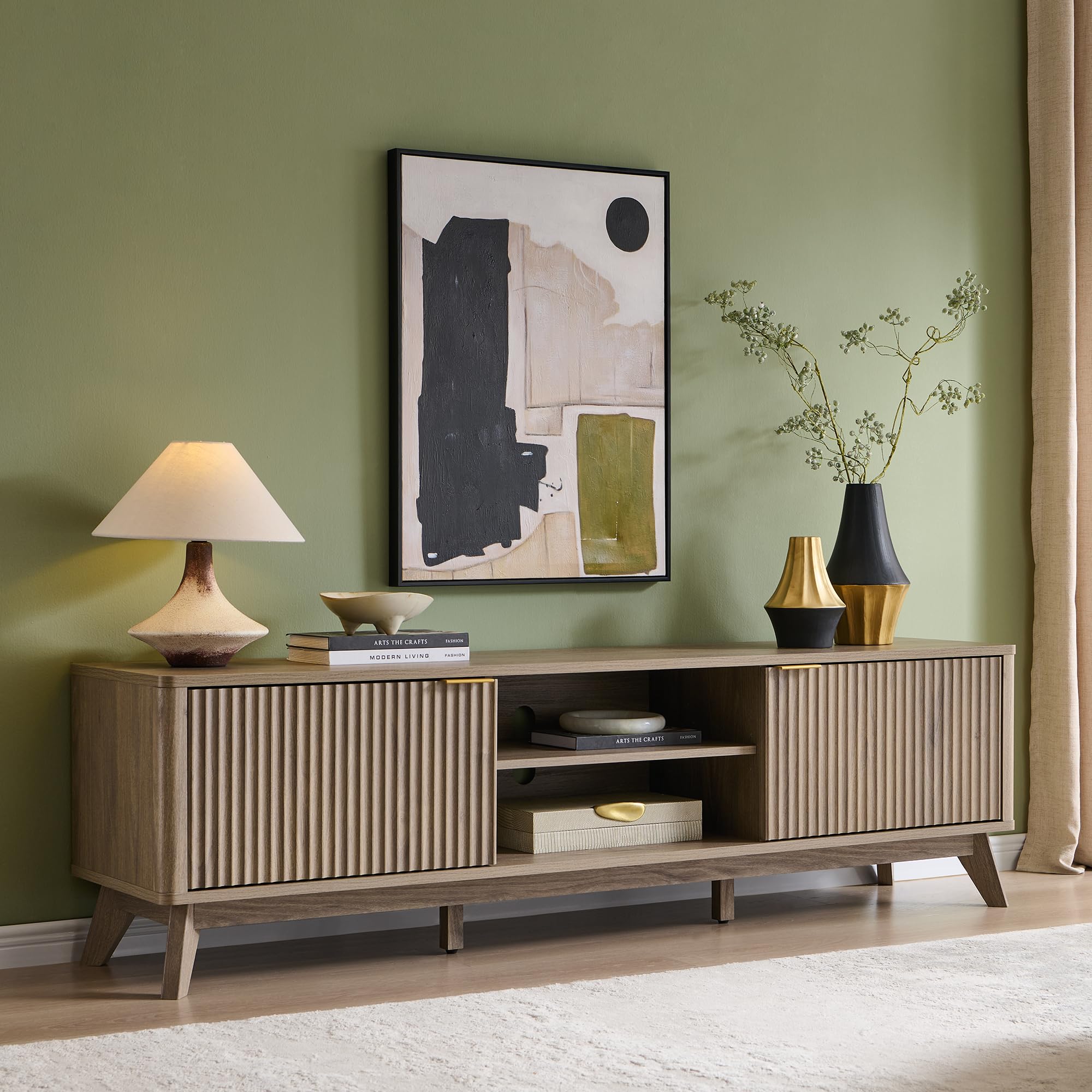
Image 1: The OKD 70-inch Mid Century Modern Fluted TV Stand in Alder Grey.
Safety Information
WARNING: Failure to follow these safety instructions may result in injury or product damage.
- Always assemble with at least two people. This product is heavy and requires careful handling.
- Secure the stand to the wall using appropriate anti-tip hardware (not included) to prevent tip-over, especially in households with children or pets.
- Be cautious of sharp edges during assembly and use.
- Keep away from children and pets during assembly to prevent access to small parts.
- Do not exceed the maximum weight capacity for the top surface (150 lbs) and internal shelves (30 lbs).
Package Contents
Verify that all components are present before beginning assembly. If any parts are missing or damaged, contact customer support.
- Main body panels (top, bottom, side panels)
- Fluted cabinet doors
- Adjustable shelves
- Legs and support beams
- Hardware pack (screws, dowels, cam locks, hinges, handles, shelf pins)
- Assembly tools (e.g., Allen wrench, if required)
Setup and Assembly
Basic assembly is required for this TV stand. While detailed instructions are not provided in this document, general steps are outlined below. Refer to the included manufacturer's assembly guide for specific diagrams and part identification.
- Prepare the Area: Clear a spacious, clean, and level area for assembly. Lay down a blanket or cardboard to protect the product and your floor.
- Identify Parts: Unpack all components and identify them using the parts list in the manufacturer's guide.
- Assemble the Frame: Connect the main body panels (sides, top, bottom, and central dividers) using the provided hardware. Ensure all connections are secure.
- Attach Legs: Securely attach the tapered legs to the base of the TV stand.
- Install Shelves: Insert the shelf pins into the desired height adjustment holes within the open compartments and cabinets. Place the adjustable shelves onto the pins.
- Attach Doors: Mount the fluted cabinet doors using the soft-close hinges. Adjust the hinges as needed to ensure proper door alignment and smooth operation.
- Install Handles: Attach the gold-finish handles to the cabinet doors.
- Final Placement: Carefully move the assembled TV stand to its final location. Ensure it is level and stable.
- Wall Anchoring: For safety, it is highly recommended to anchor the TV stand to a wall to prevent tipping. Use appropriate wall anchoring hardware for your wall type (not included).

Image 2: The open shelf and customizable storage compartments, highlighting adjustable shelving and soft-close doors.

Image 3: A detailed view of the stand's tapered legs, fluted texture, and curved edges.
Operating Instructions
The OKD TV Stand is designed for versatile use and storage.
- Adjustable Shelves: The internal shelves in both the open compartments and closed cabinets can be adjusted to different heights. To adjust, remove the shelf, reposition the metal shelf pins into the desired holes, and then place the shelf back on the pins.
- Soft-Close Doors: The cabinet doors feature soft-close hinges, which prevent slamming and ensure quiet operation. To open, gently pull the handle. To close, push the door until the soft-close mechanism engages.
- Cable Management: The open central compartments include cable access holes at the back to help organize and route electronic device cables.
Video 1: An overview of the OKD 70-inch Mid Century Modern Fluted TV Stand, demonstrating its features including the large display surface, closed cabinets, adjustable shelving, flexible storage, soft-close doors, and solid base.
Maintenance and Care
- Cleaning: Wipe surfaces with a soft, damp cloth. Avoid harsh chemicals or abrasive cleaners, which can damage the finish.
- Dusting: Regularly dust with a dry, soft cloth to prevent buildup.
- Spills: Clean spills immediately with a dry cloth to prevent staining or water damage.
- Sunlight Exposure: Avoid prolonged exposure to direct sunlight to prevent fading or discoloration of the finish.
- Heat and Moisture: Keep the TV stand away from excessive heat sources and high humidity.
Troubleshooting
- Wobbly Stand: Ensure all screws and connections are tightened. Check that the stand is on a level surface. Adjust leg levelers if present.
- Doors Not Aligning: The soft-close hinges are adjustable. Use a screwdriver to make small adjustments to the hinge screws to align the doors properly. Refer to the hinge manufacturer's instructions for specific adjustment points.
- Difficulty Opening/Closing Doors: Check for any obstructions. Ensure hinges are properly installed and lubricated if necessary.
Specifications
| Model Number | FPSC70LOTC-BWA |
| Material | Engineered Wood |
| Product Dimensions (L x W x H) | 70 x 15.75 x 20 inches |
| Item Weight | 100 pounds |
| Color | Alder Grey |
| Number of Shelves | 3 (adjustable) |
| Special Feature | Adjustable Shelf, Soft-Close Doors, Cable Management |
| Maximum TV Size Accommodated | Up to 75 inches |

Image 4: Dimensional diagram of the TV stand, including width, depth, height, and shelf capacities.
Warranty and Support
For warranty information, replacement parts, or customer support, please refer to the contact details provided with your purchase or visit the official OKD website. Keep your purchase receipt for warranty claims.