
1. Introduction
Thank you for choosing the Roinside Electric Scooter UP6 Green. This manual provides essential information for the safe operation, assembly, maintenance, and troubleshooting of your new electric scooter. Please read this manual thoroughly before your first ride to ensure optimal performance and safety.
2. Safety Information
Your safety is paramount. Always wear a helmet and appropriate protective gear (knee pads, elbow pads) when riding. Ensure you understand and comply with all local laws and regulations regarding electric scooter use.
- Age Range: Recommended for adults. While this variant is suitable for kids, adult supervision is advised.
- Weight Limit: Do not exceed 256 pounds (116 kg).
- Pre-Ride Check: Before each ride, check the brakes, tire pressure (if applicable), and ensure all quick-release mechanisms are securely fastened.
- Riding Conditions: Avoid riding in wet conditions, on uneven surfaces, or at night without proper lighting.
- Braking: The scooter features a rear braking system. Practice braking in a safe, open area before riding in traffic.
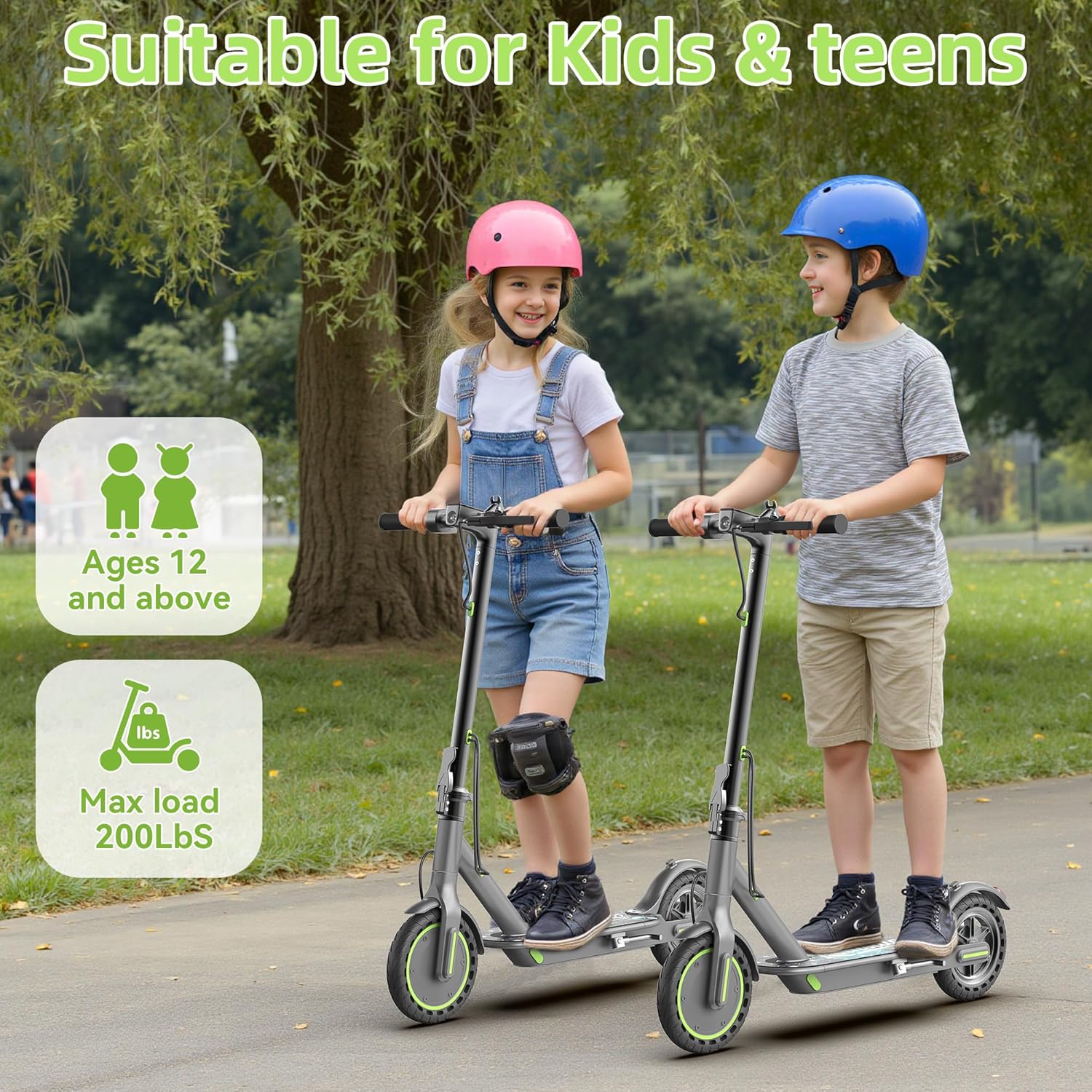
Image: Two children riding Roinside electric scooters, illustrating the EABS brake, headlight, rear drum brake, and taillight for safe riding.
3. Package Contents
Upon unboxing, please verify that all items are present:
- Roinside Electric Scooter UP6 Green
- Charger
- User Manual (this document)
4. Setup and Assembly
Your Roinside Electric Scooter comes mostly pre-assembled. Follow these steps for final setup:
- Unboxing: Carefully remove the scooter and all packaging materials from the box.
- Unfolding the Scooter: Locate the folding mechanism near the base of the handlebar stem. Release the latch and carefully lift the handlebar stem until it locks into the upright position. Ensure it is securely locked before use.
- Handlebar Attachment: If the handlebars are not already attached, slide them onto the stem and secure them with the provided screws and tools.
- Initial Charge: Before your first ride, fully charge the scooter's battery. Connect the charger to the charging port and then to a power outlet. The indicator light on the charger will change when fully charged.
Video: This video demonstrates the unboxing and initial unfolding process of the electric scooter, showing how to prepare it for use.
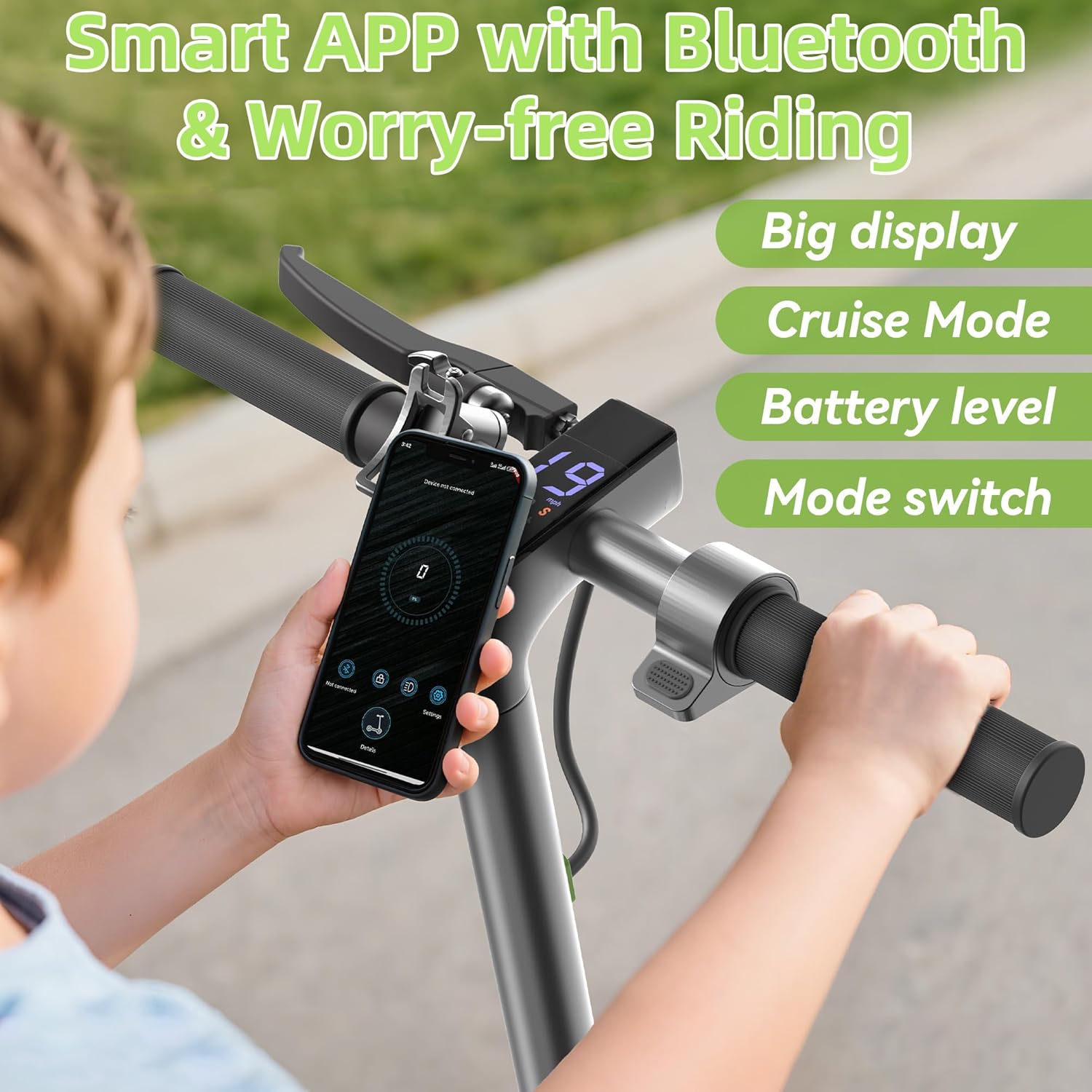
Image: Close-up view of the scooter's folding mechanism, illustrating the secure locking of the handlebar stem.
5. Operating Instructions
Familiarize yourself with the scooter's controls before riding.
- Power On/Off: Press and hold the power button on the display to turn the scooter on or off.
- Acceleration: Gently press the throttle lever to accelerate. Start slowly and gradually increase speed.
- Braking: Squeeze the brake lever on the handlebar to engage the rear brake. Apply brakes smoothly to avoid sudden stops.
- Headlight/Taillight: The scooter is equipped with a headlight and taillight for visibility. Activate them as needed, especially in low-light conditions.
- Smart App Connectivity: Connect your scooter to the dedicated mobile app via Bluetooth for additional features like speed monitoring, battery level, and mode switching.
Video: This video demonstrates the practical and easy-to-use features of the electric scooter, including turning it on and basic controls.

Image: A person's hands on the scooter handlebars, with a smartphone showing the scooter's app interface, highlighting smart app features like Bluetooth connectivity, big display, cruise mode, battery level, and mode switch.
6. Maintenance
Regular maintenance ensures the longevity and safe operation of your scooter.
- Cleaning: Wipe the scooter with a damp cloth after use. Avoid using high-pressure water jets or harsh chemicals.
- Tires: The scooter features 8.5-inch solid rubber tires, which are maintenance-free and anti-slip. Regularly inspect them for wear and tear.
- Battery Care: Charge the battery fully after each use. If storing for an extended period, charge it to about 50-70% and recharge every 30-60 days to prevent deep discharge.
- Brakes: Periodically check the brake lever and cable for proper function and adjustment.

Image: Close-up of the scooter's 350W motor and 8.5-inch solid tire, highlighting features like 19 mph top speed, 12 miles long range, one-click folding, 15° uphill climb, and EABS brake.
7. Troubleshooting
If you encounter issues with your scooter, refer to the following common problems and solutions:
- Scooter not turning on: Ensure the battery is charged. Check the power button connection.
- Loss of power/speed: The battery might be low, or the motor could be overheating. Allow the scooter to cool down and recharge.
- Brakes not responding: Check the brake cable for tension and ensure the lever is not stuck. Adjust if necessary.
- Unusual noises: Inspect wheels and moving parts for any obstructions or loose components.
For persistent issues, contact Roinside customer support.
8. Specifications
| Feature | Detail |
|---|---|
| Brand | Roinside |
| Model Name | UP6 Green |
| Color | 350W 12Miles 8.5" for Kids |
| Motor Power | 350W |
| Maximum Distance Range | 12 Miles |
| Wheel Size | 8.5 Inches |
| Wheel Material | Rubber |
| Wheel Type | Solid |
| Frame Material | Aluminum |
| Weight Limit | 256 Pounds |
| Item Weight | 30 Pounds |
| Product Dimensions | 40"L x 5.5"W x 18"H |
| Charging Time | 5 Hours |
| Brake Style | Rear Braking |
| Special Feature | Foldable |
9. Warranty and Support
The Roinside Electric Scooter UP6 Green comes with a 1-year warranty from the date of purchase. This warranty covers manufacturing defects under normal use. It does not cover damage caused by misuse, accidents, or unauthorized modifications.
For warranty claims, technical support, or any questions not covered in this manual, please contact Roinside customer service through the official Roinside Store on Amazon or refer to the contact information provided with your purchase.