
Introduction
Thank you for choosing the UPFAS Automatic Self-Cleaning Cat Litter Box. This device is designed to provide a clean and convenient litter solution for your cat, featuring automatic cleaning, app control, and health monitoring. This manual provides essential information for safe and effective use, including assembly, operation, maintenance, and troubleshooting.
This litter box is suitable for medium-sized cats and kittens weighing between 3.5 lbs and 15 lbs.
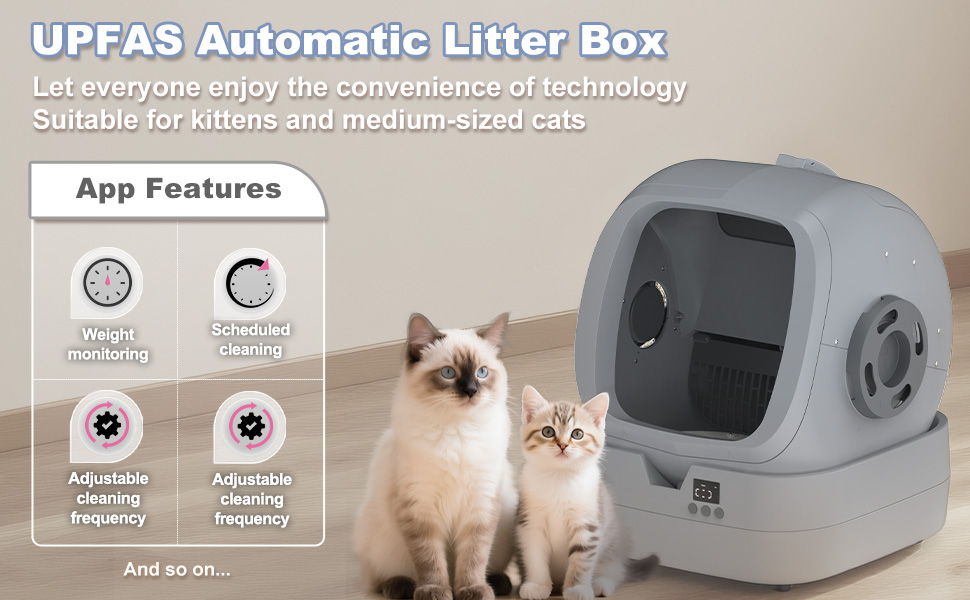
Image: The UPFAS Automatic Cat Litter Box in a semi-enclosed design, suitable for kittens and medium-sized cats, providing a sense of security.
Safety Information
- Read all instructions before using the appliance.
- Keep the device away from water and moisture. Do not immerse any part of the device in water.
- Ensure the power cord is not damaged and is properly connected to a grounded outlet.
- Place the device on a firm, hard, and level surface. Do not place it on carpets or soft surfaces, as this may affect its operation and safety sensors.
- Do not allow children or pets to play with the device.
- The device features an anti-pinch design and a real-time gravity sensor. If a cat touches the machine during operation, it will immediately stop and wait until the cat leaves.
- Use only clumping cat litter with this device. Other types of litter may cause malfunction.
- Unplug the device before cleaning or performing any maintenance.
Product Overview and Components
Familiarize yourself with the main components of your UPFAS Automatic Self-Cleaning Cat Litter Box:
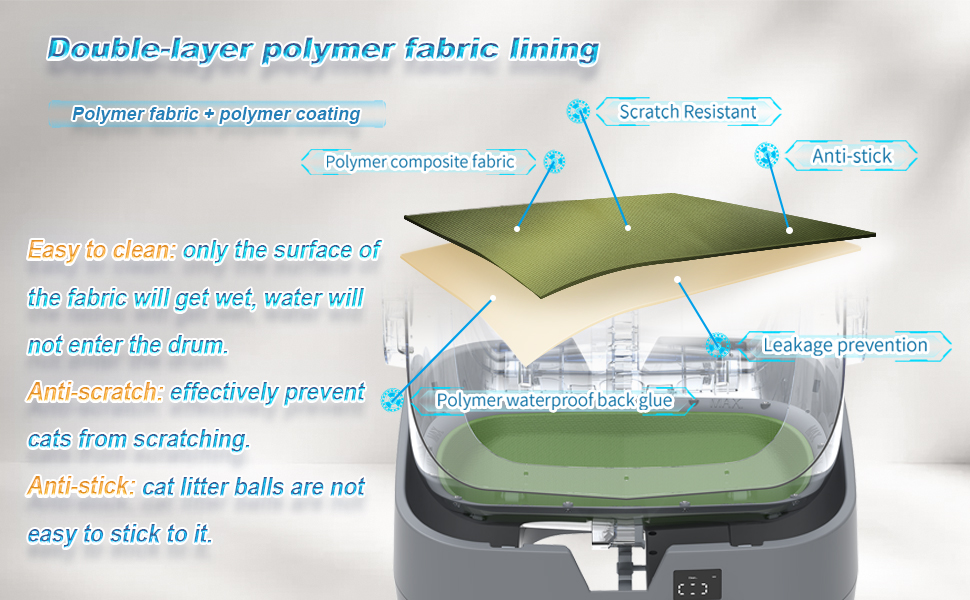
Image: Exploded view showing the main components: Upper lid, Waste bin, Left handle, Lower part of the drum, Main body base, Upper part of the drum, Toilet guide bracket, Right handle, Face of the drum.
- Main Body Base: Houses the motor, sensors, and control panel.
- Drum (Upper and Lower Parts): The rotating section where litter is held and cleaning occurs.
- Waste Bin: Collects clumped waste after cleaning cycles.
- Upper Lid: Covers the waste bin compartment.
- Handles: For lifting and securing the drum.
- Toilet Guide Bracket: Guides the drum's rotation.
Setup
1. Assembly
Assembly is required for this product and typically takes approximately 30 minutes. For a smooth installation process, please refer to the detailed assembly instructions provided in the manual included with your product. An assembly video may also be available online for visual guidance.
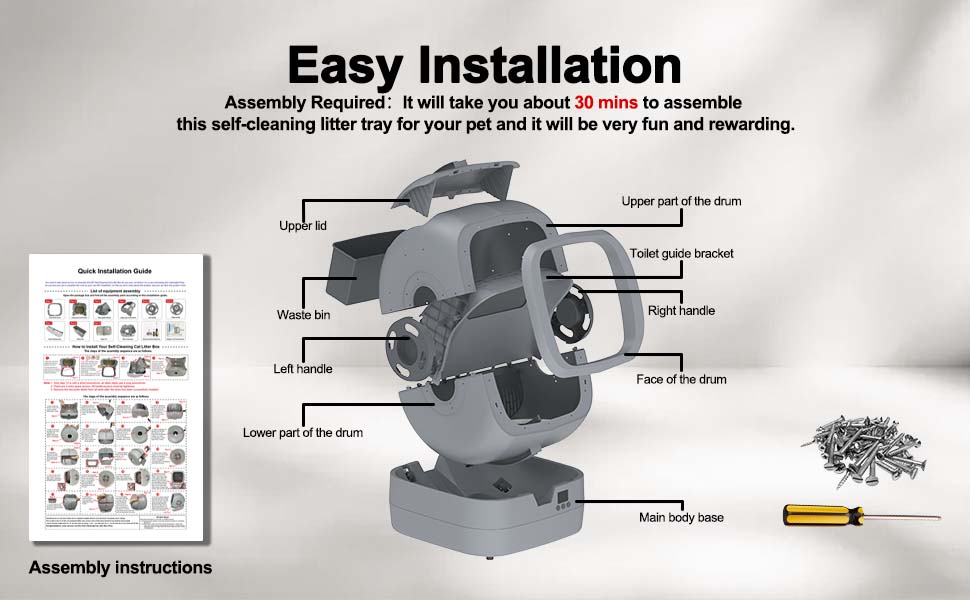
Image: Assembly instructions booklet, screws, and a screwdriver, indicating the assembly process.
2. Initial Placement and Power On
- Place the assembled litter box on a hard, level surface. Avoid carpets or soft flooring.
- Connect the power adapter to the device and plug it into a wall outlet.
- Add clumping cat litter to the drum, ensuring it does not exceed the 'MAX' fill line.
- After powering on and adding new litter, run the "Level" mode to calibrate the litter box. This ensures proper operation and accurate weight monitoring.
3. App Connection
- Download the UPFAS app from your smartphone's app store.
- Open the app and follow the on-screen instructions to connect your litter box using 2.4GHz Wi-Fi or Bluetooth.
- Ensure your Wi-Fi network is 2.4GHz, as the device does not support 5GHz networks.
Operating Instructions
1. Automatic Cleaning
The litter box is designed to automatically detect when your cat has used it and initiate a cleaning cycle after a set delay. This delay can be adjusted via the app to allow sufficient time for clumps to form.
The cleaning operation is ultra-quiet, with noise levels below 35 dB, ensuring a peaceful environment for your home and pets.
2. Smart App Control
The UPFAS app provides comprehensive control and monitoring features:
- Real-time Monitoring: Track your cat's health with detailed usage history, including weight, time spent in the box, and frequency of use.
- Scheduled Cleaning: Set specific times for cleaning cycles.
- Adjustable Cleaning Frequency: Customize how often the box cleans.
- One-touch Cleaning: Initiate a cleaning cycle manually from the app.
- Temporary Disable Auto-cleaning: If your cat is sensitive to movement, you can temporarily disable automatic cleaning and run it manually.
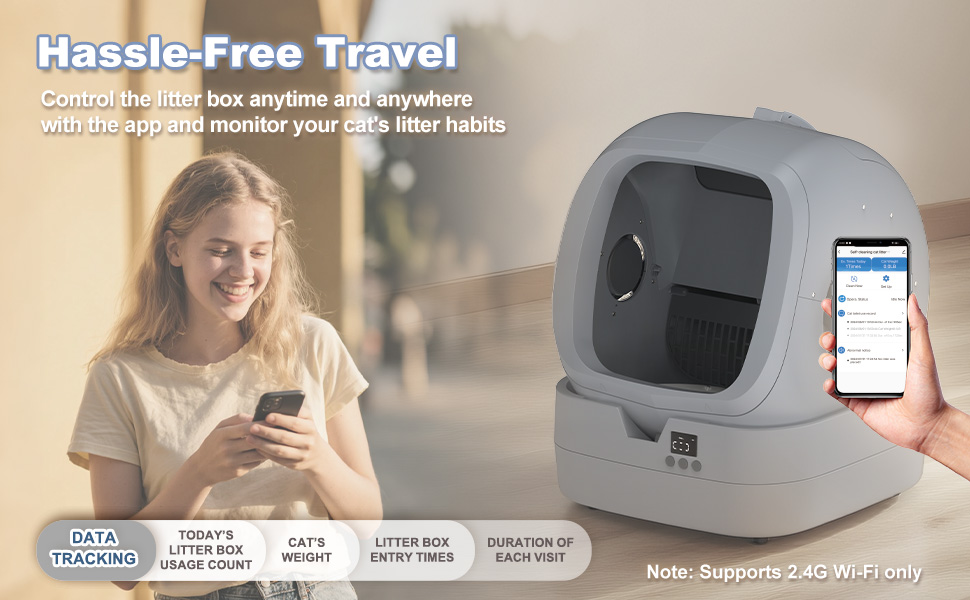
Image: Diagram showing app features such as litter box entry times, cat's weight, daily usage count, scheduled cleaning, one-touch cleaning, adjustable cleaning frequency, and weight monitoring.
3. Safety Features
- Anti-Pinch Design: The design prevents accidental pinching, even for small fingers.
- Real-Time Gravity Sensor: The litter box is equipped with sensors that detect the presence of your cat. If a cat enters during a cleaning cycle, the operation will pause immediately and resume only after the cat has exited.
Maintenance
1. Emptying the Waste Bin
The waste bin should be emptied regularly, typically every 2-3 days depending on usage. Simply lift the upper lid, remove the filled waste bag, and replace it with a new one.
2. Routine Cleaning
The litter box's intuitive design makes routine cleaning straightforward:
- Drum Cleaning: The drum features a snap-free design, allowing you to easily lift it from the base for cleaning. The drum part is fully washable with water.
- Lining Material: The drum is lined with a double-layer polymer fabric (polymer composite fabric + polymer coating) that is scratch-resistant, anti-stick, and prevents leakage. Only the surface of the fabric will get wet, ensuring water does not enter the drum's internal mechanisms.
- Base Cleaning: Wipe down the main body base with a damp cloth. Avoid getting water into electronic components.
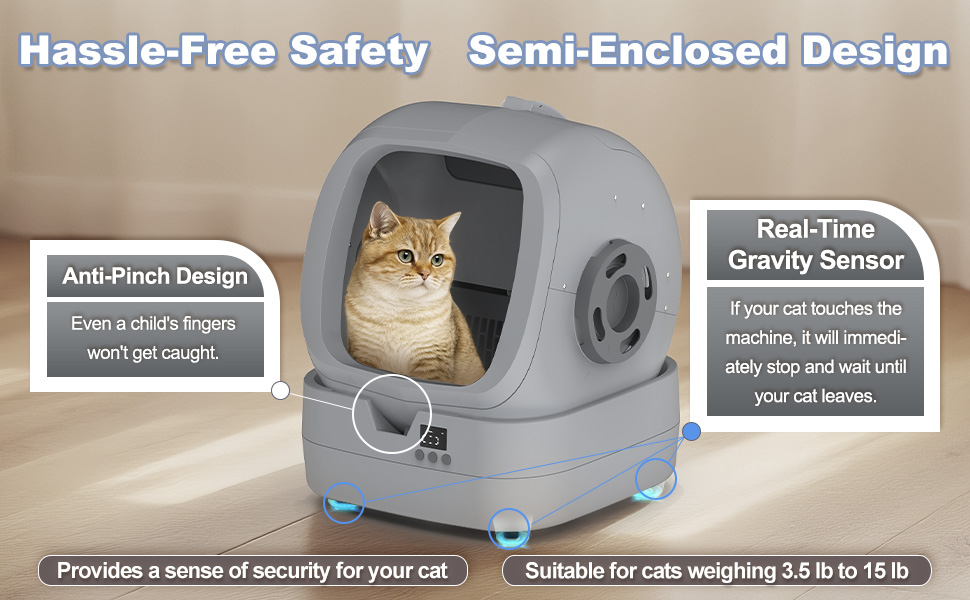
Image: The litter box drum is shown being lifted from the base and rinsed under a showerhead, demonstrating its washable design.
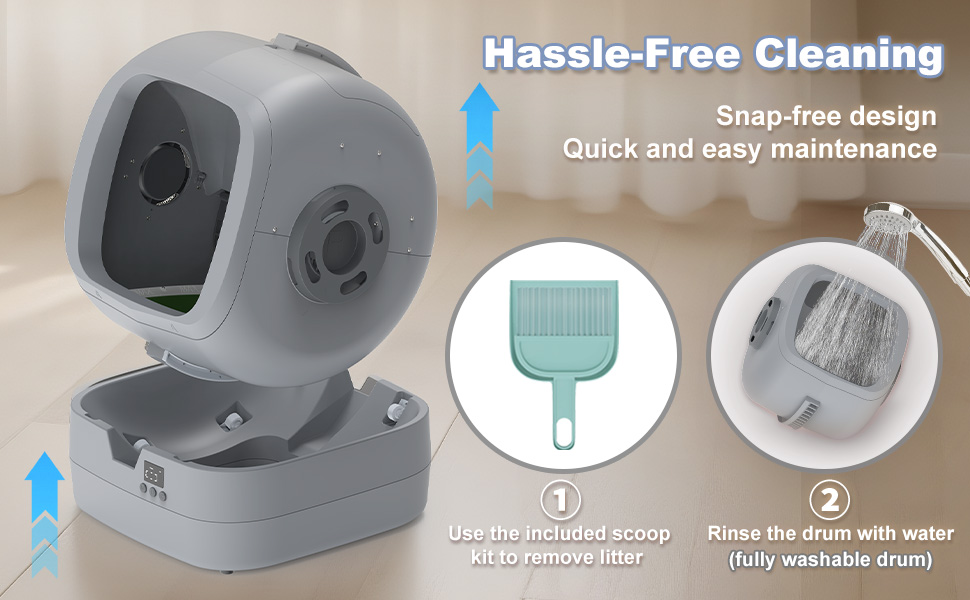
Image: Cross-section diagram of the double-layer polymer fabric lining, highlighting its scratch-resistant, anti-stick, and leakage prevention properties.
3. Deep Cleaning
Periodically, a more thorough cleaning may be necessary. After emptying the litter and waste, disassemble the drum as per assembly instructions, rinse all washable parts with water, and allow them to dry completely before reassembly. Wipe down the entire unit with a pet-safe cleaner.
Troubleshooting
| Problem | Possible Cause | Solution |
|---|---|---|
| Litter box stuck in tilted position. | Waste bin is too full; firmware issue; uneven surface. |
|
| Litter sticking to the bottom of the drum. | Insufficient time for clumps to harden; litter type. |
|
| Small clumps remain in the litter after cleaning. | Litter grate slots are wide; very small clumps. |
|
| Odor persists despite cleaning. | Infrequent deep cleaning; poor ventilation; litter type. |
|
| Litter scattered outside the box. | Cat behavior; litter type; litter level. |
|
| Cat refuses to use the litter box. | New device; preference for traditional box; size. |
|
Specifications
- Model: CAST-500C
- Product Dimensions (L x W x H): 22.44" x 18.23" x 19.84"
- Item Weight: 21.3 pounds
- Material: Polypropylene (PP)
- Color: Grey
- Suitable Pet Weight: 3.5 lbs - 15 lbs (Medium cats and kittens)
- Noise Level: ≤ 35 dB
- Connectivity: 2.4GHz Wi-Fi, Bluetooth
- Litter Type: Clumping cat litter only
- Manufacturer: UPFAS
- Country of Origin: Made in China

Image: Diagram illustrating the key dimensions of the litter box, including height, width, and depth.
Warranty
This UPFAS Automatic Self-Cleaning Cat Litter Box comes with a 1-Year Limited Warranty from the date of purchase. This warranty covers manufacturing defects and malfunctions under normal use. It does not cover damage caused by misuse, accident, unauthorized modification, or failure to follow the instructions in this manual.
Please retain your proof of purchase for warranty claims.
Support
For technical support, warranty claims, or any questions regarding your UPFAS Automatic Self-Cleaning Cat Litter Box, please contact our customer service team:
- Email: support@upfas.com
- Website: www.upfas.com/support
Please have your model number (CAST-500C) and purchase date ready when contacting support.