
Introduction
Thank you for choosing the Monster Sleep Ear200 Wireless In-Ear Headphones. These headphones are designed to provide a comfortable and quiet listening experience, especially for side sleepers, featuring Active Noise Cancellation (ANC) and Bluetooth 6.0 technology. This manual will guide you through the setup, operation, and maintenance of your new device to ensure optimal performance and longevity.
Product Overview
The Monster Sleep Ear200 headphones are engineered for comfort and effective noise reduction. Key features include a fully enclosed liquid silicone design for unobtrusive side sleeping and advanced noise-canceling microphones.
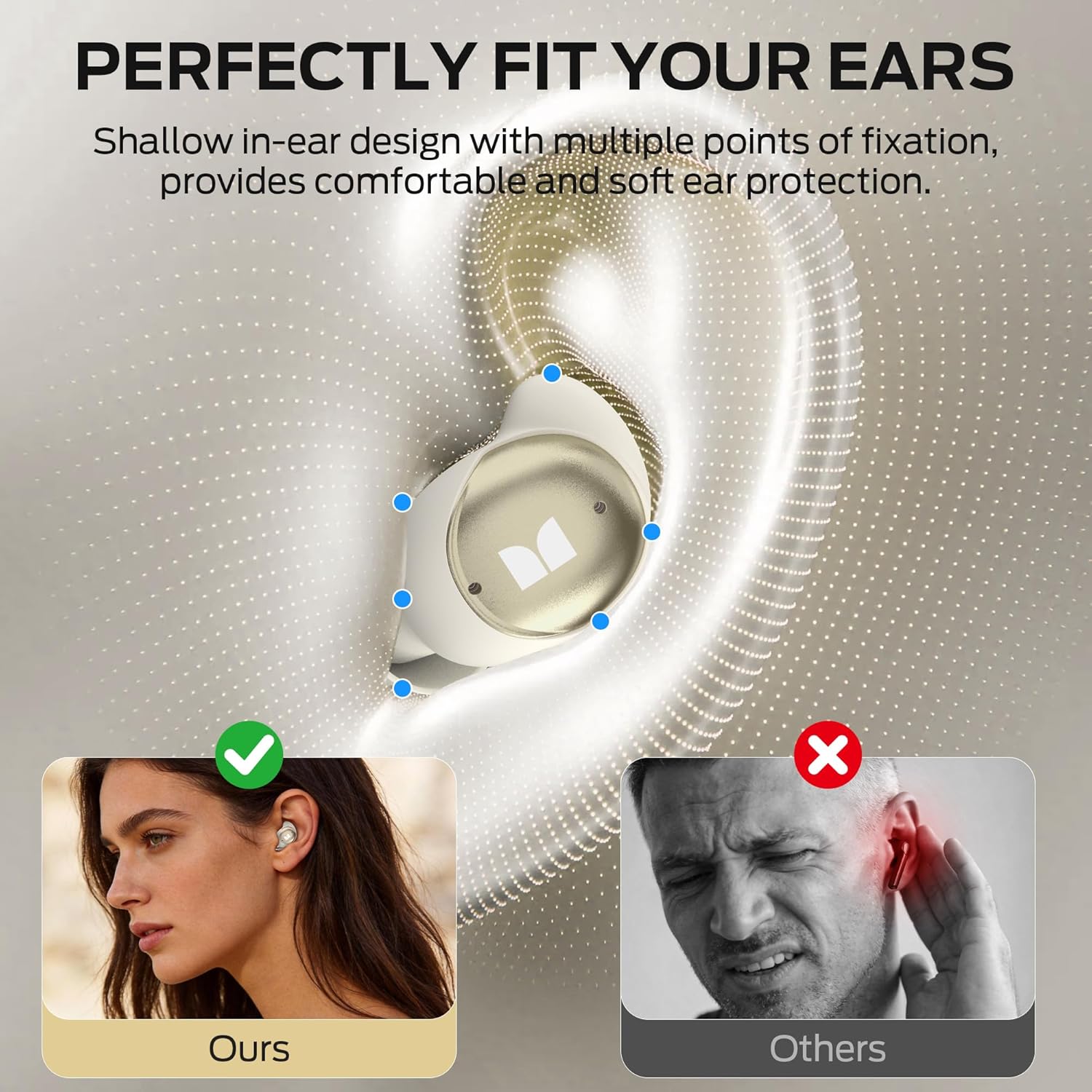
Image: The Monster Sleep Ear200 earbuds are designed for a shallow in-ear fit, providing comfort and soft ear protection, ensuring they stay in place without discomfort.

Image: The earbuds feature an in-ear design, are lightweight (3g), and are virtually invisible when worn, with soft ear caps for maximum comfort during sleep.
Setup
Initial Charging
- Place both earbuds into the charging case.
- Connect the charging case to a power source using the provided USB cable.
- The digital display on the charging case will indicate the battery level. Fully charge the device before first use (approximately 1.5 hours).
Fitting the Earbuds
- Gently insert each earbud into your ear canal.
- Adjust the earbud until it feels secure and comfortable, especially if you are a side sleeper. The liquid silicone design is intended to conform naturally to your ear.
Operating Instructions
Power On/Off
- Power On: Open the charging case, and the earbuds will automatically power on. Alternatively, press and hold the touch control area on each earbud for 3 seconds.
- Power Off: Place the earbuds back into the charging case and close the lid. They will automatically power off and begin charging. Alternatively, press and hold the touch control area on each earbud for 5 seconds.
Bluetooth Pairing
- Ensure the earbuds are powered on and out of the charging case. They will automatically enter pairing mode, indicated by a flashing LED light (if applicable).
- On your device (smartphone, tablet), enable Bluetooth and search for available devices.
- Select "Monster Sleep Ear200" from the list of devices.
- Once connected, a voice prompt will confirm successful pairing. The earbuds will automatically reconnect to the last paired device when powered on and within range.
Touch Controls
The Monster Sleep Ear200 features intuitive touch controls on each earbud:
- Play/Pause: Single tap on either earbud.
- Next Track: Double tap the right earbud.
- Previous Track: Double tap the left earbud.
- Answer/End Call: Single tap on either earbud.
- Reject Call: Press and hold either earbud for 2 seconds.
- Activate Voice Assistant: Triple tap on either earbud.
- ANC Mode On/Off: Press and hold the touch control area on either earbud for 2 seconds (after initial power on).
Active Noise Cancellation (ANC)
The Monster Sleep Ear200 is equipped with an advanced Active Noise Cancellation system designed to create a tranquil environment for sleep or focus. It utilizes ANC noise-canceling microphones to detect and counteract ambient sounds.
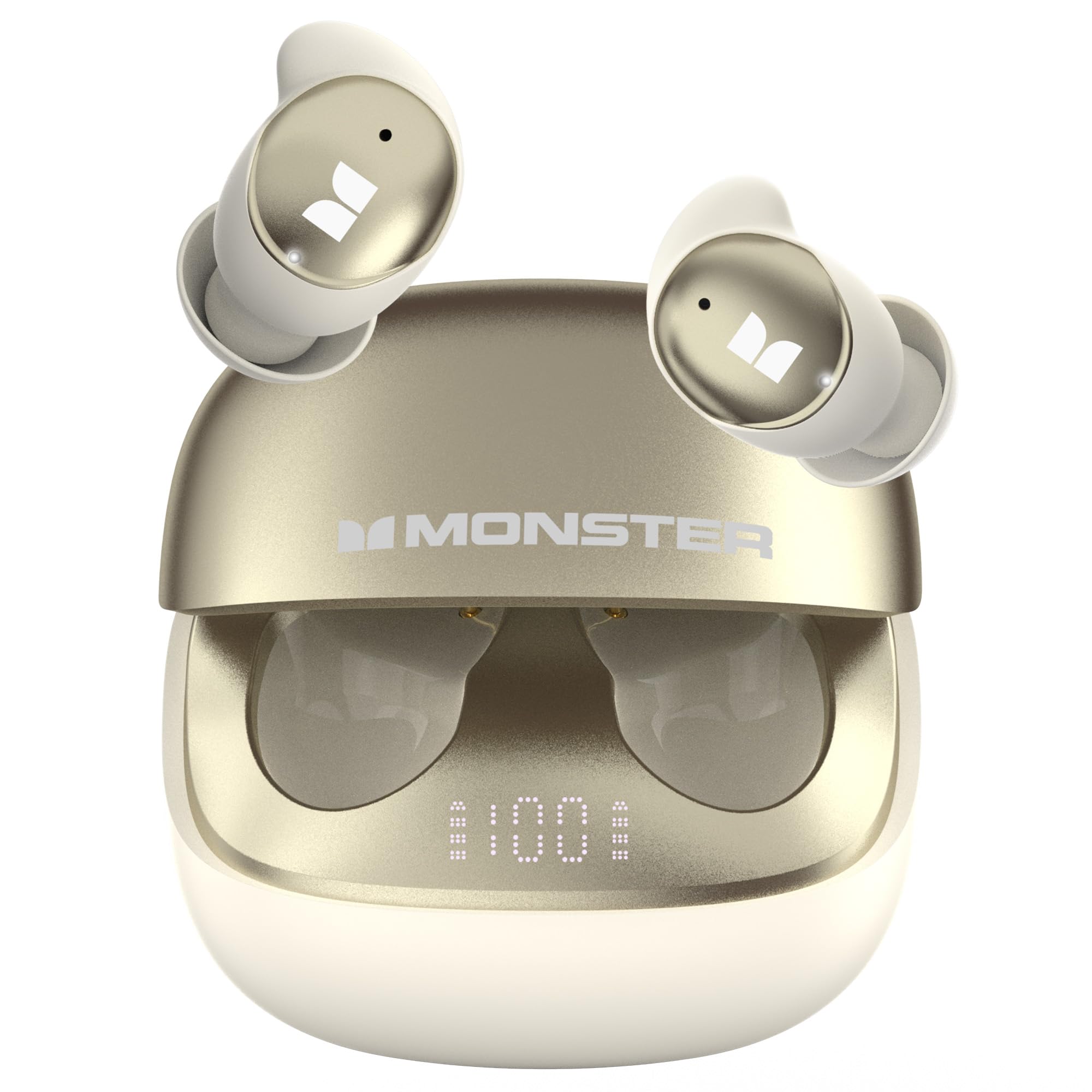
Image: The earbuds provide automatic noise reduction, effectively blocking sounds like snoring to help users fall asleep quickly in a comfortable and quiet environment.

Image: Advanced noise cancellation reduces ambient noise by up to 98%, achieving noise reduction depths of up to -45dB, effectively isolating you from disruptive sounds.
Activating ANC
- After the earbuds are powered on, press and hold the touch control area on either earbud for 2 seconds to cycle through ANC modes (ANC On/Off). A voice prompt will confirm the mode change.
Effective Noise Blocking
The ANC system is particularly effective at blocking common sleep-disrupting noises:
- Snoring
- Pet movement noise
- Noise from electronic devices
- Traffic sounds

Image: The Monster Sleep Ear200 effectively blocks common sleep-disrupting noises such as moving pets, household appliances, and traffic sounds, promoting restful sleep.
Charging and Battery Life
The Monster Sleep Ear200 provides extended battery life for uninterrupted use.
- Earbud Playback Time: Up to 9 hours on a single charge.
- Total Battery Life (with charging case): Up to 30 hours.
- Charging Time: Approximately 1.5 hours for a full charge of the case and earbuds.
- Battery Level Indicator: The charging case features a digital display to easily check the remaining battery level.

Image: The charging case and earbuds illustrate the impressive 30-hour total battery life, with 1.5 hours charging time and 9 hours single-earbud playtime.
Maintenance
Proper maintenance ensures the longevity and performance of your Monster Sleep Ear200 headphones.
- Cleaning: Regularly wipe the earbuds and charging case with a soft, dry, lint-free cloth. Do not use harsh chemicals or abrasive materials.
- Water Resistance: The earbuds have an IPX5 rating, meaning they are resistant to low-pressure water jets from any direction. They are not designed for submersion in water. Avoid exposing the charging case to water.
- Storage: When not in use, store the earbuds in their charging case to protect them and keep them charged. Store in a cool, dry place away from extreme temperatures.

Image: The Monster Sleep Ear200 features a dedicated Sleep Function, IPX5 water resistance for durability, and Bluetooth 6.0 for stable connectivity.
Troubleshooting
If you encounter any issues with your Monster Sleep Ear200 headphones, please refer to the following common solutions:
| Problem | Possible Solution |
|---|---|
| Earbuds not pairing | Ensure earbuds are charged. Turn off and on your device's Bluetooth. Forget "Monster Sleep Ear200" from your device's Bluetooth list and re-pair. |
| No sound from earbuds | Check volume levels on both earbuds and your connected device. Ensure earbuds are properly paired. Try playing different audio sources. |
| ANC not working effectively | Ensure earbuds are properly seated in your ears for a good seal. Verify ANC is activated via touch control. |
| Charging case not charging | Check the USB cable and power adapter. Ensure the charging port is clean and free of debris. |
| Earbuds not charging in case | Ensure the charging case has power. Clean the charging contacts on both the earbuds and the case. Ensure earbuds are correctly seated in the case. |
Specifications
| Feature | Detail |
|---|---|
| Brand | Monster |
| Model Number | w67wh |
| Ear Placement | In Ear |
| Noise Control | Active Noise Cancellation (up to -45dB) |
| Bluetooth Version | 6.0 |
| Bluetooth Range | Up to 30 meters |
| Battery Life (Earbuds) | Up to 9 hours |
| Total Battery Life (with Case) | Up to 30 hours |
| Charging Time | Approx. 1.5 hours |
| Frequency Range | 20Hz - 20,000Hz |
| Control Method | Touch |
| Water Resistance Rating | IPX5 |
| Material | Liquid Silicone |
| Specific Uses | Sleep |
Warranty and Support
Your Monster Sleep Ear200 Wireless In-Ear Headphones come with a 1-Year Manufacturer Warranty from the date of purchase. This warranty covers manufacturing defects and ensures your product performs as expected under normal use.
For warranty claims, technical support, or any inquiries regarding your product, please contact Monster customer service. Details can typically be found on the official Monster website or through your purchase platform. Please have your proof of purchase and model number (w67wh) ready when contacting support.


