
1. Introduction
The GUGTTR Under Desk Elliptical Machine SF-S6 is designed to provide a low-impact exercise solution for individuals seeking to maintain activity while seated. This device is particularly beneficial for seniors, individuals undergoing rehabilitation, and desk workers, promoting improved circulation, strengthening lower body muscles, and enhancing joint flexibility. Its quiet operation and compact design make it suitable for various environments, including home and office settings.
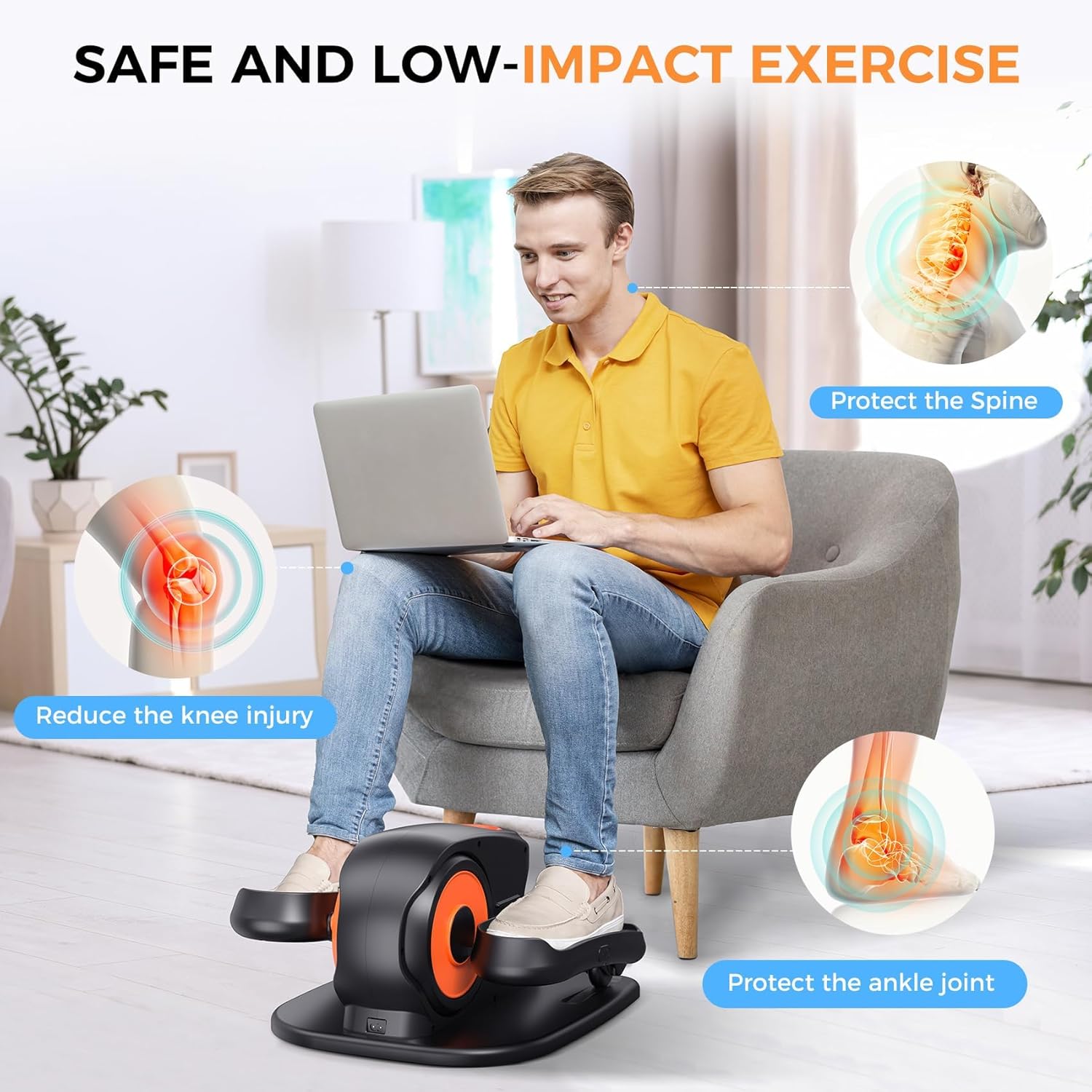
Image: A person comfortably using the elliptical machine while seated, highlighting its low-impact nature and benefits for joint health.
2. What's in the Box
Upon unpacking your GUGTTR Under Desk Elliptical Machine SF-S6, please ensure all the following components are present:
- 1 x Under Desk Elliptical Machine
- 1 x Remote Control
- 1 x Power Cord
- 1 x User Guide
- 1 x Lubricant Oil
3. Setup
The GUGTTR Under Desk Elliptical Machine SF-S6 requires minimal setup, arriving fully assembled for immediate use.
3.1 Power Connection
- Place the elliptical machine on a flat, stable surface under your desk or in front of your seating area.
- Connect the provided power cord to the machine's power input port.
- Plug the power cord into a standard electrical outlet.
3.2 Remote Control Setup
The remote control requires two AAA batteries (not included). Insert the batteries into the remote control, ensuring correct polarity.

Image: A woman easily carrying the compact elliptical machine, emphasizing its portable design and built-in handle.
4. Operating Instructions
The elliptical machine offers both automatic and manual operation modes, along with adjustable speeds and direction.
4.1 Powering On/Off
Press the 'Power' button on the remote control or the 'Start/Stop' button on the machine's display to turn the unit on or off.
4.2 Modes of Operation
The machine features two primary modes:
- Automatic Modes (P1-P3): These are pre-programmed modes that automatically adjust speed and direction for varied workout experiences. Select P1, P2, or P3 using the 'Mode' button on the remote or display.
- Manual Mode (HR): This mode allows you to manually control the speed and direction. Select 'HR' using the 'Mode' button.
4.3 Adjusting Speed and Direction
- Speed: In Manual Mode, use the 'Speed' up/down arrows on the remote or display to select from 12 adjustable speed levels.
- Direction: Use the 'Direction' button on the remote or display to switch between forward and backward pedaling motion. This engages different leg muscles.
4.4 LCD Display Functions
The integrated LCD display provides real-time workout data:
- SCAN: Cycles through all data metrics automatically.
- TIME: Displays the duration of your workout.
- DISTANCE: Shows the estimated distance covered.
- SPEED: Indicates the current pedaling speed.
- COUNT: Tracks the number of rotations.
- CALORIES: Estimates the calories burned during your session.
Use the 'Function' button on the remote or display to cycle through these metrics or activate the SCAN feature.

Image: A detailed view of the elliptical's control panel and remote, illustrating the automatic (P1-P3) and manual (HR) modes.

Image: The LCD display of the elliptical machine, clearly showing time, distance, speed, count, and calorie metrics, along with function and mode buttons.
4.5 Quiet Operation
The machine is engineered with noise-dampening technology, ensuring a quiet exercise experience. This allows for discreet use in shared spaces, during meetings, or while watching television without causing disturbance.

Image: A person exercising quietly with the elliptical machine in a living room, demonstrating its low noise level.
4.6 Video Demonstrations
Video: Demonstration of the GUGTTR portable under desk elliptical, highlighting its LED display and features.
Video: Overview of the GUGTTR Under Desk Elliptical Machine in use, showcasing its design and functionality.
Video: GUGTTR Elliptical Machine for Seniors, demonstrating how it helps improve leg circulation.
5. Maintenance
Regular maintenance ensures the longevity and optimal performance of your elliptical machine.
- Cleaning: Wipe down the machine with a soft, damp cloth after each use to remove dust and sweat. Avoid using abrasive cleaners or solvents.
- Lubrication: Apply the provided lubricant oil to moving parts as indicated in the user guide to ensure smooth operation and prevent friction. Refer to the detailed instructions in the included User Guide for specific lubrication points and frequency.
- Storage: Store the machine in a cool, dry place away from direct sunlight and extreme temperatures when not in use.
6. Troubleshooting
If you encounter any issues with your GUGTTR Under Desk Elliptical Machine SF-S6, please refer to the following common troubleshooting steps:
- Machine not powering on: Ensure the power cord is securely plugged into both the machine and a working electrical outlet. Check if the outlet is functional.
- Remote control not working: Verify that the AAA batteries are correctly inserted and are not depleted. Replace batteries if necessary. Ensure there are no obstructions between the remote and the machine's sensor.
- Unusual noise during operation: Check for any loose parts or debris. Apply lubricant oil to moving components as per the maintenance instructions. If the noise persists, discontinue use and contact customer support.
- Inconsistent pedaling motion: Ensure the machine is placed on a flat and stable surface. Check for any obstructions around the pedals.
For further assistance, please contact GUGTTR customer support.
7. Specifications
| Feature | Specification |
|---|---|
| Model Name | SF-S6 |
| Brand | GUGTTR |
| Color | Black |
| Material | Alloy Steel |
| Resistance Mechanism | Air |
| Maximum Weight Recommendation | 500 Pounds |
| Item Dimensions (LxWxH) | 18.3 x 16.9 x 11 inches |
| Item Package Dimensions (LxWxH) | 18.25 x 17.25 x 11.25 inches |
| Package Weight | 7.71 Kilograms |
| Suggested Users | 8-80 years old |
| UPC | 762916177886 |
8. Warranty and Support
GUGTTR is committed to providing excellent customer service and product support.
- Warranty: The GUGTTR Under Desk Elliptical Machine SF-S6 comes with a 2-year manufacturer's warranty.
- Return Policy: Enjoy a three-month return policy from the date of purchase.
- Technical Assistance: Lifetime technical assistance is available for all customers.
- Contact Support: If you have any questions, require assistance, or need to claim warranty service, please reach out to GUGTTR customer support via Amazon messages or email.