
1. Introduction
Thank you for choosing the Lacuffy Walking Pad BA09. This manual provides essential information for the safe and effective use, setup, operation, and maintenance of your new walking pad. Please read this manual thoroughly before first use and retain it for future reference.
The Lacuffy BA09 is designed for home and office use, offering a convenient way to incorporate walking, jogging, or light running into your daily routine. It features a 6% manual incline, remote control, and smart APP connectivity for a personalized fitness experience.
2. Safety Information
WARNING: To reduce the risk of serious injury, read all important precautions and instructions in this manual before using the walking pad.
- Always place the walking pad on a flat, stable surface. Ensure there is at least 2 meters (6.5 feet) of clear space behind the walking pad and 0.6 meters (2 feet) on each side.
- Keep children and pets away from the walking pad during operation.
- The maximum user weight capacity for this walking pad is 300 lbs (136 kg). Do not exceed this limit.
- Wear appropriate athletic footwear. Do not operate the walking pad barefoot or in socks.
- If you experience pain, dizziness, or shortness of breath, stop exercising immediately and consult a physician.
- Ensure the power cord is not pinched or damaged. Do not use if the power cord or plug is damaged.
- Unplug the walking pad from the power outlet when not in use, before cleaning, or before performing maintenance.
- This walking pad is for indoor use only. Do not expose it to water or high humidity.
3. Product Overview
Key Features:
- 6% Manual Incline: Provides an elevated challenge for increased calorie burn.
- No-Assembly Design: Ready for immediate use out of the box.
- APP & Remote Control: Convenient speed adjustment and fitness tracking via the PitPat APP and included remote.
- LED Display: Tracks time, speed, distance, and calories burned.
- Quiet Operation: 2.5 HP motor operates at less than 45dB.
- High Capacity: Supports users up to 300 lbs.
- 5-Layer Running Belt: Non-slip surface designed for comfort and joint protection.
- Portable Design: Built-in transport wheels for easy movement and storage.
Components:
- Lacuffy Walking Pad BA09
- Remote Control
- Power Cord
- User Manual (this document)
- Lubrication Oil
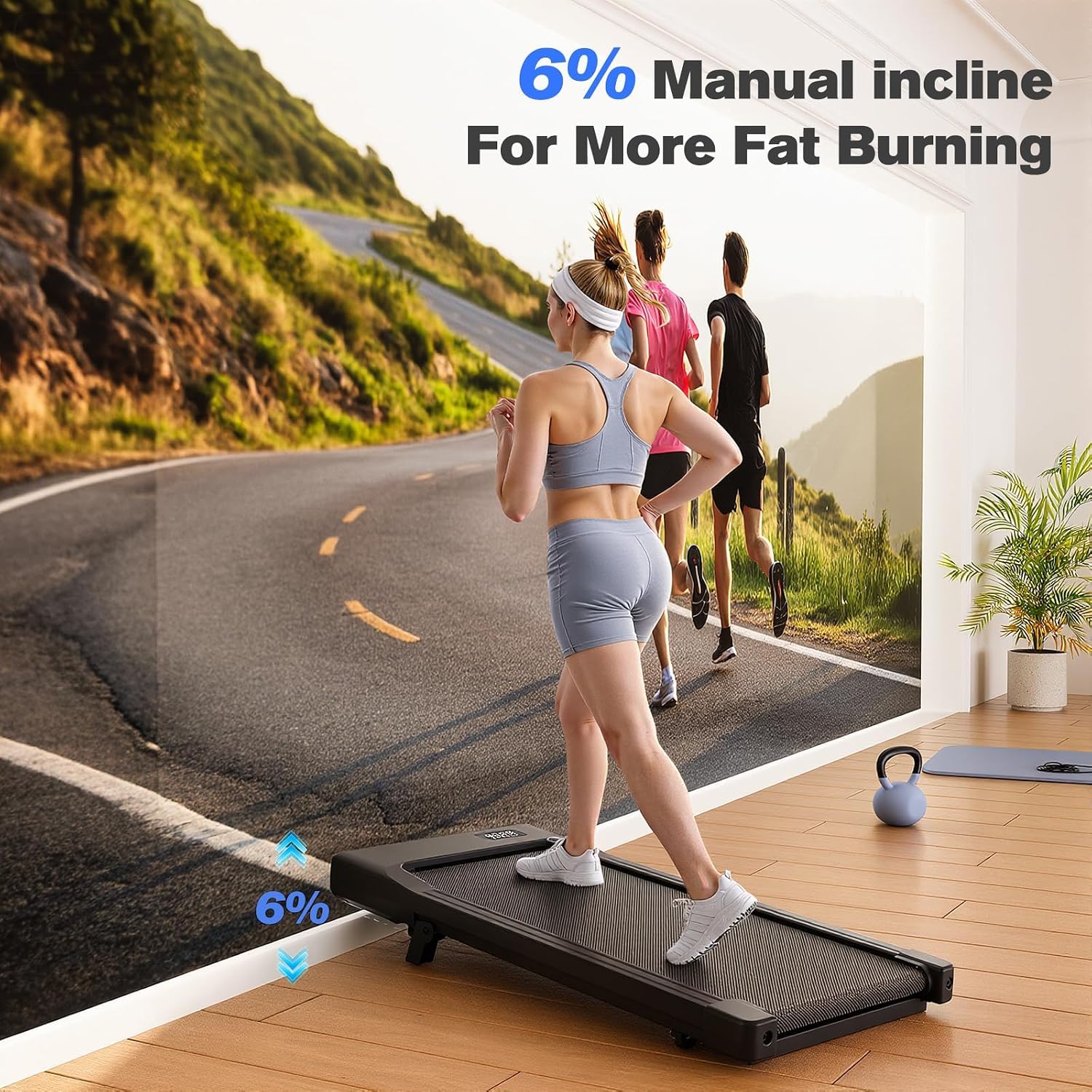
Image: The Lacuffy Walking Pad featuring a 6% manual incline, designed to enhance calorie expenditure during workouts.

Image: Illustration of the walking pad's three operational modes: Walking (1.6-2.6 MPH), Working (0.6-1.6 MPH), and Running (2.6-3.8 MPH).
4. Setup
The Lacuffy Walking Pad BA09 arrives fully assembled and ready for use. Follow these steps for initial setup:
- Unpack: Carefully remove the walking pad from its packaging. Retain packaging for potential future transport or returns.
- Placement: Place the walking pad on a firm, level surface. Ensure adequate clearance around the unit as described in the Safety Information section.
- Power Connection: Connect the power cord to the walking pad's power inlet, then plug the other end into a grounded electrical outlet.
- Incline Adjustment: The BA09 features a 6% manual incline. To activate the incline, locate the adjustable feet at the rear of the walking pad. Extend these feet to raise the rear of the unit, creating the 6% incline. Ensure both feet are securely extended and locked into position. To return to a flat surface, retract the feet.
- Remote Control Setup: Open the battery compartment on the remote control and insert the required batteries (typically 2x AAA, not always included). Ensure correct polarity.
- APP Download (Optional but Recommended): Download the "PitPat" Smart APP from your device's app store (Apple App Store or Google Play Store). This APP is required for activation and enhanced tracking features.

Image: A person easily moving the Lacuffy Walking Pad using its transport wheels and storing it under a sofa or vertically against a wall.
5. Operating Instructions
Powering On/Off:
- To power on, ensure the walking pad is plugged in and flip the main power switch (usually located near the power cord inlet) to the 'ON' position. The LED display will illuminate.
- To power off, press the 'STOP' button on the remote control until the belt stops, then flip the main power switch to the 'OFF' position. Unplug the unit from the wall outlet.
Using the Remote Control:
- START/STOP: Press to start or stop the walking pad. The belt will typically start at a low speed and gradually increase.
- SPEED +/-: Use these buttons to increase or decrease the belt speed. The speed range is 0.6 MPH to 3.8 MPH.
Using the PitPat Smart APP:
The PitPat APP enhances your workout experience by providing detailed tracking and control. Note: The walking pad requires PitPat APP activation for initial use.
- Connect: Ensure Bluetooth is enabled on your smartphone. Open the PitPat APP and follow the on-screen instructions to connect to your Lacuffy Walking Pad BA09.
- Activation: The APP will guide you through the initial activation process. This is a one-time step.
- Control: Once connected, you can use the APP to start/stop the walking pad, adjust speed, and monitor your workout data (calories burned, speed, time, distance).
- Tracking: The APP records your fitness data, allowing you to track progress over time.
LED Display:
The integrated LED display shows real-time workout metrics:
- TIME: Duration of your workout.
- SPEED: Current belt speed in MPH.
- DISTANCE: Total distance covered during the workout.
- CALORIES: Estimated calories burned.

Image: The Lacuffy Walking Pad shown with a smartphone displaying the PitPat Smart APP interface, highlighting its compatibility and tracking features.
6. Maintenance
Regular maintenance ensures the longevity and optimal performance of your Lacuffy Walking Pad.
Cleaning:
- Always unplug the walking pad before cleaning.
- Wipe down the walking pad's surface with a soft, damp cloth. Avoid abrasive cleaners or solvents.
- Do not spray water directly onto the walking pad.
Lubrication:
The running belt requires periodic lubrication to reduce friction and extend its lifespan. Use the provided silicone oil.
- Unplug the walking pad.
- Loosen the belt tension by turning the rear roller bolts counter-clockwise (if applicable, refer to specific diagrams in a full manual).
- Lift the edge of the running belt and apply a small amount of silicone oil evenly to the center of the deck, underneath the belt.
- Tighten the belt tension (if loosened) and plug in the walking pad.
- Run the walking pad at a low speed (e.g., 1 MPH) for 2-3 minutes to distribute the lubricant.
- Frequency: Lubricate every 3-6 months, or after every 100 hours of use, depending on usage.
Belt Adjustment:
If the running belt shifts to one side or slips, it may need adjustment.
- Centering: If the belt drifts to the left, turn the left rear roller bolt clockwise a quarter turn. If it drifts to the right, turn the right rear roller bolt clockwise a quarter turn. Run the walking pad at a low speed and observe. Repeat small adjustments until the belt is centered.
- Tensioning: If the belt slips during use, it may be too loose. Turn both rear roller bolts clockwise a quarter turn simultaneously. Test the belt. Repeat small adjustments until slipping stops, but do not overtighten.
Storage:
When not in use, unplug the walking pad. Utilize the built-in transport wheels to move it. It can be stored flat under furniture or vertically against a wall to save space.

Image: Close-up view of the Lacuffy Walking Pad's 5-layer non-slip running belt, illustrating its construction for comfort and safety.
7. Troubleshooting
If you encounter issues with your Lacuffy Walking Pad, refer to the following common problems and solutions:
| Problem | Possible Cause | Solution |
|---|---|---|
| Walking pad does not power on. | Not plugged in; Power switch off; Blown fuse/tripped breaker. | Ensure power cord is securely plugged into a grounded outlet. Check if the main power switch is ON. Check household circuit breaker. |
| Belt does not move or slips. | Belt too loose; Motor issue; Overload. | Adjust belt tension as described in the Maintenance section. Ensure user weight is within capacity. If problem persists, contact customer support. |
| Remote control not working. | Dead batteries; Remote not paired. | Replace batteries. Ensure remote is pointed at the walking pad's receiver. If pairing is required, refer to the APP instructions or contact support. |
| PitPat APP cannot connect. | Bluetooth off; APP not updated; Walking pad not powered on. | Ensure Bluetooth is enabled on your device. Update the PitPat APP to the latest version. Confirm the walking pad is powered on. |
| Unusual noise during operation. | Lack of lubrication; Loose components; Foreign object. | Lubricate the belt. Check for any loose screws or parts. Inspect for foreign objects under the belt. |
If the issue persists after attempting these solutions, please contact Lacuffy Customer Support for assistance.
8. Specifications
| Feature | Specification |
|---|---|
| Model Number | BA09 |
| Product Dimensions (L x W x H) | 108.2D x 49.8W x 10H cm (42.6D x 19.6W x 3.9H inches) |
| Item Weight | 16.6 kg (36.6 lbs) |
| Maximum Weight Recommendation | 136.08 kg (300 lbs) |
| Motor Horsepower | 2.5 HP |
| Speed Range | 0.6 - 3.8 miles per hour (MPH) |
| Maximum Incline Percentage | 6% (Manual) |
| Running Deck Length | 35.43 inches |
| Running Deck Width | 14.96 inches |
| Material Type | Alloy Steel |
| Noise Level | < 45 dB |
| Special Features | Adjustable Speed, Manual Incline, APP Control, Remote Control |
9. Warranty and Support
Lacuffy is committed to providing quality products and customer satisfaction.
- Customer Support: We offer 24/7 customer support to assist you with any questions or issues regarding your walking pad.
- Returns: Enjoy worry-free returns. Please refer to your purchase documentation or the retailer's policy for specific return periods and conditions.
- Warranty: For detailed warranty information, please consult the warranty card included with your product or contact Lacuffy customer service. Warranty terms typically cover manufacturing defects.
For assistance, please visit the official Lacuffy website or contact our support team using the information provided with your purchase.