
Introduction
Welcome to the Monster Sleep Ear200 Wireless In-Ear Headphones user manual. These headphones are designed to provide a comfortable and immersive audio experience, especially for side sleepers, with advanced Active Noise Cancellation (ANC) and Bluetooth 6.0 technology. This manual will guide you through the setup, operation, and maintenance of your device to ensure optimal performance and longevity.
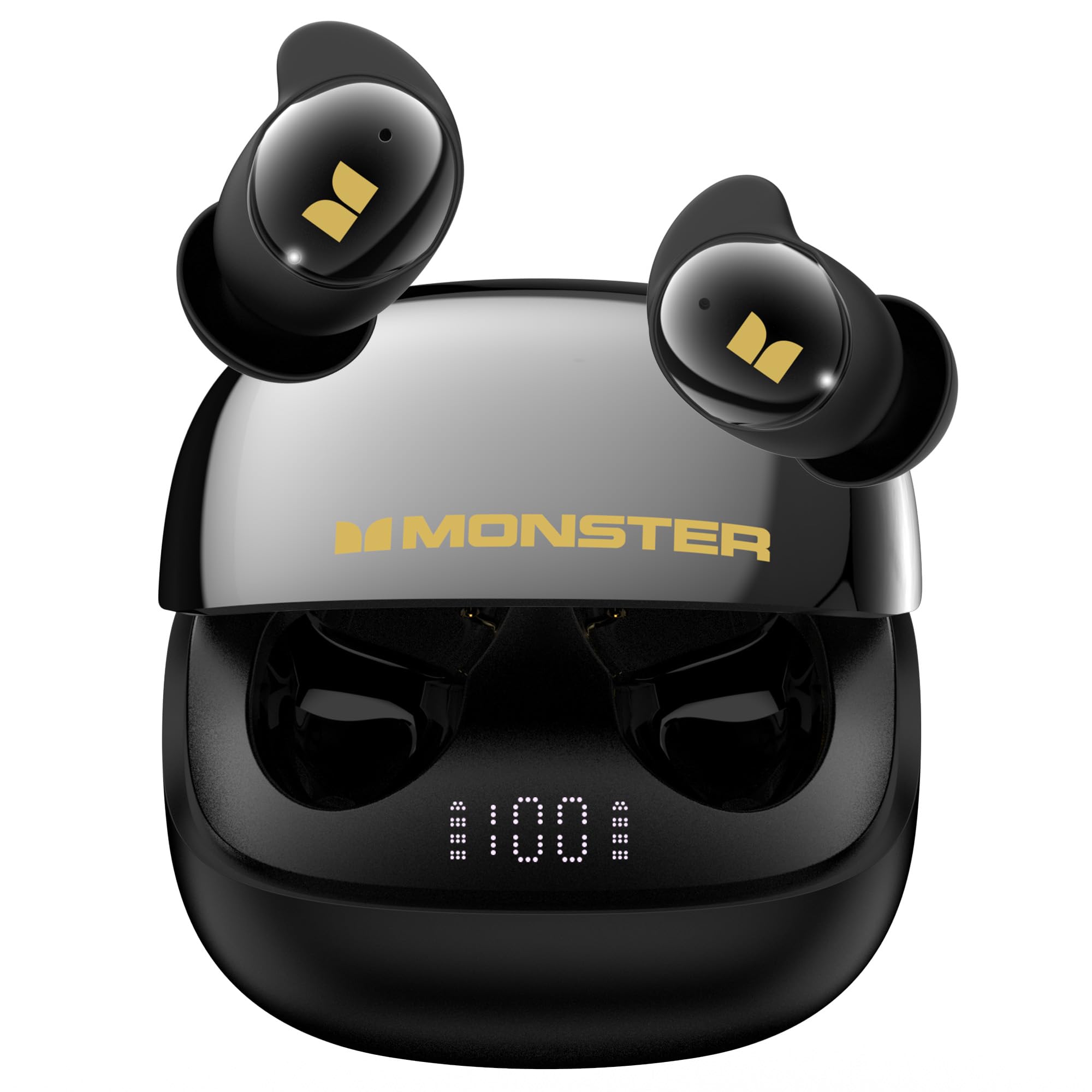
Image: The Monster Sleep Ear200 wireless in-ear headphones with their charging case.
What's in the Box
Upon unboxing your Monster Sleep Ear200 headphones, please ensure all the following items are present:
- Monster Sleep Ear200 Wireless In-Ear Headphones (Left and Right earbuds)
- Charging Case
- User Manual
Setup
1. Charging the Headphones
Before initial use, fully charge your Monster Sleep Ear200 headphones and their charging case.
- Place both earbuds into the charging case.
- Connect the charging case to a power source using a compatible USB cable.
- The digital display on the charging case will indicate the battery level. A full charge takes approximately 1.5 hours.
- Once fully charged, the earbuds provide up to 9 hours of playback, and the charging case extends the total battery life to 30 hours.

Image: The Monster Sleep Ear200 earbuds placed inside their charging case, showing the digital battery display.

Image: An infographic illustrating the 1.5 hours charging time, 9 hours single-earbud playtime, and 30 hours total battery life with the charging case.
2. Bluetooth Pairing
Pair your Monster Sleep Ear200 headphones with your device using Bluetooth 6.0 for a stable and low-latency connection.
- Open the charging case. The earbuds will automatically enter pairing mode.
- On your device (smartphone, tablet, etc.), go to Bluetooth settings and ensure Bluetooth is enabled.
- Search for available devices and select "Monster Sleep Ear200" from the list.
- Once connected, you will hear a confirmation tone, and the earbuds' indicator lights will stop flashing.
3. Wearing the Earbuds
The Monster Sleep Ear200 headphones feature an ergonomic, fully enclosed liquid silicone design for comfortable wear, especially for side sleepers.
- Gently insert each earbud into the corresponding ear canal (L for left, R for right).
- Adjust the earbud until it feels secure and comfortable, forming a good seal for optimal sound and noise cancellation. The thin, invisible design ensures it stays in place without pressing on your ears.

Image: A diagram illustrating the shallow in-ear design of the Monster Sleep Ear200 earbuds and how they fit comfortably with multiple points of fixation, compared to other earbuds that may cause discomfort.
Operating Instructions
Power On/Off
- Power On: Open the charging case, and the earbuds will automatically power on.
- Power Off: Place the earbuds back into the charging case and close the lid. They will automatically power off and begin charging.
Active Noise Cancellation (ANC)
The Monster Sleep Ear200 features an advanced ANC system to block out disruptive noises, achieving noise reduction depths of up to -45dB.
- Activate ANC: The earbuds have a one-button activation for the sleep function, which includes ANC. Refer to the touch control section for specific gestures.
- ANC effectively blocks out snoring, pet movement noise, household appliances, and traffic sounds, promoting restful sleep.

Image: A couple sleeping, with one person wearing Monster Sleep Ear200 headphones, demonstrating the automatic noise reduction feature for snoring to help fall asleep in a comfortable and quiet environment.

Image: An infographic highlighting the 35dB deep noise reduction capability of the Monster Sleep Ear200, indicating that advanced noise cancellation reduces ambient noise by up to 98%.

Image: A collage of images depicting common sleep-disrupting noises such as moving pets, household appliances, and traffic sounds, illustrating how the earbuds effectively block them.
Touch Controls
The Monster Sleep Ear200 headphones utilize touch controls for various functions. Specific gestures are typically detailed in a quick start guide or product packaging. Common touch controls include:
- Single Tap: Play/Pause music, Answer/End call.
- Double Tap: Next track (Right earbud), Previous track (Left earbud).
- Triple Tap: Activate voice assistant.
- Long Press: Toggle ANC/Transparency mode, Reject call.
Note: Refer to the quick start guide included with your product for exact touch control configurations.
Maintenance
Cleaning
Regular cleaning helps maintain sound quality and hygiene.
- Gently wipe the earbuds and charging case with a soft, dry, lint-free cloth.
- Do not use harsh chemicals, cleaning solvents, or strong detergents.
- Remove any earwax or debris from the earbud tips and speaker mesh using a small, clean brush or cotton swab.
Storage
When not in use, store the earbuds in their charging case to protect them and keep them charged.
- Store in a cool, dry place, away from extreme temperatures and direct sunlight.
Water Resistance
The Monster Sleep Ear200 headphones are water resistant. This means they can withstand splashes and sweat, making them suitable for light exercise or use in damp conditions.
- Do not submerge the earbuds in water.
- Avoid exposing them to running water or heavy rain.
- Ensure the earbuds are dry before placing them back in the charging case to prevent damage.

Image: A woman waking up, accompanied by icons representing the sleep function, IPX5 water resistance, and Bluetooth 6.0 connectivity of the Monster Sleep Ear200 headphones.
Troubleshooting
If you encounter any issues with your Monster Sleep Ear200 headphones, refer to the following common solutions:
| Problem | Solution |
|---|---|
| No Sound |
|
| Earbuds Not Pairing |
|
| ANC Not Working Effectively |
|
| Charging Issues |
|
Specifications
Key technical specifications for the Monster Sleep Ear200 Wireless In-Ear Headphones:
- Brand: Monster
- Model Number: w67
- Ear Placement: In Ear
- Form Factor: In Ear
- Noise Control: Active Noise Cancellation (up to -45dB)
- Connectivity Technology: Bluetooth 6.0
- Bluetooth Range: 10 Meters
- Control Method: Touch
- Frequency Range: 20Hz - 20,000Hz
- Audio Driver Type: Dynamic Driver
- Battery Life (Earbuds): 9 hours
- Total Battery Life (with Charging Case): 30 hours
- Charging Time: 1.5 hours (for full charge)
- Water Resistance Level: Water Resistant (IPX5)
- Enclosure Material: Silicone
- Specific Uses: Sleep
Warranty Information
The Monster Sleep Ear200 Wireless In-Ear Headphones come with a 1 Year Manufacturer Warranty. This warranty covers defects in materials and workmanship under normal use. Please retain your proof of purchase for warranty claims. For specific terms and conditions, refer to the warranty card included with your product or contact Monster customer support.
Customer Support
At Monster, customer satisfaction is a priority. If you have any inquiries, feedback, or require assistance with your Monster Sleep Ear200 headphones, please do not hesitate to reach out to our professional customer service team.
Contact Information:
- Refer to the contact details provided in your product packaging or on the official Monster website.
- For online inquiries, visit the Monster Store on Amazon.


