
1. Introduction
Thank you for choosing the AMAZTIM T3 Ultra Smart Watch. This device combines a robust military-grade design with advanced smart features, including a 1.85-inch ultra-large HD display, extended battery life, Bluetooth calling, 24/7 health monitoring, and over 100 sports modes. This manual provides essential information for setting up, operating, and maintaining your smart watch to ensure optimal performance and longevity.
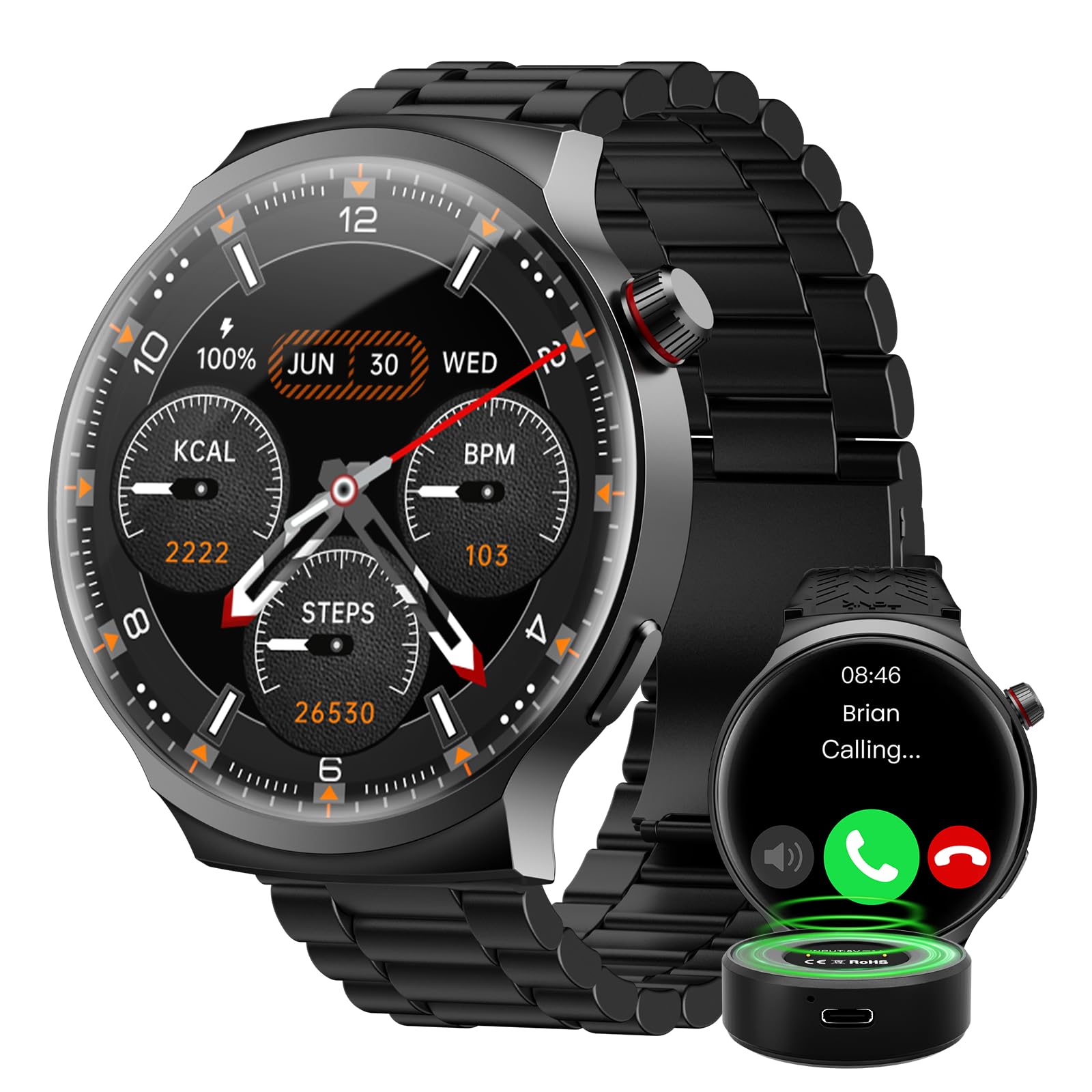
The AMAZTIM T3 Ultra Smart Watch, featuring its large display and rugged design.
2. What's Included
Upon opening your AMAZTIM T3 Ultra Smart Watch package, please verify that all the following items are present:
- AMAZTIM T3 Ultra Smart Watch
- Charging Case (1000mAh)
- Charging Cable (USB)
- User Manual (this document)
- Additional Watch Straps (if applicable to your model)

Image showing the smart watch, charging cable, charging case, and additional straps included in the package.
3. Setup
3.1. Charging the Device
Before initial use, fully charge your AMAZTIM T3 Ultra Smart Watch.
- Connect the charging cable to the charging case.
- Place the smart watch onto the charging case, ensuring the magnetic contacts align correctly.
- Connect the USB end of the charging cable to a compatible USB power adapter (5V/1A recommended) or a computer's USB port.
- The watch display will indicate charging status. A full charge typically takes approximately 2-3 hours.
The watch features an 800mAh battery, and the portable charging case has an additional 1000mAh capacity, providing extended usage.

The smart watch being charged by its portable charging case, illustrating the battery capacity.
3.2. Pairing with Your Smartphone
To unlock all features, pair your smart watch with the companion app on your iOS or Android device.
- Download the official AMAZTIM companion app from the App Store (iOS) or Google Play Store (Android).
- Ensure Bluetooth is enabled on your smartphone.
- Open the AMAZTIM app and follow the on-screen instructions to create an account or log in.
- In the app, navigate to "Add Device" or "Pair New Device" and select your AMAZTIM T3 Ultra from the list of available devices.
- Confirm the pairing request on both your watch and smartphone.
- Once paired, the app will guide you through initial settings and synchronization.
4. Operating Instructions
4.1. Basic Navigation
- Swipe Up/Down: Scroll through menus and notifications.
- Swipe Left/Right: Access quick widgets or different watch faces.
- Tap: Select an item or confirm an action.
- Press Side Button: Return to the home screen or access the app list.

The 1.85-inch ultra-large HD display provides clear visibility for all functions.
4.2. Making and Answering Calls
Once paired via Bluetooth, you can make and answer calls directly from your watch.
- To Answer: When a call comes in, tap the green phone icon on the watch screen.
- To Make a Call: Access the phone function from the app list, then use the dial pad or select a contact to initiate a call.

The smart watch displaying options for answering calls and interacting with the AI Voice Assistant.
4.3. AI Voice Assistant
The built-in AI Voice Assistant allows for hands-free control and information retrieval.
- Activate the voice assistant by tapping its icon or using a designated gesture (refer to app settings for customization).
- Speak your commands clearly, such as "What's the weather today?", "Play music," or "Call John."
4.4. Health Monitoring
The watch continuously monitors various health metrics.
- Heart Rate: Provides 24-hour heart rate tracking. View real-time data on the watch or detailed trends in the app.
- Blood Oxygen (SpO2): Measure your blood oxygen levels on demand.
- Sleep Monitor: Tracks your sleep patterns, including deep sleep, light sleep, and wake times.
- Pedometer: Counts your steps and estimates calories burned throughout the day.

The watch interface showing real-time health data, including heart rate, SpO2, and blood pressure.
4.5. Sports Modes
With over 100 sports modes, the watch accurately tracks your workout data.
- Navigate to the "Workout" or "Sports" section on your watch.
- Select your desired activity (e.g., running, cycling, swimming).
- The watch will record duration, distance, calories burned, and heart rate during your exercise.
- Review detailed workout summaries in the companion app.

A visual representation of the watch's sports tracking capabilities, showing different activity icons and workout metrics.
4.6. Notifications
Receive notifications from your smartphone directly on your watch.
- Ensure notification permissions are enabled in both your phone's settings and the AMAZTIM app.
- Swipe down from the watch face to view recent notifications.
5. Maintenance
5.1. Cleaning
To maintain the appearance and functionality of your watch:
- Wipe the watch screen and body with a soft, lint-free cloth.
- For stubborn dirt, slightly dampen the cloth with water. Avoid harsh chemicals or abrasive materials.
- Regularly clean the charging contacts on the back of the watch to ensure proper charging.
5.2. Water Resistance
The AMAZTIM T3 Ultra Smart Watch is designed with military-grade materials and features IP68 water resistance, making it suitable for swimming and exposure to rain.
- It can withstand submersion up to 50 meters.
- Avoid using the watch in hot water, saunas, or steam rooms, as this can compromise the water seal.
- After exposure to saltwater, rinse the watch with fresh water and dry thoroughly.

The smart watch is shown resisting water, highlighting its IP68 waterproof rating.
6. Troubleshooting
| Issue | Possible Solution |
|---|---|
| Watch not turning on | Ensure the watch is fully charged. Press and hold the power button for several seconds. |
| Cannot pair with phone |
|
| Inaccurate health data |
|
| Notifications not received |
|
| Short battery life |
|
7. Specifications
| Feature | Detail |
|---|---|
| Brand | AMAZTIM |
| Model Number | T3 Ultra |
| Screen Size | 1.85 Inches |
| Resolution | 360 x 360 |
| Operating System | Compatible Android and iOS |
| Connectivity Technology | Bluetooth |
| Battery Capacity | 1000 Milliamp Hours (Charging Case) + 800mAh (Watch) |
| Special Features | Activity Tracker, Heart Rate Monitor, Sleep Monitor, Voice Assistant, Bluetooth Calls, 100+ Sports Modes, Military-Grade Materials, IP68 Water Resistance |
| Memory Storage Capacity | 256 MB |
| Metrics Measured | Heart Rate, Blood Oxygen |
| Band Width | 22 Millimeters |
| Color | Luxury Black |
8. Warranty and Support
8.1. Warranty Information
The AMAZTIM T3 Ultra Smart Watch comes with a standard manufacturer's warranty. Please refer to the warranty card included in your product packaging or visit the official AMAZTIM website for detailed terms and conditions regarding warranty coverage and duration. Keep your proof of purchase for warranty claims.
8.2. Customer Support
If you encounter any issues not covered in this manual or require further assistance, please contact AMAZTIM customer support through the following channels:
- Official Website: Visit the AMAZTIM official website for FAQs, support resources, and contact forms.
- Email Support: Refer to your product packaging or the official website for the customer support email address.
- In-App Support: The AMAZTIM companion app may offer direct support options.
9. Official Product Videos
Watch the official product video for a visual guide to the AMAZTIM T3 Ultra Smart Watch features and operation.
Official video showcasing the AMAZTIM POWER PRO Smart Watch, demonstrating its key functionalities and design.


