
1. Introduction
This manual provides essential information for the safe and efficient use of your CHIQ L32QST 32-inch QLED Google TV. Please read these instructions carefully before operating the device and retain them for future reference.
2. Product Overview
Key Features
- Quantum Dot Color Technology: Offers an exceptionally wide color gamut for vibrant and realistic images. The 10-bit panel ensures smooth color transitions and richer gradients.
- Full HD with HDR10: Enjoy sharp and detailed Full HD resolution on this 32-inch screen. HDR10 technology enhances brightness, contrast, and color accuracy for natural visuals.
- Smart Google TV Experience: Easily access streaming apps like Netflix, YouTube, and Disney+ via the Google TV interface. Integrated WiFi and Bluetooth, and Google Assistant for voice commands.
- Immersive Audio Performance: Dolby Audio and dbx-tv create a captivating sound experience. Dolby Audio ensures clear dialogue and rich sound effects, while dbx-tv enhances bass and spatial audio.
- Connectivity Options: Integrated Chromecast for streaming content from your Android, iOS, or Mac devices. Dual-band WiFi, Bluetooth, and HDMI/USB ports for comprehensive connectivity.
Package Contents
- CHIQ L32QST 32-inch QLED Google TV
- Remote Control
- Power Cable
- Batteries for Remote Control
- TV Stand
- User Manual (this document)
Physical Dimensions
The CHIQ L32QST TV measures approximately 80.5 cm (width) x 50.5 cm (height) x 10.4 cm (depth) without the stand. With the stand, the depth is approximately 19.96 cm. The TV weighs 5.1 kg.

Figure 2.1: CHIQ L32QST TV dimensions and package contents overview.

Figure 2.2: Key features of the CHIQ L32QST TV.
3. Setup
Unpacking
Carefully remove the TV and all accessories from the packaging. Retain the packaging materials for future transport or service needs.
Attaching the Stand
- Place the TV screen-down on a soft, flat surface to prevent damage.
- Align the stand bases with the corresponding slots on the bottom of the TV.
- Secure the stands using the provided screws. Ensure they are firmly attached.
Wall Mounting
The CHIQ L32QST TV supports VESA wall mounts with a pattern of 200x200mm (M6 screws). Consult a professional for wall mounting to ensure safety and proper installation.
Connecting External Devices
The TV offers various ports for connecting external devices:
- HDMI 1.4 (x2): For connecting Blu-ray players, game consoles, set-top boxes, etc.
- USB 2.0 (x1): For connecting USB storage devices to play media.
- RF (x2): For connecting antenna/cable signals.
- LAN (x1): For wired internet connection.
- Earphone (x1): For connecting headphones.
- CI+ 1.4 (x1): For Common Interface module.
- AV Mini (x1): For connecting older analog devices.
- Optical (x1): For digital audio output to soundbars or home theater systems.
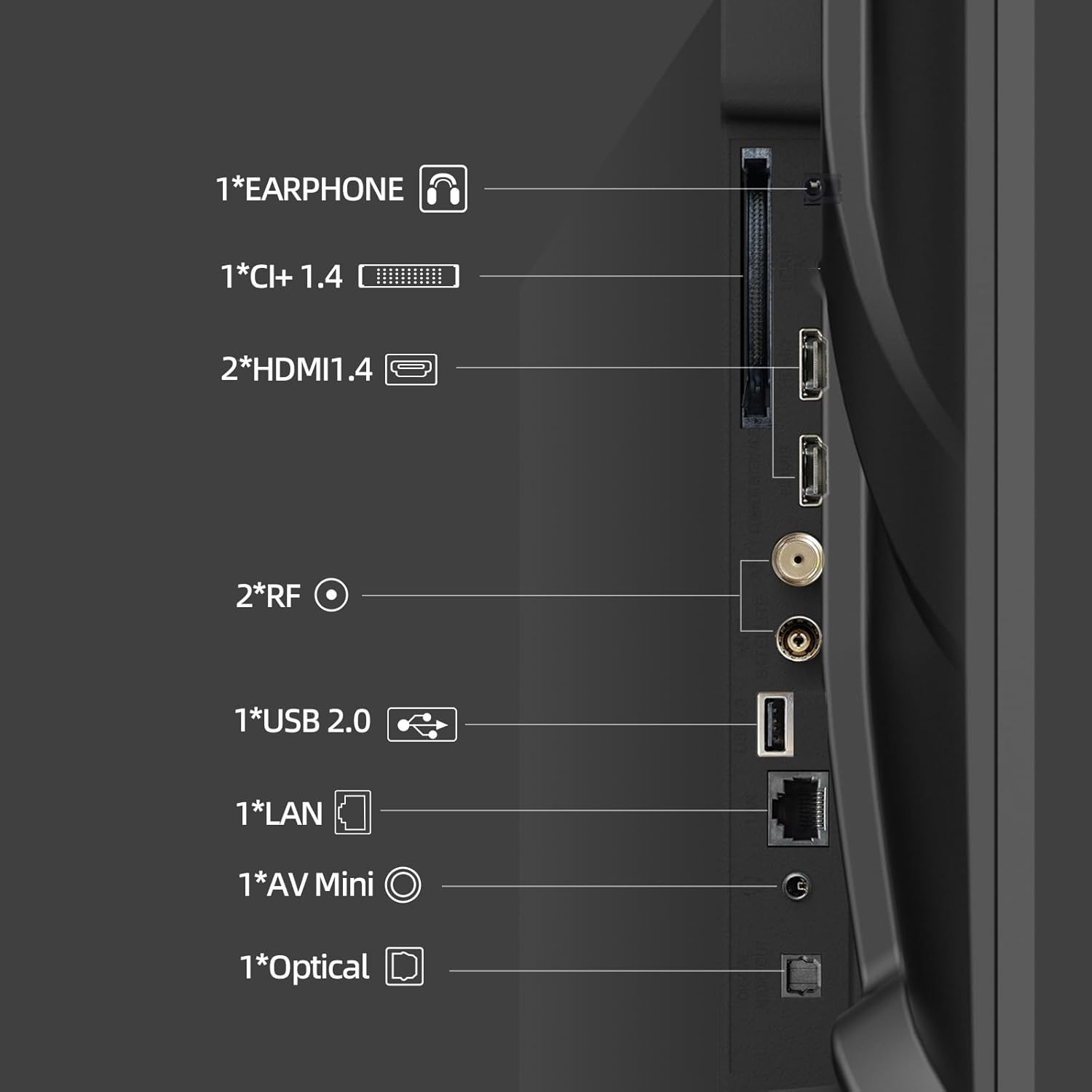
Figure 3.1: Available connectivity ports on the CHIQ L32QST TV.
Initial Power On and Google TV Setup
- Connect the power cable to the TV and a power outlet.
- Press the power button on the remote control or TV.
- Follow the on-screen instructions to complete the initial setup, including language selection, network connection (Wi-Fi or Ethernet), and Google account login.
- The Google TV interface will guide you through installing essential apps and personalizing your viewing experience.
4. Operating the TV
Remote Control
The included Bluetooth remote control provides easy access to all TV functions. It features dedicated buttons for popular streaming services and Google Assistant.

Figure 4.1: Remote control and connectivity options.
Google TV Interface
Google TV organizes your favorite content from various streaming services into a single, personalized home screen. Navigate using the remote's directional pad and select content or apps.

Figure 4.2: Google TV interface for content discovery.
Voice Control (Google Assistant)
Press the Google Assistant button on your remote and speak into the microphone to control your TV, search for content, get answers, and manage smart home devices.
Casting (Chromecast)
The integrated Chromecast allows you to stream videos, games, and apps directly from your Android, iOS, or Mac devices to your TV. Look for the Cast icon within compatible applications.

Figure 4.3: Streaming content via Google Cast.
Bluetooth & Wi-Fi Connectivity
Connect to your home network via dual-band Wi-Fi for internet access and streaming. Use Bluetooth 5.0 to connect wireless headphones, speakers, or other compatible accessories.
5. Audio and Video Features
QLED Technology
The Quantum Dot Color technology delivers a wider color gamut, producing more vibrant, dynamic, and realistic colors compared to standard LED displays. The 10-bit panel ensures smoother color transitions.
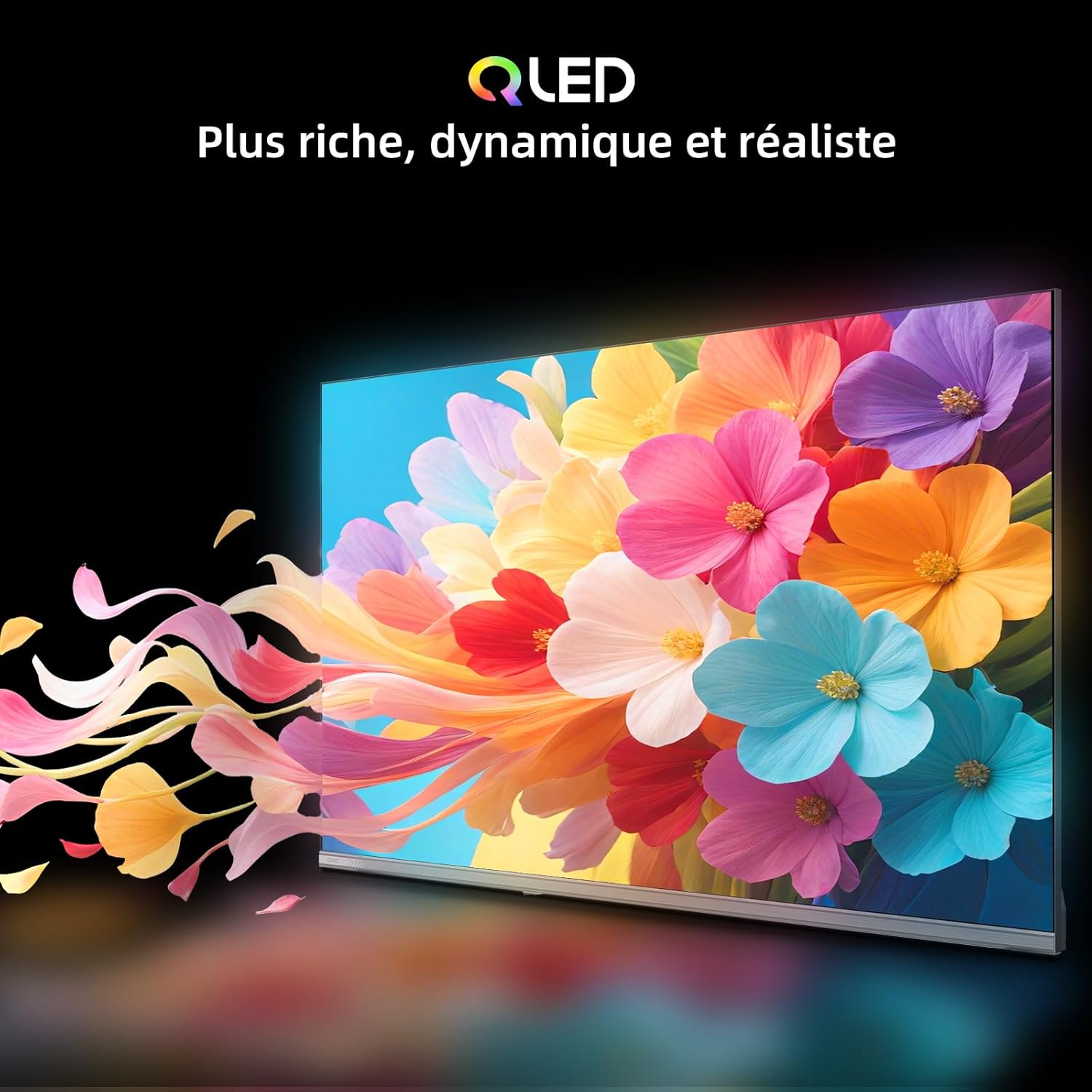
Figure 5.1: QLED technology for richer colors.
Full HD and HDR10
Experience content in crisp Full HD (1920x1080 pixels) resolution, providing sharper images and more precise details. HDR10 support enhances brightness, contrast, and color accuracy, revealing exceptional details in both bright and dark scenes.
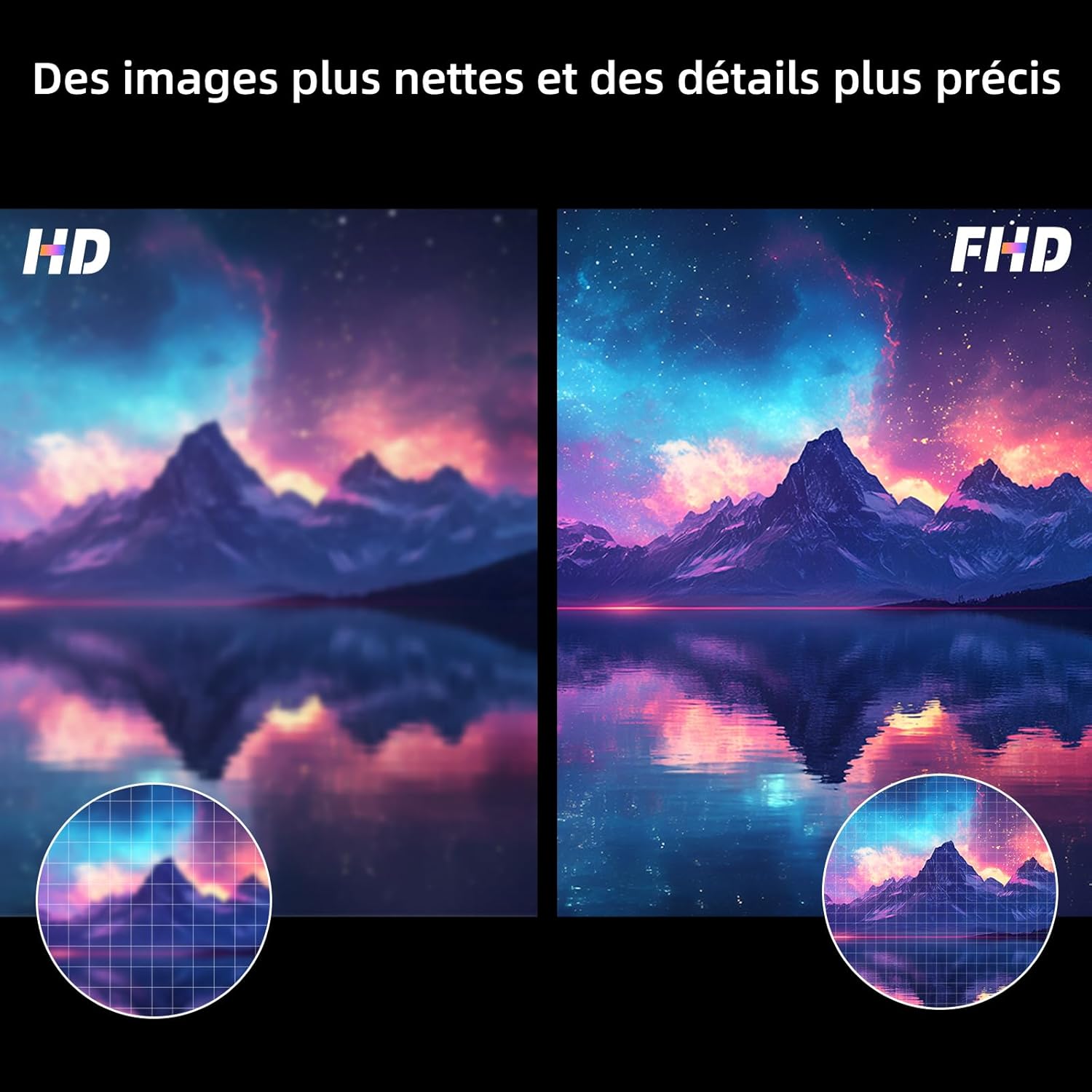
Figure 5.2: Full HD vs. HD resolution comparison.

Figure 5.3: HDR10 for exceptional brightness and shadow details.
Dolby Audio & dbx-tv
The TV integrates Dolby Audio and dbx-tv sound enhancement technologies. Dolby Audio ensures clear dialogue and rich sound effects, while dbx-tv improves bass response and spatial audio for a more immersive listening experience.
6. Maintenance
Cleaning the Screen
Gently wipe the screen with a soft, lint-free cloth. For stubborn marks, lightly dampen the cloth with water or a specialized screen cleaner. Avoid using harsh chemicals or abrasive materials.
Cleaning the Exterior
Wipe the TV's exterior with a soft, dry cloth. Do not use liquid cleaners directly on the TV.
Software Updates
Ensure your TV's software is up to date for optimal performance and security. The TV will typically notify you of available updates, or you can check manually in the settings menu.
7. Troubleshooting
If you encounter issues with your TV, refer to the following common solutions:
- No Power: Check if the power cable is securely connected to both the TV and the power outlet. Ensure the outlet is functional.
- No Picture/Sound: Verify that the correct input source is selected. Check all cable connections (HDMI, antenna, etc.). Restart the TV.
- Remote Control Not Responding: Replace the batteries in the remote. Ensure there are no obstructions between the remote and the TV.
- Network Connection Issues: Restart your router and modem. Reconnect the TV to your Wi-Fi network or check the Ethernet cable connection.
- Picture Quality Issues: Adjust picture settings (brightness, contrast, color). Ensure the content source is of high quality.
For persistent issues, consult the CHIQ support website or contact customer service.
8. Specifications
| Feature | Specification |
|---|---|
| Brand | CHIQ |
| Screen Size | 32 Inches |
| Display Technology | LED (QLED) |
| Resolution | 1920x1080 Pixels (Full HD) |
| Refresh Rate | 60 Hz |
| Special Features | Quantum Dot Color Technology, HDR10, Google TV Intelligent |
| Aspect Ratio | 16:9 |
| Surround Configuration | 2.1 |
| Connectivity Technology | Bluetooth, HDMI, USB, Wi-Fi |
| Number of HDMI Ports | 2 |
| Total Number of USB Ports | 1 |
| Product Dimensions (L x W x H) | 10.4 x 80.5 x 50.5 cm |
| Weight | 5.1 kilograms |
| Item Model Number | L32QST |
| Date First Available on Amazon.fr | 27 January 2026 |
Energy Information

Figure 8.1: EU Energy Label for CHIQ L32QST.
For detailed product information and energy efficiency data, please visit the EPREL database: https://eprel.ec.europa.eu/qr/2422193
9. Warranty and Support
Manufacturer Warranty
This product comes with a 2-year manufacturer warranty. Please retain your proof of purchase for warranty claims.
Customer Support
For technical assistance, troubleshooting, or warranty inquiries, please refer to the official CHIQ website or contact their customer support services. Contact details can typically be found on the manufacturer's website or in the warranty documentation included with your product.


