
1. Introduction
Thank you for choosing the oneisall Pet Air Purifier PP04. This device is designed to improve indoor air quality by effectively removing pet hair, dander, odors, smoke, and dust. It features a multi-stage filtration system, real-time air quality monitoring, and integrated pet-friendly elements. Please read this manual thoroughly before operation to ensure proper use and maintenance.
2. Safety Instructions
To reduce the risk of fire, electric shock, or injury, please observe the following safety precautions:
- Always unplug the air purifier before moving, cleaning, or performing any maintenance.
- Do not operate the unit with a damaged cord or plug. If the cord or plug is damaged, contact customer support.
- Keep the air inlets and outlets clear of obstructions. Do not insert fingers or foreign objects into openings.
- Do not use the air purifier near water or in wet environments.
- This appliance is not intended for use by persons (including children) with reduced physical, sensory, or mental capabilities, or lack of experience and knowledge, unless they have been given supervision or instruction concerning use of the appliance by a person responsible for their safety.
- Ensure the unit is placed on a stable, level surface to prevent tipping. The widened base provides stability.
- This product is FCC, DOE, cNRTLus certified, and complies with CARB and CA65 standards.
3. Package Contents
Verify that all items are present in the package:
- oneisall Pet Air Purifier PP04 (x1)
- H13 HEPA Filter (Pre-installed) (x1)
- Power Adapter (x1)
- Cat Teaser Wand (x1)
- Scratching Boards (Pre-installed) (x2)
- User Manual (x1)
4. Product Overview
The oneisall PP04 Pet Air Purifier combines advanced air purification with pet-friendly features.
Key Features:
- 360° Airflow with I-shaped Inlets: Six air inlets (3 large I-shaped, 3 bottom) ensure comprehensive pet hair capture and clog resistance.
- H13 HEPA 3-Stage Filtration: Includes a washable pre-filter, H13 True HEPA filter, and pet-specific activated carbon filter for effective removal of pet hair, dander, odors, smoke, and dust.
- Real-Time PM2.5 Monitor: Built-in sensor with a four-color indicator (Green: Excellent, Blue: Good, Orange: Moderate, Red: Unhealthy) displays current air quality.
- Auto Mode: Automatically adjusts fan speed based on PM2.5 levels for optimal purification.
- Quiet Operation: Ultra-quiet sleep mode operates at 22-24 dB.
- Integrated Cat Play Station: Features a scratch board, rotating ball, teaser wand, and a cozy top platform for pets.
- Safety Features: Child lock, anti-tip base, and pet-proof power cord.
Components Diagram:
Refer to the images below for a visual guide to the air purifier's components and features.




5. Setup
- Unpack the Unit: Carefully remove the air purifier and all accessories from the packaging.
- Locate the Power Adapter: The power adapter is stored inside the top compartment of the purifier. Gently twist the top section to access and retrieve it.
- Filter Installation: The H13 HEPA filter and scratching boards are pre-installed. Ensure they are securely in place.
- Placement: Place the air purifier on a firm, level surface. Ensure there is at least 6 inches (15 cm) of space around all sides for optimal airflow. Avoid placing it directly against walls or furniture that could obstruct the air inlets or outlets.
- Connect Power: Insert the power adapter into the power port on the unit, then plug the adapter into a standard electrical outlet.
6. Operating Instructions
The control panel is located on the top of the unit. Use the touch controls to operate the air purifier.
Control Panel Functions:
- Power Button: Touch to turn the unit On or Off.
- Fan Speed Button: Cycle through 3 fan speeds (Low, Medium, High).
- Auto Mode Button: Activates Auto Mode. The purifier will automatically adjust fan speed based on real-time PM2.5 levels.
- Sleep Mode Button: Activates Sleep Mode. The fan operates at the lowest speed (22-24 dB), and all indicator lights turn off for undisturbed rest.
- Timer Button: Set the operating timer for 2, 4, or 8 hours. The unit will automatically shut off after the selected time.
- Child Lock Button: Press and hold for 3 seconds to activate/deactivate the child lock, preventing accidental changes to settings.
- PM2.5 Indicator: Displays air quality via color: Green (≤70, Excellent), Blue (71–150, Good), Orange (151–250, Moderate), Red (≥251, Unhealthy).
Pet Play Station:
- Scratching Boards: Located on the sides, these provide a designated area for cats to scratch.
- Rotating Ball: A ball toy is integrated at the base for interactive play.
- Teaser Wand: Attach the included teaser wand to the top for engaging your cat.
- Top Platform: Offers a comfortable perch for cats with gentle airflow.
Official Product Videos:
Video: oneisall: The Air Purifier Cats Prefer, PP04. This video demonstrates the integrated cat play features of the air purifier.
Video: oneisall: SMOKE test, rapid results! PP04 Air Purifier. This video illustrates the rapid air purification capabilities of the PP04.
Video: oneisall: 3-stage H13 Filtration, Washable Pre Filter! This video details the three-stage filtration system, including the washable pre-filter.
Video: Breathe Easy, Wag & Purr, PP04. A general overview video showcasing the benefits of the PP04 air purifier for pet owners.
Video: Air Purifier that Sucks up Pet Hair, PP04. This video highlights the air purifier's effectiveness in capturing pet hair.
7. Maintenance
Regular maintenance ensures optimal performance and extends the lifespan of your air purifier.
Filter Maintenance:
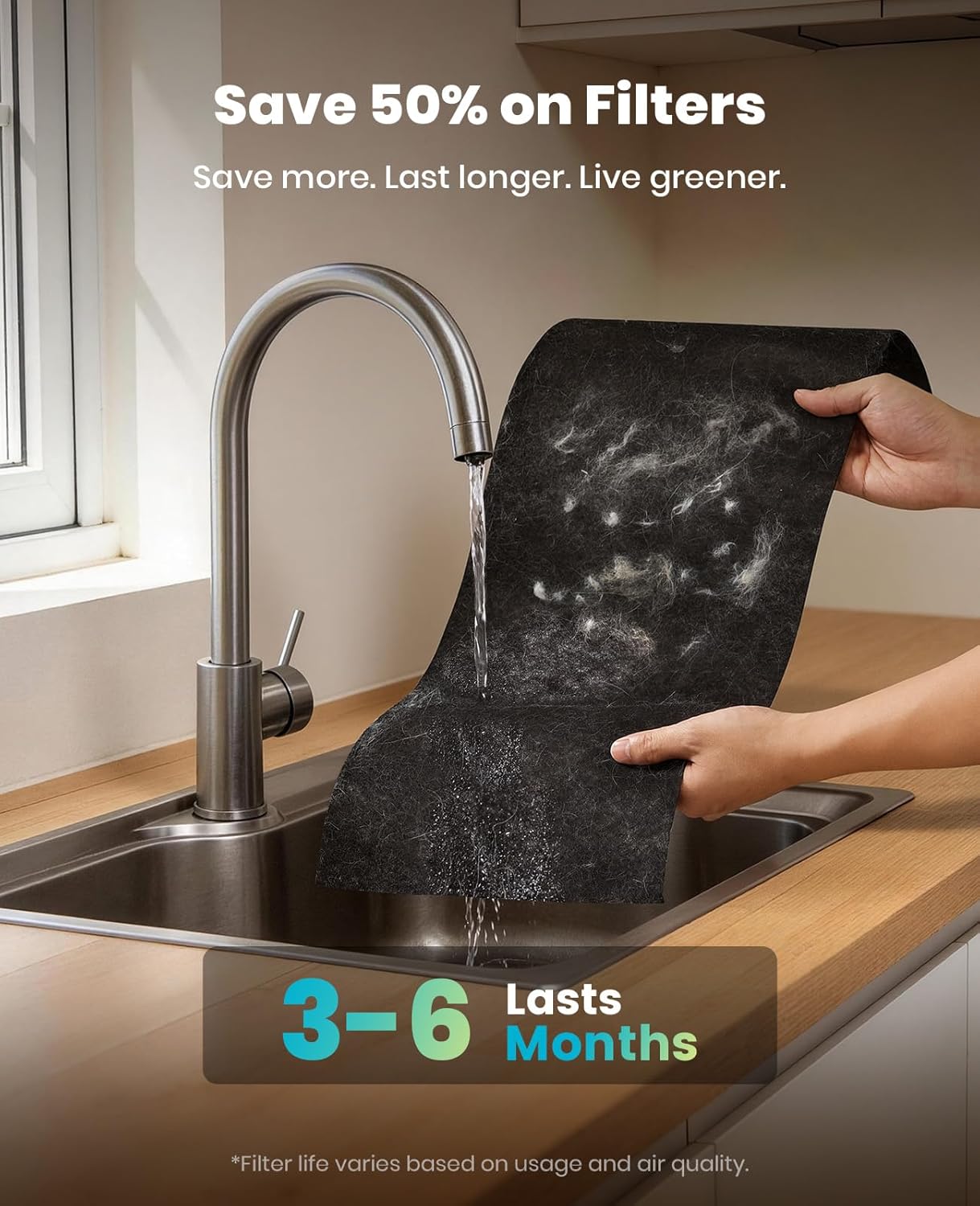
- Washable Pre-filter: The pre-filter can be washed to remove accumulated pet hair and large dust particles. It is recommended to clean it every 3-6 months, depending on usage and air quality.
- Cleaning Steps for Pre-filter:
- Unplug the air purifier.
- Remove the top section and then the filter unit.
- Carefully detach the pre-filter from the H13 HEPA filter.
- Rinse the pre-filter under running water until clean.
- Allow the pre-filter to air dry completely before reassembling. Do not use a dryer or heat.
- H13 HEPA Filter Replacement: The air purifier has a filter replacement reminder. When the indicator lights up, it's time to replace the H13 HEPA filter. The filter typically lasts 6-8 months. Replacement filters can be purchased from the oneisall official store.


Scratching Board Replacement:
The scratching boards are replaceable. When they become worn, new ones can be purchased and easily installed.

8. Troubleshooting
If you encounter issues with your air purifier, refer to the following common problems and solutions:
| Problem | Possible Cause | Solution |
|---|---|---|
| Unit does not turn on. | Power cord not properly connected. Power adapter not found or connected. | Ensure the power adapter is securely plugged into both the unit and the wall outlet. Check inside the top compartment for the power adapter if it was recently unpacked. |
| Poor air purification performance. | Filters are dirty or clogged. Air inlets/outlets are blocked. | Clean the washable pre-filter. Replace the H13 HEPA filter if the indicator is on. Ensure no objects are blocking the air inlets or outlets. |
| Unit is unusually noisy. | Filter not installed correctly. Foreign object inside the unit. | Check that the filter is properly seated. Unplug the unit and inspect for any foreign objects. |
| PM2.5 indicator always red/orange. | High levels of pollutants in the air. Sensor is dirty. | Allow the unit to run longer in Auto Mode. Clean the PM2.5 sensor (refer to maintenance section for sensor cleaning if applicable, or contact support). |
If the problem persists, please contact oneisall customer support.
9. Specifications
| Feature | Detail |
|---|---|
| Model Number | PP04 |
| Product Dimensions | 11.1 x 11.1 x 21.1 inches |
| Item Weight | 8.8 Pounds |
| Power Source | AC |
| Control Method | Touchscreen |
| Filter Type | H13 HEPA Pet-Specific Filter (3-stage) |
| Floor Area Coverage | Up to 3000 Square Feet (CADR 390 m³/h / 230 CFM) |
| Noise Level | 22-24 Decibels (Sleep Mode) |
| Particle Retention Size | 0.3 Micron |
| Wattage | 48 watts |
| Contaminant Filtration | Pet Hair, Dander, Odors, Smoke, Dust, Wildfire particles |
| Special Features | 4-in-1 Cat Play Station, 6 Air Inlets, 360° Surround Suction, Washable Pre-filter, PM2.5 Monitor, Auto Mode, Sleep Mode, Timer, Child Lock |
| Certifications | FCC, DOE, cNRTLus, CARB, CA65 compliant |
10. Warranty and Support
The oneisall Pet Air Purifier PP04 comes with a 2-YEAR RISK-FREE WARRANTY from the manufacturer. This warranty covers defects in materials and workmanship under normal use.
For warranty claims, technical assistance, or any questions regarding your product, please contact the oneisall customer support team. Contact information can typically be found on the official oneisall website or through your purchase platform.