
Introduction
This manual provides detailed instructions for the installation, operation, and maintenance of your LIFEMOI 30W Solar Panel Outdoor Dual Band WiFi Repeater Extender. This device is designed to extend your WiFi network coverage in outdoor environments, utilizing solar power for continuous operation.
The repeater supports both 2.4GHz and 5.8GHz bands, offering high-speed connectivity and broad coverage for various outdoor applications, including yards, farms, and commercial spaces. Please read this manual thoroughly before use to ensure proper setup and optimal performance.
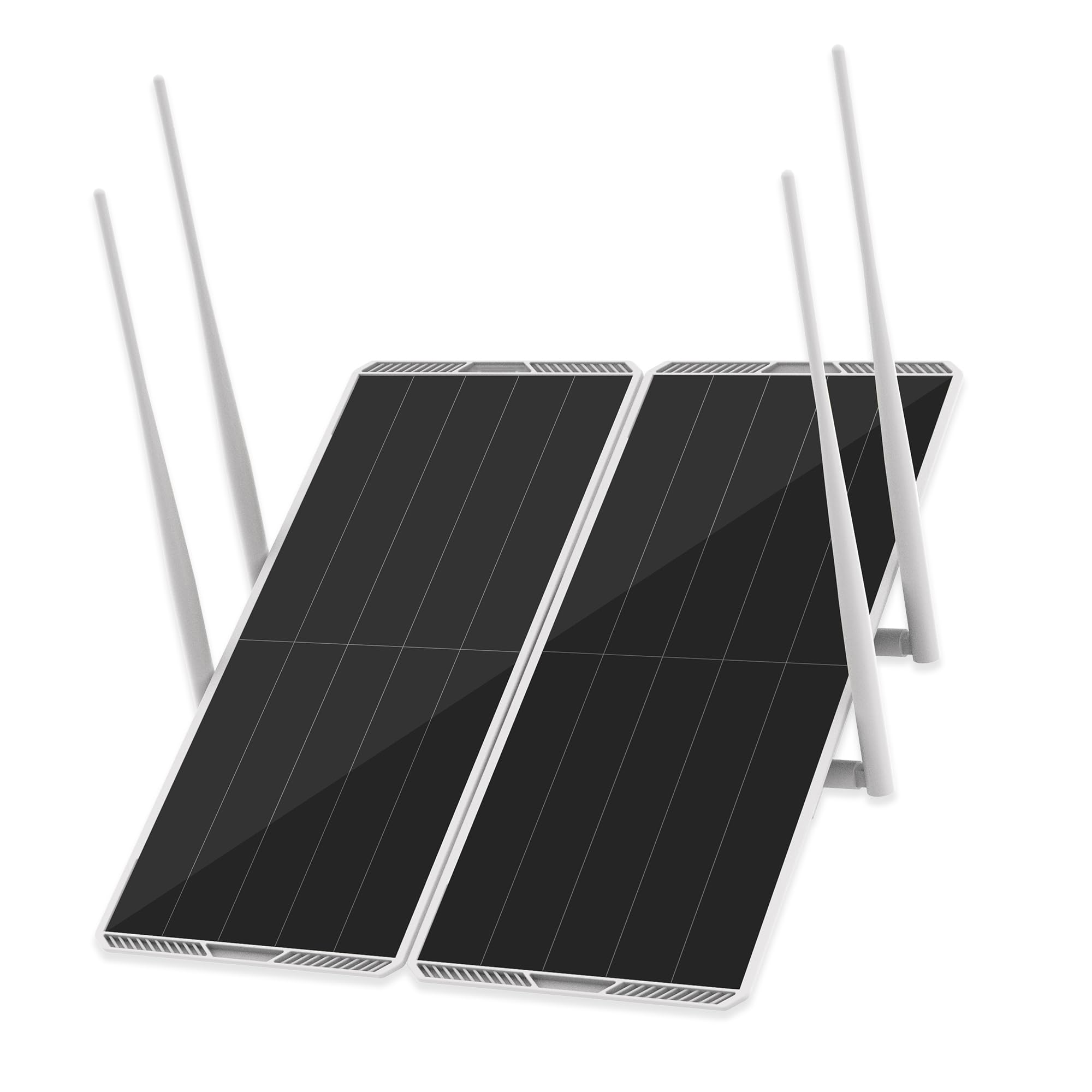
Image: The LIFEMOI 30W Solar Panel Outdoor Dual Band WiFi Repeater Extender.
Product Features
- 30W Solar Powered & 111Wh Battery: Equipped with a 30W high-efficiency solar panel and a built-in 111Wh rechargeable battery (30,000mAh at 3.7V or 15,000mAh at 7.4V). This allows for solar self-charging and extended power supply, ideal for outdoor locations without readily available power outlets.
- 1200Mbps Dual Band 5.8G/2.4G High Speed: Supports dual-band WiFi (5.8GHz and 2.4GHz) with a maximum transmission speed of 1200Mbps and 9dBi antennas. The 5.8GHz band provides fast, low-latency connections for streaming and office work, while the 2.4GHz band offers strong anti-interference and wide coverage for smart outdoor devices. Features an external independent signal amplifier with WiFi 5 technology for enhanced signal stability.
- 300M/984ft Long Range Coverage: Achieves WiFi coverage up to 300 meters (984 feet), effectively eliminating outdoor WiFi dead zones. The signal can penetrate obstacles like walls and vegetation, providing stable network access for large areas. Note: Maximum coverage is achieved under unobstructed, open conditions.
- Supports 100 Devices Simultaneously: A high-performance signal processing chip allows up to 100 devices to connect concurrently without congestion. Compatible with various wireless devices, suitable for family, farm, and commercial use.
- IP65 Weatherproof & Durable Design: Features an IP65 professional waterproof and dustproof rating, ensuring stable operation in harsh outdoor conditions including rain, snow, high temperatures, and dust. The sturdy, anti-fall shell is designed for long-term outdoor installation.
- Custom Development Features: Powered by MTK7628NA2, this device offers a full OpenWrt system, persistent flash storage, root-level SSH access, and an open Linux architecture. This allows for flexible custom configuration and in-depth OpenWrt development for professionals. (Backup original firmware before operation).

Image: The WiFi repeater extending coverage in diverse outdoor settings, including residential, farm, and commercial areas.
Video: An overview of the 30 Watt Solar Panel WiFi Signal Booster, highlighting its features and outdoor application.
Package Contents
Please verify that all items are present in the package:
- 1 x WiFi Repeater Main Unit
- 2 x Solar Panels
- 1 x Rotatable Bracket
- 1 x Screw Package
- 1 x Instruction Manual (English, German, French, Spanish, Italian, Arabic)
Setup Instructions
1. Unpacking and Assembly
- Carefully remove all components from the packaging.
- Attach the two solar panels to the main repeater unit. Ensure a firm connection.
- Screw the antennas onto the designated ports on the main unit.
- Connect the solar panel charging cables to the repeater. Ensure the USB-C connections are fully pressed down for a secure, watertight fit. It is recommended to mount the unit with the USB-C ports facing downwards to prevent moisture accumulation.

Image: The assembled WiFi repeater unit, showing solar panels and antennas.
2. Initial Power On
- Toggle the power switch to the ON position. The green power indicator light will illuminate.
- Wait approximately 60 seconds until the orange WiFi indicator light illuminates. This indicates the device is ready for configuration.

Image: Close-up of the repeater's control panel, showing the power switch, 9V charging port, RST button, and indicator lights.
3. Mounting
- Use the rotatable bracket and screw package to securely mount the repeater in your desired outdoor location.
- For optimal solar charging, position the solar panels to receive maximum direct sunlight throughout the day.
- For best WiFi signal effect, position the repeater at a horizontal or 45° angle relative to your main router.
4. Configuration
To configure the repeater to extend your home WiFi network:
- Ensure your main router network is stable.
- Keep the repeater within 20 meters of your main router during initial setup. The closer the distance, the stronger the signal for pairing. Avoid large obstacles between the router and the repeater.
- On your mobile phone or computer, connect to the repeater's internal WiFi SSID (e.g., "Solar-Repeater-****").
- Once connected, open a web browser and enter the gateway IP address provided by the repeater (commonly 192.168.16.1) into the address bar.
- Log in to the admin console. The default password is often admin. It is highly recommended to change the default password immediately for security.
- Within the admin console, locate the settings to scan for available WiFi networks. Select your home WiFi SSID and enter its password to connect the repeater.
- Save the settings and restart the repeater if prompted. The repeater should now be extending your WiFi network.
Video: A demonstration of the Dual Band 2.4G+5G WiFi Range Extender, including setup and coverage capabilities.
Operating Instructions
Solar Charging and Battery
The integrated solar panels continuously charge the internal 111Wh battery during daylight hours. This allows the repeater to operate autonomously without external power connections. The battery provides power during periods of low sunlight or at night.
If the battery level drops below 9%, an E1 error may be triggered, indicating that charging is required. You can also charge the device via the 9V charging port using a compatible 9V charger (not included).
Dual-Band Operation
The repeater broadcasts both 2.4GHz and 5.8GHz WiFi networks. You can connect your devices to either band depending on your needs:
- 2.4GHz: Offers wider coverage and better penetration through obstacles. Ideal for devices further away or for general browsing and smart outdoor devices.
- 5.8GHz: Provides faster speeds and lower latency. Best for devices closer to the repeater, suitable for HD streaming, online gaming, and demanding applications.

Image: The WiFi repeater providing extended signal coverage to a poolside area, enabling outdoor internet access.
Maintenance
Weather Protection
The device has an IP65 rating, making it resistant to dust and water jets. However, to ensure longevity, avoid submerging the unit in water or exposing it to extreme weather conditions beyond its operating temperature range (-20°C to +70°C).

Image: Visual representation of the repeater's IP65 waterproof, dustproof, and cold-resistant capabilities.
Cleaning
Periodically clean the solar panels with a soft, damp cloth to remove any accumulated dust or debris. This ensures maximum solar energy absorption. Do not use harsh chemicals or abrasive materials.
Troubleshooting
Device Reset
If the device drops its WiFi connection unexpectedly or malfunctions, you can perform a reset:
- Press and hold the main unit's RST button for 10 seconds.
- Release the button.
- Wait 30 seconds for the repeater to fully reset and restart.
Connection Issues
- Ensure your main router's network is stable.
- During setup, keep the repeater within 20 meters of your router for a strong initial signal.
- Avoid placing large physical obstacles (e.g., thick walls, dense vegetation) directly between the router and the repeater.
- Verify that the repeater is configured with the correct SSID and password for your main WiFi network.
Charging Issues
- Ensure solar panels are clean and positioned for maximum sunlight exposure.
- If charging via the 9V port, use a compatible 9V charger. The device may not charge with a standard 5V 2A charger.
- If an E1 error appears, the battery level is critically low and requires immediate charging.
Admin Console Access
If you cannot access the configuration page, ensure you are connected to the repeater's WiFi network and are using the correct gateway IP address (e.g., 192.168.16.1) in your browser.
Specifications
| Feature | Specification |
|---|---|
| Brand | LIFEMOI |
| Model Number | LIFEMOI-30W |
| Material | Monocrystalline Silicon |
| Item Weight | 4.8 pounds |
| Maximum Power | 30 watts (Solar Panel) |
| Battery Capacity | 111Wh (30,000mAh at 3.7V or 15,000mAh at 7.4V) |
| WiFi Bands | Dual Band 2.4GHz / 5.8GHz |
| Max Transmission Speed | 1200Mbps |
| Antenna Gain | 9dBi |
| Max Coverage | 300 meters / 984 feet (unobstructed) |
| Device Support | Up to 100 devices simultaneously |
| Weatherproof Rating | IP65 |
| Operating Temperature | -20°C to +70°C |
Warranty Information
LIFEMOI provides warranty service for this product within 12 months from the date of purchase. Please retain your proof of purchase for warranty claims. The warranty covers manufacturing defects and malfunctions under normal use conditions.
For warranty service or inquiries, please contact LIFEMOI customer support.
Customer Support
If you encounter any issues or have questions not covered in this manual, please contact our customer support team. For the most up-to-date contact information, please refer to the official LIFEMOI website or your purchase documentation.
We are committed to providing reliable support to ensure your satisfaction with the LIFEMOI 30W Solar Panel Outdoor Dual Band WiFi Repeater Extender.