
1. Introduction
This manual provides essential information for the safe and efficient operation of your ZAQE P30 HiFi MP3 Player. Please read this manual thoroughly before using the device and retain it for future reference.
2. Safety Information
- Do not expose the device to extreme temperatures, direct sunlight, or high humidity.
- Avoid dropping or subjecting the device to strong impacts.
- Do not attempt to disassemble or modify the device. This will void the warranty.
- Use only the provided USB cable for charging.
- Listening at high volume levels for extended periods can cause permanent hearing damage.
3. Package Contents
Verify that all items are present in the package:
- ZAQE P30 HiFi MP3 Player
- MP3 Protective Case
- 64GB SD Card
- USB Cable
- User Manual (this document)
- Retail Box

Image: Contents of the ZAQE P30 package, showing the player, protective case, 64GB SD card, USB cable, and user manual.
4. Product Overview
4.1 Device Layout
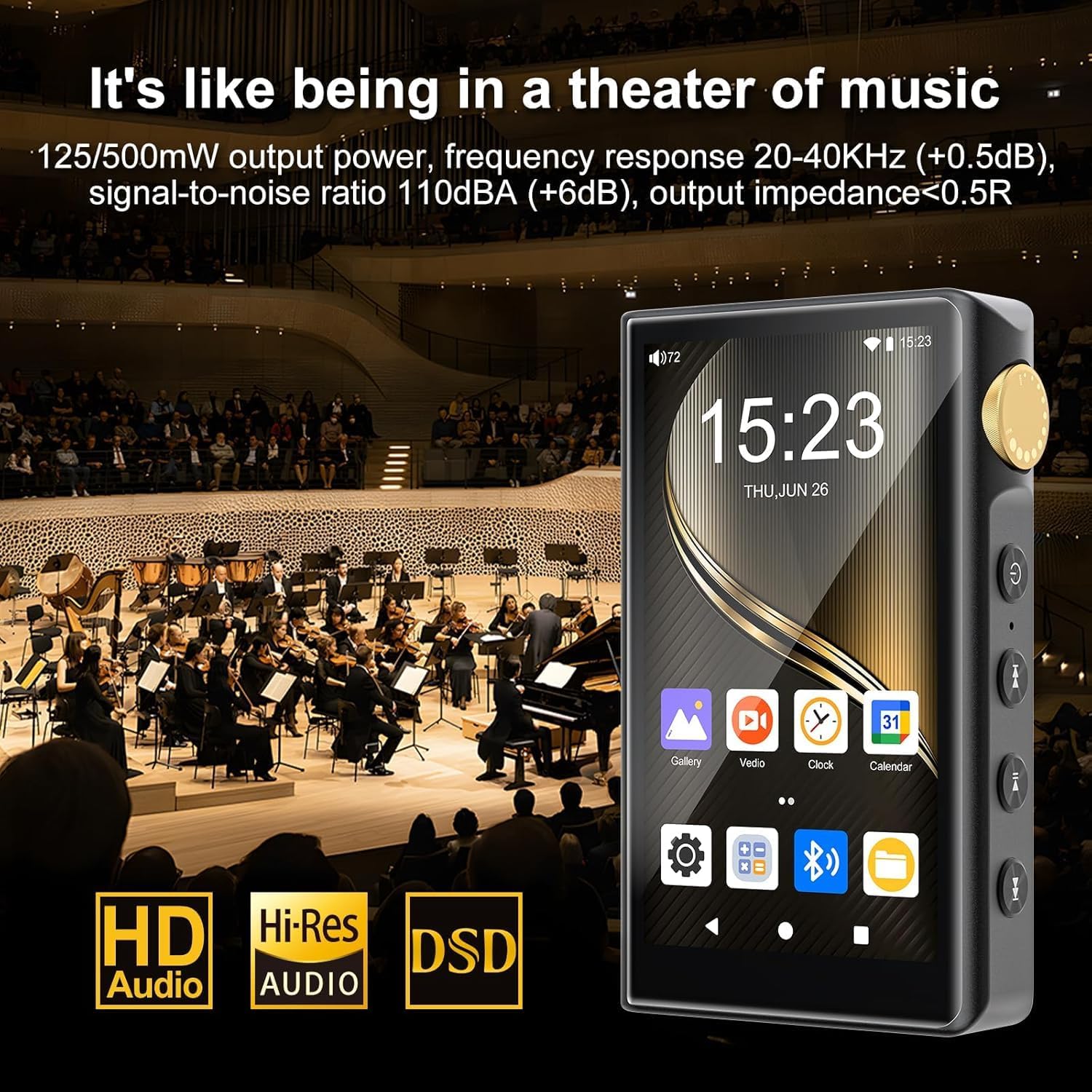
Image: Front view of the ZAQE P30 player, displaying the touchscreen interface and physical buttons on the side.
The ZAQE P30 features a 3.4-inch color touchscreen display and physical buttons for navigation and control. A gold-colored rotary knob on the side allows for volume adjustment.
4.2 Audio Outputs
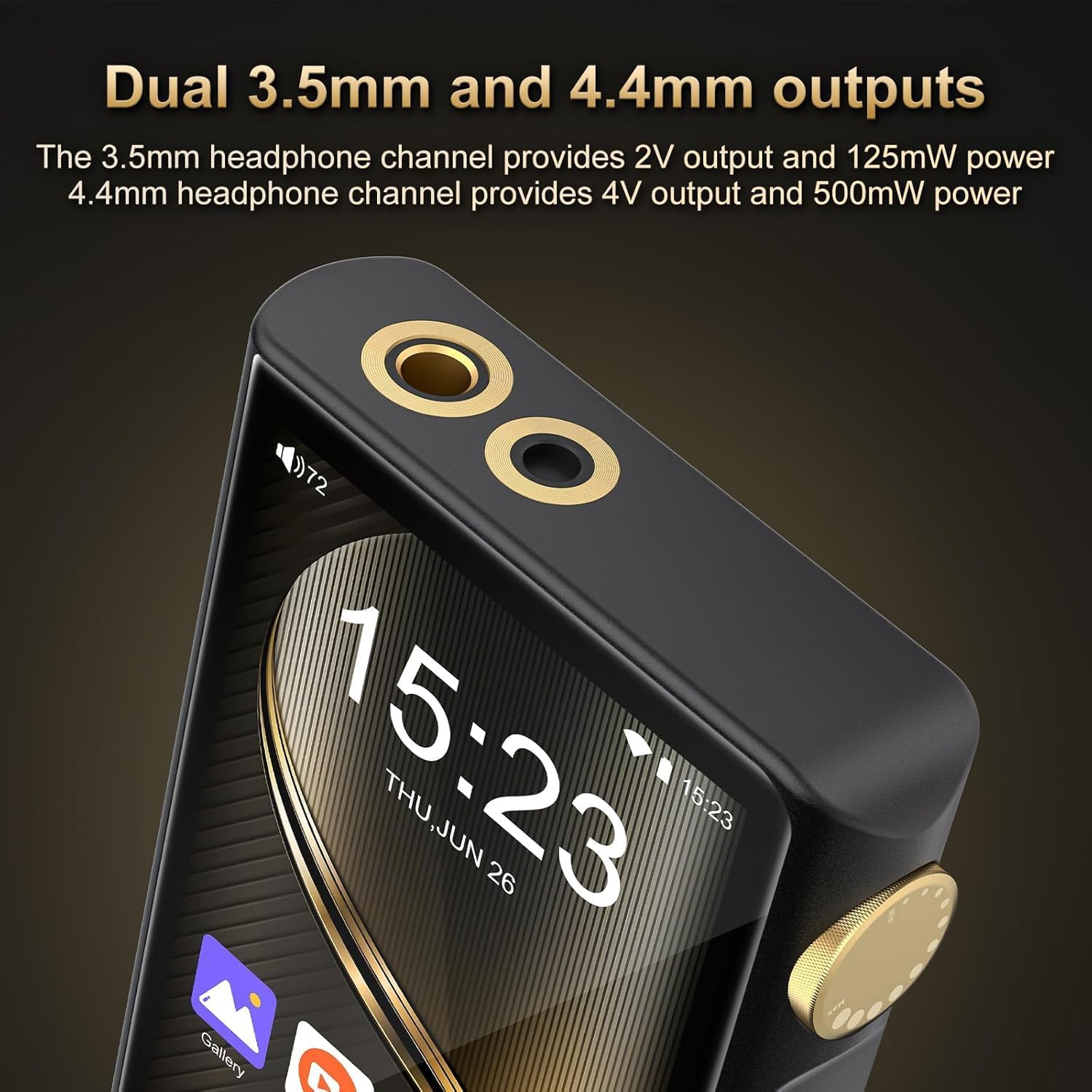
Image: Top view of the ZAQE P30, highlighting the 3.5mm and 4.4mm headphone output jacks.
The device is equipped with dual headphone outputs: a 3.5mm unbalanced output and a 4.4mm balanced output for enhanced audio performance.
4.3 Key Features
- Operating System: Android 12 with an octa-core processor for smooth operation.
- High-Resolution Audio: Features ESS9018Q2M2 DAC and OPA16122 + RT6863D*2 AMP for native DSD playback and support for various lossless formats.
- Wireless Connectivity: Bluetooth 5.0 (supports LDAC, SBC, AAC) and dual-band Wi-Fi (2.4GHz/5GHz).
- Storage: 32GB internal memory, expandable up to 512GB via Micro SD card.
- Battery: 2500mAh high-capacity battery for extended playback.

Image: The ZAQE P30 screen showing the Android 12 operating system interface.

Image: Diagram illustrating the DAC (ESS9018Q2M) and AMP (MAX97720) technology within the ZAQE P30.

Image: Visual representation of the ZAQE P30's storage capabilities, including 4GB RAM, 32GB ROM, and support for up to 512GB external storage via an SD card.
5. Setup
5.1 Charging the Device
Connect the provided USB cable to the player's USB-C port and the other end to a compatible USB power adapter (not included) or a computer's USB port. The battery indicator on the screen will show charging status. A full charge typically takes several hours.
5.2 Power On/Off
- To Power On: Press and hold the Power button (usually located on the side) until the screen lights up.
- To Power Off: Press and hold the Power button, then select 'Power off' from the on-screen options.
- To Restart: Press and hold the Power button, then select 'Restart' from the on-screen options.
5.3 Inserting a Micro SD Card
Locate the Micro SD card slot on the side of the player. Gently insert the Micro SD card (gold contacts facing down) into the slot until it clicks into place. To remove, push the card in slightly until it springs out.
5.4 Connecting to Wi-Fi
- From the home screen, navigate to Settings.
- Select Network & Internet.
- Toggle Wi-Fi to 'On'.
- Select your desired Wi-Fi network from the list.
- Enter the password if prompted and tap Connect.
5.5 Bluetooth Pairing
- Ensure your Bluetooth headphones or speaker are in pairing mode.
- On the ZAQE P30, go to Settings > Connected devices > Bluetooth.
- Toggle Bluetooth to 'On'.
- Tap Pair new device.
- Select your device from the list of available devices to pair.
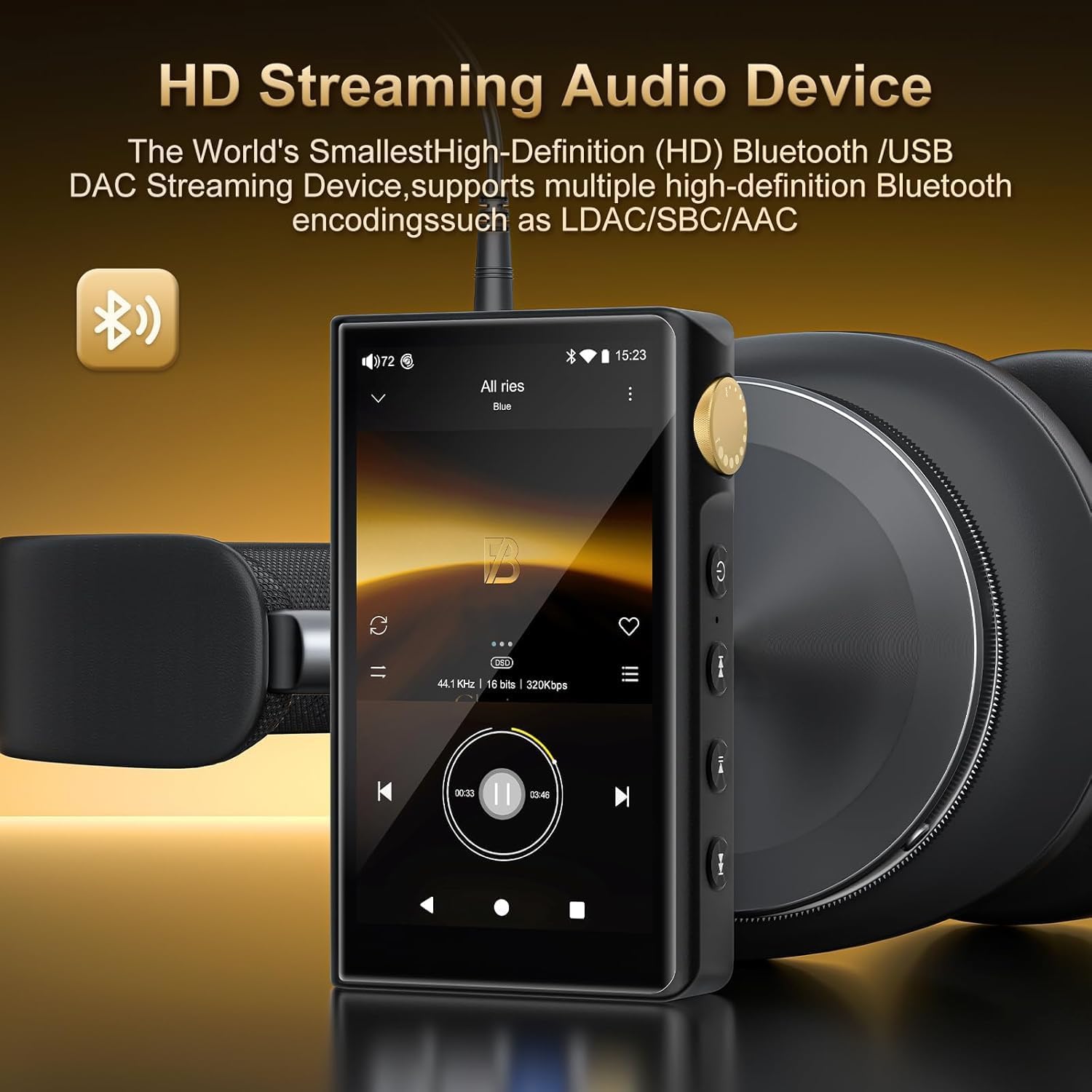
Image: The ZAQE P30 player wirelessly connected to headphones, showing a music track playing on the screen.
6. Operating Instructions
6.1 Basic Navigation
- Touchscreen: Tap to select, swipe to scroll, pinch to zoom (where applicable).
- Physical Buttons: Use the side buttons for playback control (play/pause, next/previous track) and the rotary knob for volume adjustment.

Image: The ZAQE P30 highlighting its ergonomic design, including the side-mounted volume knob for easy control and a comfortable grip.
6.2 Music Playback
The ZAQE P30 supports a wide range of audio formats including MP3, WAV, APE, FLAC, DSF, DFF, and ISO. Use the pre-installed music player application to browse and play your audio files.
6.3 Online Streaming
With Wi-Fi connectivity, you can download and use various streaming applications such as Tidal, Qobuz, and Spotify from the pre-installed app store or by sideloading APKs. Ensure a stable internet connection for optimal streaming quality.

Image: The ZAQE P30 screen showing icons for popular online music streaming services, indicating its capability for online playback.
6.4 File Transfer
Connect the ZAQE P30 to your computer using the USB cable. The device will appear as a removable storage device. You can then drag and drop music files to the internal storage or the inserted Micro SD card.
6.5 Volume Control
Rotate the gold knob on the side of the player clockwise to increase volume and counter-clockwise to decrease volume. You can also adjust volume via the on-screen controls.
6.6 Using Headphone Outputs
Plug your headphones into either the 3.5mm (unbalanced) or 4.4mm (balanced) output jack. The 3.5mm output provides 2V output and 125mW power, while the 4.4mm output provides 4V output and 500mW power. Select the appropriate output based on your headphone type and desired audio quality.
7. Maintenance
7.1 Cleaning
Wipe the device with a soft, dry, lint-free cloth. Do not use liquid cleaners or abrasive materials, as they may damage the screen or finish.
7.2 Battery Care
- Avoid fully discharging the battery frequently.
- Do not leave the device uncharged for extended periods.
- Store the device in a cool, dry place when not in use for long durations.
7.3 Software Updates
Periodically check for software updates in the device's settings menu under 'System' or 'About device'. Keeping your software updated ensures optimal performance and access to new features.
8. Troubleshooting
If you encounter issues with your ZAQE P30, refer to the following common solutions:
- Device not powering on: Ensure the battery is charged. Connect the player to a power source and try again. If unresponsive, perform a hard reset by holding the power button for 10-15 seconds.
- No sound: Check the volume level. Ensure headphones are properly connected to the correct output jack. Verify that the audio file is not corrupted. If using Bluetooth, ensure the device is paired and connected. If audio stops after replugging headphones, restart the device.
- Wi-Fi/Bluetooth connectivity issues: Ensure Wi-Fi/Bluetooth is enabled in settings. Try restarting the player and your router/Bluetooth device. Forget and re-pair Bluetooth devices if necessary.
- Touchscreen unresponsive: If a specific area of the screen is unresponsive, try restarting the device. If the issue persists across the entire screen, ensure the screen is clean and dry.
- Device freezing or slow performance: Close unnecessary background applications. Clear cache for frequently used apps. Consider a factory reset if issues persist (backup your data first).
9. Specifications
| Feature | Description |
|---|---|
| Brand | ZAQE |
| Model Number | P30 |
| Operating System | Android 12 |
| Processor | Octa-core 2G main frequency |
| Internal Memory (RAM+ROM) | 4GB RAM + 32GB ROM |
| Expandable Storage | Micro SD card slot, up to 512GB |
| Screen Size | 3.4 Inches |
| Display Resolution | 480*854 |
| Display Technology | LCD |
| DAC Chip | ESS9018Q2M2 |
| AMP Chip | OPA16122 + RT6863D*2 |
| Frequency Response | 20-40KHz (±0.5dB) |
| THD+N | -101dB |
| Supported Audio Formats | MP3, WAV, APE, FLAC, DSF, DFF, ISO, etc. |
| Sampling Rate | 44.1-192kHz / 16-24bit |
| Bluetooth Version | 5.0 (supports LDAC, SBC, AAC) |
| Wi-Fi | Dual-band (2.4GHz and 5GHz) |
| Headphone Output (3.5mm) | 2V output, 125mW power |
| Headphone Output (4.4mm) | 4V output, 500mW power |
| Battery Capacity | 2500mAh |
| UPC | 765826121130 |
10. Warranty and Support
Your ZAQE P30 HiFi MP3 Player comes with a standard manufacturer's warranty. Please refer to the warranty card included in your package for specific terms and conditions. For technical support, troubleshooting assistance, or warranty claims, please contact ZAQE customer service through the official website or your retailer.

