
1. Product Overview
The AODK 62-inch 4-Tier Display Cabinet with RGB Lights is designed to showcase your collectibles with customizable lighting. This unit features a sturdy steel frame, tempered glass doors, and four spacious tiers for organized display. The integrated RGB lighting system offers 6,000 colors and dynamic modes, including music-sync effects, controllable via an app.
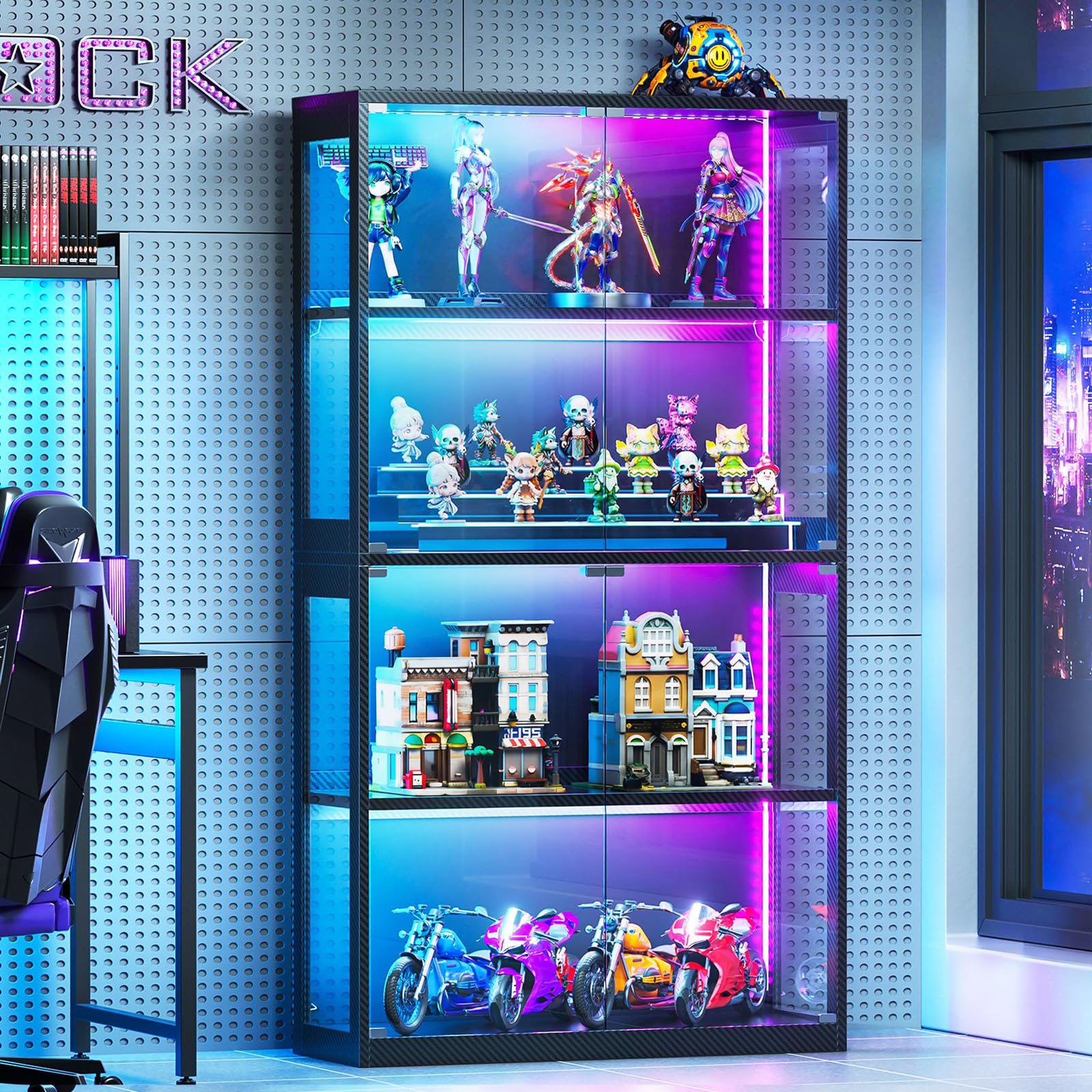
Image: The AODK 62-inch 4-Tier Display Cabinet, showcasing its sleek design and illuminated interior.
2. Setup and Assembly
Assembly of the AODK Display Cabinet requires careful attention to detail. It is strongly recommended that two people perform the assembly to ensure safety and proper construction.
2.1 Assembly Video Guide
Video: A detailed, step-by-step guide demonstrating the assembly process for the AODK Display Cabinet.
2.2 Key Assembly Steps and Components
Refer to the included clear illustrated instructions for detailed steps. Ensure all parts are present before beginning assembly.

Image: Diagram showing the dimensions of the AODK Display Cabinet, including width, depth, and height.
The cabinet features tempered glass doors for a clear display and a sturdy steel frame. The shelves are designed to hold up to 44 lbs each.

Image: Close-up view highlighting the tempered glass door and its sturdy support for crystal-clear display.
2.3 Securing the Cabinet
For enhanced stability and safety, especially in households with children or pets, utilize the provided anti-tip kit to secure the cabinet to a wall.
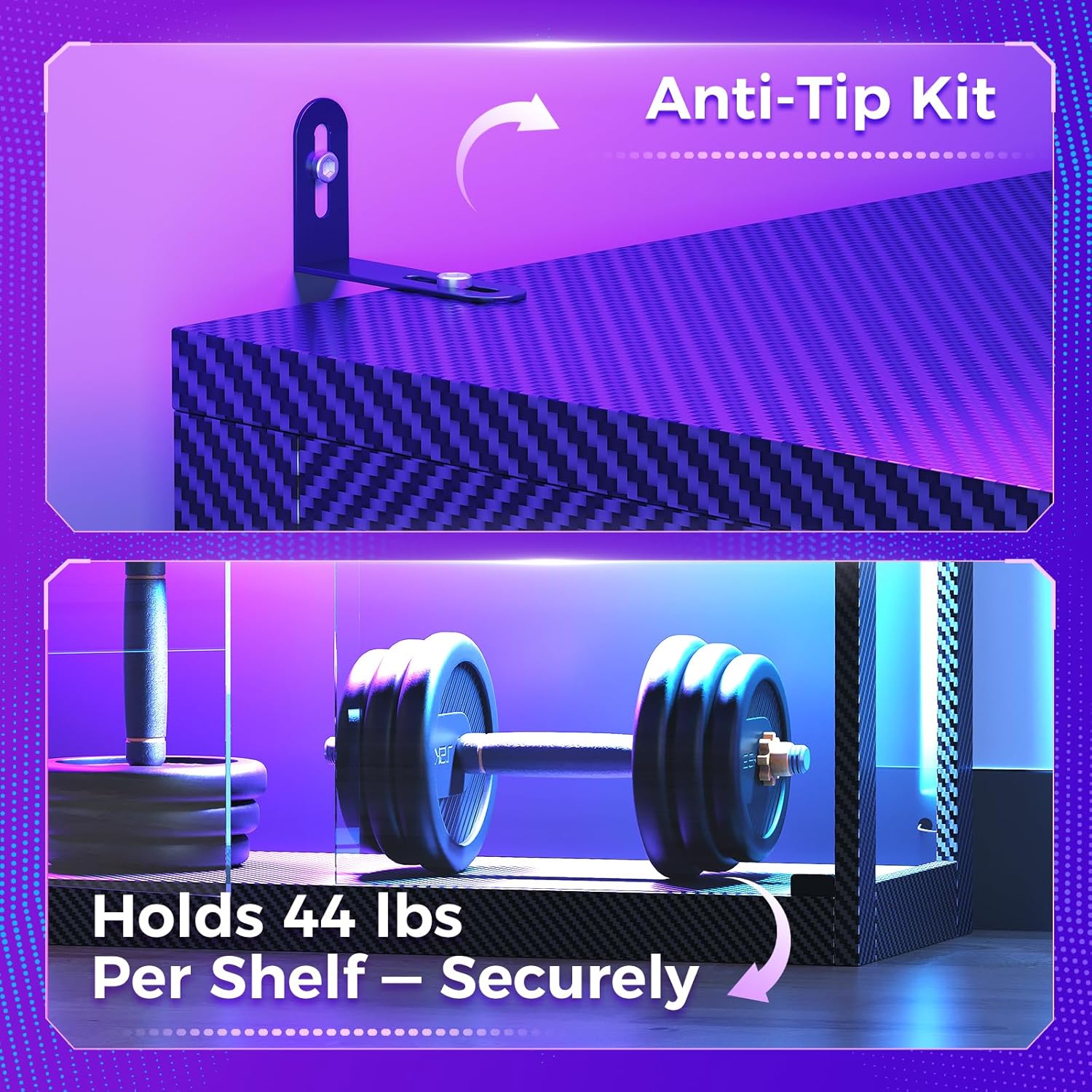
Image: Illustration demonstrating the installation of the anti-tip kit to secure the display cabinet to a wall.
The cabinet also features a reinforced back panel and a cable management port for a tidy setup.
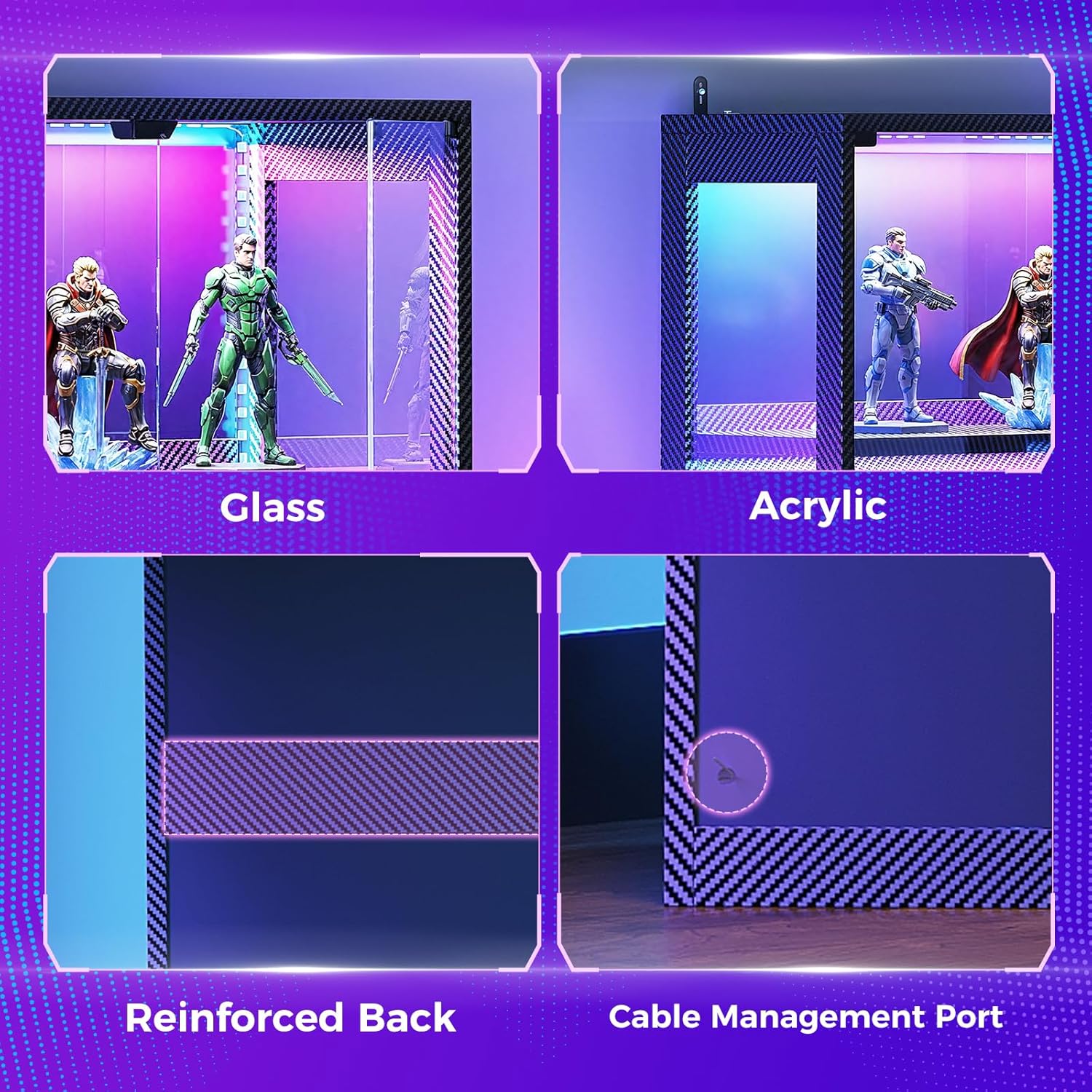
Image: Detail showing the reinforced back panel and the cable management port for organized wiring.
3. Operating the RGB Lights
The AODK Display Cabinet features an advanced RGB lighting system to enhance your display. The lights can be controlled via a remote or a dedicated mobile application.
3.1 Lighting Features Overview
Video: An overview of the AODK Display Cabinet, highlighting its glass doors and customizable RGB lighting features.
The RGB lighting offers over 6,000 colors and various dynamic modes, including music-sync effects. This allows for customization to match different moods, holidays, or gaming setups.

Image: A smartphone screen displaying the RGB light control interface for the AODK Display Cabinet, showing color selection and dynamic modes.
3.2 Remote Control and App Usage
Use the provided remote control to power the lights on/off, change colors, adjust brightness, and select dynamic modes. For advanced customization and music-sync features, download the companion mobile application (details in the full manual).

Image: The AODK Display Cabinet integrated into a gaming room setup, demonstrating its ambient RGB lighting effects.
4. Maintenance
Proper maintenance ensures the longevity and appearance of your display cabinet.
4.1 Cleaning the Glass and Frame
- Glass Panels: Use a soft, lint-free cloth and a non-abrasive glass cleaner. Spray the cleaner onto the cloth, not directly onto the glass, to prevent liquid from seeping into crevices.
- Frame: Wipe the steel frame with a soft, damp cloth. Avoid harsh chemicals or abrasive cleaners that could damage the finish.
4.2 Dust Prevention
The tempered glass doors help to keep dust out. Regularly wipe down the exterior surfaces to prevent dust accumulation. For interior dusting, use a soft brush or microfiber cloth.
5. Troubleshooting
This section addresses common issues you might encounter with your AODK Display Cabinet.
| Issue | Possible Cause | Solution |
|---|---|---|
| RGB lights not turning on or changing colors. | Power adapter not connected, remote battery low, or app connection issue. | Ensure the power adapter is securely plugged in. Replace remote control batteries. Check app connection and ensure Bluetooth is enabled on your device. |
| Difficulty removing protective plastic film from panels. | Film is tightly adhered. | Use a fingernail or a plastic tool (like a credit card edge) to gently lift a corner of the film. Once a corner is lifted, peel slowly. For stubborn pieces, tweezers may assist. |
| Cabinet feels unstable or wobbly. | Anti-tip kit not installed or not properly secured. | Ensure the anti-tip kit is correctly installed and securely fastened to both the cabinet and a wall stud. Verify all assembly screws are tightened. |
| Glass doors not opening smoothly. | Obstruction or misalignment. | Check for any obstructions in the door track. Ensure the cabinet is on a level surface. Refer to assembly instructions for door alignment. |
6. Specifications
| Feature | Detail |
|---|---|
| Brand | AODK |
| Model Number | B0GJS6QW33 |
| Dimensions (D x W x H) | 11.7"D x 27.6"W x 63"H |
| Material | Glass, Wood |
| Color | Pure Black |
| Number of Tiers/Shelves | 4 |
| Lighting Type | RGB LED with Music-Sync |
| Control Method | Remote Control, Mobile Application |
| Door Style | Tempered Glass Door |
| Mounting Type | Floor Mount (with Anti-Tip Kit) |
| Recommended Use | Art & Crafts, Collectibles Display |
7. Safety Information
- Always use two people for assembly to prevent injury.
- Ensure proper use of the power adapter for the lighting feature to avoid electrical hazards.
- Install the anti-tip kit to secure the cabinet to the wall, especially in homes with children or pets, to prevent tipping accidents.
- Do not overload shelves beyond their stated weight capacity (44 lbs per shelf).
- Keep small parts away from children during assembly.
8. Warranty and Customer Support
AODK is committed to providing quality products and customer satisfaction. For any questions regarding assembly, operation, or product issues, please contact our customer support team. Our support team is available 24/7 to assist with installation and address any quality issues.
Please refer to your purchase documentation for specific warranty details and contact information.