
Introduction
The Satechi Magnetic Wallet Stand (Model AP-MWSU) is a versatile accessory designed for MagSafe-compatible iPhones (12-17 series) and other devices when used with a Magnetic Wireless Sticker (sold separately). This vegan leather wallet securely attaches to your phone, providing storage for up to four cards and functioning as an adjustable multi-angle stand. Its minimalist design aims to reduce bulk while offering practical functionality for daily use and travel.
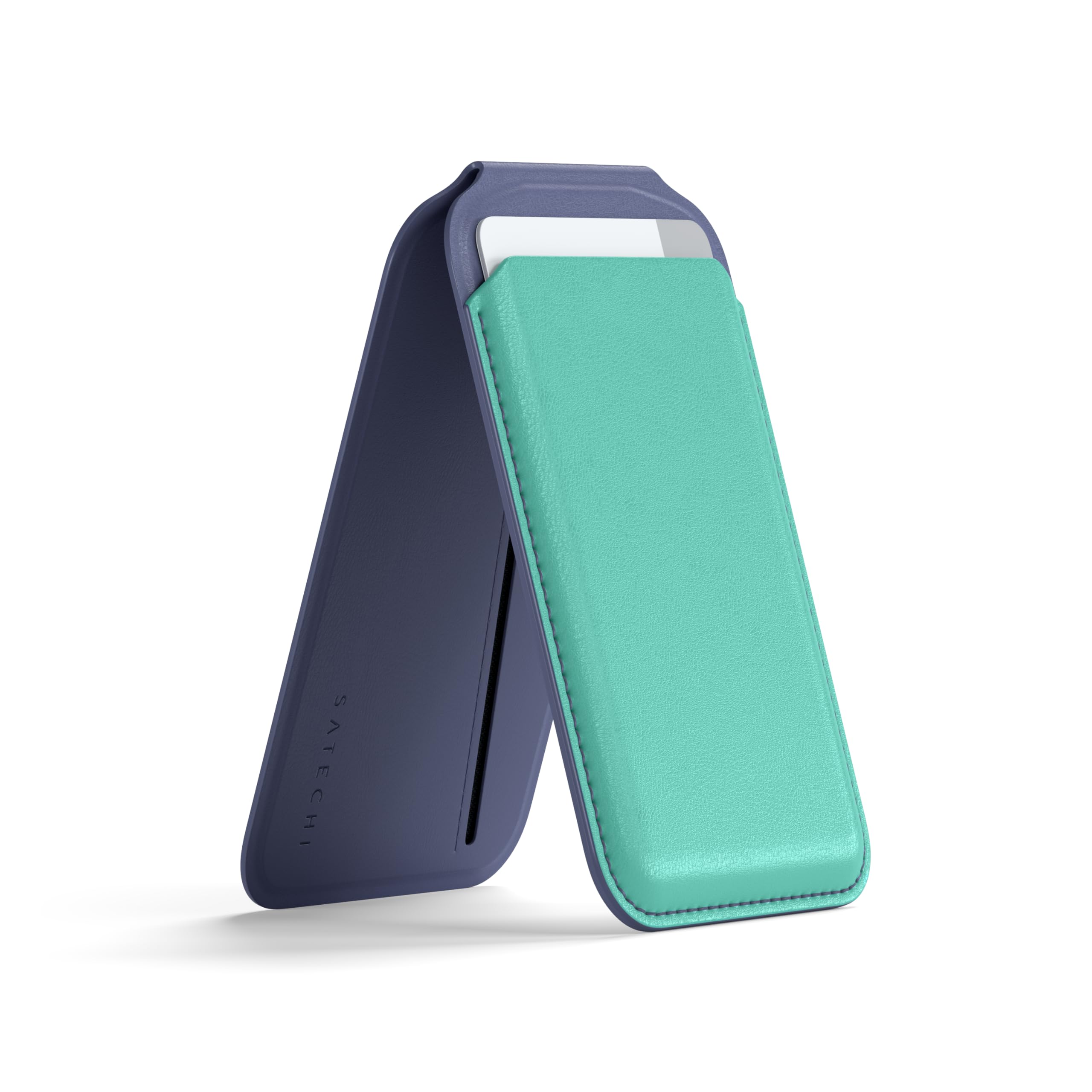
Figure 1: Front view of the Satechi Magnetic Wallet Stand (Aqua).
Product Features
- Secure Magnetic Card Holder: Features a 900g magnetic grip for secure attachment to MagSafe-compatible devices. Designed to hold up to 4 cards, maintaining a slim 0.4-inch (10.5mm) profile.
- Minimalist & Pocket-Friendly Design: Constructed from vegan leather, measuring 4in x 2.5in x 0.35in (10.4cm x 6.5cm x 0.9cm) and weighing 2.8 oz (80g). Includes front NFC pass-through for tap-to-pay functionality without removing the card.
- Multi-Angle Adjustable Stand: Integrated stand opens up to 160 degrees, allowing for stable viewing in both portrait and landscape modes. The sturdy hinge ensures a wobble-free hold.
- Premium Vegan Leather Construction: Crafted from scratch-resistant vegan leather for durability, an eco-friendly design, and a soft-touch texture for enhanced grip.
Setup
- Attaching the Wallet: Align the Satechi Magnetic Wallet Stand with the MagSafe area on the back of your iPhone (iPhone 12 series or newer). The magnets will securely snap the wallet into place. Ensure no large camera bumpers interfere with proper placement.
- Inserting Cards: The wallet features multiple slots. The inner slot is suitable for an ID or frequently used card. The outer slots can hold additional cards. It is recommended to store a maximum of 4 cards to maintain optimal magnetic strength and prevent stretching.
- Initial Stand Adjustment: Gently open the wallet's flap to activate the stand function. Adjust the angle to your preferred viewing position.

Figure 2: Wallet attached to an iPhone, demonstrating stand functionality.

Figure 3: Rear view of the wallet, highlighting the MagSafe magnetic area.
Operating Instructions
- Using the NFC Pass-Through: For cards placed in the front pocket, the NFC pass-through feature allows for tap-to-pay transactions without removing the card. Position the front of the wallet near the payment terminal. Note that this feature may not be compatible with all terminals, especially those using RFID technology rather than NFC.
- Adjusting the Stand: The integrated stand can be adjusted up to 160 degrees. Simply unfold the wallet and position your phone to achieve the desired viewing angle for both portrait and landscape orientations.
- Wireless Charging: To use wireless charging, detach the Satechi Magnetic Wallet Stand from your iPhone. The wallet is designed to prevent overheating during use, but removal is necessary for optimal wireless charging performance.
Video 1: Demonstration of the Satechi Magnetic Wallet Stand's features, including card storage and stand functionality.
Video 2: Detailed demonstration of the Satechi MagSafe Phone Wallet Stand in use.
Maintenance
To clean your Satechi Magnetic Wallet Stand, use a damp cloth with mild soap. Gently wipe the surface to remove dirt or smudges. Avoid using alcohol wipes or harsh chemical cleaners, as these may damage the vegan leather material and affect its color or finish.
Troubleshooting
- Reduced Magnetic Strength: If the wallet's magnetic grip feels weak, ensure you are not storing more than 4 cards. A thick MagSafe-compatible case may also reduce magnetic strength.
- Camera Interference: If the wallet does not sit flush or interferes with your phone's camera, check if your phone case has a large camera bumper that obstructs the wallet's placement.
- NFC Pass-Through Issues: The NFC pass-through feature is designed for NFC-enabled payment terminals. It may not function correctly with older terminals or those utilizing RFID technology.
- Loose Cards: Over time, the card slots may stretch. If cards begin to feel loose or fall out, consider reducing the number of cards stored in the wallet.
Specifications
| Attribute | Value |
|---|---|
| Product Dimensions | 5.51 x 3.94 x 0.79 inches; 2.82 ounces |
| Item Model Number | ST-VLMW_PAR |
| Material Type | Faux Leather |
| Wallet Card Slot Count | 4 |
| Closure Type | Snap |
| Additional Features | Anti-Magnetic Lining, Magsafe, Photo & ID Holder, Travel |
| Care Instructions | Dry Cloth Clean |
| Manufacturer | Satechi |
| Model Name | Ap-mwsu |
| UPC | 879961008772 |
Warranty Information
Satechi products, including the Magnetic Wallet Stand, are covered by a 2-year limited warranty. This warranty protects against defects in materials and workmanship under normal use. For specific terms and conditions, please refer to the official Satechi website or contact customer support.
Support
For further assistance, product registration, or to view frequently asked questions, please visit the official Satechi website at www.satechi.net. You may also contact Satechi customer support directly for personalized help.
