
Introduction
Thank you for purchasing the Dobe P-4 Series Multifunctional Stand. This stand is designed to enhance your gaming experience by providing a vertical mounting solution for your PlayStation 4, PS4 Slim, or PS4 Pro console, along with an integrated cooling system and dual controller charging dock. Please read this manual carefully before use to ensure proper installation and operation.
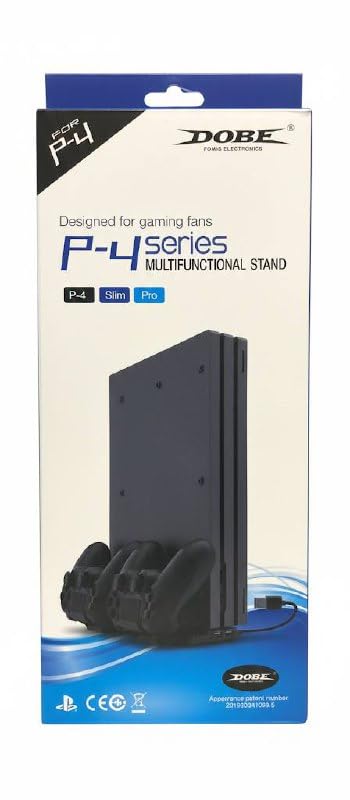
Image: Dobe P-4 Series Multifunctional Stand product packaging. This image displays the retail box of the Dobe P-4 Series Multifunctional Stand, showing the product name and key features.
Package Contents
- Dobe P-4 Series Multifunctional Stand
- Interchangeable mounting brackets (for PS4, PS4 Slim, PS4 Pro)
- Mounting screws
- USB power cable
Setup
Follow these steps to correctly set up your Dobe P-4 Series Multifunctional Stand:
- Unpack Components: Carefully remove all items from the packaging and ensure all listed components are present.
- Identify Console Type: Determine whether you have a PS4, PS4 Slim, or PS4 Pro console. Select the corresponding interchangeable mounting bracket.
- Attach Mounting Bracket: Insert the correct mounting bracket into the designated slot on the stand. Ensure it clicks securely into place.
- Secure Console (Optional): For added stability, use the included mounting screws to secure your console to the stand. Refer to the diagram for screw placement.
- Connect Power: Connect the supplied USB power cable from the stand to a USB port on your PS4 console or a compatible USB power adapter (not included).

Image: Assembly diagram for the Dobe P-4 Series Multifunctional Stand. This image illustrates how to attach the console-specific bracket and the location for the securing screw.

Image: Dobe P-4 Series Multifunctional Stand showing compatibility with PS4, PS4 Slim, and PS4 Pro. This image highlights the different interchangeable brackets for each console model and the securing screw.
Operating Instructions
Once the stand is set up, you can begin using its features:
- Console Placement: Gently place your PS4 console vertically into the stand, ensuring it is seated firmly on the chosen bracket.
- Controller Charging: Insert up to two PS4 controllers into the charging docks located on the front of the stand. The LED indicators on the stand will typically show charging status (e.g., red for charging, blue/green for fully charged).
- Cooling Fan: The integrated cooling fan will automatically activate when the console is powered on, helping to dissipate heat during gaming sessions.
Maintenance
To ensure the longevity and optimal performance of your stand:
- Cleaning: Use a soft, dry cloth to wipe down the stand. Do not use abrasive cleaners or solvents. Ensure the fan vents are free from dust buildup.
- Storage: When not in use for extended periods, store the stand in a cool, dry place away from direct sunlight.
- Avoid Obstruction: Do not block the cooling fan vents on the stand or the console to ensure proper airflow.
Troubleshooting
If you encounter issues with your Dobe P-4 Series Multifunctional Stand, refer to the following common problems and solutions:
- Fan Not Working:
- Ensure the USB power cable is securely connected to both the stand and the console/power source.
- Verify the console is powered on. The fan typically operates when the console is active.
- Controllers Not Charging:
- Check that the controllers are correctly seated in the charging docks.
- Confirm the stand is receiving power.
- Try charging a different controller to rule out a controller issue.
- Console Unstable in Stand:
- Ensure the correct mounting bracket for your console model is installed.
- Verify the console is fully seated in the bracket.
- Use the included mounting screws to secure the console if not already done.
Specifications
| Feature | Description |
|---|---|
| Brand | Dobe |
| Model Name | P-4 Series Multifunctional Stand |
| Compatible Devices | PS4, PS4 Slim, PS4 Pro |
| Material | Plastic |
| Special Features | Vertical Stand, Cooling Fan, Dual Controller Charging Dock, Interchangeable Brackets |
| Mounting Type | Controller Clamp (for securing console) |
| Item Weight | 200 Grams |
Warranty
This product comes with a 1-week warranty from the date of purchase. Please retain your proof of purchase for any warranty claims. The warranty covers manufacturing defects under normal use. It does not cover damage caused by misuse, accidents, unauthorized modifications, or improper installation.
Support
For further assistance, technical support, or warranty inquiries, please contact the retailer where you purchased this product or refer to the manufacturer's official website for contact information. Please have your product model number (P-4) and proof of purchase ready when contacting support.