
SJCAM C110Plus
SJCAM C110Plus 4K Magnetic Action Camera User Manual
Model: C110Plus (C110P-64G-NP)
Introduction
This manual provides detailed instructions for the proper use and maintenance of your SJCAM C110Plus 4K Magnetic Action Camera. Please read this guide thoroughly before operating the device to ensure optimal performance and longevity.
Getting Started
What's in the Box
Verify that all items are present in your package:
- SJCAM C110Plus Camera
- Magnetic Lanyard
- Bracket
- Frame Mount
- USB Cable
- Lanyard
- Waterproof Case
- Adapter
- Flat Bottom Bracket
- Helmet Base
- Micro SD Card (64GB)
- Wiping Cloth

Image: All included accessories for the SJCAM C110Plus camera.
Camera Layout
Familiarize yourself with the camera's physical components:
- Lens: Front-facing camera lens.
- Power/Shutter Button: Located on the top, used for power and recording control.
- Wi-Fi/Switch Mode Button: Located on the side, used for Wi-Fi activation and mode switching.
- Indicator Lights: Provide status feedback (e.g., recording, charging).
- USB-C Port: For charging and data transfer.
- MicroSD Card Slot: For memory card insertion.

Image: Overview of the SJCAM C110Plus camera, showing its compact design and key buttons.
Charging the Battery
Before first use, fully charge the camera. Connect the camera to a USB power source using the provided USB-C cable. The indicator light will show charging status and turn off when fully charged.
Inserting a MicroSD Card
The camera supports MicroSD cards up to 64GB. Insert the MicroSD card into the designated slot with the contacts facing the correct direction until it clicks into place. Ensure the card is formatted before first use (refer to the app settings for formatting options).
First Use Guide
Video: A step-by-step guide on how to power on the camera and initiate recording for the first time.
Basic Operation
Powering On/Off
- Power On: Press and hold the Power/Shutter button until the indicator light illuminates.
- Power Off: Press and hold the Power/Shutter button until the indicator light turns off.
One-Touch Recording
The C110Plus supports quick recording without needing to connect to a phone:
- Start Recording: With the camera powered on, short press the Power/Shutter button. A blinking blue light indicates recording is in progress.
- Stop Recording: Short press the Power/Shutter button again. The blinking light will become solid.

Image: Instructions for one-touch recording using the power button.
Changing Modes
Press the Wi-Fi/Switch Mode button to cycle through different shooting modes (e.g., video, photo). The current mode can be viewed via the SJCAM Zone app.
Advanced Features
Video and Photo Capabilities
- 4K Video: Records high-resolution video at up to 4K30fps.
- 170° Ultra-Wide FOV: Captures a broad field of view for immersive footage.
- 20MP Photos: High-resolution still images with an F1.8 aperture for improved low-light performance.

Image: The camera capturing an immersive first-person view.
Video Stabilization
The camera features a six-axis gyroscope and an advanced anti-shaking algorithm to provide stable and smooth video footage, even during dynamic activities.

Image: Visual demonstration of the camera's video stabilization feature.
Waterproof Usage
When enclosed in the included waterproof case, the SJCAM C110Plus is waterproof up to 30 meters (100 feet), allowing for underwater recording.

Image: The camera being used underwater with its waterproof case.
Wi-Fi and App Control (SJCAM Zone)
Download the "SJCAM Zone" app from your device's app store. Connect your camera to your smartphone via Wi-Fi to:
- View live footage.
- Playback recorded videos and photos.
- Change camera settings and shooting modes.
- Share content directly from the app.
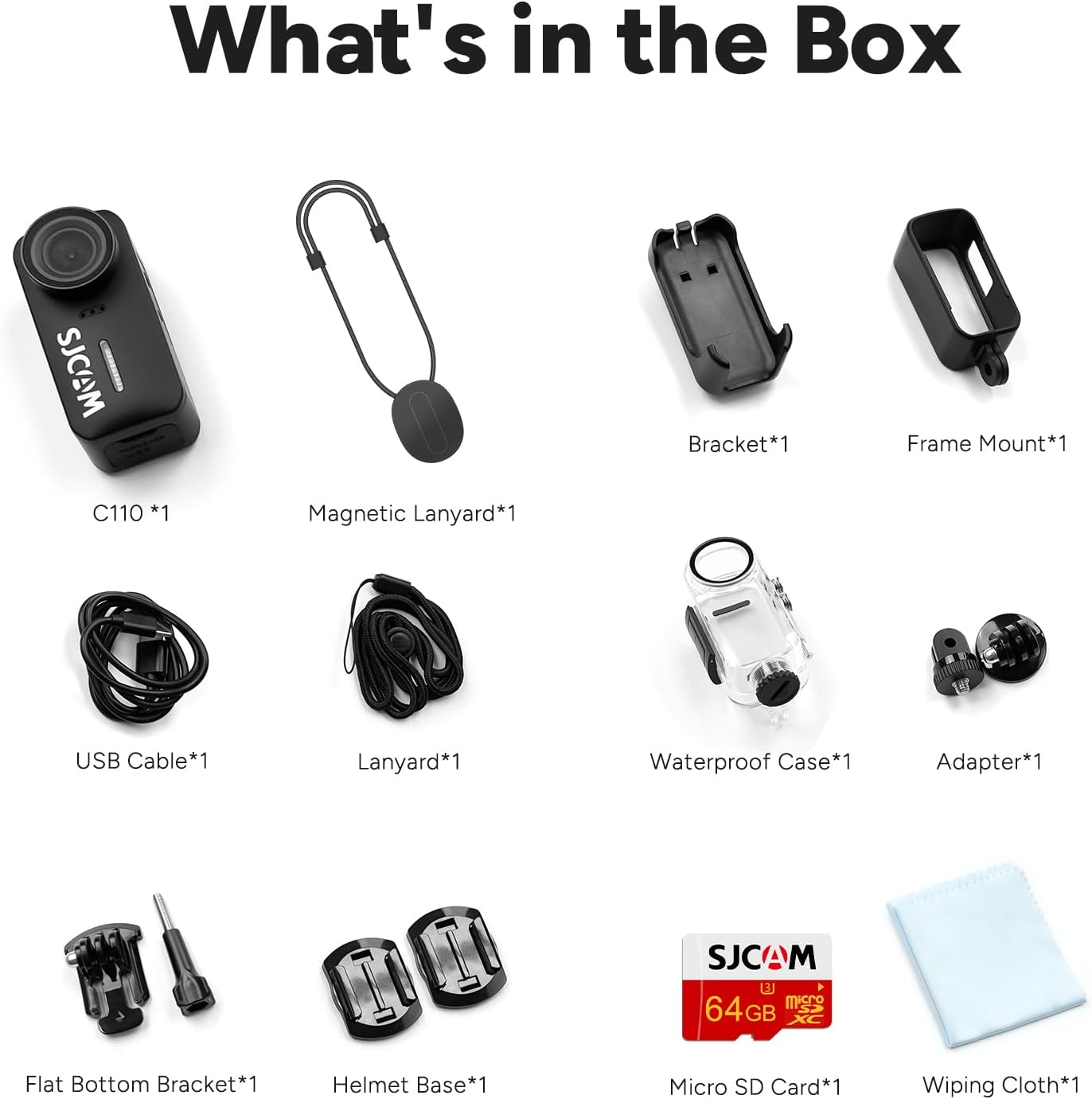
Image: The SJCAM Zone app interface for live view and camera control.
Special Shooting Modes
The C110Plus offers various modes for creative capture:
- Time-Lapse: Records frames at set intervals to create a sped-up video.
- Slow Motion: Captures high frame rate video for slow-motion playback.
- Continuous Shooting: Takes multiple photos in quick succession.
- Burst Photo: Captures a rapid sequence of still images.
- Interval Photo: Takes photos automatically at predefined intervals.
- Timed Photo: Sets a delay before taking a photo.
- Photo Lapse: Similar to time-lapse but for still images.
- Video Lapse: Creates time-lapse videos.
- 8X Slow Motion: Provides extreme slow-motion effects.
- Strobe Light Warning Mode: Activates alternating red and blue lights for increased visibility during night activities, such as cycling.
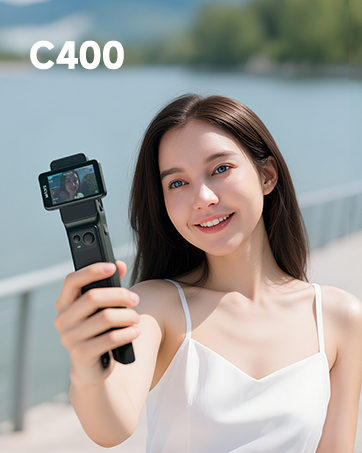
Image: Examples of different photo shooting modes.
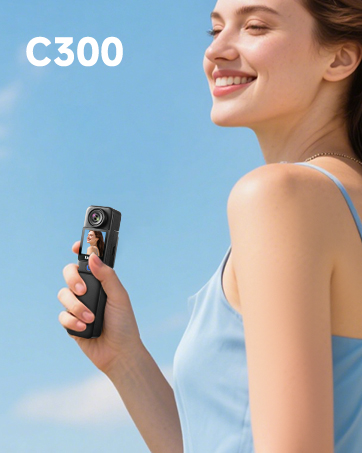
Image: Examples of video lapse and 8X slow motion modes.

Image: The camera's strobe light warning mode for night riding.
Horizontal/Vertical Shooting
The camera supports both 16:9 (landscape) and 9:16 (portrait) aspect ratios, allowing you to choose the best orientation for your content, especially for social media or specific platforms.
Webcam Functionality
Connect the C110Plus to your computer via the USB-C cable to use it as a 4K webcam for online meetings, live broadcasts, or other PC-based video applications.

Image: The camera functioning as a 4K webcam for professional use.
Accessories and Mounting
The SJCAM C110Plus comes with a variety of accessories to facilitate diverse mounting options and usage scenarios.
Mounting Options
Utilize the included brackets, frame mount, helmet base, and magnetic lanyard to secure your camera for various activities such as travel, skiing, cycling, or as a body camera.

Image: Examples of multi-scenario mounting for the camera.
Accessories Installation Guide
Video: Instructions on how to install various accessories, such as the frame mount and helmet base.
Maintenance
- Cleaning the Lens: Use a soft, lint-free cloth specifically designed for camera lenses. Avoid harsh chemicals.
- Cleaning the Body: Wipe the camera body with a soft, damp cloth. Ensure all ports are closed before cleaning.
- Waterproof Case: After using the waterproof case in saltwater, rinse it with fresh water and let it air dry. Check the seals regularly for any damage.
- Storage: Store the camera in a cool, dry place away from direct sunlight and extreme temperatures. Remove the battery if storing for extended periods.
Troubleshooting
| Problem | Solution |
|---|---|
| Camera does not power on. | Ensure the battery is charged. Connect to a power source and try again. |
| Cannot record video/take photos. | Check if a MicroSD card is inserted and properly formatted. Ensure there is sufficient storage space. |
| Wi-Fi connection issues. | Ensure Wi-Fi is enabled on the camera and your smartphone. Restart both devices and try reconnecting. |
| Poor video/image quality. | Clean the camera lens. Ensure adequate lighting. Check resolution settings in the app. |
| Camera freezes or becomes unresponsive. | Press and hold the Power/Shutter button for 10 seconds to force a restart. |
Specifications
| Feature | Detail |
|---|---|
| Brand | SJCAM |
| Model Name | C110P |
| Video Capture Resolution | 4K |
| Effective Still Resolution | 20 MP |
| Photo Sensor Technology | CMOS |
| Maximum Aperture | F1.8 |
| Field of View (FOV) | 170° |
| Image Stabilization | 6-Axis Gyroscope (Digital) |
| Water Resistance Level | Waterproof (with case, up to 30m) |
| Flash Memory Type | Micro SD |
| Flash Memory Installed Size | 64 GB |
| Battery Capacity | 1100mAh (approx. 100 min in 4K 30FPS mode) |
| Special Features | Lightweight, Time Lapse, Waterproof, Magnetic Mounting |
| Color | Black |
Warranty and Support
Your SJCAM C110Plus camera comes with a manufacturer's warranty. For specific details regarding warranty coverage and duration, please refer to the warranty card included in your package or visit the official SJCAM website.
For technical support, product inquiries, or service requests, please visit the official SJCAM support page or contact their customer service directly. Keep your purchase receipt and product serial number handy for faster assistance.
Official SJCAM Store: Visit the SJCAM Store on Amazon
Ask a question about this manual
Ask about setup, troubleshooting, compatibility, parts, safety, or missing instructions. Manuals+ will review the question and use this page’s manual context to help answer it.