
Introduction
This manual provides detailed instructions for the Digitek DWM-124 2-in-1 Wireless Microphone System. This system is designed for clear audio recording with iPhone 15 and above, as well as Type-C Android smartphones. It features 2.4G wireless transmission, noise reduction, and echo modes, making it suitable for various content creation needs.
What's in the Box
Verify that all components are present in the package:
- 1x Charging Case
- 1x Receiver and Charging Cable
- 2x Magnet
- 2x Transmitter
- Remote Control

Image: Overview of the Digitek DWM-124 Wireless Microphone System, showing the charging case, two transmitters, and a receiver.
Product Overview
Components and Controls
The Digitek DWM-124 system consists of two transmitters (microphones), one receiver, and a charging case. Each component has specific indicators and controls:

Image: Detailed diagram illustrating the buttons and digital display on the transmitter and receiver units.
Transmitter (Microphone) Indicators:
- Blue light slow blinking: Connecting
- Blue light steady on: Connected
- Green light slow blinking: Charging
- Green light off: Fully charged
- Red light blinking: Low battery
- Red light steady on: Microphone muted
- Noise Reduction on: Blue light steady on
- Reverb on: Blue light steady on
Digital Display Screen (on Charging Case):
- Microphone charging indicator
- Charging case power indicator
Setup
The Digitek DWM-124 system offers plug-and-play connectivity without requiring Bluetooth pairing or app installation.
- Charge the devices: Ensure both transmitters and the charging case are fully charged before first use. Connect the charging case to a power source using the provided Type-C cable.
- Connect the Receiver: Plug the receiver into the Type-C port of your iPhone 15 (or above) or compatible Android smartphone.
- Power On Transmitters: Long press the power button on each transmitter to turn them on. They will automatically attempt to connect to the receiver. The blue light will blink slowly during connection and become steady once connected.
- Position the Microphone: Clip the transmitter to your clothing, ensuring the microphone is facing your mouth for optimal audio capture. Magnets are provided for secure attachment.

Image: A user demonstrating the plug-and-play setup of the wireless microphone system with a smartphone.
Operating Instructions
Transmitter Controls:
- Power On/Off: Long press the power button.
- Noise Reduction Mode: Single click the power button to activate/deactivate noise reduction.
- Reverb Mode: Double click the power button to activate/deactivate reverb.
- Mute Mode: Triple click the power button to mute/unmute the microphone. The red light will be steady on when muted.
Receiver Controls:
- Volume Adjustment: Press the volume button on the receiver to increase or decrease the audio level. Levels cycle sequentially.
Features
2.4G Wireless Transmission
The system utilizes advanced 2.4GHz wireless technology, providing stable and low-latency audio transmission. This ensures reliable performance up to an 80-meter range in open environments.

Image: Illustration of the 80-meter wireless transmission range of the microphone system, showing a user recording from a distance.
Noise Reduction and Echo Modes
The DWM-124 features built-in noise reduction modes to minimize ambient sound interference, delivering clear, studio-quality audio. An echo mode is also available for specific audio effects.

Image: Graphic depicting the noise reduction and echo mode capabilities of the Digitek DWM-124 microphones.
Long Battery Life
Each microphone provides up to 6 hours of runtime on a single charge. The portable charging case extends the total operating time to over 23 hours, ensuring extended use for all-day recording sessions. The charging case is equipped with a 400mAh battery and supports Type-C fast charging.
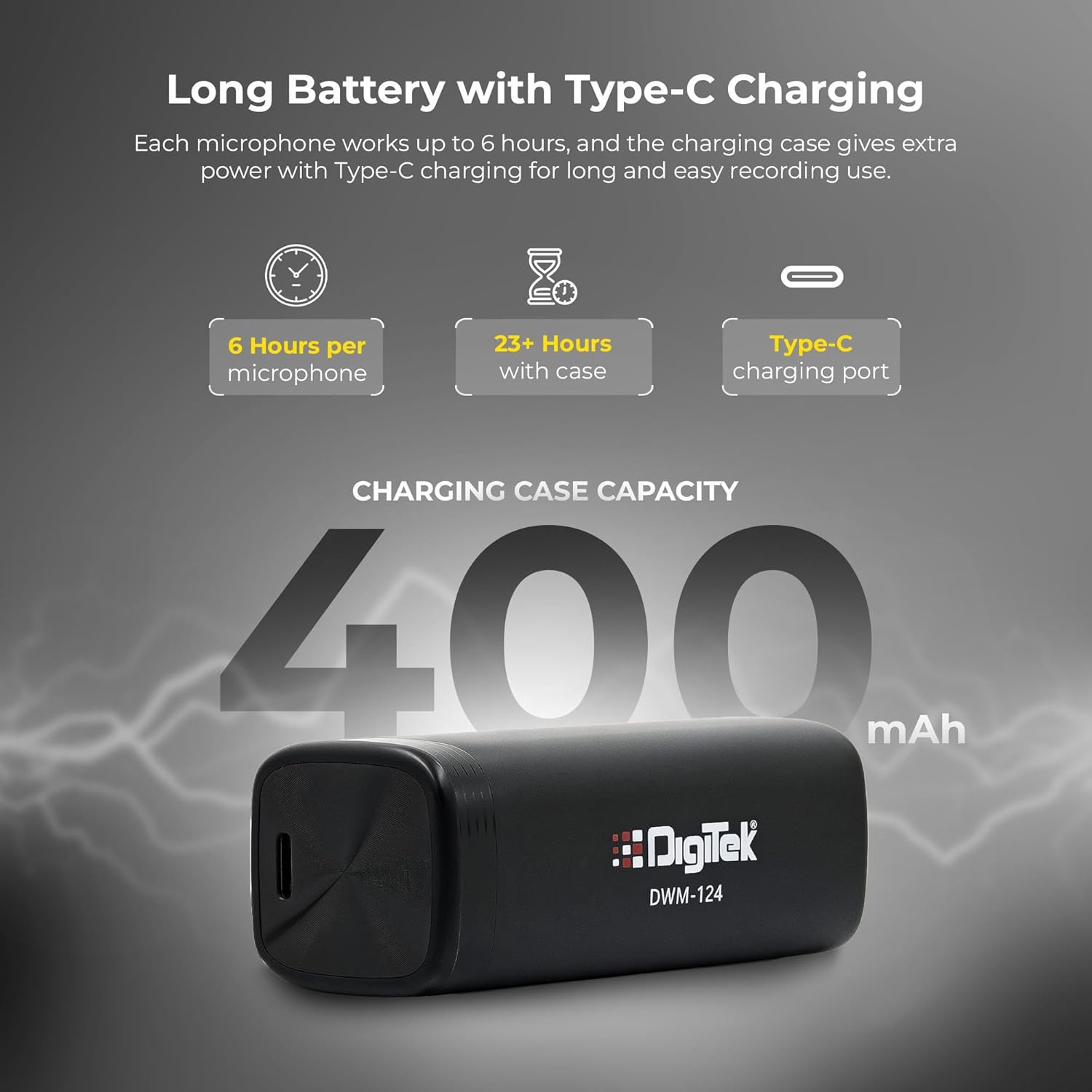
Image: Diagram illustrating the battery life of the microphones (6 hours per mic) and the charging case (23+ hours total, 400mAh capacity).
Compact and Portable Design
The system features ultra-light 9g transmitters and a 4g receiver, along with a portable charging case. This design makes it easy to carry and ideal for creators on the go.

Image: A hand placing the compact Digitek DWM-124 charging case into a pocket, highlighting its portability.
Maintenance
- Cleaning: Use a soft, dry cloth to clean the microphone and receiver. Avoid using liquids or abrasive cleaners.
- Storage: Store the system in its charging case when not in use to protect it from dust and damage.
- Battery Care: For optimal battery life, avoid fully discharging the devices frequently. Charge regularly.
- Avoid Extreme Conditions: Do not expose the devices to extreme temperatures, humidity, or direct sunlight.
Troubleshooting
| Problem | Possible Cause | Solution |
|---|---|---|
| No audio recording | Microphone not powered on, not connected, or muted. | Ensure transmitters are powered on (blue light steady). Check receiver connection to phone. Triple click power button to unmute (red light off). |
| Poor audio quality / Excessive noise | Noise reduction off, microphone too far from source, or environmental interference. | Single click power button to activate noise reduction. Position microphone closer to the speaker. Move away from strong electromagnetic sources. |
| Microphone not connecting | Out of range, low battery, or temporary connection issue. | Ensure devices are within 80m range. Charge transmitters and receiver. Power cycle both transmitter and receiver. |
| Short battery life | Devices not fully charged, or battery degradation over time. | Ensure full charge before use. Use the charging case for extended power. |
Specifications
| Brand | Digitek |
| Model Name | DWM 124 |
| Connectivity Technology | Wireless (2.4G) |
| Connector Type | USB Type-C |
| Special Feature | Noise Reduction |
| Compatible Devices | Smartphone, iOS devices (iPhone 15+), Type-C Android |
| Audio Sensitivity | -35 Decibels |
| Microphone Form Factor | Handheld (Clip-on) |
| Power Source | Battery Powered |
| Signal-to-Noise Ratio | 65 dB |
| Number of Channels | 2 |
| Frequency Response | 20Hz–20kHz |
| Audible Noise | 34 Decibels |
| Color | Black |
| Item Weight | 64 Grams (total) |
| Item Dimensions | 34 x 13 x 120 Millimeters |
| Charging Case Battery | 400mAh |
| Manufacturer Part Number | DWM 124 |
| Country of Origin | China |
Warranty and Support
The Digitek DWM-124 Wireless Microphone System comes with a 1-Year Warranty from the date of purchase.
For technical support, warranty claims, or customer service, please contact:
- Manufacturer: IMS Merchantiles Pvt. Ltd
- Toll Free Number: 1800-123-544-444
- Customer Care Email: support@digitek.net.in