
1. Introduction
Thank you for choosing the FUSOU 55-inch Large Vanity Desk. This manual provides essential information for the safe assembly, operation, and maintenance of your new vanity desk. Please read these instructions carefully before beginning assembly and retain them for future reference.
This vanity desk features a spacious design with 12 drawers, 2 cabinets, a mirror with 3 lighting modes, a built-in power outlet, and a comfortable vanity stool. Its thoughtful design aims to enhance your daily beauty routine.
2. Safety Information
- Always assemble the product on a soft, clean surface to prevent scratches.
- Ensure all screws and fasteners are securely tightened before use. Periodically check and re-tighten as necessary.
- Do not overload drawers or cabinets. Distribute weight evenly.
- Keep electrical components (lights, power strip) away from water or excessive moisture.
- Use only the provided power cord and adapter. Do not modify the electrical system.
- Children should not climb on or play with the vanity desk.
- If any parts are missing or damaged, do not proceed with assembly. Contact customer support immediately.
3. Package Contents
The FUSOU 55-inch Vanity Desk is typically shipped in two separate boxes, which may arrive at different times. Please ensure you have received all packages before starting assembly.
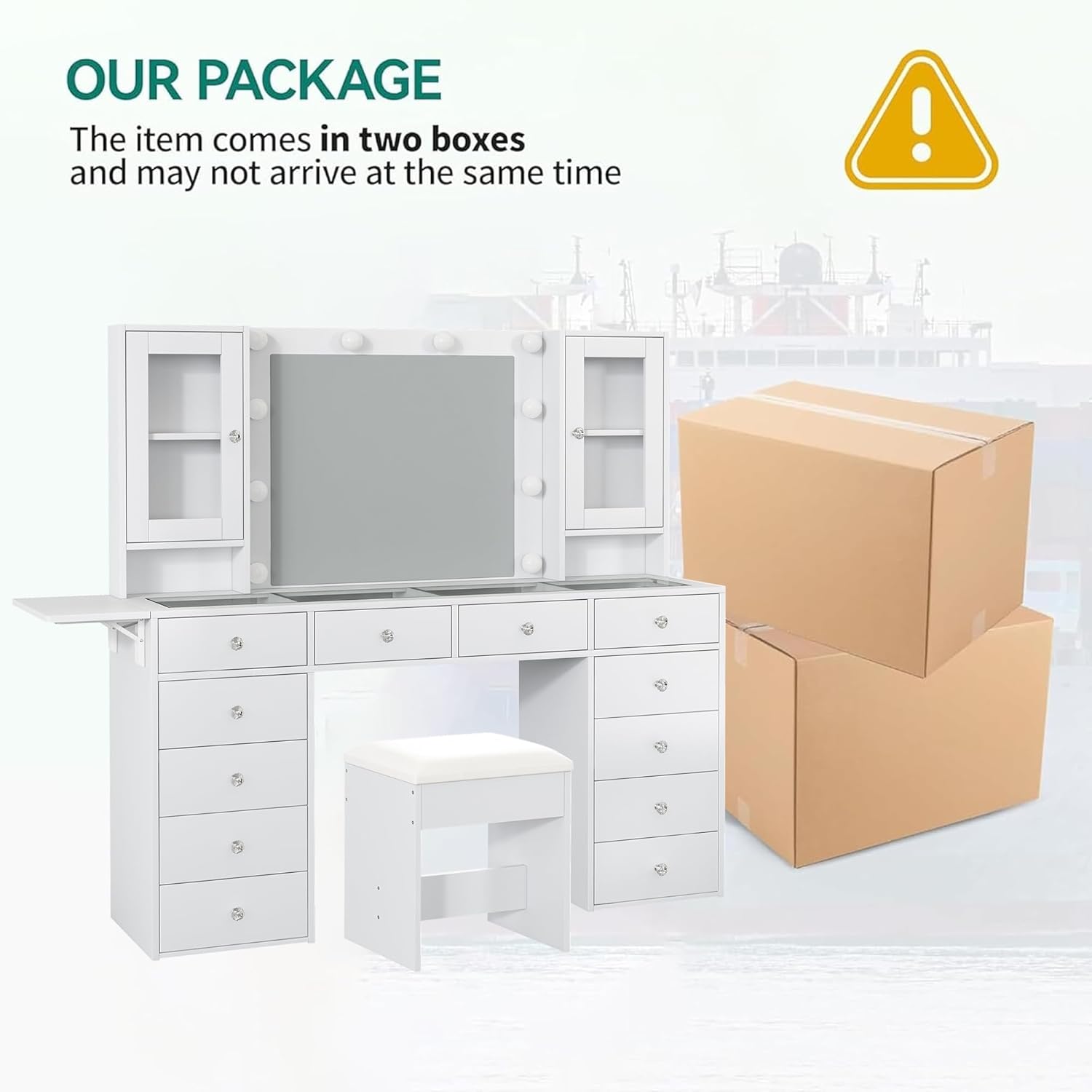
Figure 3.1: The vanity desk is shipped in two packages.
Your package should include:
- All necessary furniture panels and components for the vanity desk and stool.
- Mirror with integrated LED bulbs.
- Power strip with 2 AC outlets and 2 USB ports.
- Assembly hardware (screws, dowels, cam locks, etc.).
- Detailed instruction manual.
- Assembly tools (e.g., Allen wrench), if applicable.
4. Setup and Assembly
Assembly of the FUSOU Vanity Desk requires careful attention to the provided detailed instructions. It is recommended to have two people for assembly due to the size and weight of some components.
- Unpack and Identify Parts: Carefully unpack all components and lay them out on a clean, soft surface. Compare each part against the parts list in the included manual to ensure everything is present and undamaged.
- Assemble Base Structure: Follow the step-by-step diagrams to assemble the main frame of the vanity desk, including the side cabinets and central desk area.
- Install Drawers: Assemble the 12 drawers and install their slides. Insert the drawers into their designated slots.
- Attach Mirror and Lighting: Secure the mirror unit to the main desk structure. Connect the LED lighting system as per the instructions.
- Install Power Strip: Mount the built-in power strip in its designated location and connect it to the main power supply.
- Assemble Stool: Follow the separate instructions for assembling the vanity stool.
- Final Checks: Once assembled, ensure all connections are tight and the desk is stable.

Figure 4.1: Product dimensions for planning your space.
5. Operating Instructions
5.1. Lighting Modes
The vanity mirror is equipped with 10 Hollywood-style LED bulbs offering three distinct lighting modes: Cool Light, Natural Light, and Warm Light. These modes can be adjusted to suit your preference and ambient lighting conditions.
- Changing Modes: Short press the touch switch on the mirror to cycle through Cool Light, Natural Light, and Warm Light.
- Adjusting Brightness: Long press the touch switch to adjust the brightness level within the selected lighting mode. Release when the desired brightness is achieved.

Figure 5.1: Three color lighting modes and brightness adjustment.
5.2. Built-in Charging Station
The vanity desk includes a convenient charging station located on the side, featuring 2 standard 125V/12A AC outlets and 2 5V/2A USB ports. This allows you to power and charge your electronic devices directly at your vanity.
- Plug in hair dryers, curling irons, laptops, tablets, or smartphones.
- A dedicated holder for a hair dryer is also provided next to the power strip.

Figure 5.2: Built-in power strip with outlets and USB ports.
5.3. Storage and Fold-up Panel
The vanity desk offers extensive storage with 12 large drawers and 2 cabinets. The sleek glass tabletop provides visibility into some compartments, allowing you to easily locate cosmetics and accessories.
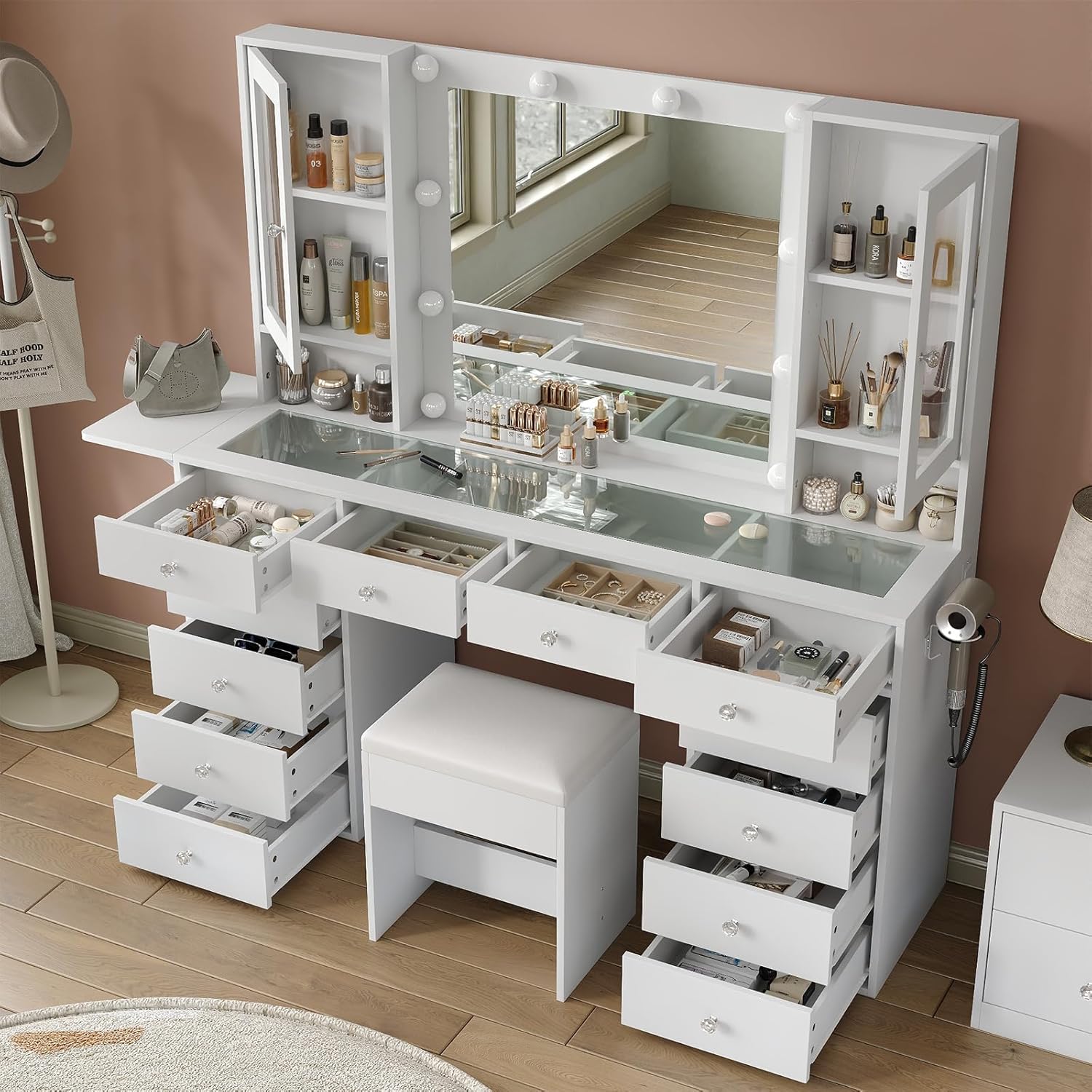
Figure 5.3: Ample storage with 12 drawers and cabinets.

Figure 5.4: Embedded tempered glass tabletop for visible storage.
A fold-up panel on the side provides additional workspace when needed. To use, simply lift the panel until it locks into place. To save space, fold it down when not in use.

Figure 5.5: Drop-leaf countertop for flexible workspace.
5.4. Official Product Video
Video 5.1: An official product video showcasing the features and design of the 12-drawer FUSOU vanity desk.
6. Maintenance
- Cleaning Surfaces: Wipe all engineered wood surfaces with a soft, damp cloth. Avoid harsh chemicals or abrasive cleaners that may damage the finish.
- Glass Top and Mirror: Use a glass cleaner and a microfiber cloth to clean the glass tabletop and mirror. Spray cleaner onto the cloth, not directly onto the surface, to prevent liquid from seeping into edges.
- Dusting: Regularly dust the vanity desk with a dry, soft cloth to prevent buildup.
- Electrical Components: Ensure the power strip and light bulbs are clean and free of dust. Do not attempt to clean electrical components while plugged in.
- Hardware: Periodically check all screws and fasteners to ensure they remain tight. Re-tighten if necessary to maintain stability.
7. Troubleshooting
- Lights Not Working:
- Check if the vanity is properly plugged into a working power outlet.
- Ensure the power switch for the lights is turned on.
- Verify that all light bulbs are securely screwed in.
- If individual bulbs are replaceable, check if any are burnt out and replace them.
- Power Outlets/USB Ports Not Functioning:
- Confirm the vanity's main power cord is fully plugged into a live wall outlet.
- Test the wall outlet with another device to ensure it is working.
- Check if the power strip has a reset button (if applicable) and press it.
- Ensure devices plugged into the USB ports or AC outlets are functioning correctly.
- Drawers Sticking or Not Sliding Smoothly:
- Ensure the drawer slides are properly aligned and free of obstructions.
- Check if the drawer is overloaded or if items are blocking its movement.
- Verify that all assembly screws for the drawer slides are tight.
- Vanity Feels Unstable:
- Re-check all assembly hardware to ensure every screw and fastener is securely tightened.
- Ensure the vanity is placed on a flat, level surface.
8. Specifications
| Feature | Detail |
|---|---|
| Brand | FUSOU |
| Model Number | VD012-WH-2 |
| Color | White |
| Material | Engineered Wood |
| Product Dimensions (D x W x H) | 15.7" x 55" x 54" |
| Item Weight | 171 pounds |
| Number of Drawers | 12 |
| Lighting Modes | 3 (Cool, Natural, Warm) with adjustable brightness |
| Power Outlet | 2 AC Outlets (125V/12A), 2 USB Ports (5V/2A) |
| Included Components | Vanity Desk, Mirror, Stool, Instructions & Accessories |
9. Warranty and Support
FUSOU products are designed for quality and durability. For any questions regarding assembly, missing parts, or operational issues not covered in this manual, please contact FUSOU customer support. Please have your model number (VD012-WH-2) and purchase information ready when contacting support.
Specific warranty details may vary by region and retailer. Please refer to your purchase documentation or the FUSOU official website for comprehensive warranty information.


