
1. Introduction
The ATOMSTACK F40 Air Assist Pump is an accessory designed to enhance the performance of laser engraving and cutting machines. It provides a powerful airflow to the laser head, effectively removing smoke and dust generated during the cutting process. This leads to faster, cleaner, and deeper cuts, while also protecting the laser lens and extending its lifespan.
Safety Information:
- Always ensure the pump is placed on a stable, level surface.
- Do not block the air intake or exhaust vents.
- Keep the pump away from water or other liquids.
- Ensure the power supply matches the pump's requirements.
- Disconnect power before performing any maintenance or cleaning.
2. Product Overview and Components
The ATOMSTACK F40 Air Assist Pump features a durable aluminum body designed for stability and longevity. It includes an adjustable airflow control to suit various engraving and cutting tasks.
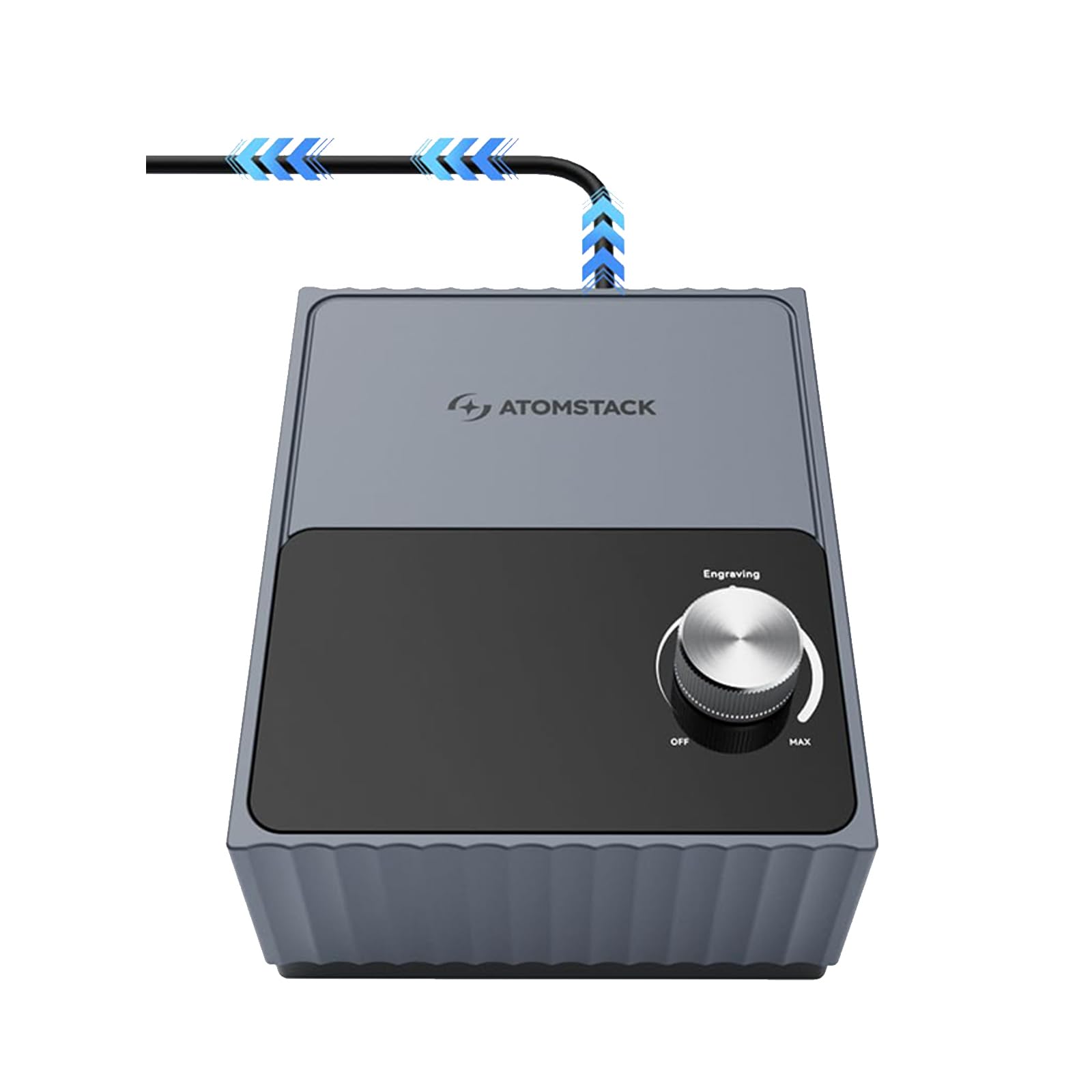
Figure 2.1: ATOMSTACK F40 Air Assist Pump main unit.
Included Components:
- F40 Air Assist Pump Unit
- Air Hose
- Power Adapter
3. Setup Instructions
Follow these steps to set up your ATOMSTACK F40 Air Assist Pump with your laser engraving or cutting machine:
- Placement: Place the F40 Air Assist Pump on a stable surface near your laser machine.
- Connect Air Hose: Connect one end of the provided air hose to the air outlet port on the F40 pump. Connect the other end of the air hose to the air assist nozzle on your laser module. Ensure connections are secure to prevent air leaks.
- Connect Power: Plug the power adapter into the pump's power input port, then plug the adapter into a suitable power outlet.
- Initial Check: Before operating, ensure all connections are firm and the pump is stable.

Figure 3.1: Example setup showing the F40 Air Assist Pump connected to a laser engraver.
4. Operating Instructions
The F40 Air Assist Pump is designed for ease of use. Follow these guidelines for optimal performance:
- Power On: Turn the rotary knob on the front panel clockwise from the 'OFF' position to power on the pump.
- Adjust Airflow: Rotate the knob to adjust the airflow rate. Turn towards 'MAX' for higher airflow, typically used for cutting, and towards 'MIN' (Engraving) for lower airflow, suitable for engraving tasks. The pump offers a flow rate of 10-60 L/min.
- Start Laser Operation: Begin your laser engraving or cutting task. The air assist will work in conjunction with your laser to improve results.
- Power Off: After completing your task, turn the rotary knob counter-clockwise to the 'OFF' position to power down the pump.

Figure 4.1: The F40 pump provides a high flow rate of up to 60L/min, eliminating burn marks and carbonization for smoother edges, and boosting cutting speed.
Benefits of Air Assist:
- Smoother Edges: The powerful airflow prevents burn marks and carbonization, resulting in cleaner and smoother cut edges.
- Increased Cutting Speed: Optimized airflow can boost cutting speed by up to 20%, improving efficiency.
- Efficient Dust Removal and Cooling: The air assist effectively blows away smoke and debris, keeping the laser lens clean and cool, which extends the life of the laser head and lens.

Figure 4.2: Visual comparison demonstrating how air assist eliminates burn marks and carbonization for smoother edges.

Figure 4.3: Airflow from the pump boosts cutting speed by up to 20%.

Figure 4.4: Air assist provides efficient dust removal and cooling, extending the life of the laser head and lens.
5. Maintenance
Regular maintenance ensures the longevity and optimal performance of your F40 Air Assist Pump:
- Cleaning: Periodically wipe the exterior of the pump with a soft, dry cloth to remove dust. Do not use abrasive cleaners or solvents.
- Air Filter (if applicable): Check the air intake for any blockages. If an air filter is present (refer to specific product design), clean or replace it as recommended to maintain airflow efficiency.
- Hose Inspection: Regularly inspect the air hose for any kinks, cracks, or damage. Replace if necessary to ensure consistent airflow.
- Storage: When not in use for extended periods, store the pump in a clean, dry environment.
6. Troubleshooting
If you encounter issues with your F40 Air Assist Pump, try the following:
- Pump Not Turning On:
- Ensure the power adapter is securely plugged into both the pump and a working power outlet.
- Check if the power outlet is functional by plugging in another device.
- Verify the rotary knob is turned past the 'OFF' position.
- No Airflow or Weak Airflow:
- Check if the air hose is securely connected to both the pump and the laser module, with no leaks.
- Ensure the air hose is not kinked or blocked.
- Verify the airflow adjustment knob is set to an appropriate level (not 'OFF' or too low).
- Check the air intake vents for any obstructions.
- Unusual Noise:
- Ensure the pump is on a stable, level surface.
- Check for any loose components or foreign objects near the fan or air intake.
If problems persist after attempting these troubleshooting steps, please contact customer support.
7. Specifications
Detailed specifications for the ATOMSTACK F40 Air Assist Pump:

Figure 7.1: Specifications of the F40 Air Assist Pump.
| Feature | Specification |
|---|---|
| Product Size | 150*188*98mm |
| Net Weight | 1.14kg |
| Power Supply | Independent power supply |
| Input Voltage | 24V |
| Rated Current | 3A |
| Airflow Rate | 10-60 L/min (Adjustable) |
8. Warranty and Support
ATOMSTACK is committed to providing high-quality products and comprehensive customer service. For any questions, concerns, or technical assistance regarding your F40 Air Assist Pump, please contact us through the Amazon platform or visit our official website.
Please retain your proof of purchase for warranty claims, if applicable. Specific warranty terms and conditions may vary and are typically provided at the time of purchase or on the official product page.

