
Introduction
Thank you for choosing the Ausic Portable Neck Fan G20. This personal wearable fan is designed to provide convenient and effective cooling with its dual high-speed turbo vents and a 6000mAh rechargeable battery. This manual provides essential information for the safe and efficient use of your device.
Product Features
- Dual Turbo Air Vents: Two independently rotating 180° vents for customizable airflow.
- Turbo Mode: Provides maximum airflow for instant cooling, automatically returning to level 3 after 2 minutes.
- 6000mAh Battery: Offers 5-18 hours of operation depending on speed setting.
- Adjustable Fit: Flexible neck band designed for comfort and stability.
- Portable & Lightweight: Weighs less than 400g for hands-free cooling on the go.
- Quiet Operation: Engineered for low noise levels to minimize distraction.
- 4 Adjustable Wind Levels: Low, Medium, High, and Turbo settings.
Package Contents
- Ausic Portable Neck Fan (Model G20)
- Type-C Charging Cable
- User Manual
Setup
1. Initial Charging
Before first use, fully charge the neck fan. Connect the provided Type-C charging cable to the fan's charging port and plug the other end into a compatible USB power adapter (not included). The charging indicator light will show the charging status. A full charge typically takes 3-4 hours.

Image: Illustration of the 6000mAh battery capacity and charging port, indicating 5-18 hours work time and 3-4 hours charging time.
2. Wearing the Fan
Place the neck fan around your neck. The flexible neck band allows for adjustment to ensure a comfortable and secure fit. Position the dual turbo vents to direct airflow towards your face, neck, or chest as desired.

Image: A person wearing the Ausic Neck Fan, highlighting its hands-free and adjustable design for comfortable use.
Operating Instructions
1. Power On/Off
To power on the fan, press and hold the power button for approximately 2 seconds. To power off, press and hold the power button again for 2 seconds.
2. Adjusting Wind Speed
Once powered on, press the power button repeatedly to cycle through the four wind speed levels:
- First Press: Low Speed
- Second Press: Medium Speed
- Third Press: High Speed
- Fourth Press: Turbo Mode (Long press for 2 seconds to activate directly)
Note: Turbo Mode provides maximum airflow and will automatically revert to High Speed (Level 3) after 2 minutes to optimize battery life and comfort.

Image: Visual representation of the four wind speed settings (Low, Medium, High, Turbo) and the activation method for Turbo mode.
3. Adjusting Airflow Direction
The dual turbo vents can be rotated independently up to 180 degrees. Manually adjust each vent to direct the airflow precisely where you need it, whether towards your face, neck, or chest.
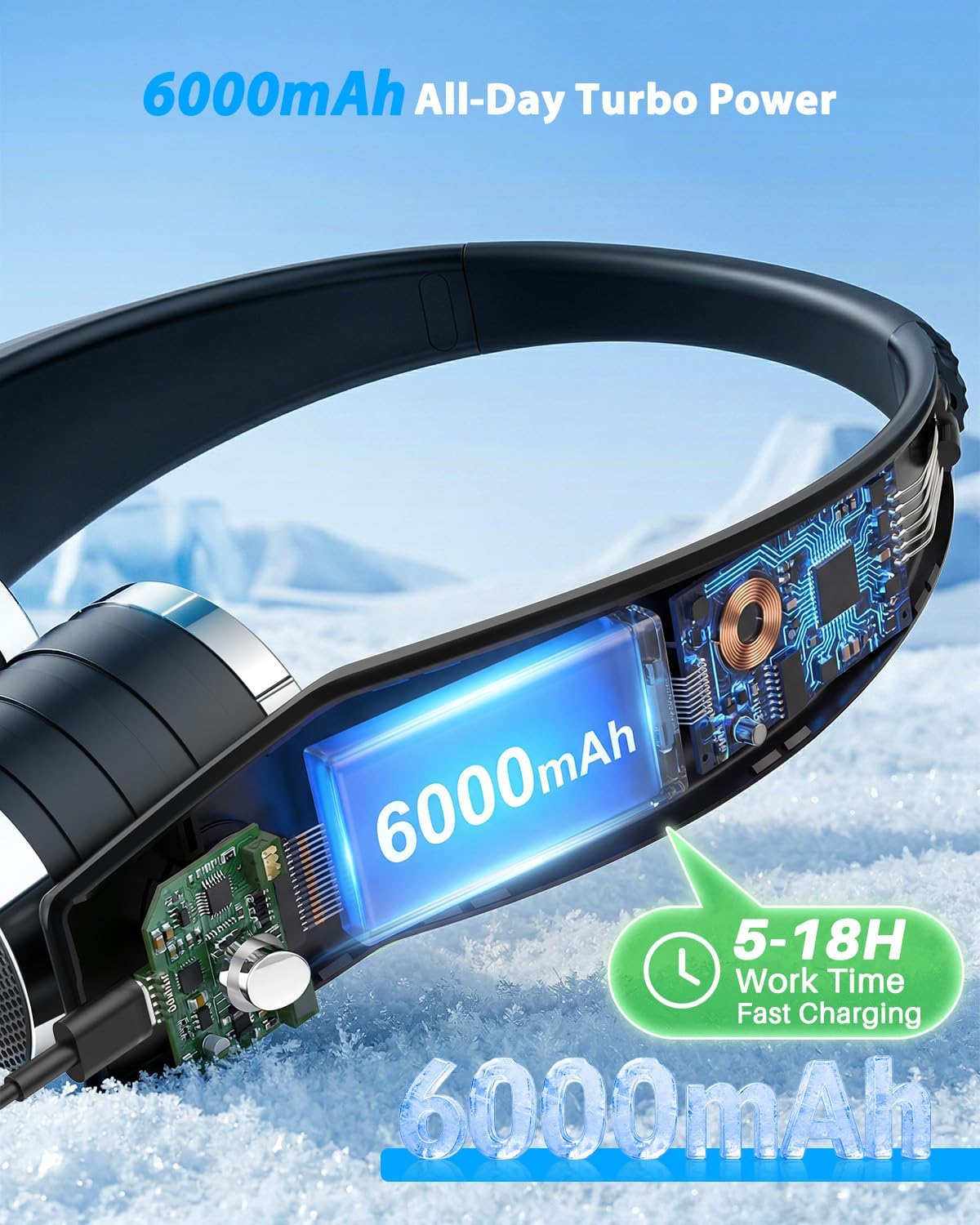
Image: Diagram illustrating the 180-degree rotation capability of the fan's vents for targeted cooling.
4. Video Demonstration
Video: A demonstration of the Ausic Portable Neck Fan's dual turbo air vents and their adjustable functionality.
Maintenance
1. Cleaning
To clean the fan, ensure it is powered off and disconnected from any charging source. Use a soft, dry cloth to wipe the exterior surfaces. Do not use abrasive cleaners or immerse the fan in water.
2. Storage
When not in use for extended periods, store the fan in a cool, dry place away from direct sunlight and extreme temperatures. It is recommended to charge the battery every 3 months to maintain its lifespan.
Troubleshooting
- Fan not turning on: Ensure the battery is charged. Connect the fan to a power source using the Type-C cable and allow it to charge for at least 30 minutes before attempting to power on again.
- Weak airflow: Check the battery level; lower battery can result in reduced fan speed. Ensure the vents are not obstructed. Cycle through the speed settings to ensure it's not on the lowest setting.
- Fan not charging: Verify that the Type-C cable is securely connected to both the fan and the power adapter. Try a different USB port or power adapter.
- Unusual noise: If you hear unusual noises, power off the fan immediately. Check for any foreign objects obstructing the fan blades. Do not attempt to disassemble the unit.
Specifications
| Feature | Detail |
|---|---|
| Brand | Ausic |
| Model Name | G20 |
| Electric Fan Design | Wearable Fan |
| Power Source | Battery Powered |
| Battery Capacity | 6000mAh |
| Work Time | 5-18 hours (depending on speed) |
| Charging Time | 3-4 hours |
| Number of Speeds | 4 (Low, Medium, High, Turbo) |
| Special Features | Adjustable Tilt, Cooling, Lightweight, Portable, Quiet Operation |
| Control Method | Push Button |
| Material | Plastic |
| Weight | Less than 400g |
| UPC | 763344550616 |
Warranty and Support
For warranty information and customer support, please refer to the documentation included with your product or visit the official Ausic website. Contact details for support are typically provided on the product packaging or within the included user manual.