
1. Introduction
This manual provides detailed instructions for the installation, operation, and maintenance of your REOLINK Argus MagiCam Wireless Outdoor Security Camera. Please read this manual thoroughly before using the product to ensure proper functionality and safety. Keep this manual for future reference.
2. What's in the Box
- 1 x Argus MagiCam Camera
- 1 x Magnetic Bracket
- 1 x Magnetic Mount Pad
- 2 x AA Batteries (Non-rechargeable)
- 1 x Instruction Manual
3. Product Overview
The REOLINK Argus MagiCam is a versatile wireless security camera designed for both indoor and outdoor use. It features 1080p video resolution, dual-band Wi-Fi connectivity, AI person detection, two-way audio, and long battery life.
3.1 Key Features
- Magnetic Mount: Easy installation on metal surfaces or with the included magnetic pad.
- AI Person Detection: Reduces false alarms by accurately identifying human shapes.
- Dual-Band Wi-Fi (2.4/5GHz): Provides stable and flexible wireless connection.
- IP67 Weatherproof: Designed to withstand various weather conditions.
- Long Battery Life: Up to 9 months of operation on two AA lithium batteries (based on 300 seconds of daily recording).
- Local Storage: Supports up to 256GB microSD card (not included) for recording without subscription fees.
- Two-Way Talk: Communicate with visitors or deter intruders via the Reolink App.
- Night Vision: Infrared night vision for clear monitoring in low-light conditions.
- Smart Home Integration: Compatible with Amazon Alexa and Google Assistant for voice control.
3.2 Camera Components


4. Setup Instructions
4.1 Battery Installation
The Argus MagiCam operates on two AA lithium batteries. To install:
- Locate the battery compartment on the back of the camera.
- Open the compartment cover.
- Insert the two AA lithium batteries, ensuring correct polarity (+/-).
- Close the battery compartment cover securely.
4.2 App Download and Camera Pairing
To use your Argus MagiCam, you need to download the Reolink App and pair the camera:
- Download the Reolink App from your smartphone's app store (iOS or Android).
- Open the app and create an account or log in.
- Tap the "+" icon to add a new device.
- Scan the QR code located on the camera or its packaging.
- Follow the on-screen prompts to connect the camera to your 2.4GHz or 5GHz Wi-Fi network. Ensure your phone is connected to the same Wi-Fi network during setup.
4.3 Mounting the Camera
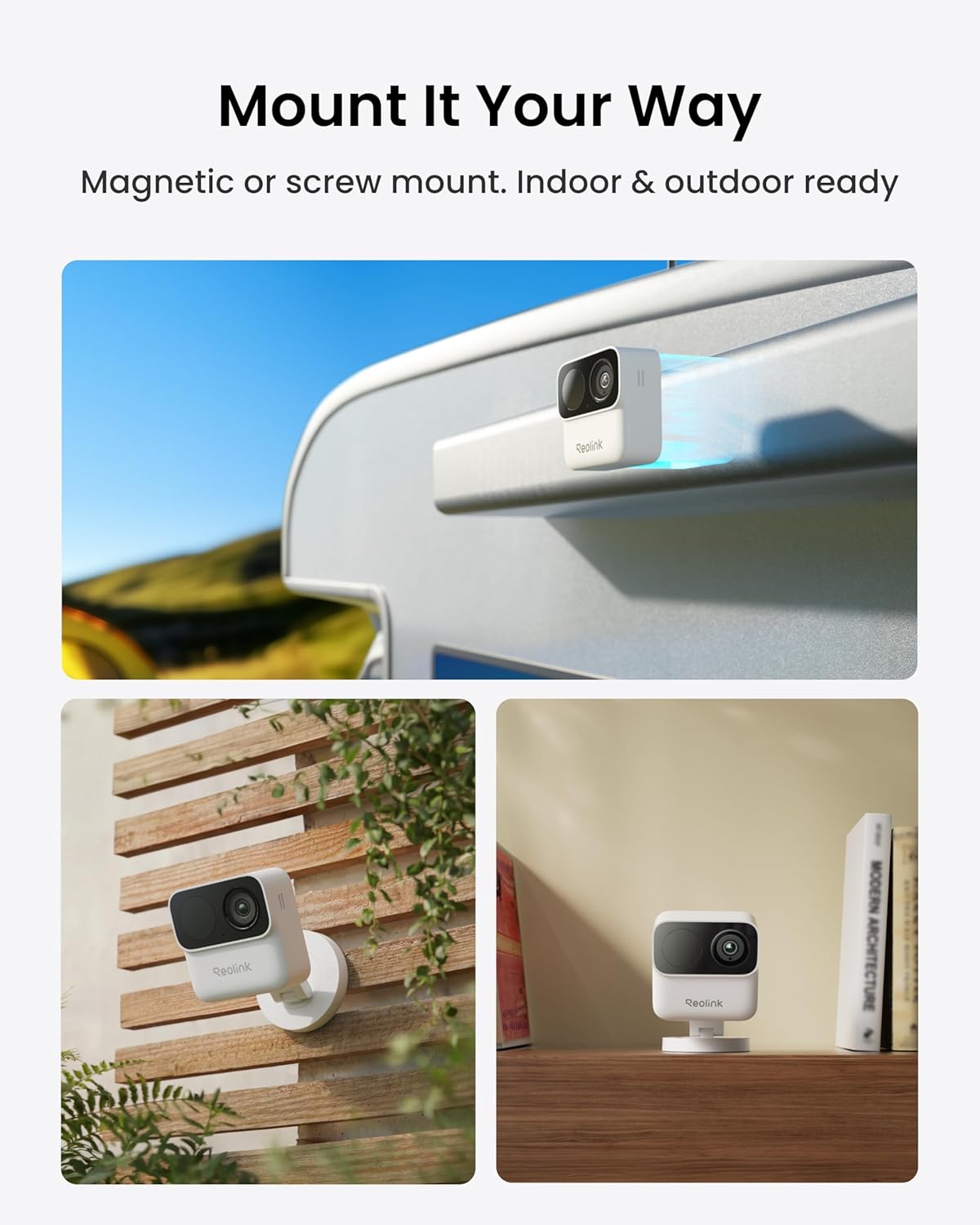
The Argus MagiCam offers flexible mounting options:
- Magnetic Mounting: Attach the camera directly to any metal surface. For non-metal surfaces, use the included magnetic mount pad and secure it with screws.
- Bracket Mounting: Use the magnetic bracket for adjustable viewing angles.


5. Operating Instructions
5.1 Live View and Playback
Access real-time video and recorded footage through the Reolink App:
- Open the Reolink App and select your Argus MagiCam.
- Tap on the live view to see real-time footage.
- Use the playback feature to review recorded events stored on the microSD card.
5.2 Two-Way Audio
The camera supports two-way audio communication:
- In live view, tap the microphone icon to speak through the camera.
- Tap the speaker icon to hear audio from the camera's location.

5.3 AI Person Detection and Alerts
The camera uses AI to detect people and send alerts:
- Configure detection zones in the app to focus on specific areas.
- Receive push notifications, emails, or siren alerts when a person is detected.


5.4 Storage Options
Your Argus MagiCam supports local storage:
- Insert a microSD card (up to 256GB) into the camera's slot for local recording.
- The camera can also integrate with Reolink Home Hub Series for expanded storage and system management.


5.5 Smart Home Integration
Control your camera using voice commands with compatible smart home devices:
- Connect your Argus MagiCam to Amazon Alexa or Google Assistant through the Reolink App.
- Use voice commands to view live feeds on compatible smart displays.

6. Maintenance
6.1 Battery Replacement
When the battery level is low, replace the AA lithium batteries as described in Section 4.1. Using non-lithium AA batteries may result in shorter battery life.
6.2 Cleaning the Camera
To maintain optimal performance:
- Gently wipe the camera lens and body with a soft, dry cloth.
- Avoid using harsh chemicals or abrasive cleaners.
6.3 Firmware Updates
Periodically check the Reolink App for available firmware updates to ensure your camera has the latest features and security enhancements. Follow the in-app instructions for updating firmware.
7. Troubleshooting
If you encounter issues with your Argus MagiCam, refer to the following common problems and solutions:
| Problem | Possible Cause | Solution |
|---|---|---|
| Camera won't connect to Wi-Fi or frequently disconnects. | Weak Wi-Fi signal, incorrect Wi-Fi band, network interference. | Ensure the camera is within range of your router. Try connecting to the 2.4GHz band if experiencing issues with 5GHz. Reduce interference from other devices. |
| False alerts or missed detections. | Improper detection zone settings, environmental factors (e.g., shadows, moving branches). | Adjust detection zones in the app. Fine-tune sensitivity settings. Ensure the camera angle avoids vertical downward views or tree obstructions. |
| Short battery life. | Frequent motion detection, high usage, cold temperatures. | Reduce motion detection sensitivity or frequency. Ensure only AA lithium batteries are used. Battery performance can decrease in extreme cold. |
| App issues (e.g., slow loading, incorrect status). | App bug, outdated app version, network issues. | Update the Reolink App to the latest version. Restart the app or your smartphone. Check your internet connection. |
| No animal detection when on battery power. | Feature limitation in battery mode. | Animal detection may be disabled when running on battery power to conserve energy. Consider connecting to a continuous power source (e.g., USB power adapter) for this feature. |
8. Specifications
| Feature | Detail |
|---|---|
| Model Name | Argus MagiCam |
| Connectivity Technology | Wireless (Wi-Fi) |
| Wi-Fi Frequency | 2.4GHz / 5GHz Dual-Band |
| Video Resolution | 1080p HD |
| Effective Still Resolution | 2 MP |
| Frame Rate | 15 frames per second |
| Viewing Angle | 132 degrees |
| Night Vision Range | 26 feet (8 meters) |
| Power Source | Battery Powered (2 x AA Lithium) |
| Battery Life | Up to 9 months (based on 300s daily recording) |
| Local Storage | Micro SD card up to 256 GB (not included) |
| Weatherproof Rating | IP67 |
| Operating Temperature | -10°C to 55°C (14°F to 131°F) |
| Dimensions | 2.68 x 1.13 x 2.68 inches (6.8 x 2.87 x 6.8 cm) |
| Weight | 108 g (3.8 oz) |
| Compatible Devices | Smartphone (iOS, Android), Amazon Alexa, Google Assistant |
9. Warranty and Support
REOLINK provides comprehensive support for its products:
- 30-Day Money Back Guarantee: If you are not satisfied with your purchase, you may return it within 30 days for a full refund.
- 2-Year Limited Warranty: Your Argus MagiCam is covered by a 2-year limited warranty against manufacturing defects.
- 24/7 Online Support: Access online support resources and contact customer service for assistance at any time.
For further assistance, please visit the official REOLINK website or contact their customer support.


