
Introduction
This manual provides instructions for the assembly, operation, and maintenance of your Cubiker 32x19 Electric Standing Desk. This electric height-adjustable desk allows for effortless transitions between sitting and standing positions, promoting better posture and reducing fatigue. It features a smooth lifting range from 28.3 inches to 46.5 inches.
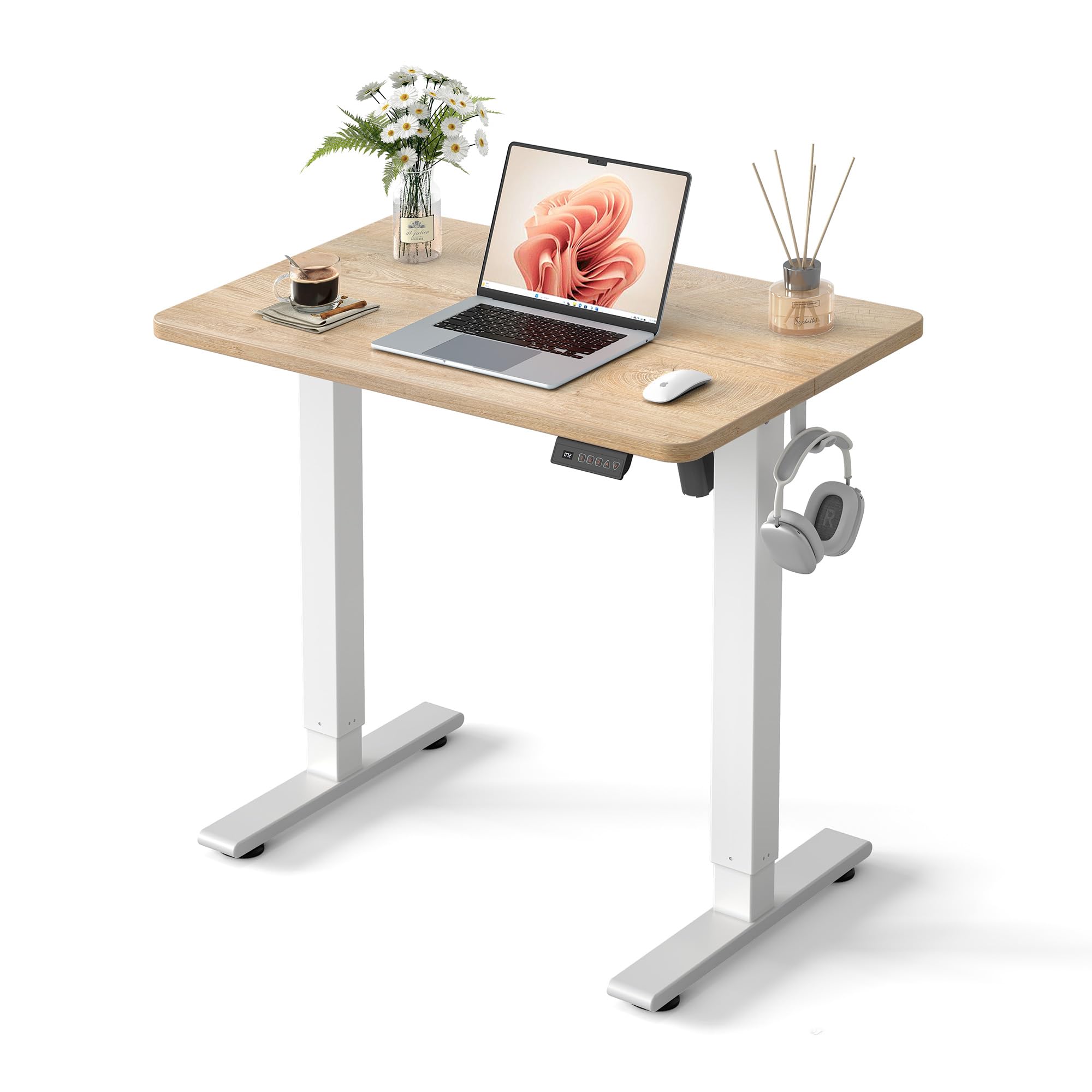
Image: The Cubiker 32x19 Electric Standing Desk with a maple top and white frame, set up in a home office.
Setup and Assembly
The Cubiker Electric Standing Desk is designed for quick and straightforward assembly. All necessary tools and clear instructions are included to facilitate the setup process.
Assembly Steps Overview:

Image: A visual guide illustrating the four main steps for assembling the Cubiker standing desk, indicating a 30-minute installation time.
- Attach the crossbeam to the sturdy legs.
- Secure the adjustable feet for stability.
- Assemble the crossbeam and side wings to form the frame structure.
- Place and secure the tabletop onto the frame for a solid desk.
Product Dimensions:

Image: Detailed dimensions of the desk, including a width of 31.5 inches, depth of 18.9 inches, and height adjustment range from 28.3 to 46.5 inches.
For a visual guide, please refer to the official assembly video:
Video: Official Cubiker Standing Desk Assembly Video. This video provides step-by-step instructions for setting up your desk.
Operating Instructions
Your Cubiker Electric Standing Desk features smooth electric height adjustment and memory presets for convenience.
Height Adjustment:
- The desk offers a height range from 28.3 inches (sitting) to 46.5 inches (standing).
- Use the up (^) and down (v) arrow buttons on the control panel to adjust the desk to your desired height.
- The motor operates quietly, under 45 dB, ensuring minimal disturbance.
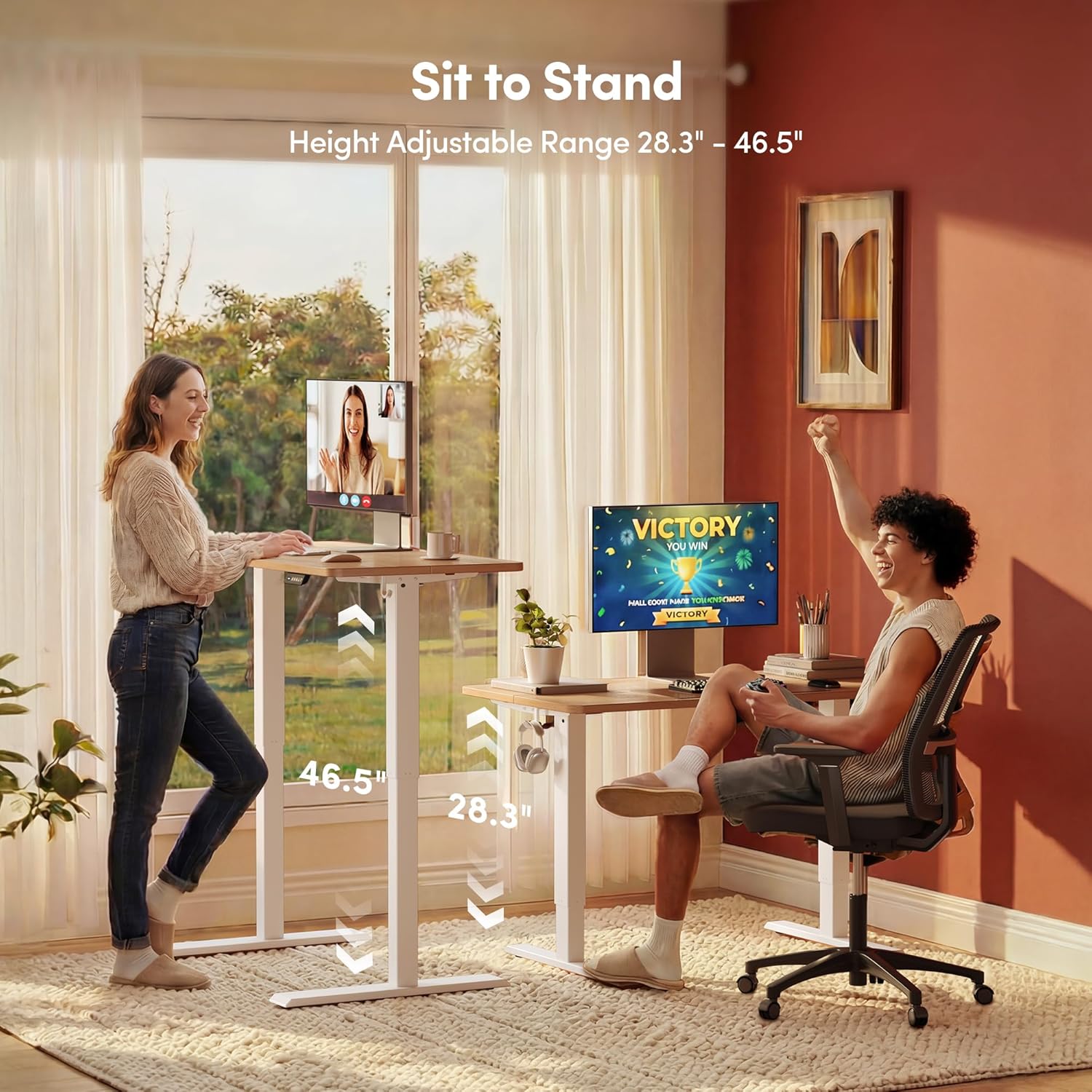
Image: A visual representation of the desk's height adjustment capabilities, showing users comfortably working in both sitting (28.3") and standing (46.5") positions.
Memory Presets:
The intelligent controller allows you to save up to three preferred height settings for quick recall.

Image: A close-up of the desk's control panel, highlighting the digital display and three programmable memory buttons for height presets.
- Adjust the desk to your desired height using the up/down buttons.
- Press the "M" button, then press one of the numbered preset buttons (1, 2, or 3) to save the current height.
- To recall a saved height, simply press the corresponding numbered button.
Maintenance
To ensure the longevity and optimal performance of your Cubiker Electric Standing Desk, follow these general maintenance guidelines:
- Cleaning: Wipe the desk surface with a soft, damp cloth. Avoid harsh chemicals or abrasive cleaners that may damage the finish.
- Cable Management: Regularly check and organize cables to prevent tangling or damage, which can interfere with the desk's movement.
- Weight Distribution: Distribute weight evenly across the desktop. Avoid placing excessive weight on one side.
- Environmental Conditions: Use the desk in a stable indoor environment. Avoid extreme temperatures or high humidity.
The desk is constructed with low-VOC materials, contributing to a healthier indoor environment.
Troubleshooting
If you encounter any issues with your Cubiker Electric Standing Desk, please refer to the following common troubleshooting tips. For further assistance, contact customer support.
Common Issues and Solutions:
| Issue | Possible Cause | Solution |
|---|---|---|
| Desk not moving / No response | Power cable disconnected, motor cable loose, overload. | Check all cable connections. Reduce weight on the desktop. Perform a reset (refer to FAQ video). |
| Unusual noise or jerky movement | Uneven weight distribution, loose components. | Ensure weight is evenly distributed. Check that all assembly screws are tightened. |
| Error Code E07 (Load / Motor Error) | Weight exceeds 50kg (110 lbs) limit, or a cable is loose. | Reduce the weight on the desktop. Verify all motor cables are secure. Perform a Reset. |
For additional troubleshooting and frequently asked questions, please watch the official FAQ video:
Video: Official Cubiker Standing Desk FAQ Video. This video addresses common questions and troubleshooting steps.
Specifications
| Brand | Cubiker |
| Model | 32x19 Electric Standing Desk |
| Shape | Rectangular |
| Product Dimensions (D x W x H) | 20"D x 32"W x 27"H (minimum height) |
| Color | Maple Top / White Frame |
| Style | Modern |
| Base Material | Alloy Steel |
| Top Material Type | Engineered Wood (Laminated) |
| Minimum Height | 28.3 inches |
| Maximum Height | 46.5 inches |
| Item Weight | 31 pounds |
| Maximum Weight Capacity | 176 lbs (80 kg) |
| Number of Height Positions | 4 (including 3 memory presets) |

Image: The desk demonstrating its stability and maximum weight capacity of 176 lbs.
Warranty and Support
Warranty Coverage:
Your Cubiker Electric Standing Desk comes with 365 Days of Reliable Coverage. This warranty ensures that your product is free from defects in material and workmanship under normal use.
Customer Support:
If you have any concerns, questions, or require assistance with your product, please contact Cubiker customer support. Our team is dedicated to resolving any issues promptly and professionally.
For contact information, please refer to the Cubiker official website or your purchase documentation.
