
1. Introduction
Thank you for choosing the JESIMAIK H6 Motorcycle Helmet Bluetooth Headset. This device is designed to enhance your riding experience by providing reliable communication, entertainment, and navigation features. Please read this manual thoroughly before use to ensure proper installation, operation, and maintenance.
2. Product Overview
The JESIMAIK H6 headset offers advanced features for motorcycle riders:
- Magnetic Quick-Mount & Release: Features an exclusive powerful magnetic mount for one-second, one-handed removal, offering convenience and enhanced security.
- Cross-Brand & All-Helmet Compatibility: Equipped with Bluetooth 5.2, it pairs with various third-party intercoms. Includes two microphone types and a magnetic mount base suitable for most full-face and half-face helmets.
- Hi-Fi Audio & 7-Layer Noise Reduction: Features 8mm ultra-thin Hi-Fi speakers (27% thinner than standard 11mm speakers) and a 40mm neodymium magnet driver. Offers 4 adjustable EQ modes (Voice, Bass, Rock, Pop). Combines ENC 2.0, DSP, CVC 8.0, and dual hardware filters to cancel up to 95% of wind, engine, and road noise.
- 10-Way Group Mesh Intercom & One-click Connection: Utilizes QIK-MESH 2.0 technology for one-click mesh connection for up to 10 riders, simplifying pairing and maintaining stable communication up to 1600m.
- Multitask Audio & Music Sharing: Powered by dual Qualcomm Bluetooth 5.2 chips, allowing seamless switching between intercom calls, music, and GPS navigation. Supports music sharing between two riders.
- Long Battery Life & IP67 Waterproof: Built with a 900mAh battery, providing up to 23 hours of intercom talk time, 25 hours of music playback, or 450 hours of standby. Features Type-C fast charging (1 hour for full charge) and IP67-rated waterproof and dustproof protection.
3. Setup and Installation
Proper installation ensures optimal performance and comfort.
3.1 Mounting the Headset
The JESIMAIK H6 features a magnetic quick-mount system for easy attachment and detachment.

Image: The magnetic quick-mount and release mechanism of the JESIMAIK H6 headset, showing the unit detaching from its base.

Image: A four-step diagram illustrating the installation process: 1) Prepare mount with clip and tape, 2) Secure to helmet edge, 3) Attach unit magnetically, 4) Detach with button press.
- Prepare the Mount: Choose between the clip mount or adhesive tape mount based on your helmet type and preference. Ensure the surface is clean and dry before applying adhesive.
- Secure to Helmet: Attach the chosen mount securely to the side of your helmet.
- Attach Headset: Align the JESIMAIK H6 unit with the magnetic mount. It will snap into place automatically.
- Detach Headset: Press the release button on the mount to easily detach the headset with one hand.
3.2 Speaker and Microphone Placement
The H6 comes with two microphone types to accommodate different helmet styles.
- Speaker Installation: Place the 8mm ultra-thin speakers inside the helmet's ear pockets. Ensure they are positioned directly over your ears for optimal audio quality and comfort.
- Microphone Installation:
- For full-face helmets, use the boom microphone and position it close to your mouth.
- For open-face or modular helmets, use the wired microphone and secure it appropriately.
4. Operating Instructions
Learn how to use the various functions of your JESIMAIK H6 headset.
4.1 Power On/Off
- Power On: Press and hold the Power button for approximately 3 seconds until the indicator light turns on.
- Power Off: Press and hold the Power button for approximately 3 seconds until the indicator light turns off.
4.2 Bluetooth Pairing (for Phone/GPS)
The H6 uses Bluetooth 5.2 for stable connections.
- Ensure the H6 headset is powered off.
- Press and hold the Power button for about 5-7 seconds until the indicator light flashes red and blue alternately, indicating pairing mode.
- On your mobile phone or GPS device, enable Bluetooth and search for "JESIMAIK H6".
- Select "JESIMAIK H6" from the list of available devices to connect. A voice prompt will confirm successful pairing.
4.3 Mesh Intercom Pairing (QIK-MESH 2.0)
The QIK-MESH 2.0 technology allows for one-click connection for up to 10 riders.

Image: A group of motorcyclists riding on a scenic road, demonstrating the 10-rider mesh intercom capability of the JESIMAIK H6, with a communication range of up to 1600 meters.
- Ensure all H6 units are powered on and within range.
- Press the Intercom button once on your H6 unit to enter pairing mode.
- The intercoms will automatically detect and connect to nearby H6 units in the same pairing state, establishing a fast mesh connection.
- The system supports auto-reconnection within 5 minutes if a unit drops out of range.
4.4 Audio Features (Music, FM Radio, EQ Modes)
Enjoy high-fidelity audio with personalized settings.
- Music Playback: Once paired with your phone, music will play automatically. Use the volume buttons on the headset to adjust volume.
- Music Sharing: The H6 allows two riders to enjoy the same music simultaneously. Refer to the quick start guide for specific music sharing activation steps.
- FM Radio: The headset includes an FM radio function (76-108MHz). Consult the quick start guide for instructions on how to activate and scan for stations.
- EQ Modes: Switch between 4 adjustable EQ modes (Voice, Bass, Rock, Pop) to tailor your audio experience. Specific button presses for changing EQ modes are detailed in the quick start guide.

Image: Visual representation of the four sound modes: Pop, Rock, Bass, and Vocal Pure, indicating customizable audio settings.

Image: Two individuals on a motorcycle, with sound waves emanating from their helmets, illustrating the music sharing function for passengers.
4.5 Call Management and Voice Assistant
- Answering/Ending Calls: Use the designated call button on the headset to answer or end phone calls.
- Voice Assistant: The H6 supports Siri and other voice assistants. Activate by pressing the appropriate button (refer to quick start guide) to use voice commands for navigation, calls, and more.
- Multitasking Audio: Dual Qualcomm Bluetooth 5.2 chips allow for seamless switching between intercom calls, music, and GPS navigation without interruption.
4.6 Video Demonstration
Video: This video demonstrates the key features of the JESIMAIK H6 Motorcycle Helmet Bluetooth Headset, including its sleek design, large buttons for easy operation, powerful magnetic quick-mount, dual Bluetooth 5.2 chips, QIK-MESH 2.0 technology for reliable mesh connectivity up to 1600 meters, auto communication recovery, 7-layer noise cancellation, 8mm thin speakers, 40mm drivers for premium sound, 4 music effects, music sharing, FM radio, IP67 waterproof rating, long battery life, and fast charging.
5. Maintenance
Proper care extends the life of your headset.
5.1 Charging
The H6 is equipped with a 900mAh battery and Type-C fast charging.

Image: The JESIMAIK H6 headset connected via a Type-C cable for charging, with an overlay detailing its 900mAh battery capacity and endurance: ~25 hours phone calls, ~23 hours intercom use, ~25 hours music playback, and 1 hour for a full charge.
- Connect the provided Type-C charging cable to the headset's charging port and a suitable USB power source.
- A full charge takes approximately 1 hour.
- The battery provides up to 23 hours of intercom talk time, 25 hours of music playback, or 450 hours of standby.
5.2 Water and Dust Resistance
The H6 headset is IP67-rated for water and dust resistance.
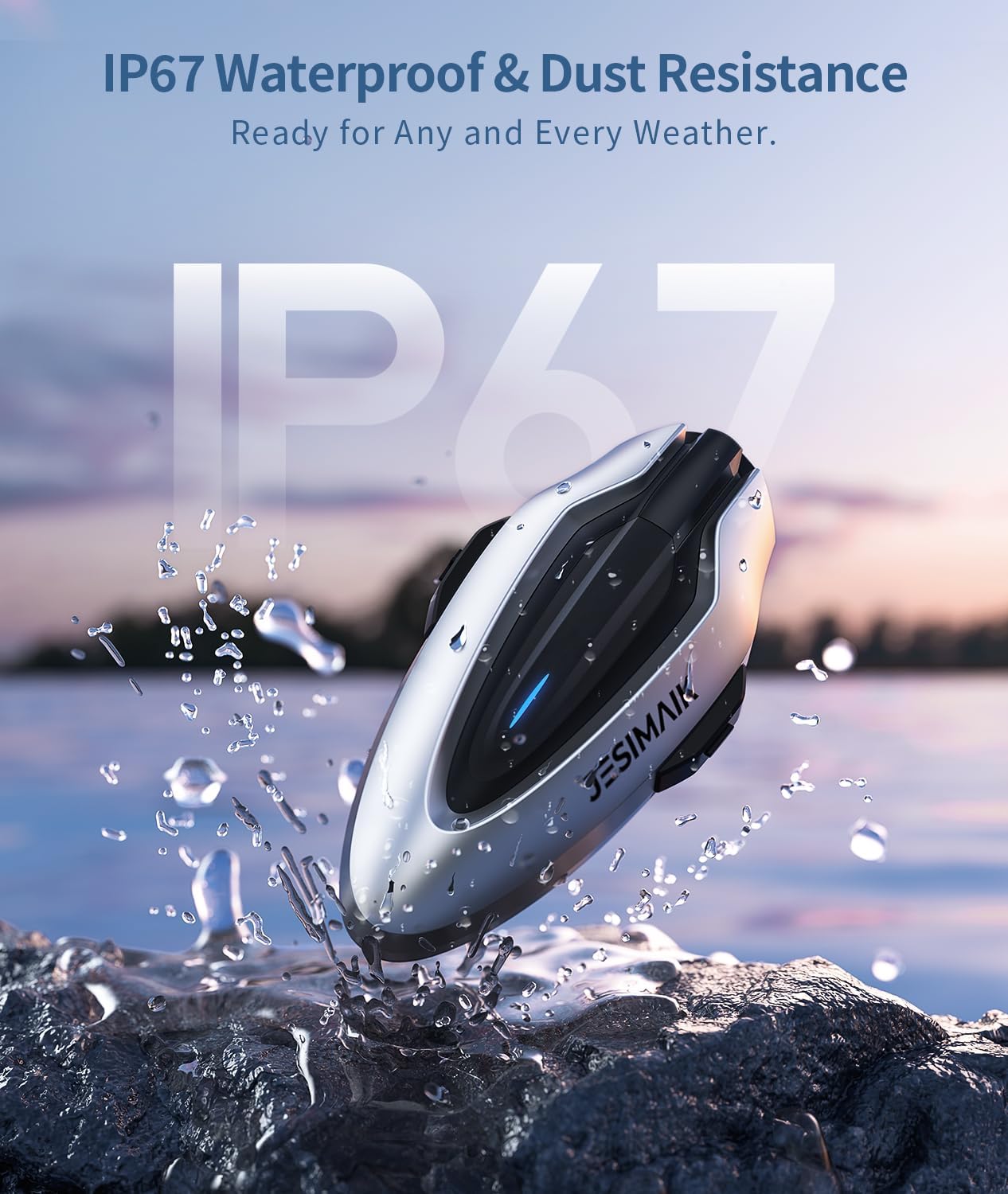
Image: The JESIMAIK H6 headset with water splashing around it, illustrating its IP67 waterproof and dustproof capabilities, suitable for various weather conditions.
- The IP67 rating means the device is protected from dust ingress and can withstand immersion in water up to 1 meter for 30 minutes.
- While resistant to rain and splashes, avoid prolonged submersion or high-pressure water jets.
6. Troubleshooting
Common issues and solutions.
- No Power: Ensure the battery is charged. Connect the headset to a charger and try powering on again.
- Cannot Pair: Ensure the headset is in pairing mode (flashing red and blue). Check that Bluetooth is enabled on your device and try pairing again. If connecting to another H6 unit, ensure both are in mesh pairing mode.
- Intercom Disconnects: The QIK-MESH 2.0 system features auto communication recovery, reconnecting within 5 minutes if a unit temporarily drops out of range. Ensure units are within the 1600m range.
- Poor Audio Quality: Check speaker placement inside the helmet. Ensure the microphone is positioned correctly and not obstructed. Verify that the 7-layer noise reduction is active.
- No Sound: Check volume levels on both the headset and your connected device. Ensure the headset is properly paired.
7. Specifications
| Feature | Detail |
|---|---|
| Brand | JESIMAIK |
| Model Number | H6 |
| Bluetooth Version | 5.2 |
| Bluetooth Range | Up to 1.2 Miles (approx. 1900 meters) |
| Intercom Range | Up to 1600 meters (Mesh Intercom) |
| Max Riders (Mesh) | 10 |
| Battery Capacity | 900mAh |
| Intercom Talk Time | Up to 23 hours |
| Music Playback Time | Up to 25 hours |
| Standby Time | Up to 450 hours |
| Charging Time | 1 hour (Type-C Fast Charging) |
| Water Resistance | IP67 |
| Speaker Size | 8mm ultra-thin Hi-Fi speaker, 40mm neodymium magnet driver |
| Noise Control | ENC 2.0, DSP, CVC 8.0, Dual Hardware Filters |
| FM Radio | Yes (76-108MHz) |
| Weight | 1.8 Pounds (approx. 0.82 kg) |
8. Warranty
The JESIMAIK H6 Motorcycle Helmet Bluetooth Headset comes with a 2-Year Warranty from the date of purchase. This warranty covers manufacturing defects and ensures your product is free from material and workmanship flaws under normal use. Please retain your proof of purchase for warranty claims.
9. Support
For further assistance, technical support, or warranty inquiries, please contact JESIMAIK customer service through the retailer where you purchased the product or visit the official JESIMAIK website for contact information.


