
1. Product Overview
The Ledlenser TAC7R is a high-performance tactical flashlight designed for critical illumination needs in demanding environments. It offers extreme power, intuitive controls, and maximum durability, making it suitable for law enforcement, security, and emergency services. Its hard-anodized aluminum body with diamond knurling is IP68 certified, resistant to water, dust, and drops up to 2 meters, ensuring reliable operation in the toughest conditions.
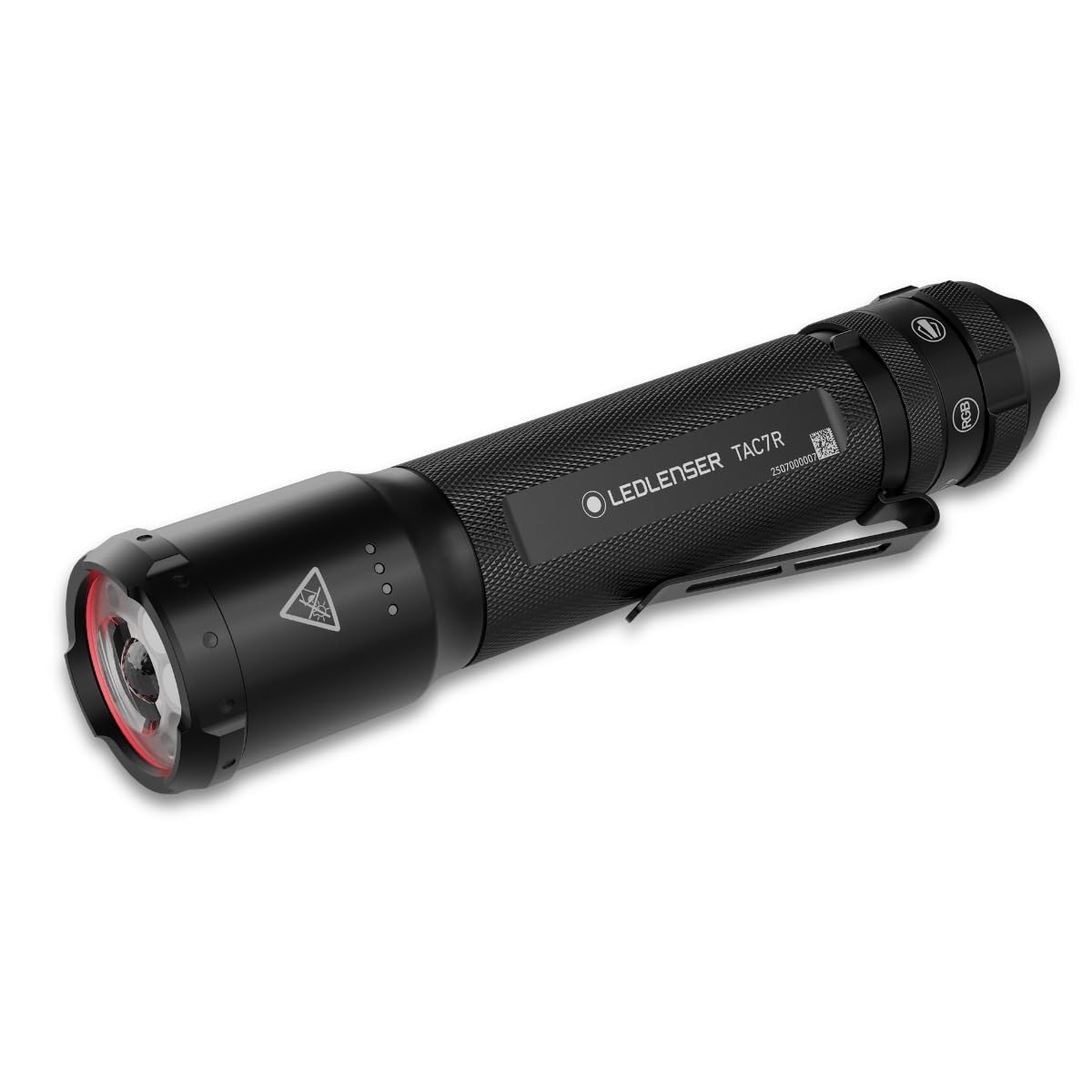
Image 1.1: The Ledlenser TAC7R tactical flashlight, showcasing its robust design.
Key Features
- Maximum Tactical Performance: Up to 3200 lumens in a robust 220g hard-anodized aluminum casing. IP68 certified for water, dust, and drop resistance up to 2m.
- Multi-Lens Tactical Beam: Advanced technology allows combining flood and spot illumination or using them separately. Includes Boost, High, Mid, Search, Check, Flash, and Strobe modes, with red, green, and blue light options. Maximum range of 370 meters.
- Intuitive Dual Control: Features a rear tactical switch and a mode selection ring for rapid switching between Flash, Strobe, RGB, and transport lock functions.
- Rechargeable and Durable: Powered by a replaceable 21700 Li-ion battery, rechargeable via USB-C in approximately 3 hours. Provides up to 30 hours of runtime, with integrated battery indicators.
- 7-Year Warranty: Backed by a 7-year warranty upon registration, ensuring product reliability and quality.
2. Package Contents
Verify that all items are present in your Ledlenser TAC7R package:
- Ledlenser TAC7R Flashlight
- 21700 Li-ion Rechargeable Battery
- USB-C Charging Cable
- Adjustable Hand Strap
- Type G Belt Holster

Image 2.1: All components included in the Ledlenser TAC7R package.
3. Setup
3.1 Battery Installation
The Ledlenser TAC7R comes with a pre-installed 21700 Li-ion rechargeable battery. To access the battery compartment, unscrew the tail cap. Ensure the battery is securely seated with the positive (+) terminal facing towards the head of the flashlight before reattaching the tail cap.
3.2 Charging the Battery
To charge the flashlight, locate the USB-C charging port, typically protected by a rubber cover near the head of the flashlight. Open the cover and connect the supplied USB-C cable to the charging port and to a compatible USB power source (e.g., wall adapter, computer USB port). The integrated indicators will show the charging status. A full charge takes approximately 3 hours. Close the rubber cover securely after charging to maintain water and dust resistance.

Image 3.1: The Ledlenser TAC7R connected for USB-C charging, highlighting its powerful battery.
4. Operating Instructions
4.1 Power On/Off
The flashlight is operated using the tactical rear switch. Press the switch firmly to turn the flashlight on or off. A half-press may activate momentary light or cycle through modes depending on the selected program.
4.2 Mode Selection
The mode selection ring, located near the rear switch, allows you to cycle through various lighting modes. Rotate the ring to select your desired mode. The ring provides tactile feedback for precise selection.
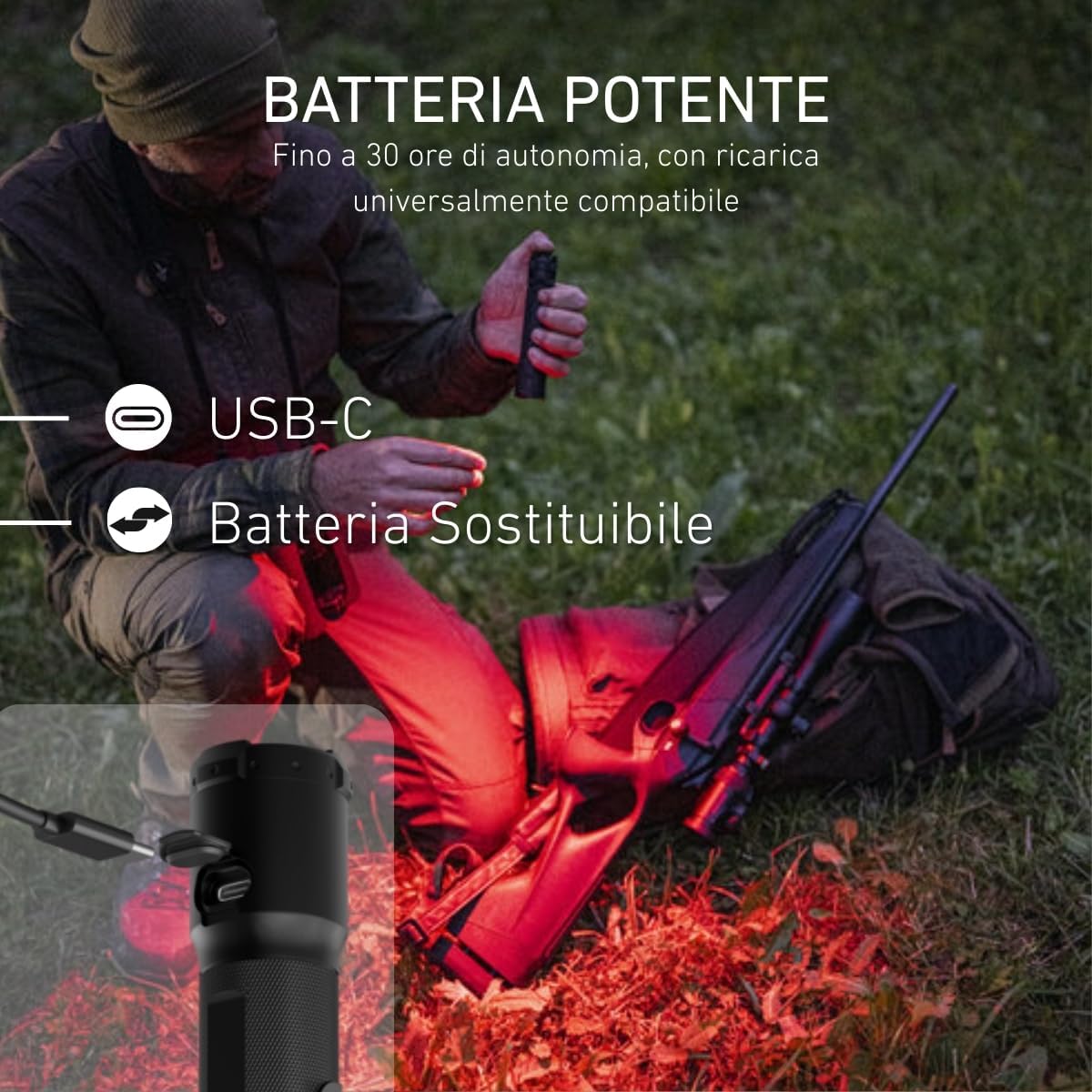
Image 4.1: Illustration of the quick control features, including Lock, Mission, RGB, and Flash modes, with a close-up of the mode selection ring.
4.2.1 Tactical Beam Modes (Multi-Lens Technology)
The Multi-Lens technology offers versatile beam patterns, allowing you to adapt the light to your specific needs:
- Check: Provides a wide flood beam only, ideal for close-range illumination.
- TAC Mid: Combines a wide flood beam with a focused spot beam for balanced illumination.
- TAC High: Offers an enhanced combination of wide flood and focused spot beam for maximum general illumination.
- Search: Delivers a maximum spot beam with a low flood component, optimized for long-distance searching.
- Strobe: A rapid flashing light function for signaling or disorienting targets.
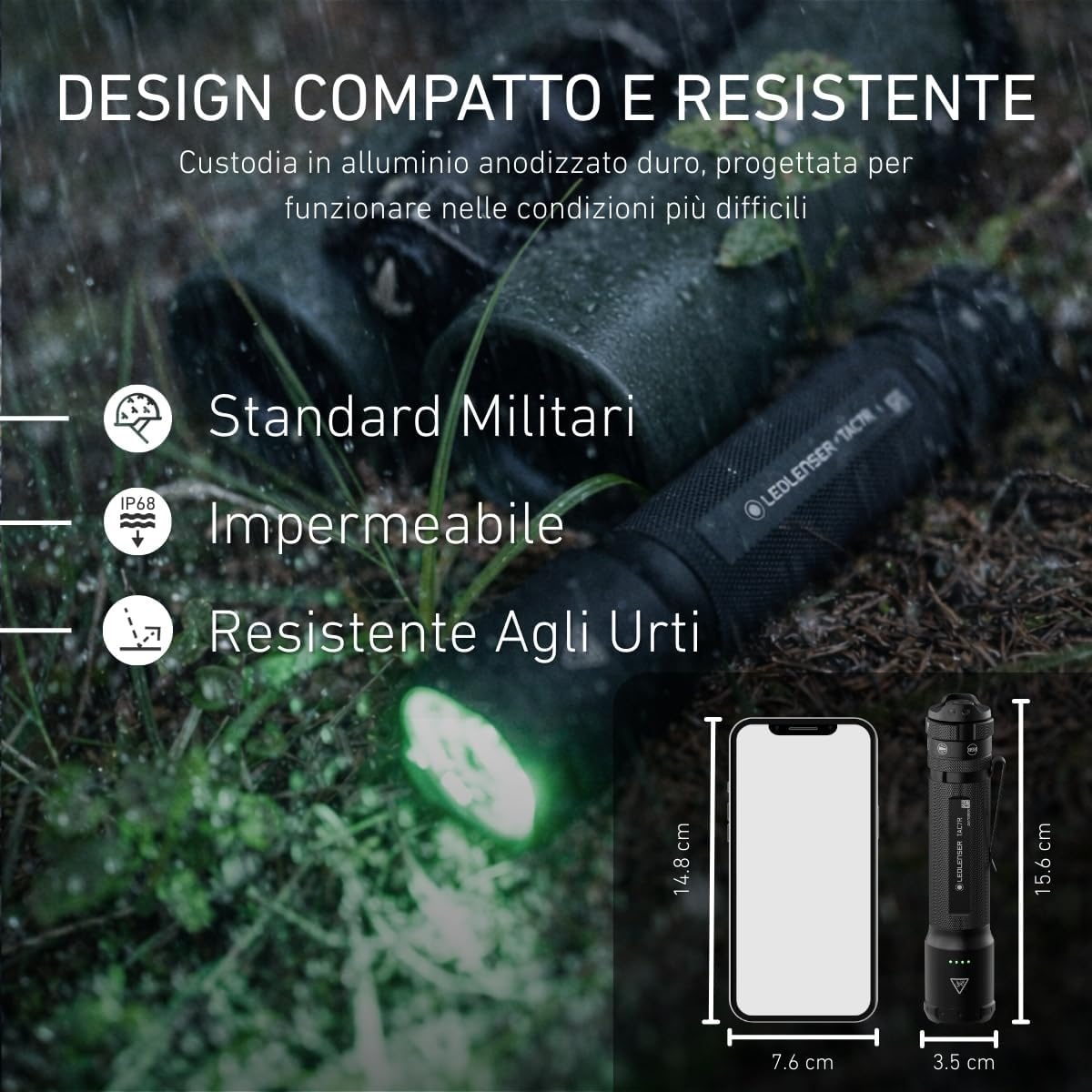
Image 4.2: Diagram illustrating the various tactical beam patterns available with Multi-Lens Technology.
4.2.2 Special Modes
In addition to tactical beam modes, the TAC7R features special functions accessible via the mode selection ring:
- Lock: Activates a transport lock to prevent accidental activation during storage or transport.
- Mission: A specific tactical light mode designed for particular operational scenarios.
- RGB: Provides Red, Green, and Blue light options, ideal for night vision preservation, signaling, or specific operational needs where white light is not desired.
- Flash: A quick signaling function for communication or emergency situations.
4.3 Video Demonstration
Video 4.3: A demonstration of the Ledlenser TAC7R, including unboxing, key features, and operational modes.
5. Maintenance and Care
5.1 Cleaning
Regularly clean the flashlight body with a soft, damp cloth. Do not use abrasive cleaners or solvents, as these can damage the anodized finish. Keep the lens free of dirt, dust, and fingerprints for optimal light output. Use a lens cleaning cloth if necessary.
5.2 Battery Care
To prolong the life of your 21700 Li-ion battery, avoid fully discharging it frequently. It is recommended to store the flashlight with a partial charge (around 50%) if it will not be used for extended periods. The battery is replaceable; use only genuine Ledlenser replacement batteries.
5.3 Water and Dust Resistance
The TAC7R is IP68 rated, meaning it is protected against dust ingress and immersion in water up to 2 meters for 30 minutes. To maintain this rating, ensure all caps, covers (especially the USB-C port cover), and the tail cap are securely closed and tightened before exposing the flashlight to water or dusty environments.

Image 5.1: The Ledlenser TAC7R's compact and durable design, highlighting its IP68 rating and shock resistance.
6. Troubleshooting
6.1 Flashlight Does Not Turn On
- Check the battery charge level. Recharge the battery if necessary.
- Ensure the battery is correctly inserted with the correct polarity.
- Verify that the transport lock is not activated. Rotate the mode selection ring to unlock the flashlight.
- Ensure the tail cap is fully tightened.
6.2 Dim Light Output
- Recharge the battery. Dim light is often an indication of a low battery.
- Clean the lens surface. Dirt or smudges can significantly reduce light output.
- Ensure the correct mode is selected; some modes are designed for lower lumen output to conserve battery.
6.3 Charging Issues
- Check the USB-C cable and power source for proper connection and functionality.
- Ensure the charging port on the flashlight is clean and free of debris.
- Try a different USB-C cable or power adapter.
7. Technical Specifications
| Feature | Detail |
|---|---|
| Light Output (White) | Up to 3200 Lumens |
| Beam Range | Up to 370 meters |
| Runtime | Up to 30 hours |
| Battery Type | 1 x 21700 Li-ion (Rechargeable, Included) |
| Charging | USB-C (Approx. 3 hours for full charge) |
| Water & Dust Resistance | IP68 |
| Material | Hard-anodized Aluminum |
| Dimensions (L x W x H) | 156 x 35 x 35 mm |
| Weight | 220 Grams |
| Special Features | Multi-Lens Technology, RGB Light, Strobe, Mode Selection Ring, Tactical Rear Switch |
| Color Temperature | 7500 Kelvin |
| Voltage | 3.6 Volts |
| Item Code | 503053 |
| Country of Origin | China |
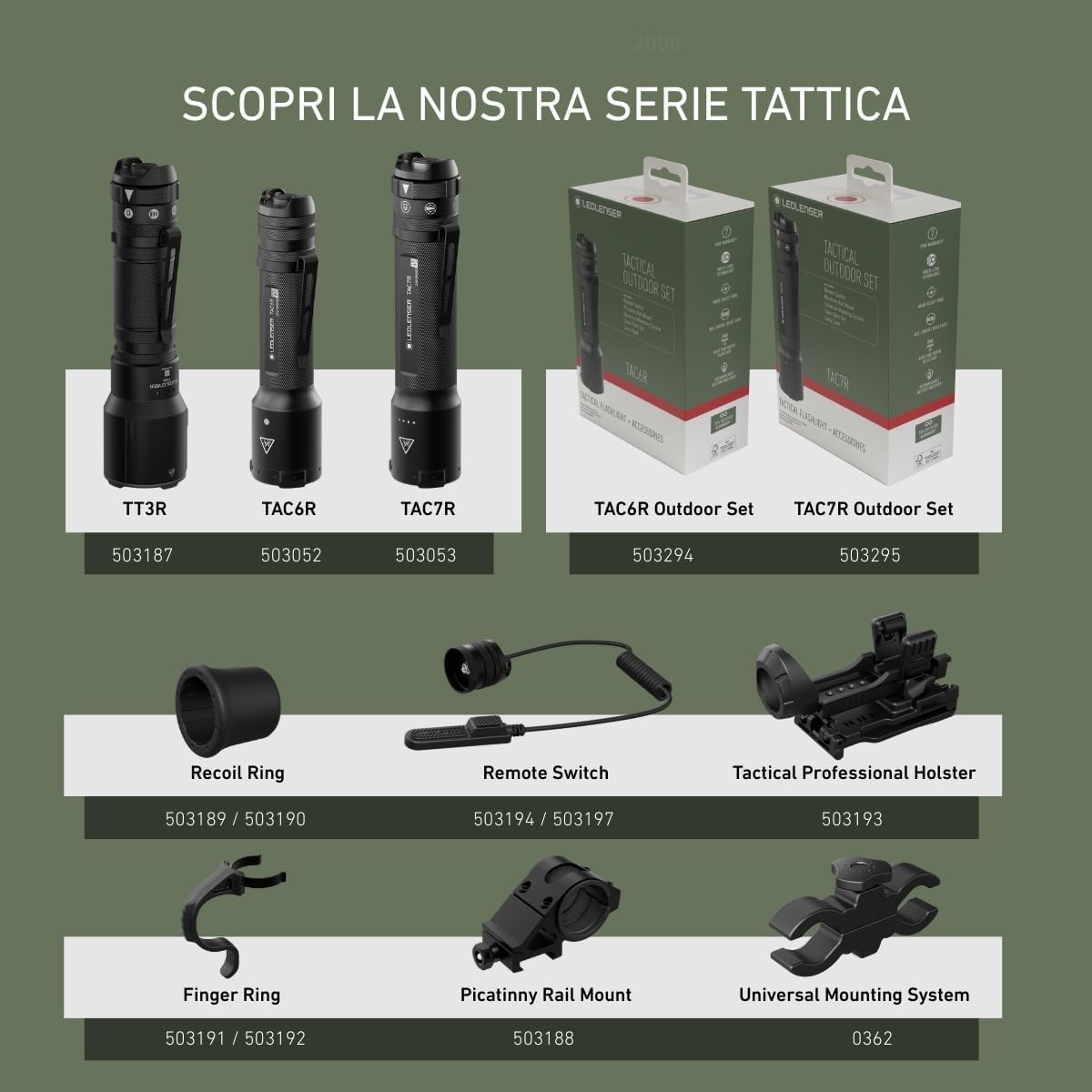
Image 7.1: The Ledlenser TAC7R is constructed with 75% recycled aluminum, emphasizing sustainability.
8. Warranty and Customer Support
8.1 Warranty Information
The Ledlenser TAC7R comes with a standard 2-year manufacturer's warranty. This warranty can be extended by an additional 5 years (total of 7 years) upon online registration of your product. The warranty covers manufacturing defects and ensures the reliability and quality of your Ledlenser product.
8.2 Product Registration
To register your product and activate the extended 7-year warranty, please visit the official Ledlenser website and follow the instructions provided. Keep your proof of purchase for warranty claims.
8.3 Customer Support
For further assistance, technical support, or warranty claims, please visit the official Ledlenser website (www.ledlenser.com) or contact your local authorized Ledlenser distributor. Please have your product model and serial number ready when contacting support.

