
1. Introduction
The Klanata Bside AVD06 is a non-contact AC voltage detector designed for safe and efficient electrical testing. It features dual operating modes (automatic and manual), adjustable sensitivity, and clear LED indicators for voltage strength. This manual provides essential information for the proper use and maintenance of your device.
2. Safety Information
Always adhere to safety precautions when working with electrical systems. This device is designed to international safety standard CE CAT.II 1000V. Do not use the device if it appears damaged or is not functioning correctly. Always ensure the battery is properly installed before use.
3. Product Overview
The AVD06 detector is equipped with several key features to assist in voltage detection:
- Non-contact AC voltage detection.
- Low battery indication.
- Light flash and alert beeper for AC voltage presence.
- Automatic or manual testing mode selection.
- Adjustable sensitivity knob for manual mode.
- Smart voltage strength detection with green, yellow, and red LED indicators.
- Ability to distinguish zero/live wire.
- Convenient spotlight for dark environments.
- Automatic power off after 5 minutes of inactivity.

Figure 3.1: The AVD06 detector highlighting its light flash, alert beeper, and smart voltage strength detection features with LED indicators.

Figure 3.2: The AVD06 detector shown held in a hand, illustrating its ergonomic design.
4. Setup
4.1 Battery Installation
- Locate the battery compartment cover on the back of the device.
- Open the cover.
- Insert one 9V 6F22 battery, ensuring correct polarity.
- Close the battery compartment cover securely.

Figure 4.1: The battery compartment of the AVD06 detector, showing where to insert the 9V battery.
5. Operating Instructions
5.1 Power On/Off
To power on the device, rotate the sensitivity adjusting knob from the "OFF" position. The device will automatically power off if there is no operation within 5 minutes to conserve battery life.
5.2 Mode Selection (Automatic/Manual)
The AVD06 offers both automatic and manual testing modes. Press the "MODE" button to switch between these modes. In automatic mode, the device adjusts sensitivity automatically. In manual mode, you can fine-tune the sensitivity.

Figure 5.1: The AVD06 detector demonstrating its use near electrical wires, highlighting the automatic or manual testing mode selection and sensitivity adjustment.
5.3 Adjusting Sensitivity (Manual Mode)
When in manual mode, spin the sensitivity adjusting knob to freely adjust the detection sensitivity. This allows for precise detection of uncovered lines (low-sensitivity mode) or hidden lines within walls (high-sensitivity mode).
5.4 Voltage Detection and Indication
When AC voltage is detected, the device will emit a light flash and an alert beeper sound. The smart voltage strength detection feature will automatically illuminate LED lamps:
- Green LED: Indicates low voltage existence.
- Yellow LED: Indicates moderate voltage existence.
- Red LED: Indicates high voltage existence.
5.5 Zero/Live Wire Identification
The device can distinguish between zero and live wires based on the detected sensitivity. A stronger indication typically points to a live wire.
5.6 Spotlight Function
Press the spotlight button to activate the built-in light, which is useful for testing in dark environments.
6. Maintenance
To ensure the longevity and accuracy of your AVD06 detector:
- Keep the device clean and dry. Wipe with a soft, damp cloth if necessary. Do not use abrasive cleaners or solvents.
- Replace the battery promptly when the low battery indicator appears.
- Store the device in a cool, dry place away from direct sunlight and extreme temperatures.
7. Troubleshooting
7.1 Device Not Responding / No Indication
- Check Battery: Ensure the 9V battery is correctly installed and not depleted. Replace if necessary. The device has a low battery indication feature.
- Power On: Confirm the device is powered on by rotating the sensitivity knob from the "OFF" position.
- Mode Selection: Verify you are in the appropriate testing mode (automatic or manual) for your application.
8. Specifications
| Feature | Specification |
|---|---|
| Brand | Klanata |
| Model | AVD06 |
| AC Voltage Range (Manual Mode) | 12V~1000V |
| AC Voltage Range (Auto Mode) | 48V~1000V |
| Frequency | 50Hz/60Hz |
| Battery | 1 x 9V 6F22 Battery (Not Included) |
| Size | Approx. 173*48*34mm (6.8*1.9*1.3inch) |
| Weight | Approx. 101g (3.6oz) |
| Safety Standard | CE CAT.II 1000V |
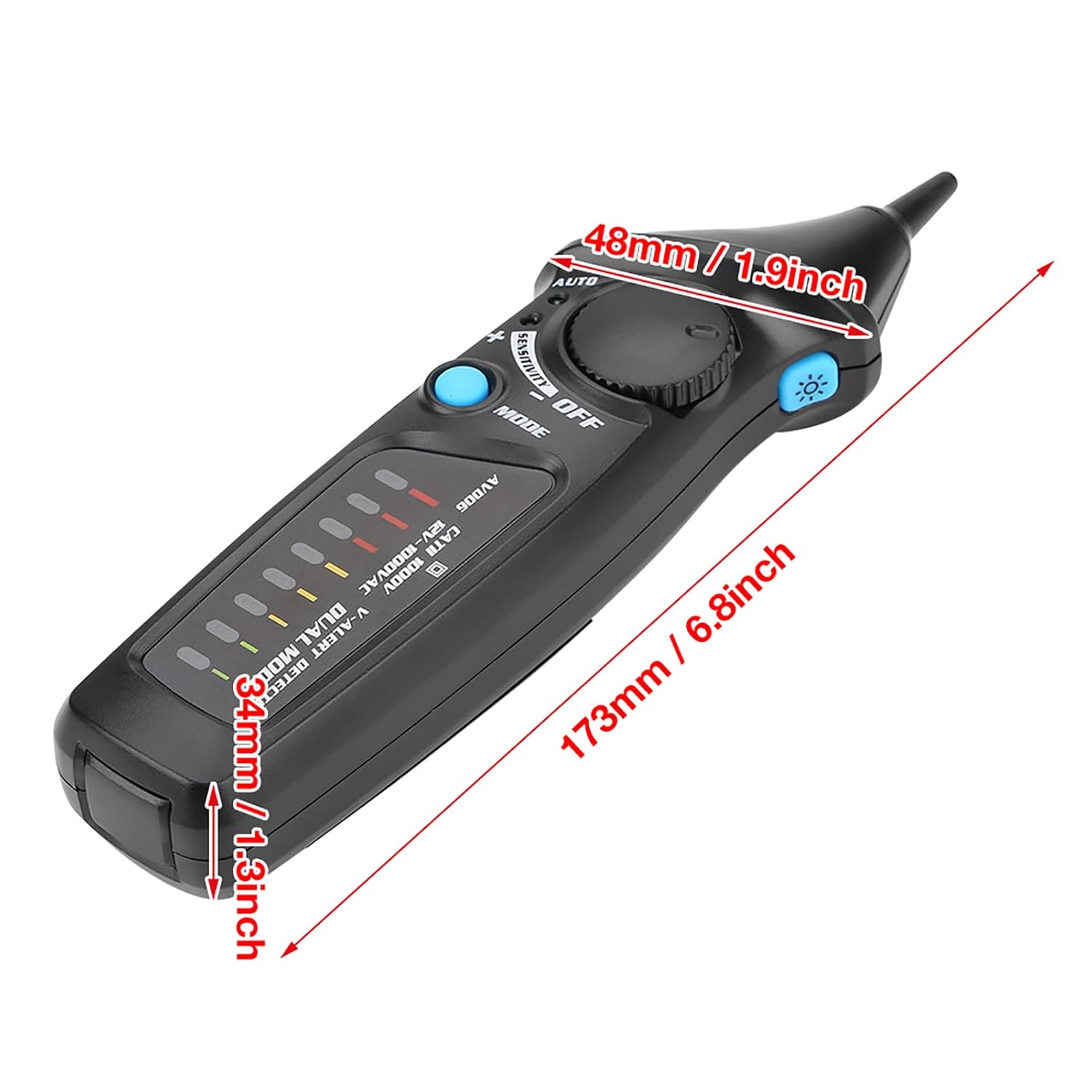
Figure 8.1: Dimensions of the AVD06 detector.